"Unit Quality"
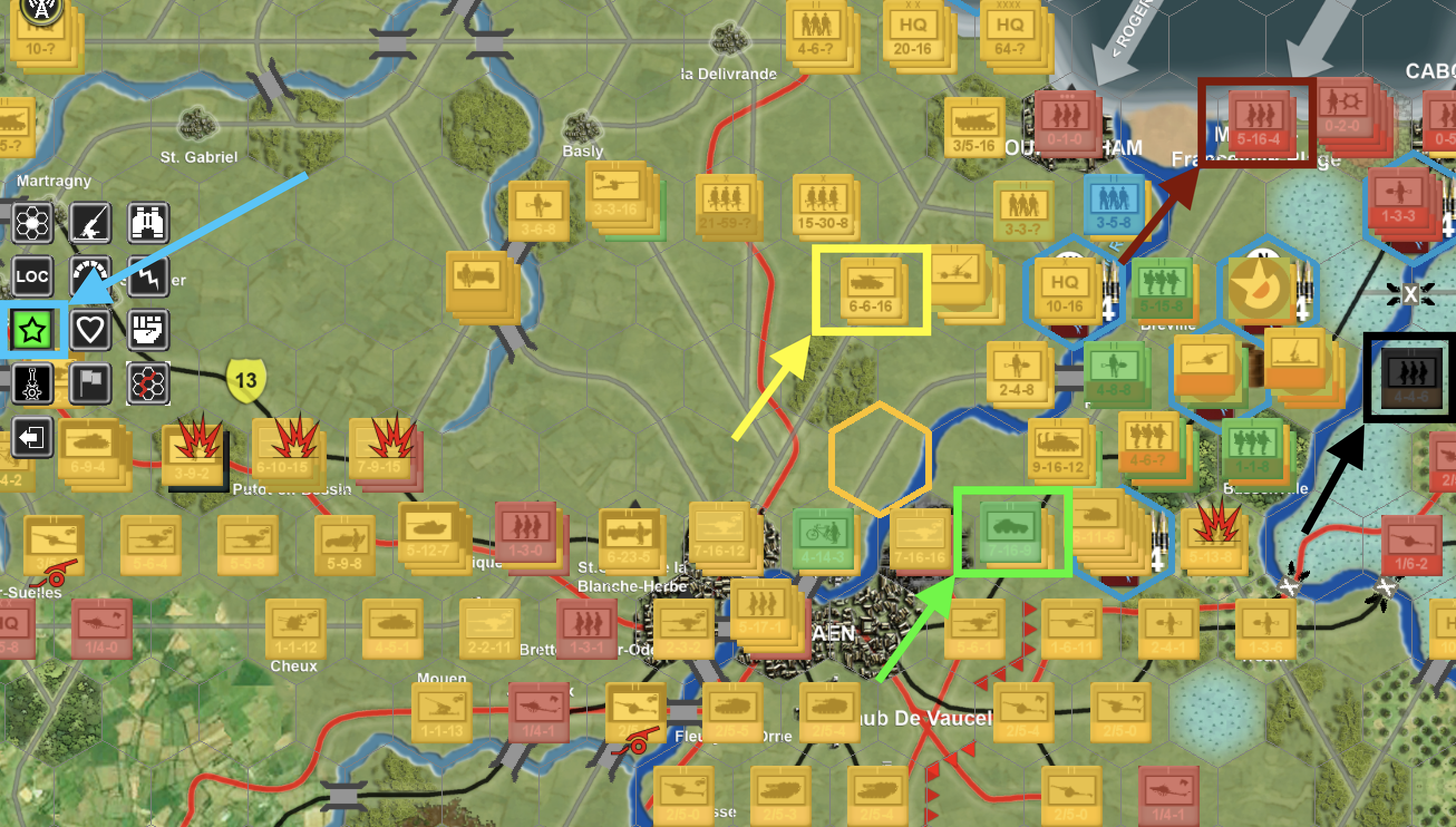
Another nice feature in the game is to quickly determine what units are of what caliber in "quality" In the picture you can see the information button (blue box and arrow left side of snapshot) has been pressed to see this without going to each and every unit to see their quality level individually. This can really help in determining a possible attack route through inexperienced units. Also "Quality" affects almost everything in this game from what I have seen.
Black box & arrow = Conscript units (1 National symbol on unit) is dark shade of see through black
Dark Red box and arrow = Green quality units (2 national symbols on unit) is a redish shade
Yellow box and arrow = Regual quality units (3 national symbols on unit) is yelowish in shade
Green box and arrow = Veteran quality units (4 national symbols on unit) is greensiah in shade
Didn't see an Elite unit in the mix

- Unit Quality.png (1.84 MiB) Viewed 546 times
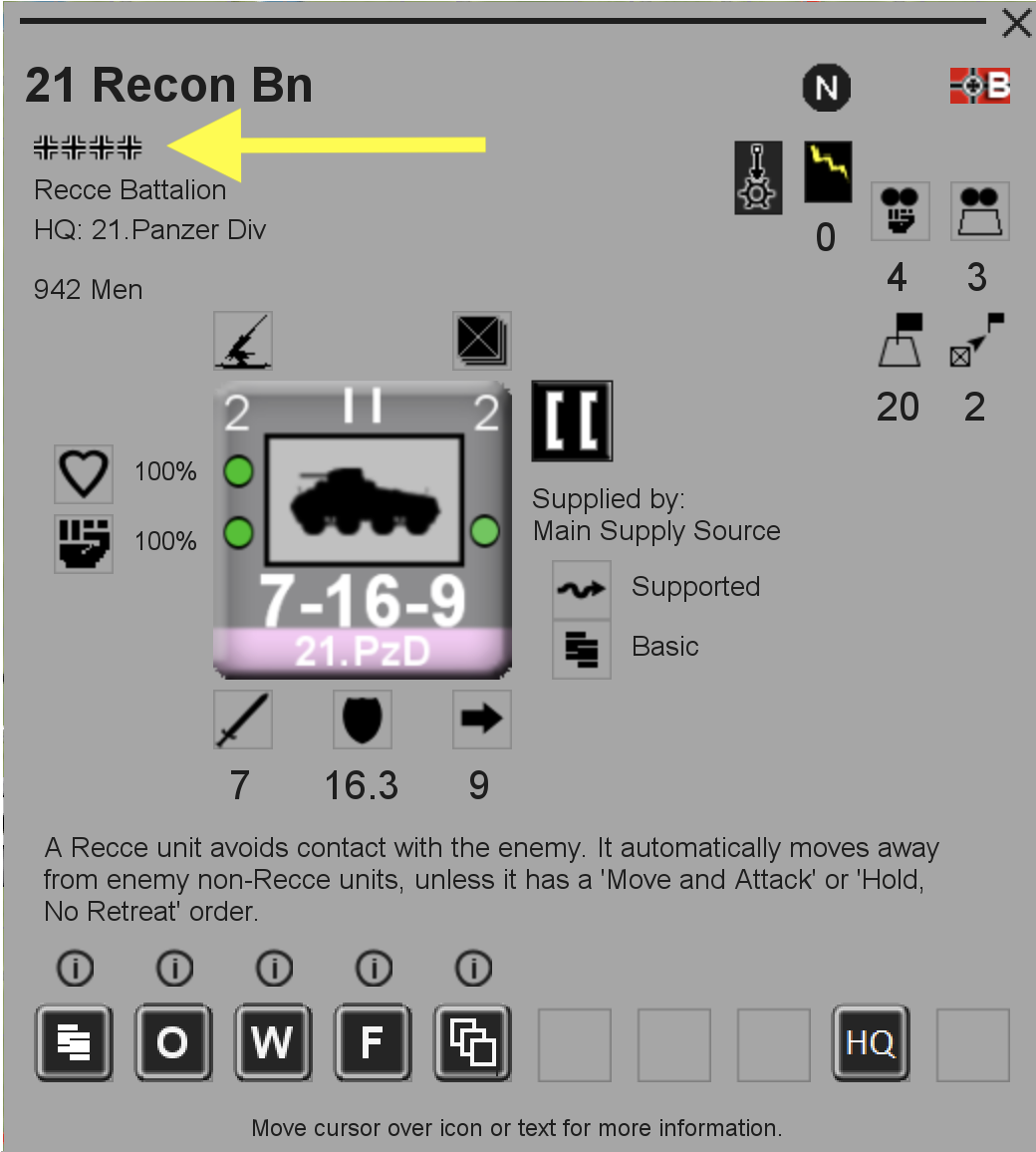
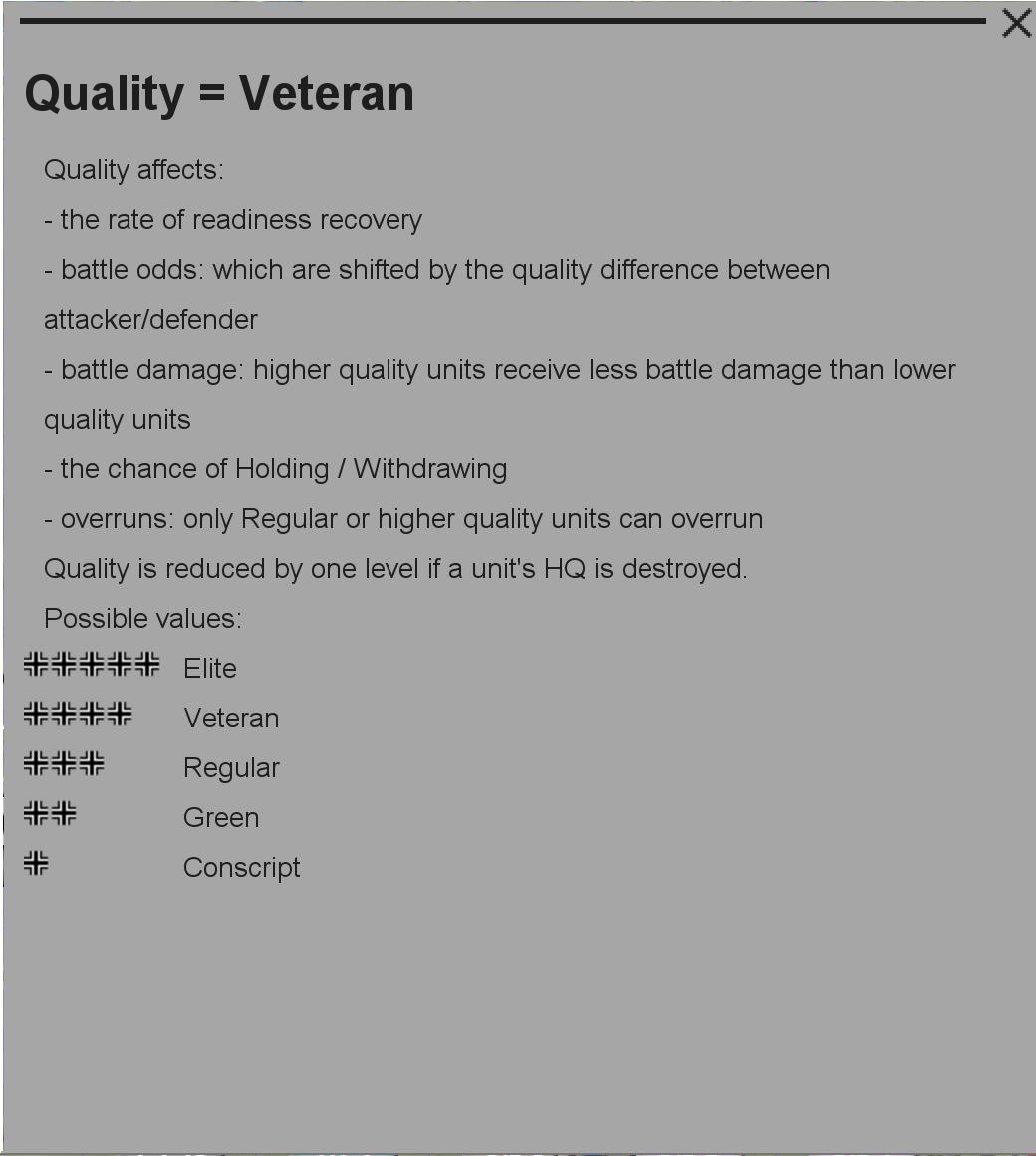
Unit Quality for those that may not know with Yellow arrow pointing to this Veteran Battalion (I just love this pop up picture of the overall unit. You can then hover over each of the units attributes on this counter AND another pop-up shows up describing that!!! Man this is beautiful, I don't have to search a manual for it since it is right there. The second snapshot is hovering over unit quality and gives you what it means.
- Veteran Recon BN 21st PZ Div.png (171.99 KiB) Viewed 538 times
- hovering over quality give explanation.png (108.85 KiB) Viewed 538 times


