Page 13 of 16
RE: New Graphic Mod: Classic Redux II
Posted: Mon Oct 07, 2013 3:17 am
by Silvanski
ORIGINAL: Telumar
Sorry. The link is fixed now.
You're a good man [&o]
RE: New Graphic Mod: Classic Redux II
Posted: Mon Oct 07, 2013 3:24 am
by Lobster
muchos garcias. Very nice work. Very nice indeed.
RE: New Graphic Mod: Classic Redux II
Posted: Mon Oct 07, 2013 12:55 pm
by lecrop
I love the look of the counters
RE: New Graphic Mod: Classic Redux II
Posted: Mon Oct 07, 2013 1:43 pm
by Telumar
Thank you guys. Any comments on the GUI? Feldgrau and Eastern Rust are my personal favourites.
RE: New Graphic Mod: Classic Redux II
Posted: Mon Oct 07, 2013 7:59 pm
by Lobster
I'm kinda leaning towards Pacific or one of the camo ones. Still have not decided yet.
RE: New Graphic Mod: Classic Redux II
Posted: Fri Nov 29, 2013 6:23 pm
by Telumar
Two more GUI Mods. Download links at the end of post.
Grey III:
 Blue III:
- leaned on the default TOAW III interface -

This comes quite with some extras:
I customized the TOAW III standard background graphics for the news, the era-specific reinforcements and replacements screens. These backgrounds are the default of the Mod (as in the screenshot) and in their era-specific folders which should be extracted to AltGraphics - don't overwrite your original files in the Graphics folder. There are alternative WWII versions of cwnews.bmp, cwreplacements.bmp and cwreinforcements.bmp in the .zip (with the addition ALT in the file name) that can be used instead.
In the screenshots, the equipment items are silver. However, the standard is gold:

The silver version of equipment256.bmp is also included in the download.
Two different background textures (neutraltexture_1152.bmp) - standard (blurred):

Grainy:

Frames and buttons are also compatibel with the default TOAW III background texture:

Download Links:
(Dropbox)
Grey III
Blue III
RE: New Graphic Mod: Classic Redux II
Posted: Fri Nov 29, 2013 11:05 pm
by Lobster
Great work as always. You are the GUI Monet.
RE: New Graphic Mod: Classic Redux II
Posted: Sat Nov 30, 2013 2:57 pm
by Falcon1
Looks nice. I already have the Redux 2 mod, and I switch GUI styles depending on which scenario/side I am playing. I notice this one also has the terrain graphic removed from the unit window. This is a good change because as everyone probably agrees, the terrain graphic makes the text in that window harder to read. Hopefully the development team is paying attention to this for the future.
Just curious, what resolution those latest screen shots taken at? I've been having trouble deciding on a resolution to play TOAW at. I usually run my desktop at 1280x720 (24 inch monitor) since reading is easy. But when I play TOAW at this res, the large counters are a bit too small for my liking and the huge counters are a bit too big. I like the way the map looks at 1600x900 with the huge counters, plus you can see everything on the panels on the right side of the screen, but the text in the various information windows is a bit too small. I guess there's just no pleasing me! [:)]
What resolution do others like using?
RE: New Graphic Mod: Classic Redux II
Posted: Sat Nov 30, 2013 11:10 pm
by Lobster
Wow. I did not realize what crazy stuff you can do till I got hold of Telumar's work.

RE: New Graphic Mod: Classic Redux II
Posted: Sat Nov 30, 2013 11:30 pm
by Lobster
The background picture becomes the background for everything. Even some windows. But to get the background picture to display properly you have to set this in the Opart 3.ini. I think you can put any screen resolution, just so it's set to something otherwise the game stretches the picture so it's all screwed up.
ChangeScreenResolution=y
ScreenY=900
ScreenX=1440

RE: WIP: GUI Mod Brown
Posted: Fri Jan 31, 2014 4:37 am
by Ruppich
@ SCAF where can i find those unit info pics from your post
http://www.matrixgames.com/forums/tm.asp?m=1161658&mpage=7&key=# post nr 198
RE: WIP: GUI Mod Brown
Posted: Fri Jan 31, 2014 12:15 pm
by Oberst_Klink
Yeah, where are those? The JTCS style unit info would be bloody marvellous!
Klink, Oberst

RE: Please post graphics mods here
Posted: Tue Jun 10, 2014 1:11 pm
by kiddytoto
Hello everyone, Black Steel UI is now available!
Installation:
A. Manually Install
1. Always make a backup first. [:)]
2. Simply unzip and copy-paste overwriting all the relevant files in the directory: C:\Matrix Games\The Operational Art of War III
B. Ready for JSGME install (Plz refer to the relevant installation)
*Also STRONGLY recommend to go with my fonts to have the best visual effects.
Screws_Optional: There is an alternative logo for the optional install in the" Screws_Optional" folder, simply copy and replace the default in the directory: Black Steel UI\Kiddytoto's Black Steel UI\Graphics if you wish. (The default is none/removed)
Have fun! [8D]
Download https://www.dropbox.com/s/o72mureq9hp8y ... l%20UI.rar

RE: Please post graphics mods here
Posted: Tue Jun 10, 2014 4:50 pm
by kiddytoto
Please re-download for a small correction if your download before this correction announcement!! THX! [8D]
RE: WIP: GUI Mod Brown
Posted: Mon Oct 06, 2014 4:33 am
by fulcrum28
SCAF post with new icons for units is awesome. is it already available?
RE: WIP: GUI Mod Brown
Posted: Sat Feb 07, 2015 4:56 pm
by Telumar
RE: WIP: GUI Mod Brown
Posted: Sun Feb 08, 2015 3:16 pm
by Crossroads
ORIGINAL: Telumar
This is what i am currently working on. It's not yet fully finished, but almost:
Nice work, Telumar! Looking forward to final version [:)]
RE: WIP: GUI Mod Brown
Posted: Thu Feb 26, 2015 8:42 pm
by Telumar
ORIGINAL: Crossroads
Nice work, Telumar! Looking forward to final version
Thanks. It's almost finished. It still requires some finetuning, but is 99% done.
ORIGINAL: Telumar

I changed some tiles in the meantime - this is how it looks now:

RE: WIP: GUI Mod Brown
Posted: Thu Feb 26, 2015 9:03 pm
by Telumar
There will also be a second Mod as a separate download. I think both will be finished by the coming weekend.
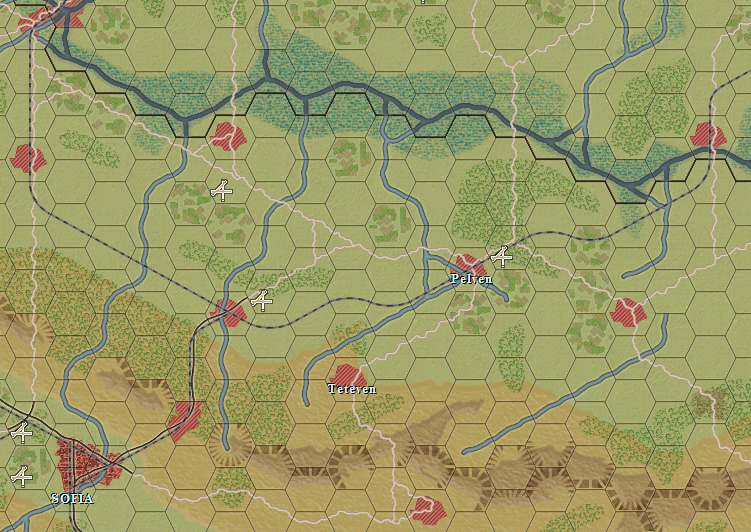
RE: ACOW Graphics Mod Global 2D Lifting by Steamrobin
Posted: Sun Mar 01, 2015 11:59 am
by Curtis Lemay
ORIGINAL: BigDuke66
Anyone realize that the railroad PNG graphics have an error?
5th row and 7th column should have instead of the south running line a south-west running line.
This is so in:
h_Tiles_damaged_railroad.png
h_Tiles_railroad.png
h_Tiles_railroad(YELLOW).png
h_Tiles_railroad_damaged_bridge.png
s_tiles_damaged_railroad.png
s_tiles_railroad.png
s_Tiles_railroad(YELLOW).png
s_Tiles_railroad_damaged_bridge.png
Tiles_damaged_railroad.png
Tiles_railroad.png
Tiles_railroad(YELLOW).png
Tiles_railroad_damaged_bridge.png
Did you ever post your fixes anywhere?

