Page 1 of 1
Embedding Images in Posts
Posted: Sat Jul 14, 2007 3:03 pm
by decaro
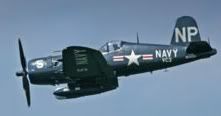
Since this is the C@W forum and I finally realized I live in the town that gave the world the F4U Corsair, I've been trying to post a picture of this bird from a Wikipedia article to the right of the (bold) text below this post.
I tried using the [img] tags in the forum's HTML instuctions, but I have too many characters, assuming that I'm even doing it right in the first place.
Does anyone have a proven way on how to routinely post a picture into one's posts?
RE: Embedding Images in Posts
Posted: Sat Jul 14, 2007 3:34 pm
by JSS
You have two choices:
1. Use the embed image feature of the forum for a small jpeg/bmp/png off your hard drive (this is not available on 'fast reply').
2. Use a photo server (Photobucket is my free host of choice... very happy with their service). You then can use

to show the picture on the host server.
RE: Embedding Images in Posts
Posted: Sat Jul 14, 2007 9:56 pm
by decaro
Thanks, but for (1), does my computer have to be online 24/7 for my HD photo to be embedded?
RE: Embedding Images in Posts
Posted: Sat Jul 14, 2007 10:25 pm
by JSS
No, you're uploading the image to the boards in case 1 (embed in your post). Case 2 you're linking to the image.
RE: Embedding Images in Posts
Posted: Sun Jul 15, 2007 3:14 pm
by decaro
Testing 1,2
Doesn't seemed to have worked. What category was I supposed to use in the My Profile options, or am I totally lost?
RE: Embedding Images in Posts
Posted: Sun Jul 15, 2007 3:54 pm
by JSS
Step 1. Check "Embed picture in post" box...

RE: Embedding Images in Posts
Posted: Sun Jul 15, 2007 3:55 pm
by JSS
Step 2. Click here to upload!

RE: Embedding Images in Posts
Posted: Sun Jul 15, 2007 3:56 pm
by JSS
Step. 3 Select file and post message!

RE: Embedding Images in Posts
Posted: Sun Jul 15, 2007 4:45 pm
by flintlock
JSS, this tutorial rivals that of your fine Battlefront effort! [;)]
RE: Embedding Images in Posts
Posted: Sun Jul 15, 2007 6:27 pm
by decaro
Testing, 1,2
Thanks again, but how do I get this photo to the right of the text
below?

RE: Embedding Images in Posts
Posted: Sun Jul 15, 2007 11:01 pm
by flintlock
If you want the image as part of your sig, you'll need to link the image from within your profile settings under the signature field.
RE: Embedding Images in Posts
Posted: Mon Jul 16, 2007 12:24 am
by decaro
ORIGINAL: flintlock
If you want the image as part of your sig, you'll need to link the image from within your profile settings under the signature field.
Do you have the procedure for this, and no you don't have to go to the trouble of doing a fool-proof tutorial like JSS did.
RE: Embedding Images in Posts
Posted: Mon Jul 16, 2007 11:35 am
by JSS
Joe D.
I think you'll have to use html commands to get the effect you want. Using the board's center or right commands probably will not get the text left, image to its right look you're after... If someone already has this figured out I'd be interested in hearing how they did it.
Marty
RE: Embedding Images in Posts
Posted: Mon Jul 16, 2007 1:58 pm
by decaro
Here we go again; obviously I'm doing something wrong, again! Bad html address format?
Well, no good deed goes unpunished. At this point, I bet you're all regretting responding to my post.
RE: Embedding Images in Posts
Posted: Mon Jul 16, 2007 2:22 pm
by flintlock
ORIGINAL: Joe D.
Here we go again; obviously I'm doing something wrong, again! Bad html address format?
The format is fine, though you've linked two URLs together. Use the one below:
http://i91.photobucket.com/albums/k312/JSS_05/plane.jpg
RE: Embedding Images in Posts
Posted: Mon Jul 16, 2007 2:27 pm
by flintlock
With regards to your earlier question (re: procedure): if you can't get the look you desire via PDG alignment code, you may need to settle on the image being displayed either above or below the text. Simply use the address you're using now, just separate the two URLs and use the single link I provided above.
RE: Embedding Images in Posts
Posted: Mon Jul 16, 2007 4:50 pm
by decaro
Well, special thanks to both of you for sticking with me this far.
I sandwiched the Corsair between the first and last two lines of text assuming it would flow into all the text in-line, but that didn't work. As a sometimes journalist, the one thing I remembered about layout is that your photo's movement should be directed into your words; that's why I tried to get the Corsair to fly into (all of) the sig text.
Maybe I need a [div] command to treat the text as a single block?
Anyway, thanks again for all your help; one day I will figure this out.
RE: Embedding Images in Posts
Posted: Fri Jul 27, 2007 6:08 pm
by GoodGuy
[left]
A plane is a plane is a plane is a plane. And this here is a neat one too:
[/left]
Who'd object to the statement above?
blehbleh bleh, hey yehblah blah test blah blah all day long test
blah blah test blah blah all day long testblah blah test blah blah all day long test
[left]
Let's have a look at the pic on the left. That's not a truck, right?[/left]
Further research reveals that it's been a strange vehicle that was able to fly. You might think I am nuts, now

, but I have read that these strange looking vehicles really mastered the skies.
Code: Select all
 [left]A plane is a plane is a plane is a plane.
 And this here is a neat one too: [img]http://i91.photobucket.com/albums/k312/JSS_05/plane.jpg[/img]
 [/left]
Full text wrap (more than the one line of text shown above) is only available on boards where HTML is enabled.
RE: Embedding Images in Posts
Posted: Sat Jul 28, 2007 12:17 am
by decaro
... Full text wrap (more than the one line of text shown above) is only available on boards where HTML is enabled.
I think that's what I wanted to do, with the text starting at the top and to the left of the Corsair, then scrolling down along side it.
Placing the Corsair photo left, right or center isn't a problem.
Guess I'll have to settle for what I got, which ain't bad.