Page 1 of 1
Funny Screen Resolutions
Posted: Fri Jul 16, 2010 11:45 am
by jomni
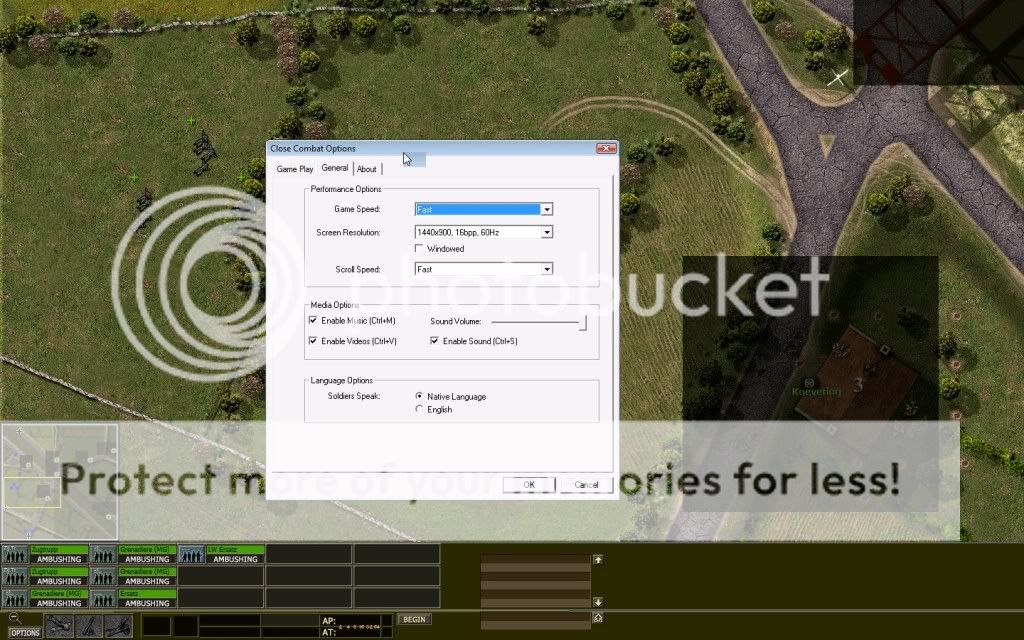
I set my game at 1400x900. This is how it should look like:
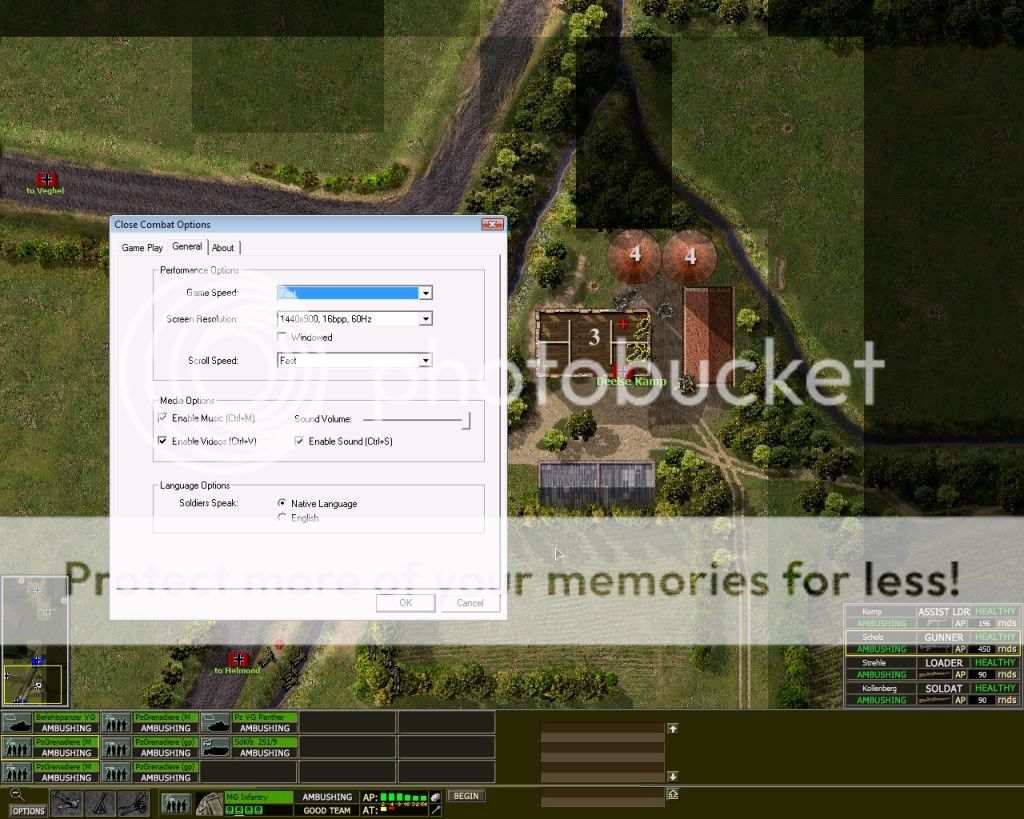
But whenever I play the Gemert map... resolution is distorted (not wide-screen). The resolution of the screenshot is 1024x819
RE: Funny Screen Resolutions
Posted: Fri Jul 16, 2010 12:08 pm
by RD Oddball
This just started happening for you Jomni? I'll point it out to Steve to see if he has any input on things to try to help zero in on the issue.
RE: Funny Screen Resolutions
Posted: Fri Jul 16, 2010 6:12 pm
by Andrew Williams
Is it because Gemert is a very thin map?
RE: Funny Screen Resolutions
Posted: Fri Jul 16, 2010 6:48 pm
by SkyStrike
I got a weird resolution when I selected 1920x1080 which is the default of my 16x9 monitor, but got stretched units..
1600x900 works fine.
RE: Funny Screen Resolutions
Posted: Fri Jul 16, 2010 7:00 pm
by Andrew Williams
you need to fix your graphics card settings
RE: Funny Screen Resolutions
Posted: Fri Jul 16, 2010 9:00 pm
by jomni
ORIGINAL: Andrew Williams
you need to fix your graphics card settings
Is it me or SkyStrike?
Anyway my problem is only one one map so far. Other maps are fine.
RE: Funny Screen Resolutions
Posted: Fri Jul 16, 2010 9:20 pm
by RD Oddball
ORIGINAL: Andrew Williams
Is it because Gemert is a very thin map?
I think Andrew may have hit on the cause here. I'll mention it to the lead developer to see what he thinks. Hoping he has time to drop in here to weigh in and possibly make some suggestions.
RE: Funny Screen Resolutions
Posted: Fri Jul 16, 2010 10:48 pm
by squadleader_id
Try this...enable GPU Scaling and tick "Keep Aspect Ratio" on your graphics card settings.
Also...if the map is smaller than your game resolution setting..they will be displayed with black borders (usually on the left and right) not stretched to full screen.
BTW, what's the verdict on adding /returning the option to stretch the menu screens to full screen (like in CC4-CC5) in the next build/patch? [;)]
RE: Funny Screen Resolutions
Posted: Sat Jul 17, 2010 1:14 pm
by RD Oddball
From Steve:
I don't think there's anything in the game that would cause the tactical map
to stretch. If you're running the game full screen and the map is narrower
than your screen resolution then it automatically bumps you down to a
smaller resolution so the map is at least as wide as the screen.
jomni does that characterize what you're seeing?
RE: Funny Screen Resolutions
Posted: Sat Jul 17, 2010 9:06 pm
by squadleader_id
ORIGINAL: RD_Oddball
From Steve:
I don't think there's anything in the game that would cause the tactical map
to stretch. If you're running the game full screen and the map is narrower
than your screen resolution then it automatically bumps you down to a
smaller resolution so the map is at least as wide as the screen.
jomni does that characterize what you're seeing?
From my experience...if you set the game screen res to something high like 1680x1050 or 1920x1080...when you play a small map that's narrower than the screen res...the tactical map will be displayed with black borders on the sides. So it doesn't bump down to a resolution that fits your screen.
Of course if you don't set your graphics card driver to "mantain aspect ratio" you might end up with a stretched tactical map.
RE: Funny Screen Resolutions
Posted: Sun Jul 18, 2010 2:01 am
by RD Oddball
ORIGINAL: squadleader_id
From my experience...if you set the game screen res to something high like 1680x1050 or 1920x1080...when you play a small map that's narrower than the screen res...the tactical map will be displayed with black borders on the sides. So it doesn't bump down to a resolution that fits your screen.
Of course if you don't set your graphics card driver to "mantain aspect ratio" you might end up with a stretched tactical map.
Exactly. That's what my PC does as well. Black borders and everything looks as it should. I see your point though i.e. the stretching thing. Give what Squadleader is suggesting a try jomni. Look for a setting in your graphics card preferences that forces it to maintain aspect ratio. of what's being displayed. Some (most?) cards even allow settings for specific applications and returns to your normal settings when you exit the program. Used to do that with my ATI Radeon.
RE: Funny Screen Resolutions
Posted: Sun Jul 18, 2010 10:59 pm
by jomni
I do not see the black spaces. The map and all the GUI is stretched to fit.
I do not like a fix from the card options as I will be fiddling with them for every game.
I want an option in the game to strictly don't stretch.