Page 1 of 1
Plane Tops screwed up with Patch
Posted: Fri Jul 23, 2010 5:10 pm
by Misconduct
As I installed the latest patch it screwed up my plane tops that I downloaded, I plan to reinstall them and just thought i'd throw out the link for anyone else with the same problem.
http://www.turkeyvulturesart.info/downloads.htm
RE: Plane Tops screwed up with Patch
Posted: Fri Jul 23, 2010 5:31 pm
by Halsey
Stock art bitmaps are always overwritten with a major patch.
I keep a seperate AE art mod folder that I can copy and paste from after every major upgrade.
Having one for sounds is a good idea also.[;)]
RE: Plane Tops screwed up with Patch
Posted: Fri Jul 23, 2010 5:39 pm
by Misconduct
ORIGINAL: Halsey
Stock art bitmaps are always overwritten with a major patch.
I keep a seperate AE art mod folder that I can copy and paste from after every major upgrade.
Having one for sounds is a good idea also.[;)]
I had no clue about the patch updates, do you know of any sound mods? I have only my music mod thats about it.
RE: Plane Tops screwed up with Patch
Posted: Fri Jul 23, 2010 5:40 pm
by cantona2
ORIGINAL: Halsey
Stock art bitmaps are always overwritten with a major patch.
I keep a seperate AE art mod folder that I can copy and paste from after every major upgrade.
Having one for sounds is a good idea also.[;)]
What Halsey said!
RE: Plane Tops screwed up with Patch
Posted: Fri Jul 23, 2010 8:59 pm
by Reg
ORIGINAL: Halsey
Stock art bitmaps are always overwritten with a major patch.
I keep a separate AE art mod folder that I can copy and paste from after every major upgrade.
Having one for sounds is a good idea also.[;)]
If you are using any sort of game mods I would highly recommend the use of JoneSoft Generic Mod Enabler. (Generic as it can be used for any game. [:)] )
Instead of installing a patch into the game folder, you install it into the mod folder and it becomes installable at a click of a button. More importantly it also becomes uninstallable at a click of another button and you can determine what order mods are installed. JGME keeps track of any overwritten files and will automatically restore them if the later mod is removed.
If you have a look at my installation below, you will see that I am currently running Official patch 4 (though I can revert back to any of the previous builds if I so wish). The grey colour of this mod indicates that it contains files which have been overwritten by later mods including Cathartes' planetops which are lower down the mod list.
To install the latest patch, I simply uninstalled Cathartes' planetops with the left arrow button, uninstalled the previous Patch 4 Beta, installed the Official Patch 4 and finally reinstalled Cathartes' planetops over the top with the right arrow button. Four clicks and it's done. And when the next patch comes out it will be just another four clicks to get Cathartes' mod back in place. (Actually it will be a few more clicks as I have more mods than this but you get the idea... [:'(])
The other thing I like about this process using JGME is that it can handle all sorts of mods (executables, art, sound, scenarios etc) and there is no chance of overlooking individual files and forgetting to install/uninstall them accidentally. It even warns you if your new mod is about to overwrite an existing mod file!! [&o]
JGME is freely down loadable from here:
Generic Mod Enabler

RE: Plane Tops screwed up with Patch
Posted: Fri Jul 23, 2010 9:09 pm
by Halsey
My sound mods are a collection from many contributors, over 6 or 7 years.[:D]
Some of the older ones can still be found on Spooky's WITP web site.
Pretty much the same sfx files were used in AE.
CobraAus, M10BoB, others also.
Cobra had a complete sfx listing at Spooky's.
He was an awesome contributor.[&o]
RE: Plane Tops screwed up with Patch
Posted: Fri Jul 23, 2010 10:10 pm
by Reg
ORIGINAL: Reg
ORIGINAL: Halsey
Stock art bitmaps are always overwritten with a major patch.
I keep a separate AE art mod folder that I can copy and paste from after every major upgrade.
Having one for sounds is a good idea also.[;)]
If you are using any sort of game mods I would highly recommend the use of JoneSoft Generic Mod Enabler. (Generic as it can be used for any game. [:)] )
Instead of installing a patch into the game folder, you install it into the mod folder and it becomes installable at a click of a button. More importantly it also becomes uninstallable at a click of another button and you can determine what order mods are installed. JGME keeps track of any overwritten files and will automatically restore them if the later mod is removed.
If you have a look at my installation below, you will see that I am currently running Official patch 4 (though I can revert back to any of the previous builds if I so wish). The grey colour of this mod indicates that it contains files which have been overwritten by later mods including Cathartes' planetops which are lower down the mod list.
To install the latest patch, I simply uninstalled Cathartes' planetops with the left arrow button, uninstalled the previous Patch 4 Beta, installed the Official Patch 4 and finally reinstalled Cathartes' planetops over the top with the right arrow button. Four clicks and it's done. And when the next patch comes out it will be just another four clicks to get Cathartes' mod back in place. (Actually it will be a few more clicks as I have more mods than this but you get the idea... [:'(])
The other thing I like about this process using JGME is that it can handle all sorts of mods (executables, art, sound, scenarios etc) and that there is no chance of overlooking individual files and forgetting to install/uninstall them accidentally. It even warns you if your new mod is about to overwrite an existing mod file!! [&o]
JGME is freely down loadable from here:
Generic Mod Enabler
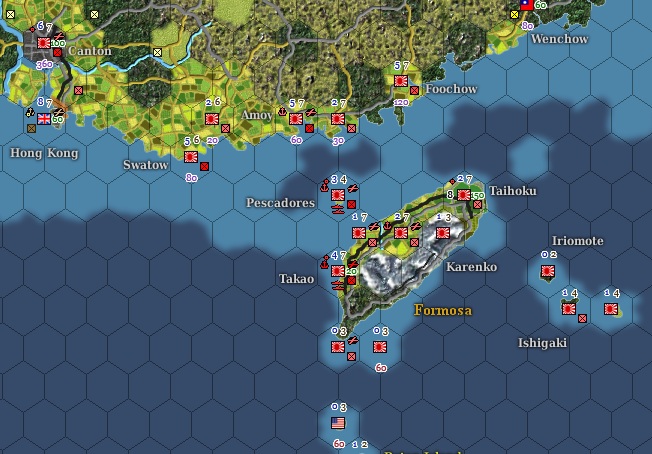
Note that JoneSoft Generic Mod Enabler is also the quickest and simplest way of swapping Marc's enhanced game maps in and out of the game with a single mouse click. This feature may be be especially useful if you don't want to have these maps permanently in the game and just want to load them to check something and revert to the standard map afterwards.
These lovely maps are also overwritten by the installation of any new comprehensive game patch.
Maps available here..
RE: Plane Tops screwed up with Patch
Posted: Fri Jul 23, 2010 11:45 pm
by jwilkerson
ORIGINAL: Halsey
Stock art bitmaps are always overwritten with a major patch.
I keep a seperate AE art mod folder that I can copy and paste from after every major upgrade.
Having one for sounds is a good idea also.[;)]
Another way to say what Halsey said is that mods may be overwritten by any "comprehensive" patch. In old WITP days, most patches were "incremental". For AE, all our official patches are comprehensive. There are pros and cons to the two options.
The con of incremental patches is that each patch must be applied in the proper sequence to bring the game up to the latest patch level. The con of the comprehensive method is that it may overwrite more (modded) files. I'm sure some people prefer one way and some the other. Obviously we now believe most prefer the comprehensive method.
One option is to always do a fresh build for each major patch. That is what I do. I reinstall from original media into a new folder and then apply the latest patch and then I know I have a clean build. Then I can add in spice from other souces as desired. I do lots of installs when testing - I must be sure I have a clean build - and reinstalling from scratch is just good practice.
On the other hand - those who are tight on disk space - and/or don't like doing clean installs for every patch - may find some of the "mod manager" utilities to be useful.
RE: Plane Tops screwed up with Patch
Posted: Sat Jul 24, 2010 10:21 am
by Misconduct
ORIGINAL: Halsey
My sound mods are a collection from many contributors, over 6 or 7 years.[:D]
Some of the older ones can still be found on Spooky's WITP web site.
Pretty much the same sfx files were used in AE.
CobraAus, M10BoB, others also.
Cobra had a complete sfx listing at Spooky's.
He was an awesome contributor.[&o]
Awesome thanks mate I had no clue, think I am going to look for spooky's site again and play around with the sfx files!
RE: Plane Tops screwed up with Patch
Posted: Sat Jul 24, 2010 4:58 pm
by Halsey
A lot of the old WITP stuff can be used in AE.
Bitmaps, game opening and combat screens, and sfx files.
Some might need renamed, just play around with them.
Check out Rogue's site too.[;)]
If you start a comprehensive file upgrade, would you share them with us?
I miss the Elf's pinup girls.[:D]
RE: Plane Tops screwed up with Patch
Posted: Sat Jul 24, 2010 7:23 pm
by jwilkerson
ORIGINAL: Halsey
I miss the Elf's pinup girls.[:D]
They're on Rogue's site.
RE: Plane Tops screwed up with Patch
Posted: Sat Jul 24, 2010 7:31 pm
by Halsey
Been busy with land and air unit insignia's.[;)]
I was trying to parcel out the workload.[:D]
RE: Plane Tops screwed up with Patch
Posted: Sat Jul 24, 2010 8:36 pm
by USSAmerica
ORIGINAL: jwilkerson
ORIGINAL: Halsey
I miss the Elf's pinup girls.[:D]
They're on Rogue's site.
I've been using two of them since I first installed AE. [8D]