Page 1 of 1
How do I fix this?
Posted: Thu Nov 22, 2012 1:21 am
by amps63
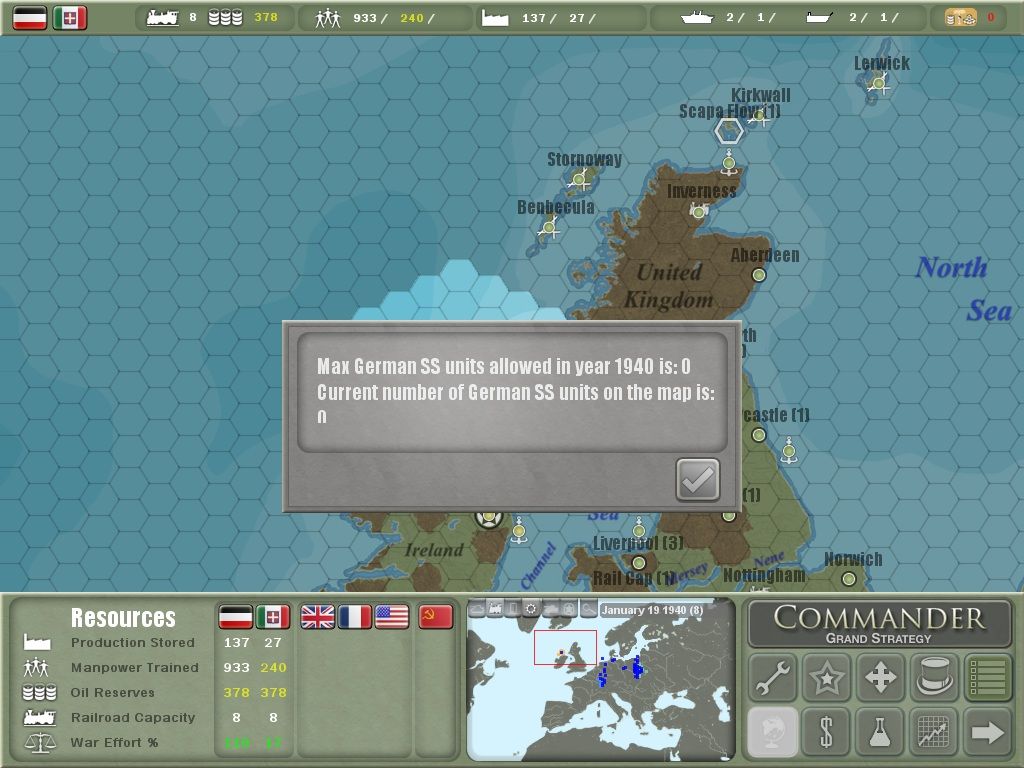
How do I adjust the text so it doesn't extend beyond the viewable area of the text info box?
RE: How do I fix this?
Posted: Thu Nov 22, 2012 5:43 am
by Rasputitsa
Go to the Slitherine CEAW forum, it has more information, including this issue in the Tech Support section. The problem is the CEaW uses Haettenschweiler font, which was in older versions of Microsoft Office, but seems to have been dropped from newer versions. My older computers have it, but the new laptop didn't.
http://To everybody seeing clipped text in 3 line boxes
Not sure if the link will work but this is what it says:
It looks like your font is not the usual one we're using. You need to install the Haettenschweiler font to avoid 3 line text boxed clipping the text etc. Usually Haettenschweiler is installed via Microsoft Office.
I couldn't make the suggested download sites work to get the
Haettenschweiler font, but found it in Microsoft Office on my other computer and transferred the font across from the MS Office 'font' folder.[:)]
RE: How do I fix this?
Posted: Thu Nov 22, 2012 11:15 am
by amps63
That worked like a charm. I appreciate the help!
RE: How do I fix this?
Posted: Thu Nov 22, 2012 1:24 pm
by Rasputitsa
Glad it worked out.[:)]