That's not completely true, oldman45.
If it was one of the 'Official Slot' scenarios (#1-25), then you can't make your own edits, though official updates to those scenarios can be done (same way as below).
If however, it is a 'custom' scenario (anything apart from the above), then you can make and install edits easily. However, it should be noted that certain types of edits will play much nicer than others - device values are one of the simplest, so if thats all your changing you should be good.
The way to do this is as follows (after making the edits in the scenario files, and making sure the IJ player has those versions);
After running the combat resolution, the Japanese player will have this at the bottom of the Preferences page;
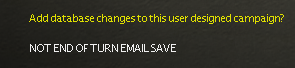
(The 'NOT END OF TURN EMAIL SAVE' will not show if you've come here without saving/loading after the combat resolution)
Clicking this will flip the text to the following;
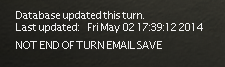
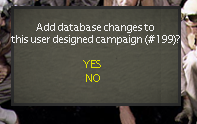
Alternatively, if you save the turn before ending it, upon loading the turn again from the main menu, after entering the password, you will be asked to upgrade;
Once this is done, you can just finish the turn normally, end it and pass it to the allied player.
The allied player can watch the combat replay as normal (as any changes take effect after it was generated).
Upon loading the turn itself, the allied player receives the following notification;

At the bottom of the Preferences page, it will also show;

As said, be cautious with large changes (ship class data, locations, etc.). Device values (ie editing existing devices, not adding new ones) is rather easy, some of the others are not. Make sure to keep a backup save just incase.
Also, you probably already know this, but be careful with the tweaks themselves - there's generally rather good reasons for the values being what they are (especially in DBB or some of the updated scenarios), so change them at your own risk.
Juan