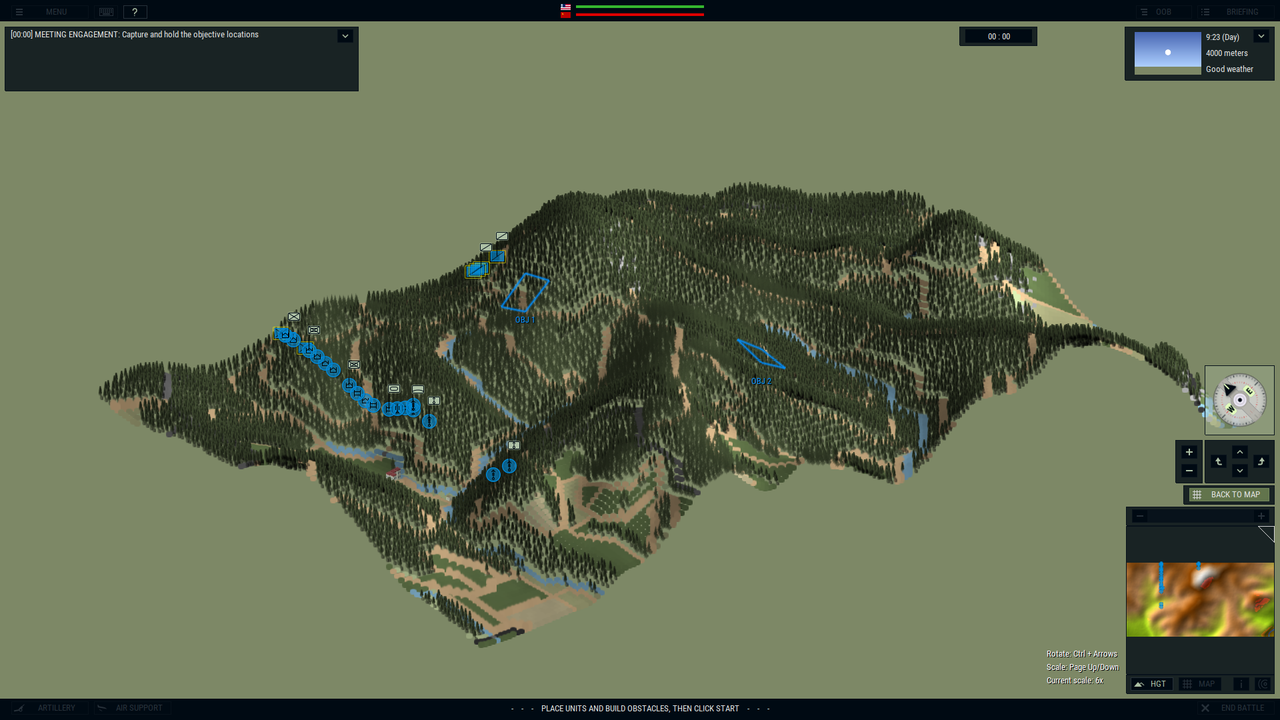
ADDED Units and Formations to data base
Posted: Sun Dec 02, 2018 4:50 pm
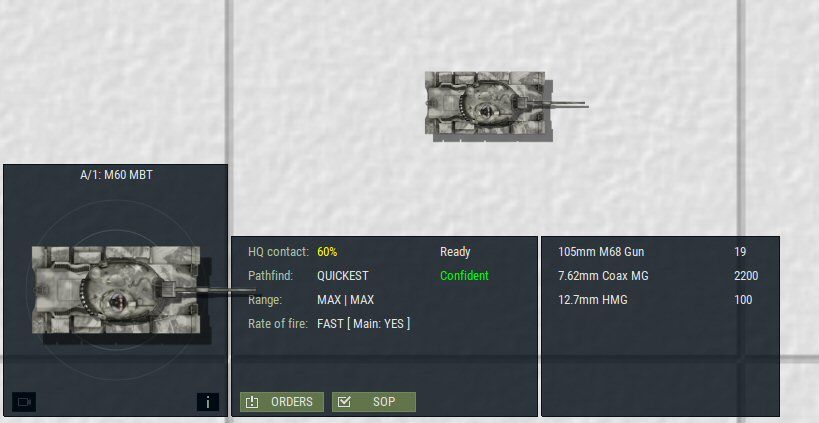
This is a thread for those of us who are interested in creating new additions to the database. This is the M60, which was the predecessor to the in game M60A1. The M60 used the M48A2 turret and installed a M68 105mm gun and then mated it to an all new hull. Later the classic M60A1 turret was developed and it replaced the M60 in production.
How was this done? I created a new unit in a open slot (693) named M60. I cut and pasted an existing M60A1 into this slot and renamed it to M60. This gives me the hull I want but not the turret. I will need to build a M60 turret using the M48A3 turret. I do this in PSP by matting a 105mm canon and commanders cupola from a M60A1, to the M48A3 turret through a cut and paste process and color matching. I save this turret as us_m60_ts.png file (I also made winter and desert turrets).
In the units editor under the new M60 unit, under the size and armor tab, I edit the turret data to reflect that of a M48A3 turret, both in size and KE/CE and tandem armor ratings. Next under the weapons and ammunition tab I edit the ammunition to a total of 57 rounds for a M60. The M48A5 turret ammo numbers were used for ready ammo (19) as the turret layout and ready ammo for a M60 is much different than in the later spacious turret of the A1 model. I edit the ammunition to APDS-29, HEAT-18 and HEP-10, as carried by the M60A1 in game.
I then edited the resources_custom.xml file to add the M60 to the game. Be careful when doing this as you SHOULD ALWAYS back up your original data files. To add I just copied and pasted the string for the M60A1 units and changed the file names to the M60. The partial string for summer looks like this:
</sprite>
<sprite name="us_m60_hs" base_angle="0">
<image file="vehicle\us\us_m60a1_hs.png" />
<translation origin="center"/>
<rotation origin="center"/>
</sprite>
<sprite name="us_m60_ts" base_angle="0">
<image file="vehicle\us\us_m60_ts.png" />
<translation origin="center"/>
<rotation origin="center"/>
</sprite>
In game I needed to adjust the turret and commander positions. This is done by opening the units.xml file in WordPad and editing the X and Y positions in the string for the correct positions of the commander and turret. In the string my adjustments look like this.
<string name="turretSpriteX" value="0.0" />
<string name="turretSpriteY" value="-3.0" />
<string name="commSpriteX" value="14.0" />
<string name="commSpriteY" value="0.0" />
Next I created a formation for the 1271 slot in the formations editor called M60 Tank Platoon. It contains the 5x M60 for the TO&E of that time. However this has to be added into the factions.xml manually. I do this by opening the factions.xml in Wordpad. I find:
<string name="formation51" value="506,1965,1,1974,12,100" />
This is for formation 506 which is a M60A1 platoon from 1-1965 until 12-1974. You can learn to pick up the patterns in the string. I don’t know what the “100” in this string is for.
I copy this string and paste it right below in a string named:
<string name="formation51" value="1271,1965,1,1974,12,100"/>
Now I have inserted a platoon of M60’s available to the US player from 1-1965 until 12-1974. Later I will create a M60 HQ and Company(-).
I didn’t go into too many details on the actual artwork as that’s another topic. I do plenty of graphics work so the artwork is easy for me. It did take me a few days to figure the editor and editing of the XML files and a little time to figure out how to move the commander and turret sprites. Lots of trial and error.
I will next add a M577 Command track to the US command units.
I hope this thread will serve to get the modding off the ground. Please share you efforts to add to your database.
![Image]()
How was this done? I created a new unit in a open slot (693) named M60. I cut and pasted an existing M60A1 into this slot and renamed it to M60. This gives me the hull I want but not the turret. I will need to build a M60 turret using the M48A3 turret. I do this in PSP by matting a 105mm canon and commanders cupola from a M60A1, to the M48A3 turret through a cut and paste process and color matching. I save this turret as us_m60_ts.png file (I also made winter and desert turrets).
In the units editor under the new M60 unit, under the size and armor tab, I edit the turret data to reflect that of a M48A3 turret, both in size and KE/CE and tandem armor ratings. Next under the weapons and ammunition tab I edit the ammunition to a total of 57 rounds for a M60. The M48A5 turret ammo numbers were used for ready ammo (19) as the turret layout and ready ammo for a M60 is much different than in the later spacious turret of the A1 model. I edit the ammunition to APDS-29, HEAT-18 and HEP-10, as carried by the M60A1 in game.
I then edited the resources_custom.xml file to add the M60 to the game. Be careful when doing this as you SHOULD ALWAYS back up your original data files. To add I just copied and pasted the string for the M60A1 units and changed the file names to the M60. The partial string for summer looks like this:
</sprite>
<sprite name="us_m60_hs" base_angle="0">
<image file="vehicle\us\us_m60a1_hs.png" />
<translation origin="center"/>
<rotation origin="center"/>
</sprite>
<sprite name="us_m60_ts" base_angle="0">
<image file="vehicle\us\us_m60_ts.png" />
<translation origin="center"/>
<rotation origin="center"/>
</sprite>
In game I needed to adjust the turret and commander positions. This is done by opening the units.xml file in WordPad and editing the X and Y positions in the string for the correct positions of the commander and turret. In the string my adjustments look like this.
<string name="turretSpriteX" value="0.0" />
<string name="turretSpriteY" value="-3.0" />
<string name="commSpriteX" value="14.0" />
<string name="commSpriteY" value="0.0" />
Next I created a formation for the 1271 slot in the formations editor called M60 Tank Platoon. It contains the 5x M60 for the TO&E of that time. However this has to be added into the factions.xml manually. I do this by opening the factions.xml in Wordpad. I find:
<string name="formation51" value="506,1965,1,1974,12,100" />
This is for formation 506 which is a M60A1 platoon from 1-1965 until 12-1974. You can learn to pick up the patterns in the string. I don’t know what the “100” in this string is for.
I copy this string and paste it right below in a string named:
<string name="formation51" value="1271,1965,1,1974,12,100"/>
Now I have inserted a platoon of M60’s available to the US player from 1-1965 until 12-1974. Later I will create a M60 HQ and Company(-).
I didn’t go into too many details on the actual artwork as that’s another topic. I do plenty of graphics work so the artwork is easy for me. It did take me a few days to figure the editor and editing of the XML files and a little time to figure out how to move the commander and turret sprites. Lots of trial and error.
I will next add a M577 Command track to the US command units.
I hope this thread will serve to get the modding off the ground. Please share you efforts to add to your database.


 [/img]