Page 1 of 1
UI Scale
Posted: Fri Apr 30, 2021 11:54 pm
by SundiataWTF
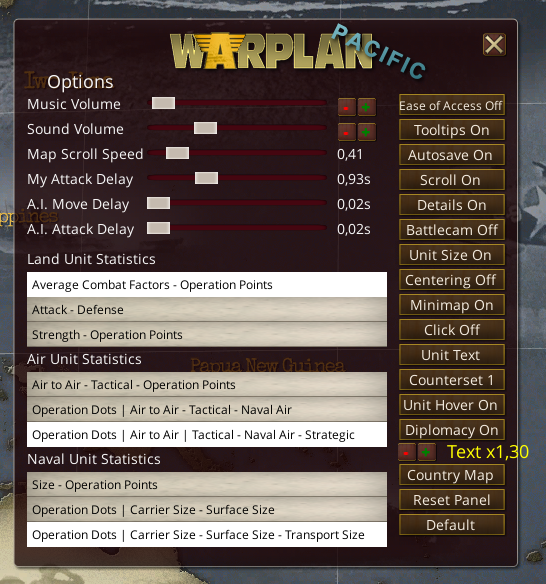
Is there a way I can adjust the UI scale? The tool tips are too small to read on my screen. It's a 3840X2160 4K monitor. I would rather run the game at that resolution if possible. Can I adjust the scale by like 150%?
RE: UI Scale
Posted: Sat May 01, 2021 12:13 am
by eddieballgame
The in-game UI scaling for text is not sufficient?
RE: UI Scale
Posted: Sat May 01, 2021 9:51 am
by SundiataWTF
I didn't see an option under graphics. Where is the UI scaling option located?
RE: UI Scale
Posted: Sat May 01, 2021 10:04 am
by geforth
RE: UI Scale
Posted: Sat May 01, 2021 10:15 am
by AlvaroSousa
[ and ] keys scale it.
Doesn't anyone look at the in game help file?
RE: UI Scale
Posted: Sat May 01, 2021 10:36 am
by geforth
ORIGINAL: AlvaroSousa
[ and ] keys scale it.
Doesn't anyone look at the in game help file?
because it doesn't work

the hotkeys for qwertz are ß ´ .
RE: UI Scale
Posted: Sat May 01, 2021 11:11 am
by AlvaroSousa
Just hit the button with the "?" it has a bunch of tabs including hotkeys.
RE: UI Scale
Posted: Sat May 01, 2021 11:21 am
by geforth
ORIGINAL: AlvaroSousa
Just hit the button with the "?" it has a bunch of tabs including hotkeys.
I mean, that [ (8th position) and ] (9th position) doesn't work on qwertz keyboards. the shortcuts for ui scaling on qwertz keyboards are "ß" (11th position) and "`" (12th position).

RE: UI Scale
Posted: Sat May 01, 2021 1:06 pm
by SundiataWTF
No.
I looked in graphics and options, but didn't see it. So I asked.
Thanks, geforth, for the graphical explanation.
RE: UI Scale
Posted: Sat May 01, 2021 1:43 pm
by kennonlightfoot
ORIGINAL: AlvaroSousa
[ and ] keys scale it.
Doesn't anyone look at the in game help file?
Next you will think we read the manual too![:D]