Page 1 of 1
Add Galaxy Icon Settings to main view
Posted: Tue Mar 22, 2022 12:03 am
by Artophwar
It would nice if we could get the galaxy icon setting quicker access by having them in the bottom right corner menu to quickly toggle things like Civilian ships on and off, rather than having to go to the main game settings to change those options. Or it could be a drop down list in that same corner to save space but still less clicks than going back into the main menu.
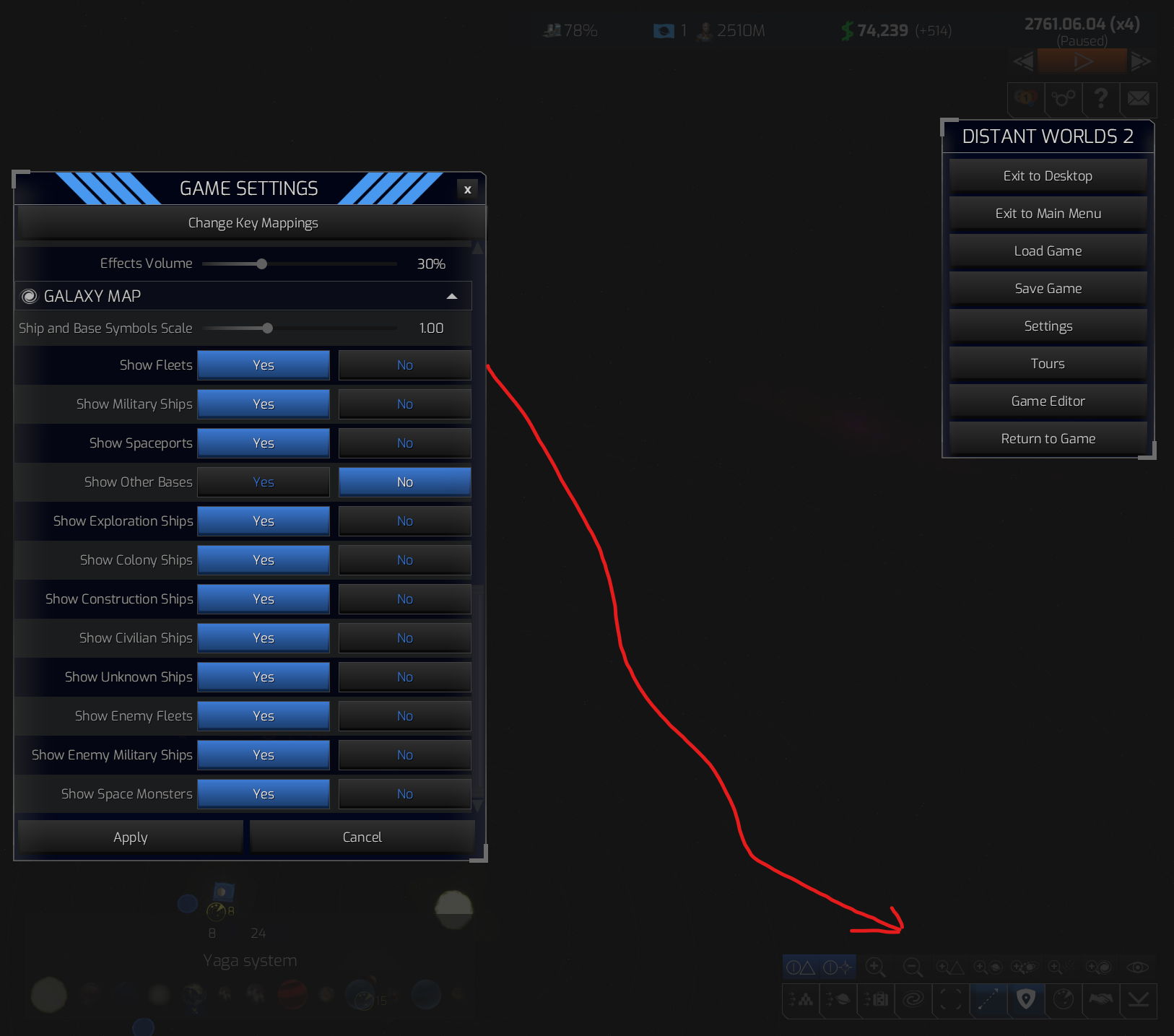
- Galaxysettings.png (574.66 KiB) Viewed 658 times
Re: Add Galaxy Icon Settings to main view
Posted: Wed Mar 23, 2022 3:12 pm
by baldamundo
Yeah agreed. "Show civilian ships" particularly is something I like to toggle a lot but it's a pain having to go to the main menu. Is really useful being able to see where the flows of civilian traffic are, but it kills performance lategame!
Re: Add Galaxy Icon Settings to main view
Posted: Wed Mar 23, 2022 6:54 pm
by DustyMonk
+1
Re: Add Galaxy Icon Settings to main view
Posted: Wed Mar 23, 2022 9:46 pm
by 100thMonkey
Depending of where you're at in a game, and what's happening, you may want to see and not see different things on the map. And having to go in the options to change what's visible is, at the very least, immersion breaking. But when you do it many many times in a game, it quicly becomes annoying.
If I was designing this change, I would:
- keep the options for the defaults
- add a button in the camera view panel at the bottom right to access a list of selectable items (checkboxes) to quickly and easily adjust what's visible or not
. lastly, add some entries in the keyboard mapping options, allowing anyone to define keyboard shortcuts to toggle the visibility of any items present in the options or the checkbox list in the camera view panel.
Re: Add Galaxy Icon Settings to main view
Posted: Thu Mar 24, 2022 2:04 am
by Artophwar
^^^
Really like the idea of adding keyboard shortcuts for them too.