Page 1 of 1
Inserting images into posts
Posted: Tue Jun 21, 2022 8:42 am
by jasonbroomer
Hi,
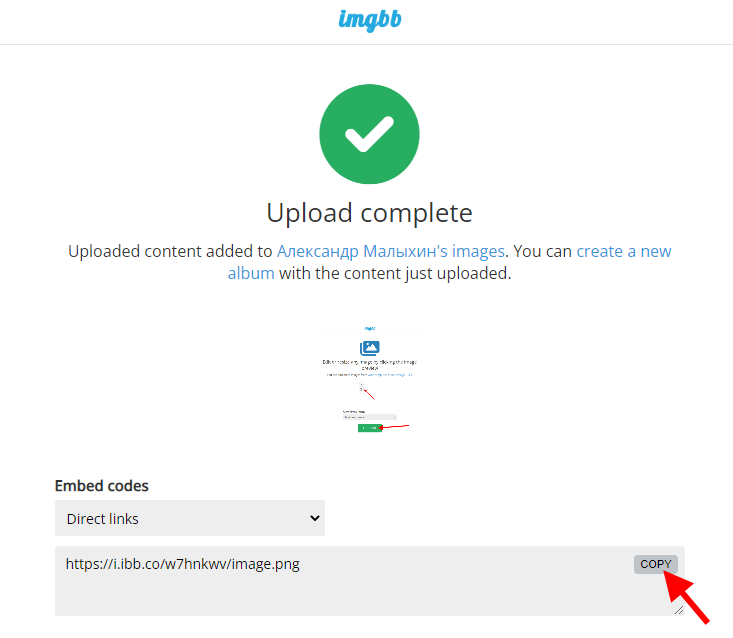
I can attach an image to a post, however, I am lost on how to insert an image.
I've found a post that refers to imgur.com and bbcode to do this but I am extraordinary ignorant of what these are.
Could someone kind take the trouble to spoon feed me on how to do this, again I have a tendency to be a bit dim on these sort of things.
Re: Inserting images into posts
Posted: Tue Jun 21, 2022 9:05 am
by Veterin
Hey,
I think it's as simple as saving an imagine down and then attaching it to the post. It will attach a file and then at the bottom and then you name the file whatever you want. Then press "place inline" where you want it to go and it will insert code that pulls it through.
You can check by pressing Preview before pressing Submit
There may be a better way of doing it with imgur.com, i'm not sure but this way works

- test
- Test.png (86.27 KiB) Viewed 283 times
Re: Inserting images into posts
Posted: Tue Jun 21, 2022 9:54 am
by malyhin1517
Re: Inserting images into posts
Posted: Sat Jun 25, 2022 10:10 am
by jasonbroomer
Veterin wrote: Tue Jun 21, 2022 9:05 am
Hey,
I think it's as simple as saving an imagine down and then attaching it to the post. It will attach a file and then at the bottom and then you name the file whatever you want. Then press "place inline" where you want it to go and it will insert code that pulls it through.
You can check by pressing Preview before pressing Submit
There may be a better way of doing it with imgur.com, i'm not sure but this way works
Test.png
Simples, thank you!