Page 1 of 1
including an picture in reply
Posted: Sun Jul 31, 2022 9:22 pm
by scout1
Incorporating a picture seems to have changed and I'm to dense to figure this out ... tried several approaches .... would appreciate an how-to to incorporate an image .... please
Re: including an picture in reply
Posted: Sun Jul 31, 2022 10:01 pm
by Nirosi
First you need to go to the
Attachment tab to add the file and click
Add files to select the file.
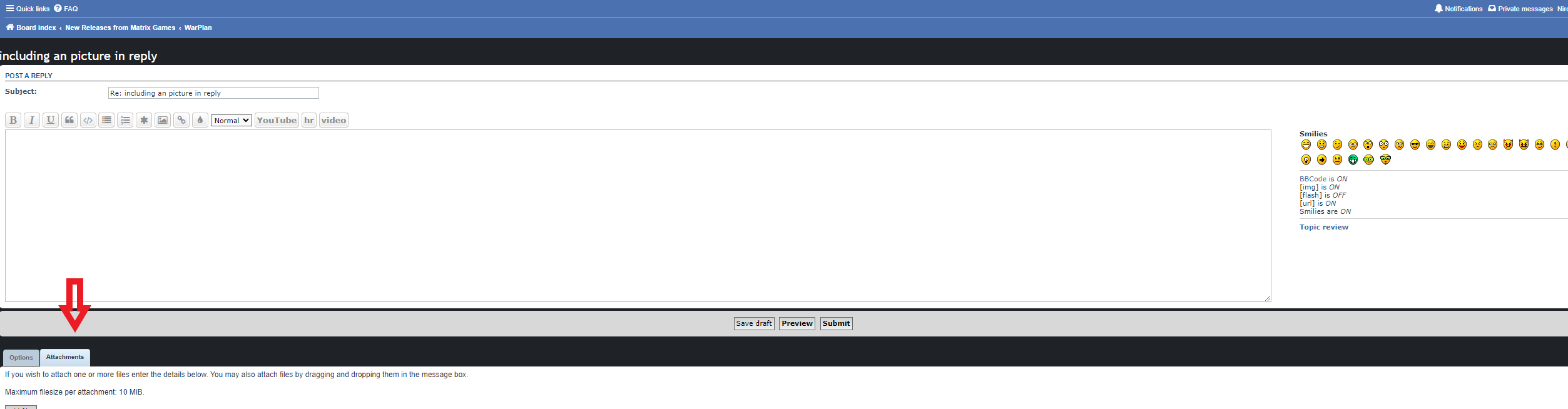
- Capture d’écran 1.png (49.82 KiB) Viewed 225 times
Re: including an picture in reply
Posted: Sun Jul 31, 2022 10:04 pm
by Nirosi
Then, if you want you could also select to place it
inline to control its position and remove the frame and name in the post. Here I did it, so you can see the link to the file in the text box. This will allow you to place your text as you wish before and/or after the image.
Once this is done (or you can skip the inline option), you just press
submit and voilà!
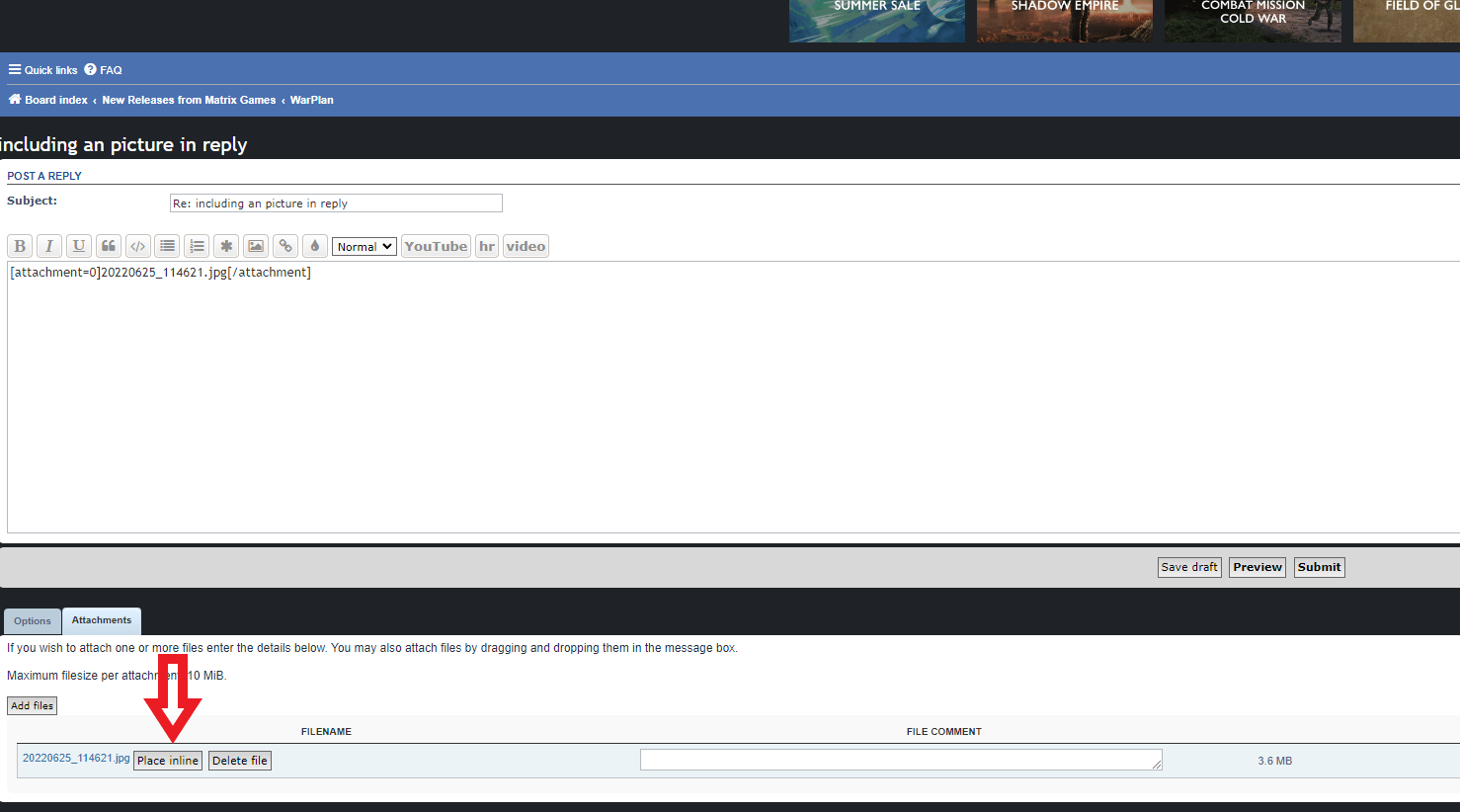
- Capture d’écran 2.png (99.62 KiB) Viewed 224 times