Page 1 of 1
Is there a way to change an empire color?
Posted: Tue Sep 06, 2022 2:02 am
by 100thMonkey
Is there a way to change the color of an empire? And I’m not talking about the flag, but the color of the territory, of the ships and bases icons on the map, everything.
In my current game, there are 3 neighbor empires with similar colors. Which makes things very confusing, especially since I’m on the verge of war with one of them (by the way, it should be "Beta Capola Council" in the screenshot, not "Concul"; text isn't editable in picture, and I didn't want to redo it):
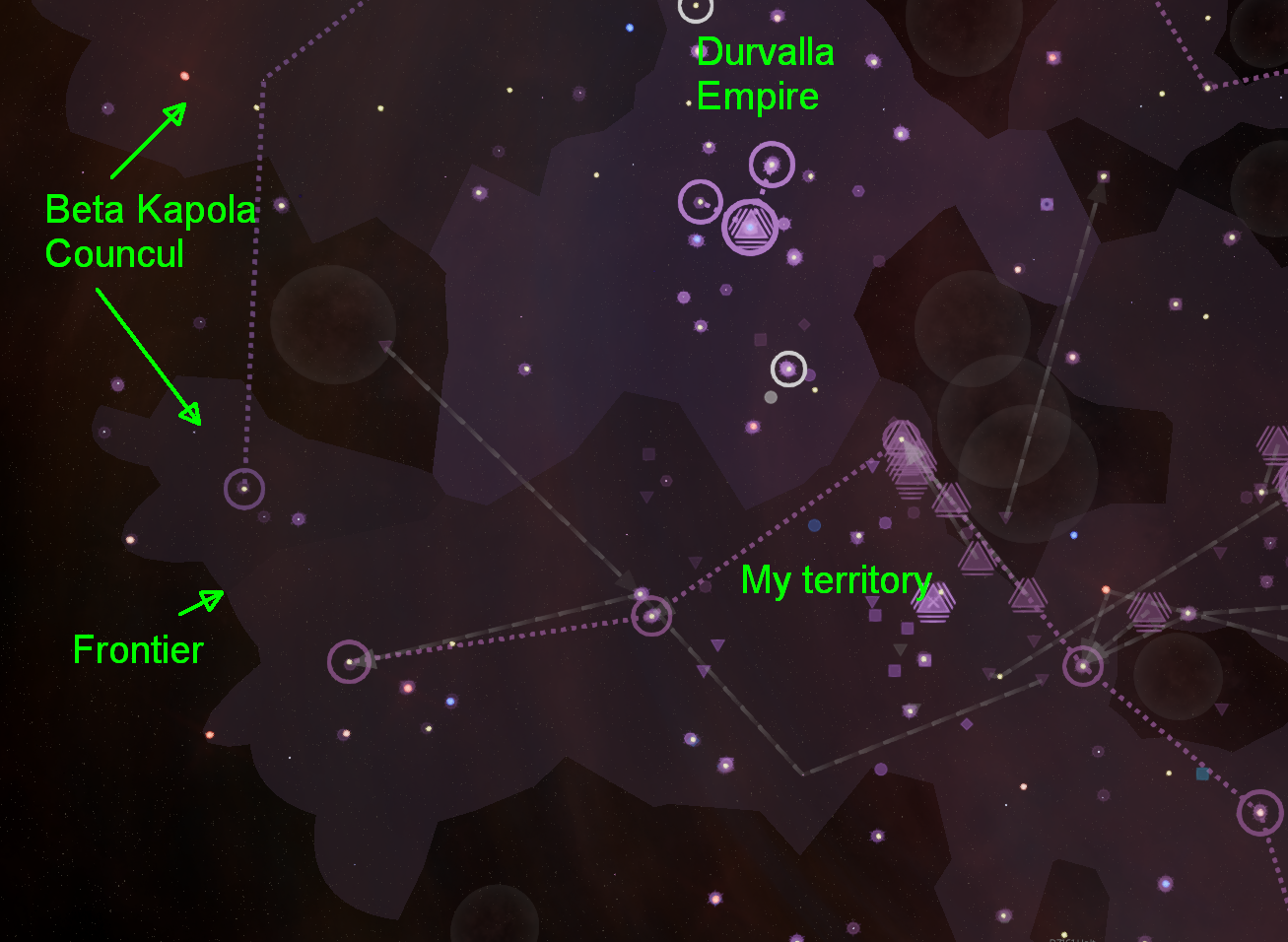
- Overview territories.png (750.25 KiB) Viewed 3338 times
It’s especially confusing (and annoying) for other empires’ bases and stations established in my territory:
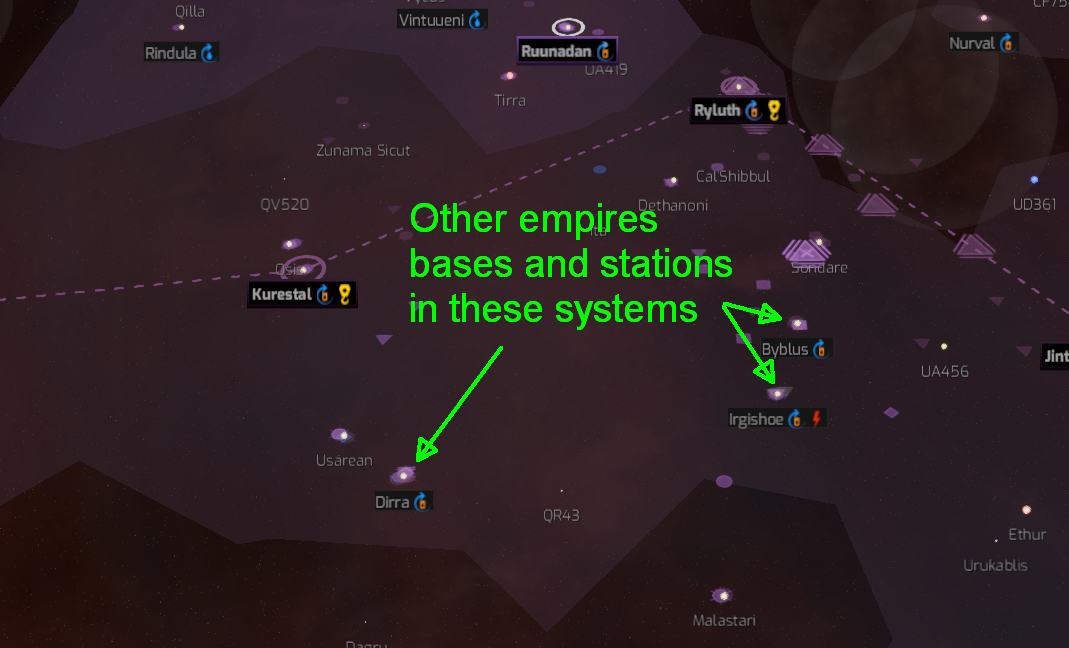
- Other empires stations.png (362.85 KiB) Viewed 3338 times
So, does anybody know of a way to change an empire’s colors? I’ve looked in the game editor and didn’t see anything related to colors.
Re: Is there a way to change an empire color?
Posted: Tue Sep 06, 2022 11:11 am
by OrnluWolfjarl
As far as I know, no. The save files are also not modifiable.
Re: Is there a way to change an empire color?
Posted: Tue Sep 06, 2022 3:30 pm
by 100thMonkey
Thanks. I hope it will become possible to do so in the future, ideally from the game editor. Because the color choices made by the game aren't always ideal. They certainly aren't in my current game.
Here's a galaxy view of it. Not only are there three empires with similar colors in the left half of the galaxy, but those colors are also very similar to the general galaxy background color. Part of the upper center region of the galaxy is also in my empire's territory. It doesn't exactly jump at you:
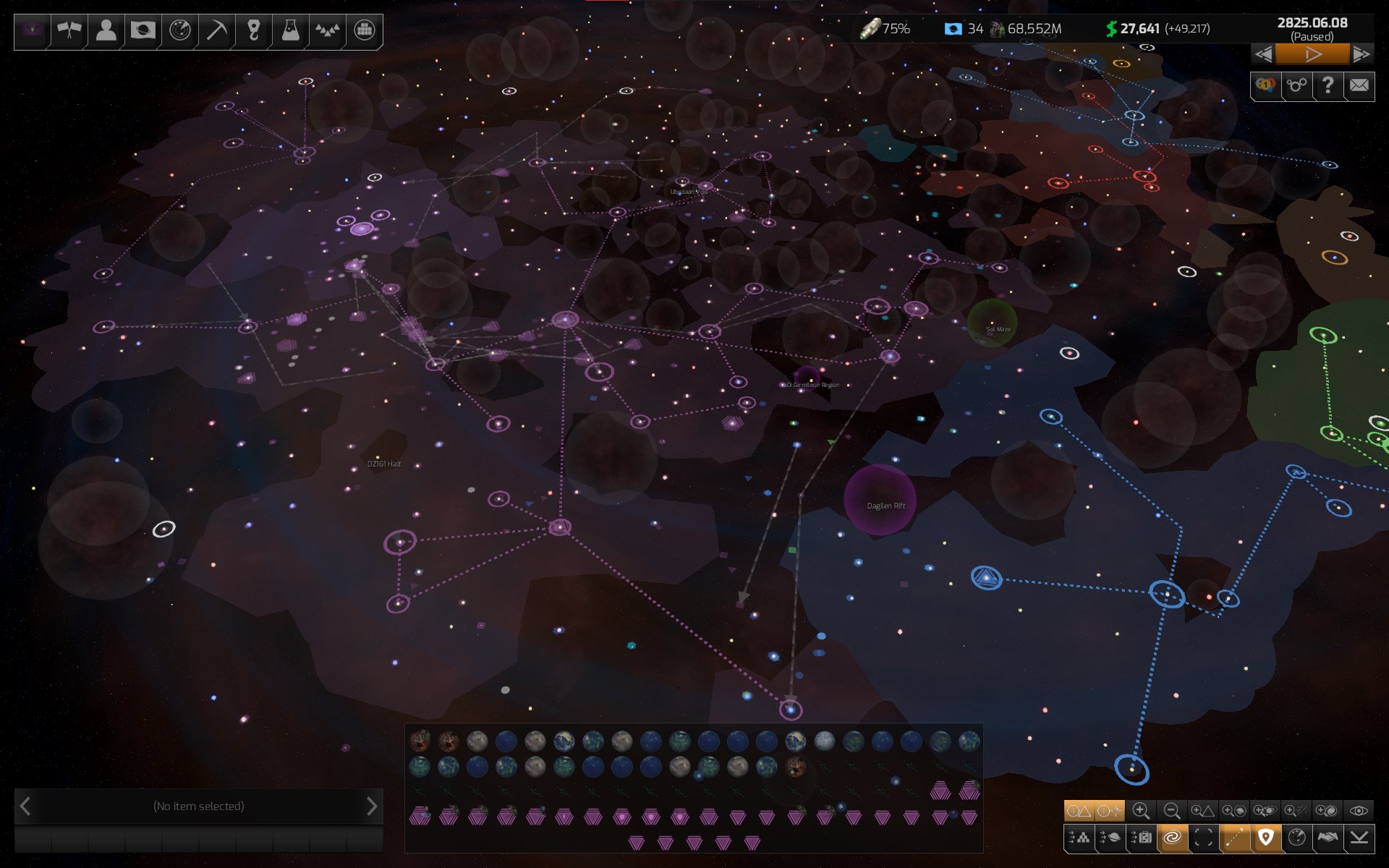
- Galaxy view.jpg (341.3 KiB) Viewed 3291 times
Of all the colors the human eye and brain can perceive, the ones chosen for those three empires on the left clearly aren't the best. Situations hard to predict and avoid programmatically, but very easy to avoid or correct for a human being... if allowed to by the game.
Re: Is there a way to change an empire color?
Posted: Tue Sep 06, 2022 7:44 pm
by Thineboot
For a started game, no. At least not until save files can be altered.
For a new game,
yes no.
data\Races.xml
Code: Select all
  <Race>
    <RaceId>0</RaceId>
    <BundleName>Human</BundleName>
    <FlagFilename>UserInterface/Flags/Human_1</FlagFilename>
    <AlternateFlagFilenames>
      <!--string>UserInterface/Flags/Human_2</string-->
      <string>UserInterface/Flags/Human_3</string>
    </AlternateFlagFilenames>
    <MainColor>
      <R>0</R>
      <G>0</G>
      <B>176</B>
      <A>255</A>
    </MainColor>
    <SecondaryColor>
      <R>255</R>
      <G>255</G>
      <B>255</B>
      <A>255</A>
    </SecondaryColor>
Uncommenting
UserInterface adds the 2nd Human flag and color (white) to the game, see
21 distinguishable Empires: 7 Races x 3 Flags and Colors.
The 7 MainColors seem pretty close to the first color of each race.
After that... with decent testing you should be able to come up with 21 distinguishable colors.
Edit:
text
Re: Is there a way to change an empire color?
Posted: Tue Sep 06, 2022 9:00 pm
by Thineboot
I've tested a few color changes but it doesn't seem to have any effect at all

Looks like colors are hardcoded at the moment.
Re: Is there a way to change an empire color?
Posted: Wed Sep 07, 2022 2:32 pm
by 100thMonkey
Even if it would be possible to change empire colors at the start of the game, that wouldn't be enough.
Why? Because as the game progresses and some empires engulf others, at one point some empires with similar colors will become neighbors. So even if the colors were "right" at the beginning of the game, they wouldn't anymore at that point. There has to be a way to correct those situations when they occur.
It seems to me that the solution is to allow the player to change the empires' color as needed, through the game editor.
Re: Is there a way to change an empire color?
Posted: Wed Sep 07, 2022 4:24 pm
by AKicebear
I think another way is to have a primary and secondary color for all empires. The secondary color is the empire border, and the primary is the fill. At least in this case there is a higher chance of having two distinct blobs, even if their fill is similar.
But being able to select the color of opponents, during the game (maybe a drop-down within the diplomacy menu) would be great. Give us the choice.
Re: Is there a way to change an empire color?
Posted: Wed Sep 07, 2022 4:41 pm
by 100thMonkey
AKicebear wrote: Wed Sep 07, 2022 4:24 pm
I think another way is to have a primary and secondary color for all empires. The secondary color is the empire border, and the primary is the fill. At least in this case there is a higher chance of having two distinct blobs, even if their fill is similar.
Agreed. The addition of borders, of a different color than the territory color, would help. But, as you put it, that would increase the chances of having distinct blobs, not guarantee it. So both colors would still need to be editable in the game editor.
Re: Is there a way to change an empire color?
Posted: Wed Sep 07, 2022 8:00 pm
by Thineboot
Agreed before, see
[Suggestion] Game Editor
Thineboot wrote: Mon Jul 11, 2022 12:26 pm
How could anyone come up with this:

At least this has been changed, and we don't have to deal with the same colors anymore. But slight differences in hues are not exactly distinguishable by human eyes either...
Re: Is there a way to change an empire color?
Posted: Wed Sep 07, 2022 8:20 pm
by 100thMonkey
Thineboot wrote: Wed Sep 07, 2022 8:00 pm
At least this has been changed, and we don't have to deal with the same colors anymore. But slight differences in hues are not exactly distinguishable by human eyes either...
Slight differences in hues are particularly difficult to distinguish for bases and stations when viewed from the galaxy view, as shown in the second picture in my initial post.