Page 1 of 2
"modding" Maps
Posted: Sun Oct 16, 2022 5:06 pm
by Hellway
Hello, I was able to refine the large Maps present in the Maps folder, this acts on the dedicated .scn but how can I do the same for the other maps (intro .scn, etc...)? Do I have to "mod" all the small files related to the maps (steppes, plains, bunker, city, etc...) ? Thank you.
(Hellway from PzK Mods work in progress

)
Re: "modding" Maps
Posted: Tue Oct 18, 2022 5:04 am
by bcgames
Hellway wrote: Sun Oct 16, 2022 5:06 pm
...Do I have to "mod" all the small files related to the maps (steppes, plains, bunker, city, etc...) ? Thank you.
I guess I don't understand the context of the question. What is it that you are trying to accomplish?
Re: "modding" Maps
Posted: Tue Oct 18, 2022 8:01 am
by Hellway
I will to modify the maps graphics (contrast, filter etc...). I can do this (and made) from the "maps" files I find in the Maps folder of the game but how can i do that for the other .scn (who have no maps files with specific dedicated name) ?
Re: "modding" Maps
Posted: Wed Oct 19, 2022 3:58 am
by bcgames
Let me see if I understand the situation. You have modified the maps found in the My Games/Stalingrad/editorMaps folder and want to know how to populate the scenario maps (i.e. those map files found in the My Games/Stalingrad/Maps folder). Is this correct?
Re: "modding" Maps
Posted: Wed Oct 19, 2022 7:29 am
by Hellway
Finding yesterday night the rest of the maps files in the my document/my games section of the game, I can now work with this...thanks...

Another question please :
In my mods, I have transformed the original counters with other representations for the units and I try to "stick" as well as possible to your Oob. In this framework, when the AA or ARTY or AT units are "motorized" (with a car logo in the counters), should I conclude that these units are the one represented but are simply towed (by a truck for example) or that they are self-propelled? For example, I could represent a motorised AA unit by either my basic icon but with the corresponding logo or by an AA unit mounted on a vehicle (halftrack, truck,...)? Thank you.
Re: "modding" Maps
Posted: Wed Oct 19, 2022 5:45 pm
by bcgames
1) There are 3 possible images for each unit. For example:
armd
armd_m
armd_s
These being, Large, Medium (_m), and Small (_s). These labels correspond to the 3 zoom counter images which are drawn at the different zoom levels.
If an image is not found, then the next larger image will be used. In other words, if a Zoom Level uses the Small counters, then it will look for the _s image. If that image is not found, then it will look for _m image, and if that image is not found, it will use the Large image.
2) There can be multiple different images for each unit type. E.g. For armored, there might be:
armd (the default)
armd_101 (PzIIIh)
armd_105 (Pz38t)
etc.
So if a unit is using the armd_101 image (Images/unitIcons/picsArmy0 folder) for its UnitDetails panel image, it will try and use the armd_101 counter image (Images/unitIcons/Army0 folder). If this is not found, it will use the default (the armd image).
3) Items 1 and 2 are used together to define a full set of images for a single unit type. For example, a Pz IIIh equipped unit would have the following counter images:
armd_101
armd_m_101
armd_s_101
Re: "modding" Maps
Posted: Thu Oct 20, 2022 7:24 am
by Hellway
Thank you for this information, I understand that it is in my interest to make the different levels of icons correspond as well as possible and therefore to give them the same style of representation (I thought that the M symbolised the "motorised" aspect of the unit). Sincerely.
Re: "modding" Maps
Posted: Thu Oct 20, 2022 4:44 pm
by Hellway
I. last things (I hope). If I replace the original counters as follows:
Inf_812 :

- Capture d’écran (1025).png (127.01 KiB) Viewed 3296 times
et M_Inf_812 :
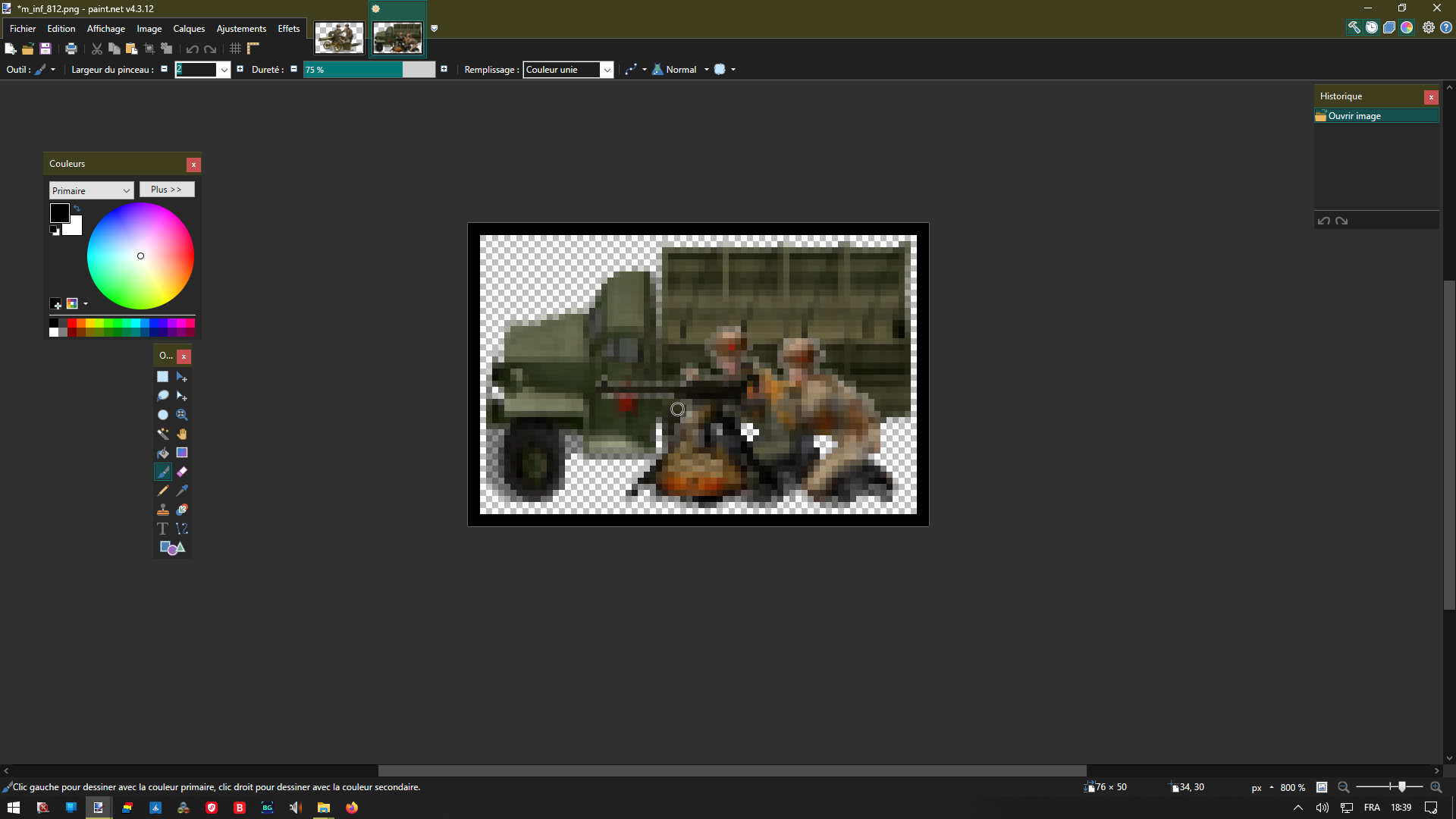
- Capture d’écran (1026).png (134.1 KiB) Viewed 3296 times
Does this mean that the program will choose the first icon in Max Zoom and the second in Medium Zoom? Does this choice concern the icon on the map or the one representing the unit in the info bar (on the right)?
Re: "modding" Maps
Posted: Thu Oct 20, 2022 4:56 pm
by Hellway
II. ...is it nonsense to replace this "Arty":

- Capture d’écran (1028).png (119.86 KiB) Viewed 3294 times
by this one to simbolise a motorized Arty :

- Capture d’écran (1027).png (126.01 KiB) Viewed 3294 times
Is this one more logical for you ?

- Capture d’écran (1032).png (123.52 KiB) Viewed 3266 times
Re: "modding" Maps
Posted: Thu Oct 20, 2022 5:48 pm
by Hellway
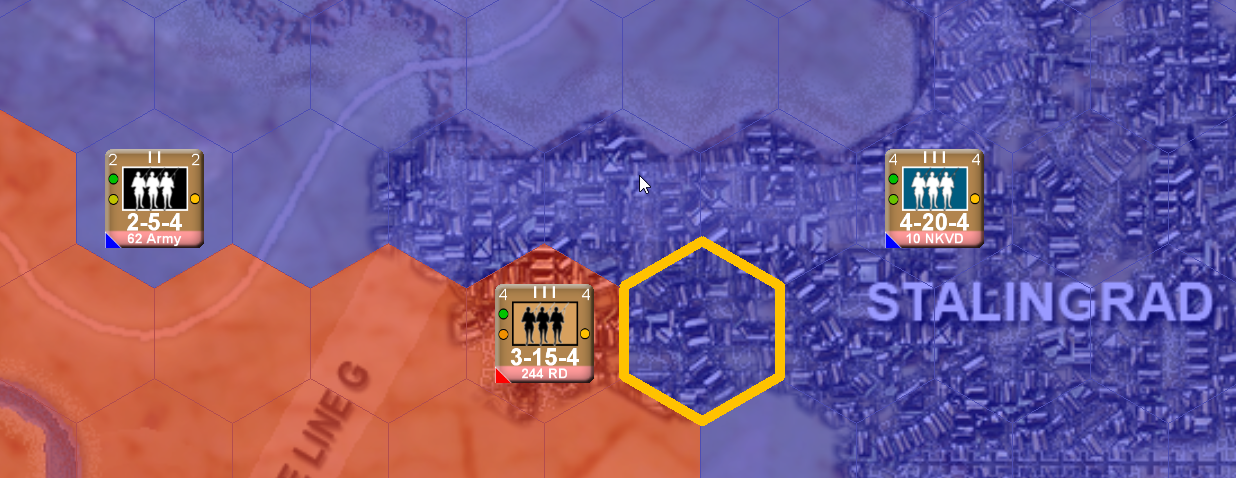
III. ...and what's the difference do you make in the soviet's OOB between this one :

- Capture d’écran (1029).png (117.18 KiB) Viewed 3280 times
and this one :

- Capture d’écran (1031).png (128.47 KiB) Viewed 3280 times
Thank you very much.
Re: "modding" Maps
Posted: Fri Oct 21, 2022 4:40 am
by bcgames
Hellway wrote: Thu Oct 20, 2022 4:44 pm
I. last things (I hope). If I replace the original counters as follows:
Inf_812 :
Capture d’écran (1025).png
et M_Inf_812 :
Capture d’écran (1026).png
Does this mean that the program will choose the first icon in Max Zoom and the second in Medium Zoom?
If I understand the question--Yes.
Hellway wrote: Thu Oct 20, 2022 4:44 pmDoes this choice concern the icon on the map or the one representing the unit in the info bar (on the right)?
Both. Info bar only uses the Max Zoom image (i.e. inf_812).
Re: "modding" Maps
Posted: Fri Oct 21, 2022 4:41 am
by bcgames
Hellway wrote: Thu Oct 20, 2022 4:56 pm
II. ...is it nonsense to replace this "Arty":
Capture d’écran (1028).png
by this one to simbolise a motorized Arty :
Capture d’écran (1027).png
Is this one more logical for you ?
Capture d’écran (1032).png
Whatever floats yer boat is the right thing to do.
Re: "modding" Maps
Posted: Fri Oct 21, 2022 4:47 am
by bcgames
Hellway wrote: Thu Oct 20, 2022 5:48 pm
III. ...and what's the difference do you make in the soviet's OOB between this one :
Capture d’écran (1029).png
and this one :
Capture d’écran (1031).png
Thank you very much.
Soviet Naval Infantry and NKVD use the white icon. The Black icon is used by regular Soviet infantry and Guards infantry.
Re: "modding" Maps
Posted: Fri Oct 21, 2022 6:47 am
by Hellway
Superb, thanks.
Re: "modding" Maps
Posted: Fri Oct 21, 2022 9:22 am
by Hellway
I assume that non-German AXIS units do not have their own icons and that the program works on the basis of unit type instead?
Re: "modding" Maps
Posted: Fri Oct 21, 2022 9:32 pm
by bcgames
Axis (side0) and Allies (side1) "share" the NATO counter folder. However, they each have their own unique folder for the "stylized" image counters (i.e. Images/unitIcons/army0 and army1 folders).
Re: "modding" Maps
Posted: Fri Oct 21, 2022 10:56 pm
by Hellway
Ok, thanks, I know, I'm talking about nationality in a same side German, Italian or Romanian icons...

Re: "modding" Maps
Posted: Sat Oct 22, 2022 6:37 pm
by Hellway
I notice that there are differences between the names of the icons in the files in the folders "army0" and "picsAarmy0" (for example). Some files exist in "army" but not in "picsArmy".) I guess the game will never choose a file in "picsArmy" if it does not have its equivalent in "Army"?
Thank you.
Re: "modding" Maps
Posted: Mon Oct 24, 2022 5:55 am
by bcgames
You are on your way.
Re: "modding" Maps
Posted: Thu Oct 27, 2022 11:02 pm
by Hellway
Hello again,
In order for this to work properly in the game info bar (unit images/unts infos), do I need to make sure that each image file created in unitsIcons/Army has a corresponding image file in unitsIcons/picsArmy or vice versa. In other words, what happens if a file exists in Army but not in picsAarmy and vice versa please ? Thanks again.