Page 1 of 1
inverted mission overlay
Posted: Fri Nov 25, 2022 11:34 am
by Benassen
Hi,
while following the 1st tutorial I have a inverted display of the "mission overlay"
I confirm : I am the NATO side.
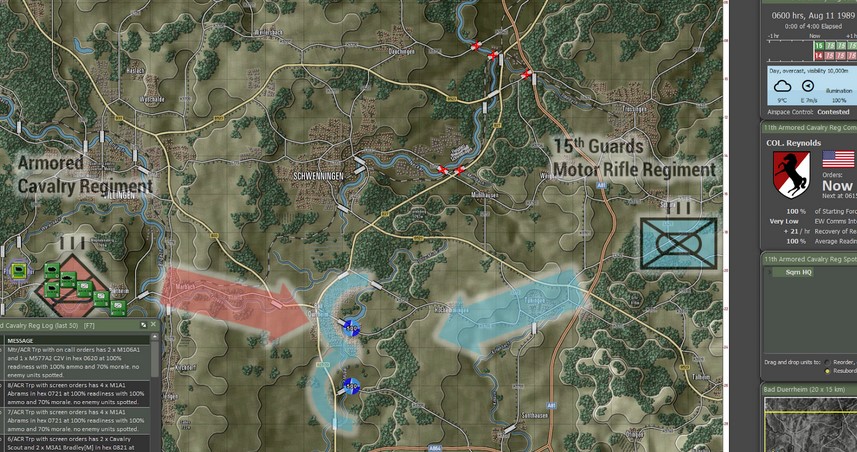
Re: inverted mission overlay
Posted: Fri Nov 25, 2022 1:07 pm
by CapnDarwin
Known issue. It will be fixed in the first update.
Re: inverted mission overlay
Posted: Fri Nov 25, 2022 6:25 pm
by Benassen
Thank you, great game

Re: inverted mission overlay
Posted: Fri Nov 25, 2022 11:19 pm
by cbelva
If you select "Import Mission Graphics from Briefing" instead of "Show User Mission Graphics" you will get the right overlay. The problem was an errant overlay (in fact two of them) were left in the Custom folder. The "Show User Mission Graphics" is for you to post graphics you have already created and saved to that folder.
The upcoming patch will not remove the errant overlays in the Custom Folder. You need to do that yourself if you don't want them there. Patches can only add or replace to the program, they can't delete something that is already there.
Regardless, the proper menu item to copy the graphics from the briefing is "Import Mission Graphics from Briefing".