Page 1 of 1
[RESOLVED+FIXED] Eye hurting colors in 1307.3
Posted: Mon Feb 13, 2023 6:07 pm
by vonotha
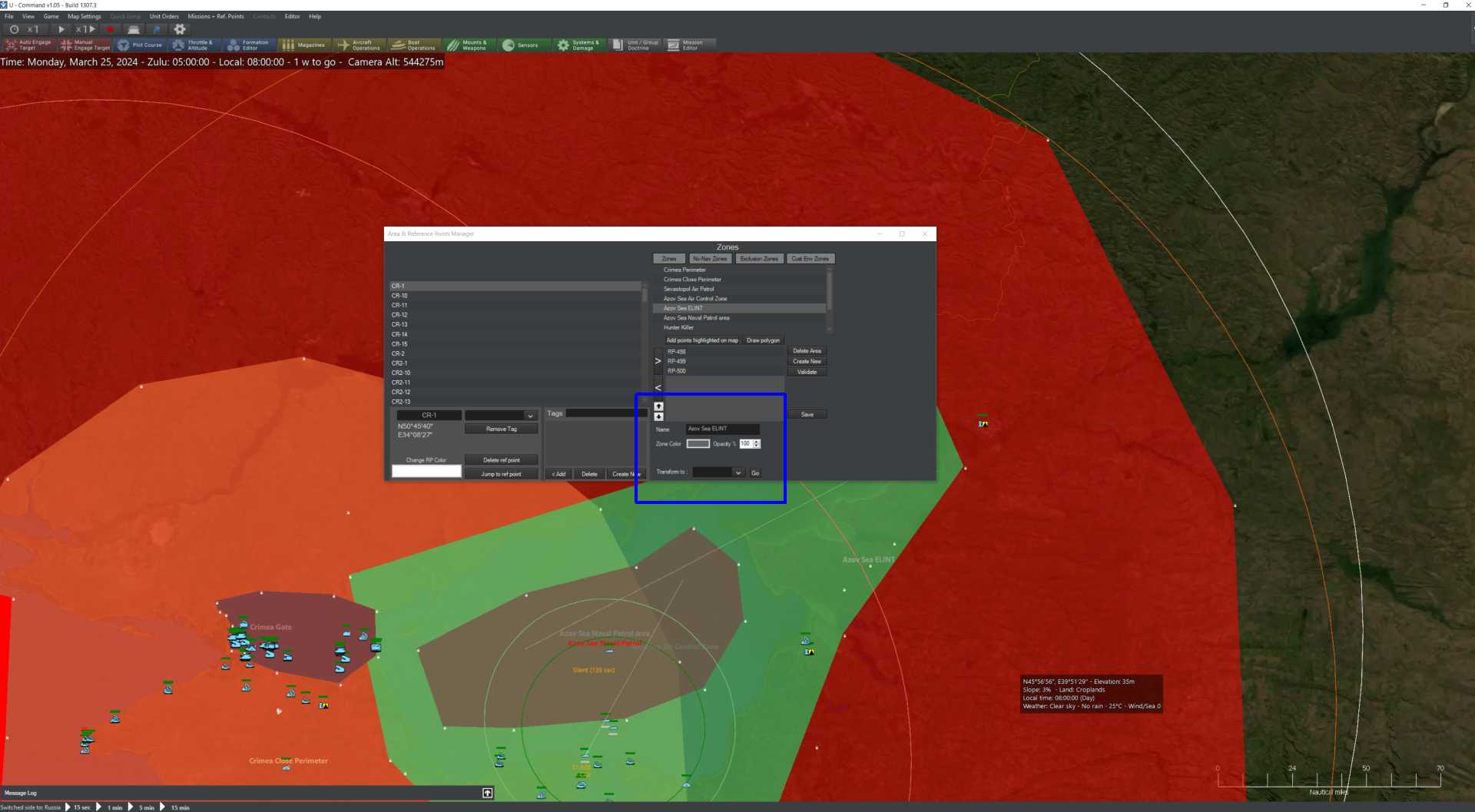
I have just updated CMO to 1307.3, loaded a scenario I was working on recently and was greated with some new eye hurting colors. Area transparency is gone.
Is there a new setting to bring visuals a bit closer to the previous version?
Re: Eye hurting colors in 1307.3
Posted: Mon Feb 13, 2023 6:41 pm
by vonotha
OK, there is Opacity setting in Reference Point Manager. For all areas opacity was set to 100% in 1307.3.
Seems, I can manage Managed Areas. Hope missions were not become solid too.
- colors2.jpg (92.39 KiB) Viewed 279 times
Re: Eye hurting colors in 1307.3
Posted: Tue Feb 14, 2023 1:48 pm
by Geoffropi
Thanks for the report, fixed for the next build.
Something to note:
If you have saved your game while having the version with the solid color bug, you'll have to change manually the transparency of the zone once. (in the area and ref point manager).
Re: Eye hurting colors in 1307.3
Posted: Tue Feb 14, 2023 2:39 pm
by vonotha
Thanks for the answer.
Since I've found the opacity setting in the Reference Points Manager, I manually changed it to something sensible like 10-30%.
So the crisis was awerted
