Page 1 of 1
Marching Troops into contested area
Posted: Thu Mar 09, 2023 3:36 pm
by Mudmag99
Op Mode is in Move, but they refuse to march!
Is the path blocked by enemy troops?
Re: Marching Troops into contested area
Posted: Thu Mar 09, 2023 4:27 pm
by RangerJoe
The picture that you did not post may show the problem . . .
Re: Marching Troops into contested area
Posted: Thu Mar 09, 2023 5:01 pm
by Mudmag99
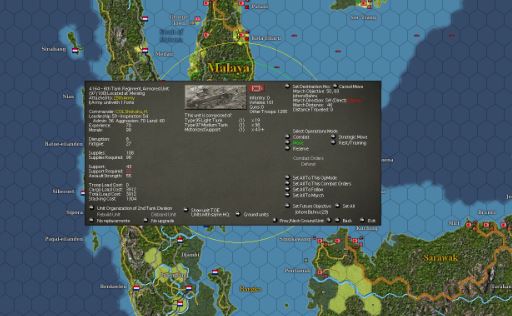
- How's this?
- No Movement.JPG (39.1 KiB) Viewed 681 times
Re: Marching Troops into contested area
Posted: Thu Mar 09, 2023 6:21 pm
by LargeSlowTarget
Way to blurry to read anything and the unit panel hides the marching troops and the contested area and thus vital info - in short, useless screenie.
Re: Marching Troops into contested area
Posted: Fri Mar 10, 2023 5:18 am
by BBfanboy
You can move the pop-up unit screen away from the the hex the unit is in by scrolling the map- just put the cursor over to one map edge and the map will move from under the screen.
Then you need to make it larger in your screen capture. Use the PrtScr button to capture the entire screen, paste the image from the clipboard into Paint 3D or any other graphics editor and set the scale to 100%. Crop anything not needed and annotate if you wish. Save the file as a .jpg or .png file, in a file folder you can find again when you post.
Open a post in the forum, put in your text, then go to the bottom and click on the Attachments tab. Choose Add Files, then Browse to find the one you saved, select it and select Open.
Once the file name appears in the Attachments box, I usually click on "Place Inline" and then Submit the post.
Re: Marching Troops into contested area
Posted: Sat Mar 11, 2023 2:06 pm
by Trugrit
Mudmag99,
Every player uses different screen capture programs.
I use just three
free programs to capture screenshots and edit them.
For screen capture I use a program called
Greenshot.
A great thing about
Greenshot is that it has built in annotation tools.
The below images I captured using
Greenshot and saved it down to my desktop
scaled it with Microsoft Paint and annotated it with
Greenshot.
Sometimes it it hard to see screen captures taken of the game
because the game does not scale.
I can open the
Greenshot capture in Microsoft Photos...scale it up where I want
and then re-capture that scaled up image using
Greenshot again
That is how I got the larger image.
Screen Capture:
Greenshot:
https://getgreenshot.org/
Greenshot Reviews:
https://www.g2.com/products/greenshot/reviews
Greenshot Tutorial:
https://www.youtube.com/watch?v=oJHxwLRRXM0
It is a lot simpler to use than the tutorial walk through.
Microsoft Photos
Microsoft Paint
These come standard with Windows 10 Pro but I think
they come with the Home version of Windows 10.
What BBfanboy would like you to do is hit the “w” Hotkey
In your game. That shows the Hexside ownership.
Then make a screenshot…..zoom up the screenshot if you need to
and post it. Also do one of the LCU that is making the move.

- Screen Shot 6.jpg (313.03 KiB) Viewed 527 times
Re: Marching Troops into contested area
Posted: Sun Mar 12, 2023 2:04 pm
by btd64
I'll have to check it out....GP