Page 1 of 1
(Resolved) My Issues Trying To Install Xenko 3.1
Posted: Tue May 09, 2023 10:11 pm
by runandhidegamer
I already have a number of ships ready to add into Distant Worlds 2 for my Star Trek mod..... but I am currently stalled by trying to get Xenko working.
I have decided to add this post as I am sure others are running into the same problem I am.
So I have Visual Studio 2019 installed.
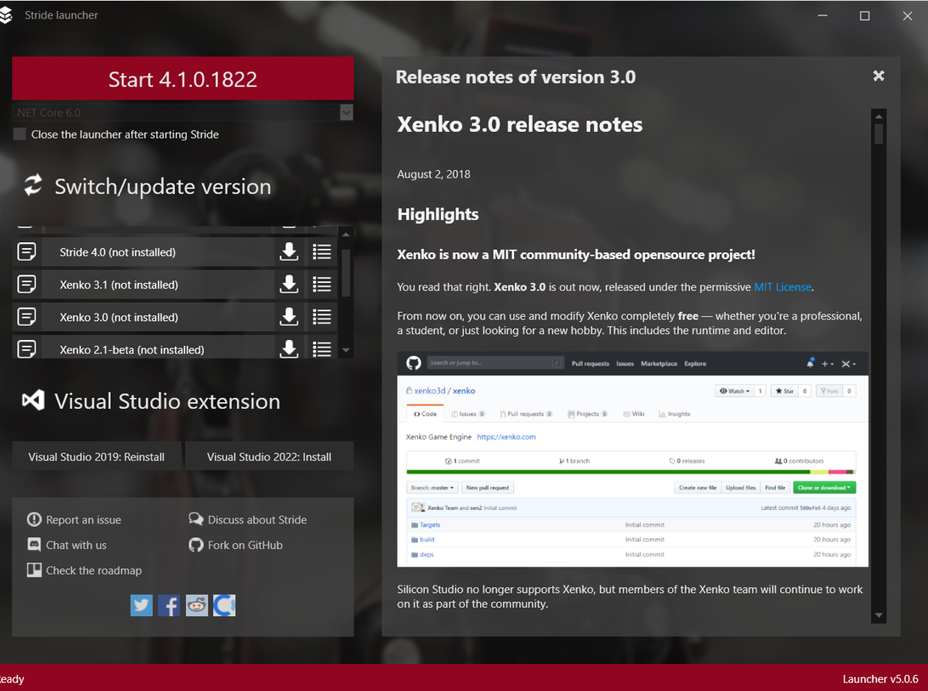
Have downloaded Xenko and this is what I start with.
Visual Studio was installed but nothing of Xenko yet.
- screen 01.png (381.13 KiB) Viewed 699 times
My Issues Trying To Install Xenko
Posted: Tue May 09, 2023 10:19 pm
by runandhidegamer
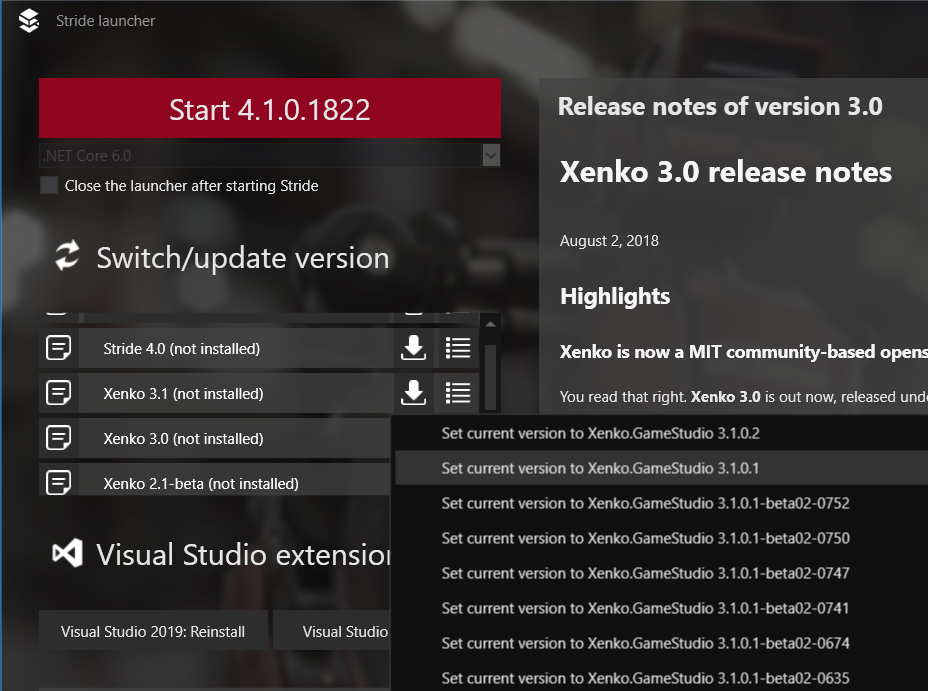
I click on the button with the 4 horizontal lines to specify which version of Xenko 3.1 I want to install.
As you can see... I selected 3.1.0.1
- screen 02.png (246.89 KiB) Viewed 697 times
My Issues Trying To Install Xenko
Posted: Tue May 09, 2023 10:21 pm
by runandhidegamer
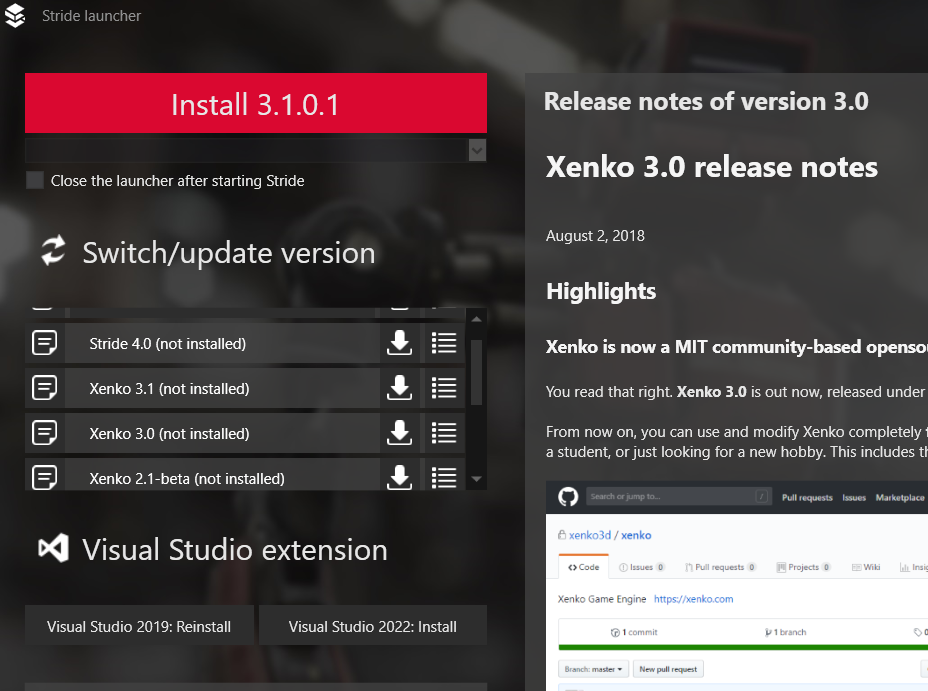
The top of the screen shows in the red box Install 3.1.0.1.
Perfect... Just what I want. I click the red box.
- screen 03.png (246.48 KiB) Viewed 696 times
My Issues Trying To Install Xenko
Posted: Tue May 09, 2023 10:26 pm
by runandhidegamer
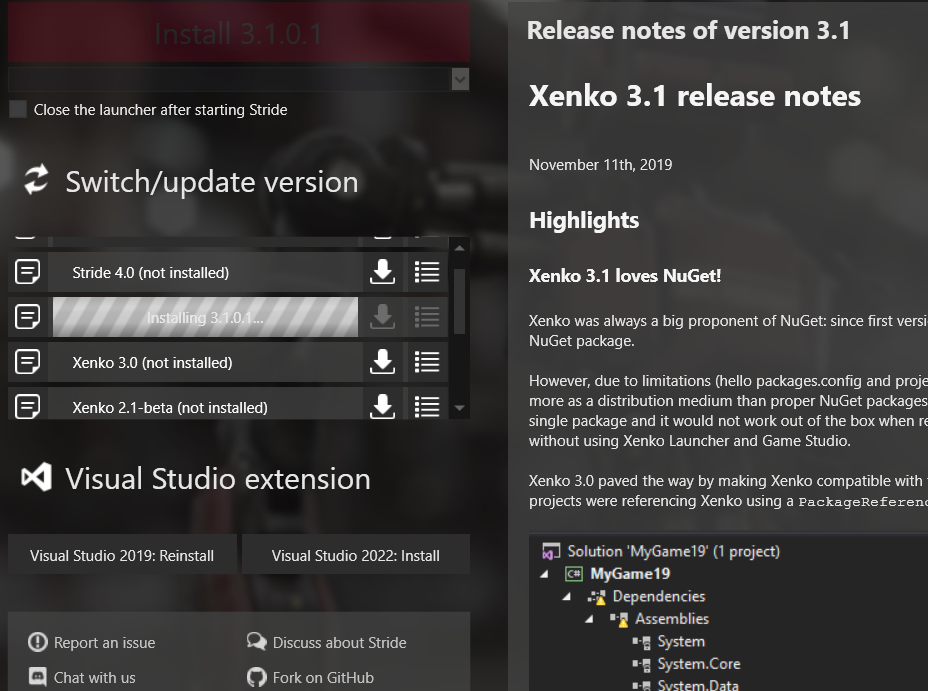
Now installing version 3.1.0.1 of Xenk.
- screen 04.png (262.2 KiB) Viewed 693 times
My Issues Trying To Install Xenko
Posted: Tue May 09, 2023 10:33 pm
by runandhidegamer
I then get 2 messages about installing Visual Studio which I have already installed so I assume this is the Visual Studio Extension that needs to be installed.
So I say yes to the install.
Xenko then comes back a minute later with this message saying the install of Visual Studio failed do I want to install it again.
I know Visual Studio is working as I have been using it.
So I assume the message refers again to the extension.
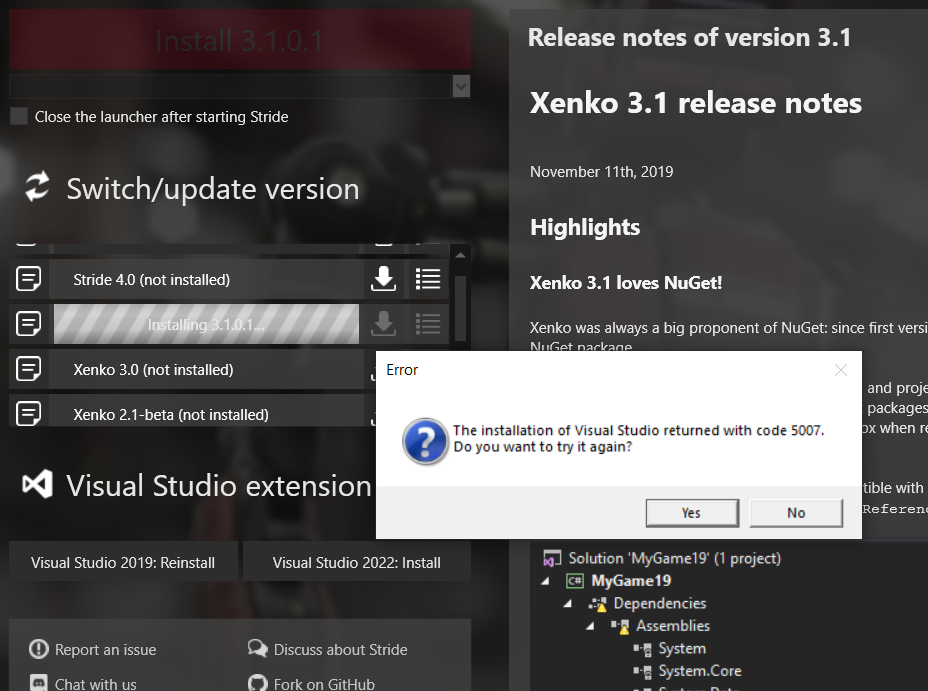
- screen 05.png (247.2 KiB) Viewed 692 times
My Issues Trying To Install Xenko
Posted: Tue May 09, 2023 10:34 pm
by runandhidegamer
And this is as far as I can go and have been stuck here for 2 weeks trying to get past this error.
Does anyone know what I am doing wrong?
My Issues Trying To Install Xenko
Posted: Wed May 10, 2023 12:02 am
by runandhidegamer
To get around this error message you first need to install Visual
Studio 2022...community edition will work fine .
https://visualstudio.microsoft.com/downloads/
After that You will need to install the SDK Version of Windows .net 6 win x64 desktop runtime
https://dotnet.microsoft.com/en-us/down ... -installer
Then install the latest version of Stride / Xenko which is currently Version 4.1.0.1822
Following these steps should get you into this software