Page 1 of 1
[RESOLVED] Crashing and Play button
Posted: Fri Apr 26, 2024 9:22 pm
by swazeedog
I have just purchased a new computer and using stream version of CMO with brand new install. I never had an issues previously either starting or running CMO and have over 800 hours of game play. Two issues I have been experiencing:
1. When starting CMO in Steam, it brings up the normal dialog box, when trying to hit Play button, it does not work and appears frozen. The only fix is to validate files everytime. Each time it says 3 files are missing and will be reacquired.. (approx 353.3kb)
2. Secondly, if in a scenario (mostly its LIVE Command The Korean Msssile Crisis), the game crashes randomly. ((See screenshot of error and also last savegame file where it crashed.
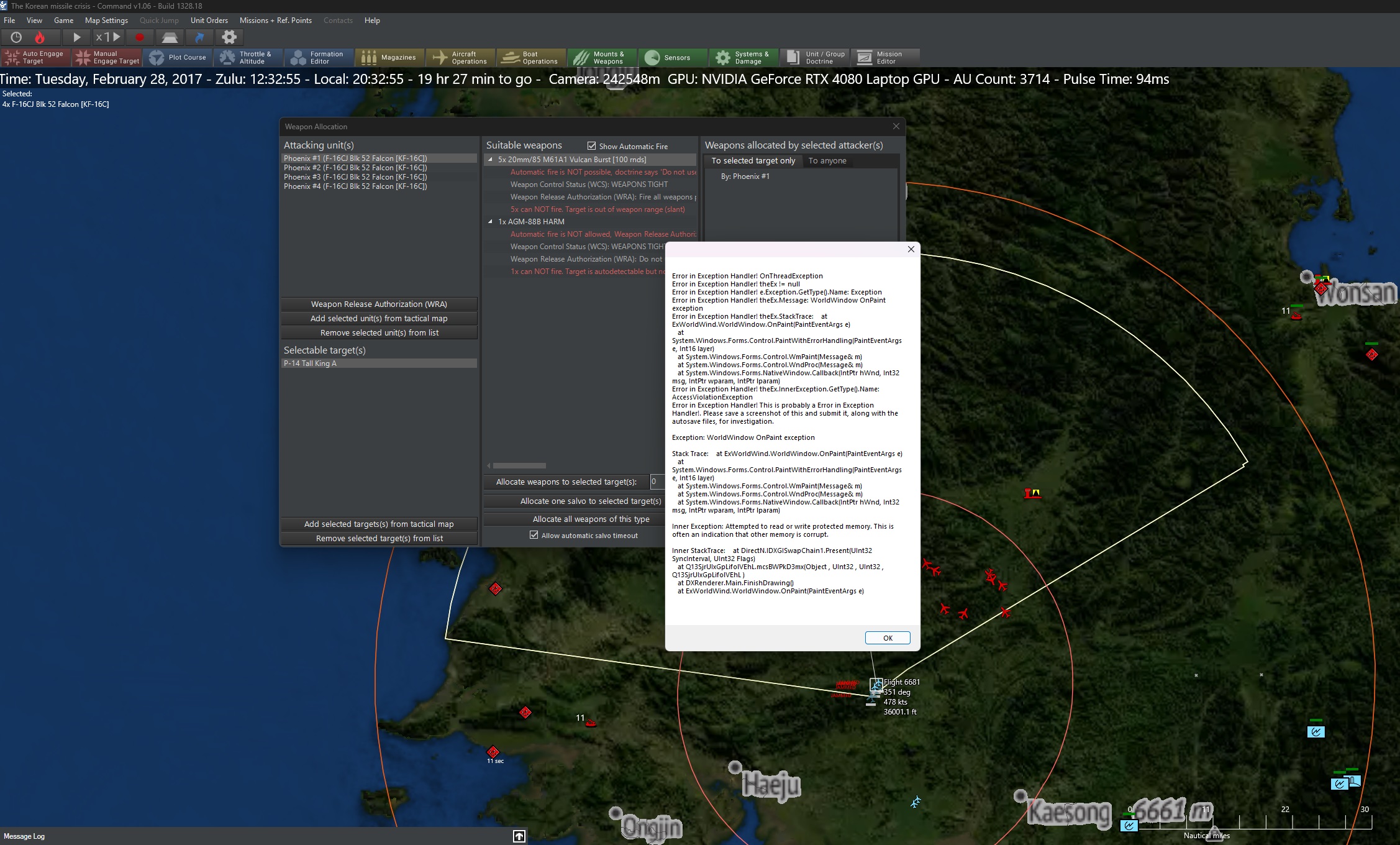
- crash.jpg (689.07 KiB) Viewed 768 times
Also, when playing, the cursor often has the hourglass symbol on the mouse cursor like there is a delay or something.
My computer specs are i9 13050HX, 64GB RAM< NVIDIA 4080 graphics card.
EDIT: a second error has now occurred when searching in the scenario search bar. (see attached)
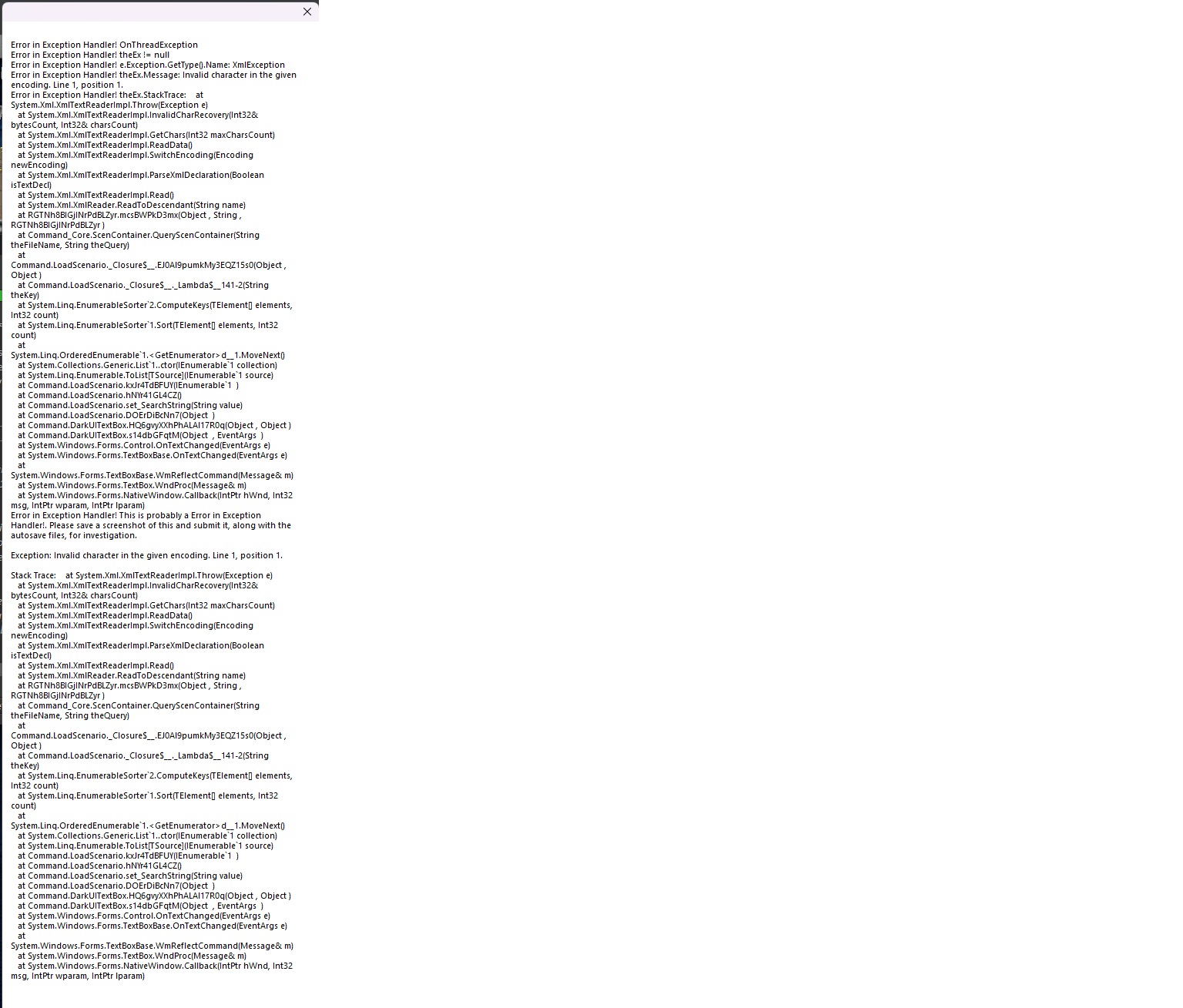
- error msg 2.jpg (360.47 KiB) Viewed 752 times
Hope you can help.
Re: Crashing and Play button
Posted: Sat Apr 27, 2024 6:18 am
by Nikel
Regarding the crashes, post the exception log.
The exception logs provide more information if you check the box “Log debug information to file” in General options/General dialog window.
Do that, restart the game, run until crash, then go to the new exception log created and post it.
Re: Crashing and Play button
Posted: Sat Apr 27, 2024 9:42 am
by Dimitris
swazeedog wrote: Fri Apr 26, 2024 9:22 pm
1. When starting CMO in Steam, it brings up the normal dialog box, when trying to hit Play button, it does not work and appears frozen. The only fix is to validate files everytime. Each time it says 3 files are missing and will be reacquired.. (approx 353.3kb)
That sounds like the Steam client is probably messing with you.
Try this: Copy the entire CMO install folder to another location (manually, not through the Steam client), run CMO from there for a few days (by running Command.exe) and see if the problem persists.
Re: Crashing and Play button
Posted: Sun Apr 28, 2024 5:14 am
by swazeedog
OK so here is the attached log file. I was only typing in the scenario box so was not even in a scenario. Thanks
Re: Crashing and Play button
Posted: Sun Apr 28, 2024 6:47 am
by Nikel
What did you type?
Re: Crashing and Play button
Posted: Sun Apr 28, 2024 8:14 pm
by Dimitris
Usual suspects checklist:
* Is the OS fully updated? Graphics drivers updated? Direct-X 11 installed?
* Is Command running as admin? (ie. prompting you "are you sure you want to run this program" when you launch it)
* (Steam only) Are Steam overlays disabled for Command?
* (Steam only) Is Direct-Write disabled on the Steam client?
* Are all other applications (and especially hardware-helper apps like RivaTuner, Nahimic, MSI Afterburner etc.) shut down?
* Are you using a high-DPI desktop? (ie. font size >100%)
* Are you using Norton antivirus? (This POS is very frequently silently blocking file updates)
Re: Crashing and Play button
Posted: Mon Apr 29, 2024 3:38 am
by swazeedog
Nikel wrote: Sun Apr 28, 2024 6:47 am
What did you type?
Political
Re: Crashing and Play button
Posted: Wed May 01, 2024 8:52 am
by swazeedog
ok quick update.
1. Uninstalled steam and reinstalled
2. Uninstalled CMO and reinstalled to new SSD location (via steam)
3. Uninstalled MSI Centre
Touchwood, no errors reported since playing about 10+ hrs. Not sure what did the trick but thanks for your timely support.
Re: Crashing and Play button
Posted: Wed May 01, 2024 8:55 am
by Nikel
swazeedog wrote: Mon Apr 29, 2024 3:38 am
Nikel wrote: Sun Apr 28, 2024 6:47 am
What did you type?
Political
it is WAD that CMO crashes after typing that

Enjoy the game.
Re: Crashing and Play button
Posted: Wed May 01, 2024 9:51 am
by thewood1
Probably would have been easier and more reasonable to re-validate the game through Steam. I have found that solves quite a few non-game errors.
Re: Crashing and Play button
Posted: Wed May 01, 2024 10:33 am
by blu3s
It might be related to one of background process in the MSI Centre that might cause interferences with Command
Re: Crashing and Play button
Posted: Wed May 01, 2024 2:02 pm
by thewood1
I'm fairly skeptical nVidia overlays or MSI Center are causing the issue. I have used both with CMNAO/CMO for years on many different laptops without issue. Tech Support should always recommend revalidation as the first step for Steam users.