Page 1 of 1
Flightplan Editor missing editing buttons
Posted: Wed Jul 03, 2024 5:15 am
by Obelix153
Flightplan editor buttons that supposed to be in bottom of flightplan editor windows is not appeared. I'd try to change graphic setting, dpi, text size, resolution, uninstall-reinstall, but still no result..
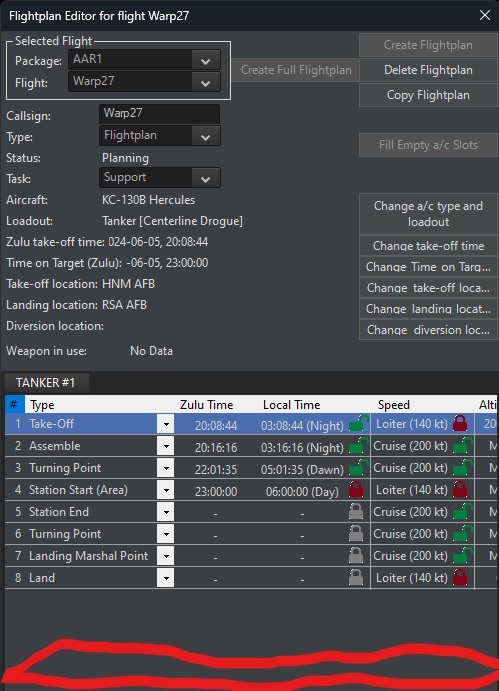
- missin button.jpg (124.89 KiB) Viewed 366 times
Re: Flightplan Editor missing editing buttons
Posted: Wed Jul 03, 2024 7:35 am
by Nikel
Is it the correct save?
I cannot find the flight displayed in the screenshot.
Re: Flightplan Editor missing editing buttons
Posted: Wed Jul 03, 2024 10:43 am
by Obelix153
this one...
Re: Flightplan Editor missing editing buttons
Posted: Wed Jul 03, 2024 11:04 am
by Nikel
I can see them.
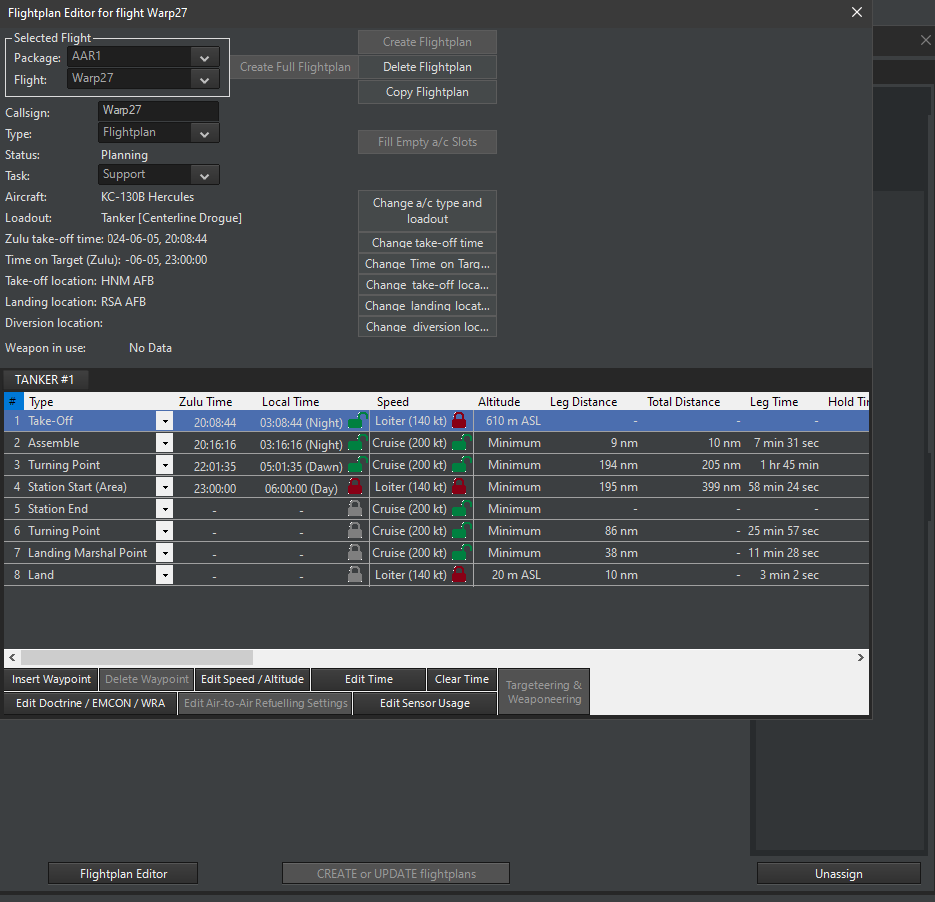
- F.png (60.85 KiB) Viewed 329 times
What version are you running?
Perhaps you should post the exception log (with the "Log debug information to file" selected) and the Dxdiag file for the devs.
This problem was reported before.
https://www.matrixgames.com/forums/view ... 0#p5160950
Re: Flightplan Editor missing editing buttons
Posted: Wed Jul 03, 2024 12:16 pm
by blu3s
If you are using a resolution higher than 1920x1080, in the Command installation folder, try running 4KFix.exe
Re: Flightplan Editor missing editing buttons
Posted: Wed Jul 03, 2024 12:25 pm
by thewood1
I had this issue on a new 4k laptop anf the 4kfix fixed it. It was a couple years ago.
Re: Flightplan Editor missing editing buttons
Posted: Wed Jul 03, 2024 2:21 pm
by Obelix153
Nikel wrote: Wed Jul 03, 2024 11:04 am
I can see them.
F.png
What version are you running?
Perhaps you should post the exception log (with the "Log debug information to file" selected) and the Dxdiag file for the devs.
This problem was reported before.
https://www.matrixgames.com/forums/view ... 0#p5160950
Re: Flightplan Editor missing editing buttons
Posted: Thu Jul 04, 2024 3:18 pm
by Nikel
Not much in the exceptionlog.
What about the dxdiag file and the suggested 4kfix?