Page 1 of 1
Transferring air units
Posted: Fri Jul 05, 2024 3:03 pm
by DTomato
I have a fighter group on an airfield (not part of an AOG). Can I transfer it to another airfield (like the air transfer command in WITE/WITW)?
DT
Re: Transferring air units
Posted: Fri Jul 05, 2024 6:53 pm
by tyronec
You can select the high level command (eg Luftwaffe 1) and pick it up that way
OR
Assign it to an AOG
Sometimes you need to check the commanders report to spot all the air groups that have lost their AOGs, I often forget to do this and then it can be quite hard to spot them !
Re: Transferring air units
Posted: Fri Jul 05, 2024 9:02 pm
by K62_
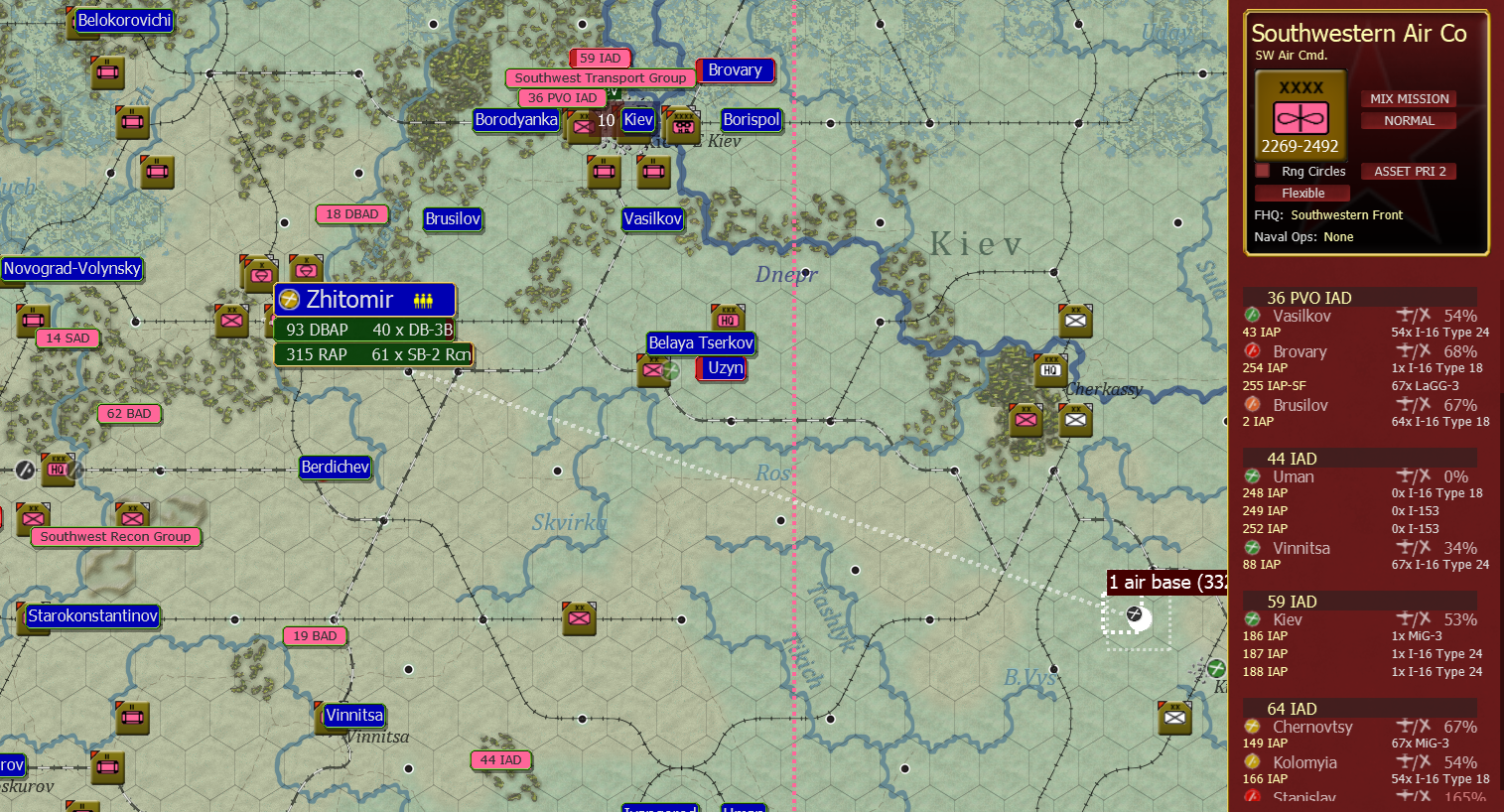
- Single transfer.png (1.93 MiB) Viewed 1464 times
Re: Transferring air units
Posted: Sun Jul 07, 2024 5:14 pm
by Sarge11
Does it matter if they are in a AOG???, or can they act independently?
Re: Transferring air units
Posted: Tue Jul 09, 2024 11:58 pm
by DekeFentle
They can be moved and act (be assigned to missions) independently.
Re: Transferring air units
Posted: Wed Jul 10, 2024 9:58 am
by Janitschar
Can Somebody explain what the difference is between "Planned Transfer" and "immediate Transfer" and when to use wich?
I did not find anything in the Manual+ living Manual
Re: Transferring air units
Posted: Wed Jul 10, 2024 10:49 am
by 56ajax
If you order ‘immediate’ transfer this will happen regardless of the situation at the
target airfields (so you may find your planes lack supplies and supporting ground
crews). If you order ‘planned’ transfer this might be delayed till the target airbases
have sufficient support squads, supply and fuel to enable operations (usually during
the logistics phase). A pop up will tell you how many air units were moved.
(99% of the time I use immediate)
Re: Transferring air units... New Question
Posted: Sat Jul 25, 2026 6:15 pm
by rake
Why is it that I cannot get the "Transfer Immediately" popup/
It's Turn 1 of the 41 Campaign. I am trying to move fighters and recon closer to the front.
Moving 32.(F)?AufklarGr 31 from Inowroclaw to Ortelsburg:
A. Left Click & Drag does nothing.
B. Select (Left Click), then Right Click brings a popup with 2 options:
1 Transfer to Reserve
2 Reassign Air Group
C. Shift/Right Click & Drag lets me drag the unit to Ortelsburg:, but no matter who, what or where I click, left or right click, I have no options (Correction - Right clicking Ortelsburg: Air Base gives me Transfer Group. This doesn't seem to matter, because the white line between the airbases was already there, and the group was shown in both locations)
D. Ctrl/ Right Click & Drag selects every base between the two locations, 6 in this case
I've watched multiple videos with guys transferring units with a popup saying Transfer Immediately, but for the life of me, I cannot figure out who they are doing it.
Thanks in Advance
Rake
Re: Transferring air units
Posted: Sat Jul 25, 2026 6:41 pm
by Wiedrock
rake wrote: Sat Jul 25, 2026 6:15 pm
Why is it that I cannot get the "Transfer Immediately" popup/
The rightclick you have to do on the "dogtag" with the "arrow" (left side).
Then you also can use the AG's "sidebar-card".
Re: Transferring air units
Posted: Sat Jul 25, 2026 9:53 pm
by rake
Wiedrock wrote: Sat Jul 25, 2026 6:41 pm
The rightclick you have to do on the "dogtag" with the "arrow" (left side).
Then you also can use the AG's "sidebar-card".
Oh, dear god... that works. Thank you! The videos I've watched are all several years old, so I'm guessing things have changed since they were recorded
Re: Transferring air units
Posted: Sat Jul 25, 2026 10:54 pm
by Wiedrock
The movement of Air stuff is certainly complicated to get into but once you have it it makes sense.
You can see the dogtags with key "A" during ground phase btw.
Have fun.