Page 1 of 1
Closed - game crashing to desktop
Posted: Fri Mar 21, 2025 8:37 am
by Jaypea
Hi All,
So I have been playing WITP AE latest release on my laptop for a few years now. And today all of a sudden, it will load up to the screen with the bar that shows loading then goes to blank screen and then kicks back to desktop. I have tried adjusting my display settings and windowed mode without fixing the issues. I am travelling and only use WITP AE on my lap top when I am travelling. The last time it was working was at a relatives house where I had it hooked to a TV monitor and was playing on that monitor without issue. It was also showing on my laptop screen without issue. Now I am travelling again and just playing directly on my laptop screen and its a no go.
This is what I was running that last time it worked . . .
"C:\Matrix Games\War in the Pacific Admiral's Edition\War in the Pacific Admiral Edition.exe" -altFont -skipVideo -deepColor -dd_sw -px1366 -py768
I tried reloading the game from scratch and still same problem (also rebooted several times). Very weird.
Re: Need some help on game crashing to desktop
Posted: Sun Mar 23, 2025 12:03 pm
by Jaypea
Some additional information . . .
I saw once an error show up after right as the CTD happened "Error: Can't get exclusive control of screen"
I have removed the last update of windows (security update on March 12) - no change
I reloaded the entire game with 1.126A update of the game instead of 1.128 - no change
I turned off windows defender and norton anti-virus - no change
Not sure what else to try . . . help!
Re: Please help! Now game crashing to desktop
Posted: Sun Mar 23, 2025 3:08 pm
by Jaypea
Ok, I did some more digging and found an error event relating to my graphics card driver. I did remove and reinstall the driver and this did not help but maybe someone can read the error log and direct me on what else to try . . .

- IMG_6354.jpg (1.29 MiB) Viewed 666 times
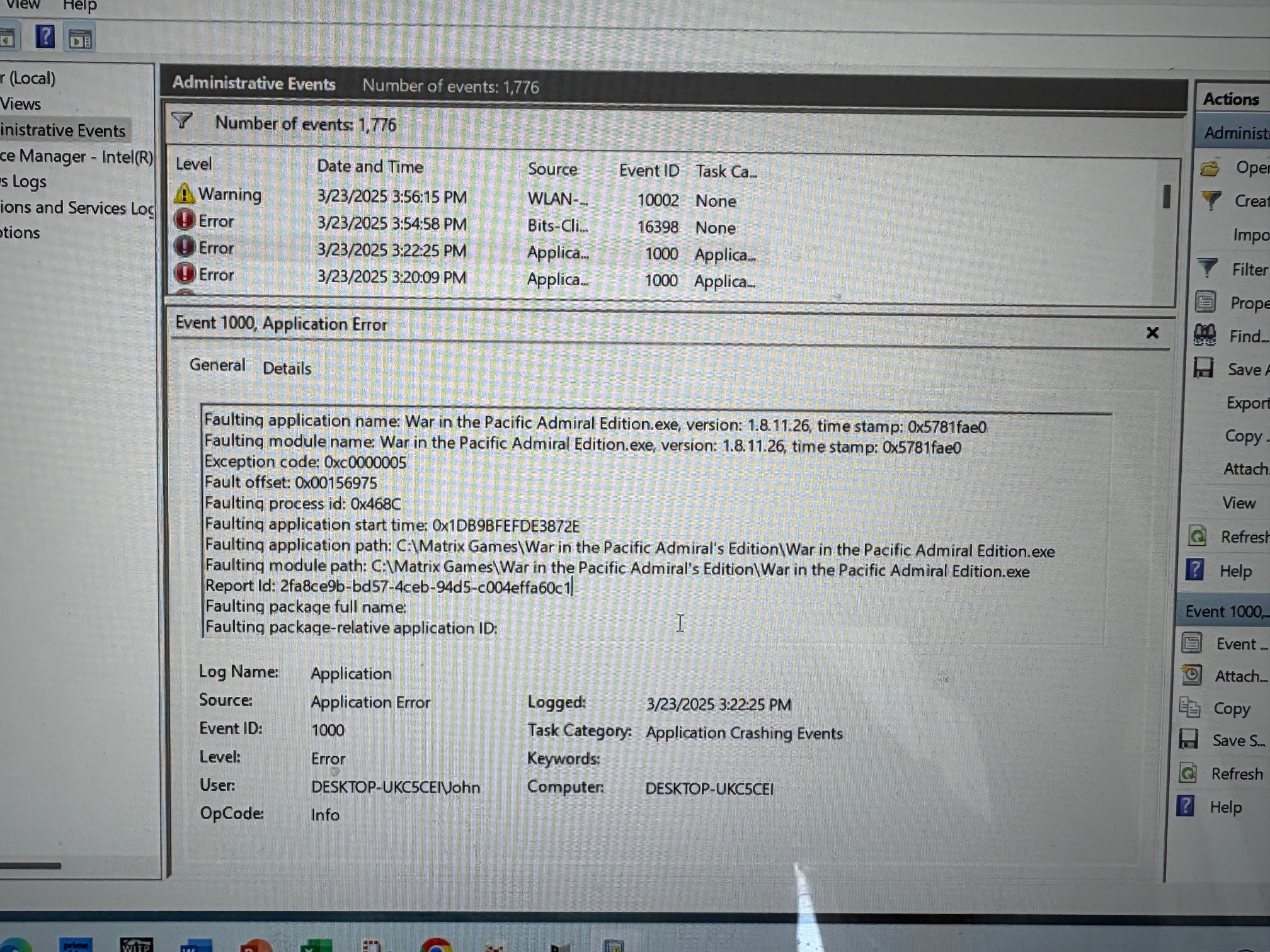
- IMG_6355.jpg (1.38 MiB) Viewed 666 times
Any help is appreciated.
I saw this in the log which is after the last time the game ran without problems. Not sure if that helps.
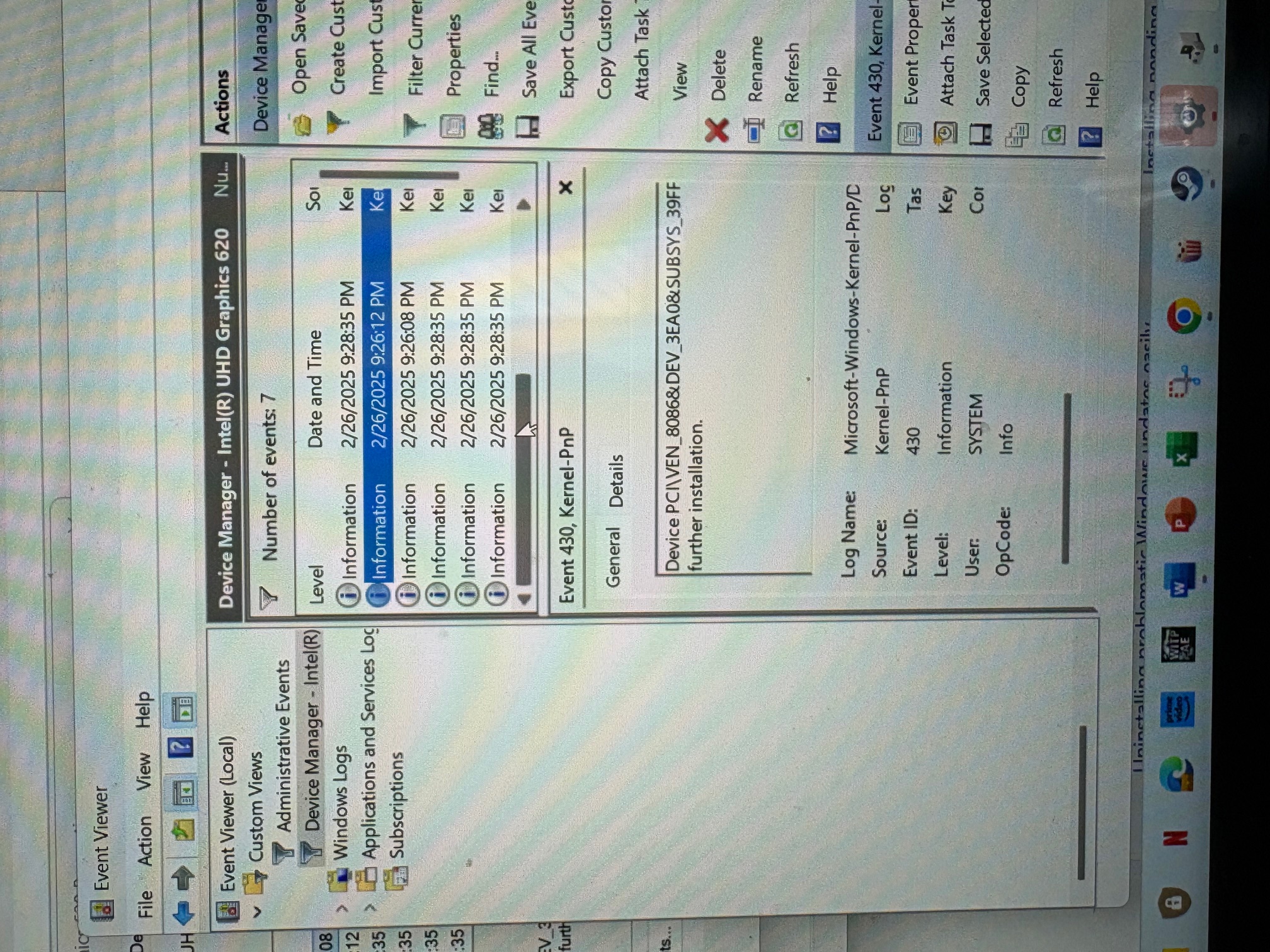
- IMG_6352.jpg (1.28 MiB) Viewed 666 times
Re: Please help! Now game crashing to desktop
Posted: Sun Mar 23, 2025 4:24 pm
by BBfanboy
That "...exclusive control of the screen" message seems important. Windows is a hog on CPU-1 of your computer. You do not have the game specified to use another CPU thread. You could try adding -cpu3 to your switches to eliminate that possibility. Another problem could be a full screen setting for the game. Windows always likes to keep the Windows Bar visible and it takes some fiddling with settings to keep it suppressed.
If Windows updated to Win 11 version you may have to experiment with your switches again. Some users report no problems and others say they had problems. And laptops have all kinds of issues with the game. A few have managed to get it running smoothly but others have had to give up on running it on their laptop.
Sorry I can't be more specific but I have no expertise other than reading what others have written about their problems. You should scan this Tech section threads to see if there is something similar reported.
Re: Please help! Now game crashing to desktop
Posted: Sun Mar 23, 2025 4:29 pm
by Jaypea
BBfanboy wrote: Sun Mar 23, 2025 4:24 pm
That "...exclusive control of the screen" message seems important. Windows is a hog on CPU-1 of your computer. You do not have the game specified to use another CPU thread. You could try adding -cpu3 to your switches to eliminate that possibility. Another problem could be a full screen setting for the game. Windows always likes to keep the Windows Bar visible and it takes some fiddling with settings to keep it suppressed.
If Windows updated to Win 11 version you may have to experiment with your switches again. Some users report no problems and others say they had problems. And laptops have all kinds of issues with the game. A few have managed to get it running smoothly but others have had to give up on running it on their laptop.
Sorry I can't be more specific but I have no expertise other than reading what others have written about their problems. You should scan this Tech section threads to see if there is something similar reported.
Thank you for your reply. I have reviewed the forums and have tried as you suggest without results. Windowed or changing CPU does not help (so far). I have tried a whole bunch of other dash settings. Its maddening as this has worked fine on the laptop for a few years (since I got the laptop) and now all of a sudden it doesn't work. I am assuming some driver was updated (who knows which one) and currently trying different graphics drivers to see if that was it. But still no luck.
Thank you!
Re: Please help! Now game crashing to desktop
Posted: Sun Mar 23, 2025 9:19 pm
by BBfanboy
Did you change the game version? Check that your shortcut points to the game executable file and not the Autorun.exe that the original game puts on your desktop when you install the game. Also, make sure the dashes that lead each switch are hyphens from the top of the keyboard, not minus signs (which have a different ASCII number). The switches need to be in the box titled "Target" on the shortcut, not the box titled "Start In" (Right click on your shortcut and choose properties to check this).
Re: Please help! Now game crashing to desktop
Posted: Sun Mar 23, 2025 10:46 pm
by homer82
I think a search for exception code: 0xc0000005 may point you in the right direction.
Re: Please help! Now game crashing to desktop
Posted: Mon Mar 24, 2025 9:38 am
by Jaypea
homer82 wrote: Sun Mar 23, 2025 10:46 pm
I think a search for exception code: 0xc0000005 may point you in the right direction.
Thank you, you were correct. I did a full install of windows and it fixed the problem! So it was basically a bad file somewhere in windows. Much appreciate everyones help!!
Re: Closed - game crashing to desktop
Posted: Mon Mar 24, 2025 7:16 pm
by BBfanboy
Hooray! Homer82 hits a homer!
And kudos to Jaypea for posting screen pics so it was possible to sort out what the problem is. Many new players do not provide this kind of helpful info.