Page 1 of 1
3D Unit Bit File Creation
Posted: Sun Sep 28, 2025 1:45 am
by Jason Petho
Here is a basic introduction for how I make the outline files for the Campaign Series Vietnam game bmp unit graphics. This is a very simplified "For Your Information" style video with a talk through and basic textual steps. I use CorelDraw (Corel Photopaint) to do this, but you can use other graphics software packages. NOTE - This is the same process for ALL Campaign Series games.
https://youtu.be/iy41BRPpuOM
Re: 3D Unit Bit File Creation
Posted: Sun Sep 28, 2025 7:11 am
by Crossroads
Thanks, Jason!
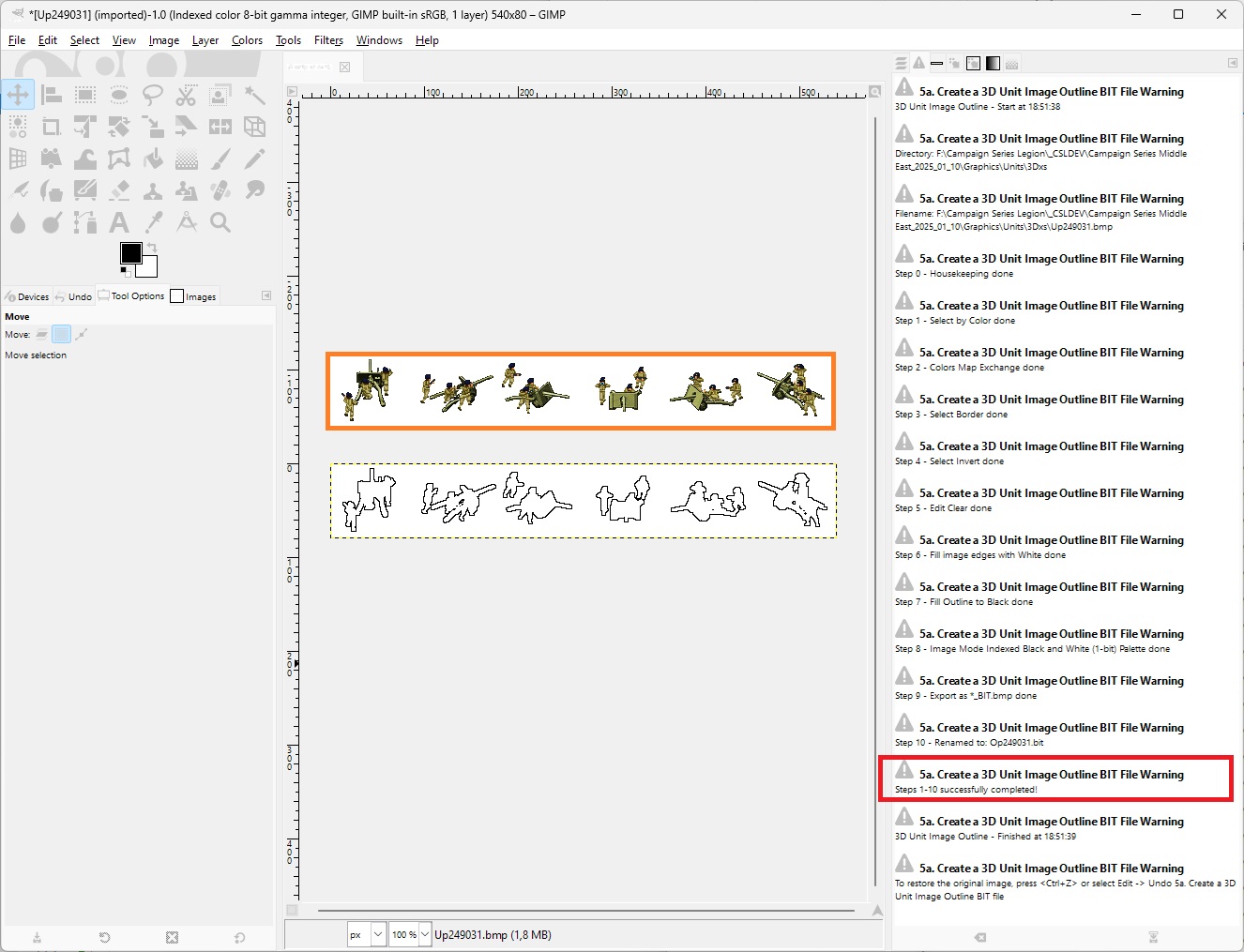
... talking about scripts, here're two of them for all you GIMP users out there that automate this all:
see this post in the Mods and Scenarios subforum.
There are two versions:
- One, 5a, where you open a 3Dxs unit image bitmap in GIMP and run the plug-in to create an outline from it.
- Another one, 5b, where you select a folder full of 3Dxs unit bitmaps, and it iterates through them all, creating outlines for each.
Note:
requires GIMP 2.10.x version to work. GIMP 3.0.x deprecated this Python API for some reason, replacing it with another one that isn’t compatible with this plug-in.
Re: 3D Unit Bit File Creation
Posted: Sun Sep 28, 2025 6:27 pm
by benpark
Does the Campaign Series as it has evolved here allow for less than 100% opacity for the 3D figures and AFV's?
I made the 3D infantry figures the WDS people are using now for Squad Battles (3D models to 2D files), and went through a similar process using different tools. I used Stroke in Photoshop with all resizing to keep pixels from having any opacity in order to keep any "pinkies" from the background color showing.
Re: 3D Unit Bit File Creation
Posted: Mon Sep 29, 2025 5:26 am
by Crossroads
benpark wrote: Sun Sep 28, 2025 6:27 pm
Does the Campaign Series as it has evolved here allow for less than 100% opacity for the 3D figures and AFV's?
I made the 3D infantry figures the WDS people are using now for Squad Battles (3D models to 2D files), and went through a similar process using different tools. I used Stroke in Photoshop with all resizing to keep pixels from having any opacity in order to keep any "pinkies" from the background color showing.
Yes, the graphics engine still requires 24 bit bitmaps that do not allow for transparency. Insted, the exact color code of the top left pixel at x,y of 0,0 determine the transparency: all pixels of the image using the same exact color are not drawn.
I have made a study of how this all works, and in theory, it should be possible to replace the graphics API with one allowing for PNG or full bitmaps with transparency and translucency. It would be easy to create a GIMP script that migrates all bitmaps to PNG format with adding an alpha channel and then removing the transparent color. This is high on our wishlist, but it will still have to wait a bit.
(Once ME 3.10 and VN 2.10 Updates are out, the next evolution of the engine is to upgrade from C++ standard of 14 (2014) to at least C++ 17, and with that done, then move the engine from the old 32 bit architecture to contemporary 64 bit architecture that Windows OS uses and has used for quite a while. This is easily a two, three month project in itself.)
Until that, I have a few GIMP scripts that allow for scaling bitmaps in a manner that allows for efficient scaling algorithms while keeping the edges from leaking.