Page 1 of 1
Change air group HQ
Posted: Tue Jan 06, 2026 6:15 am
by bairdlander2
Starting GC 43, transferred some airgroups from Uk to Tabarka airbase, they were with RAF Coastal Command, I want them to be assigned to Coastal Command, no option. Please advise
Re: Change air group HQ
Posted: Wed Jan 07, 2026 4:12 am
by bairdlander2
Resolved, apparently you can no longer transfer air groups from Uk and change their HQ ,I have not played this since 2017
Re: Change air group HQ
Posted: Wed Jan 07, 2026 5:31 pm
by kentkroeckel
Tabarka airbase, they were with RAF Coastal Command, I want them to be assigned to Coastal Command, no option. Please advise
Response: Naval only aircraft are a bit stubborn in changing but here is how to do it. Move aircraft you wish changed onto an existing air base that you wish to change to. Make sure there is at least one assigned aircraft on this base from the one you wish to change to. Otherwise, base will flip. Keep in air mode and click on air base symbol. At bottom of page shows units are from different air HO. Change them. There are tutorials that show this much clearer than I can write it.
Re: Change air group HQ
Posted: Thu Jan 08, 2026 5:03 am
by bairdlander2
Does not work, tried transferring PA Catalina AG to Africa, airbase is Coastal Command, transferred AG still RAF Coastal Command, no option to change it. I heard patches restricted Naval AG's based in UK from changing to Med theatre.
How to switch naval only aircraft to new HQ
Posted: Thu Jan 08, 2026 7:18 pm
by kentkroeckel
This is how to switch naval only aircraft to new HQ.
Start in F10 mode.
Select air unit you wish to relocate and change HQ.
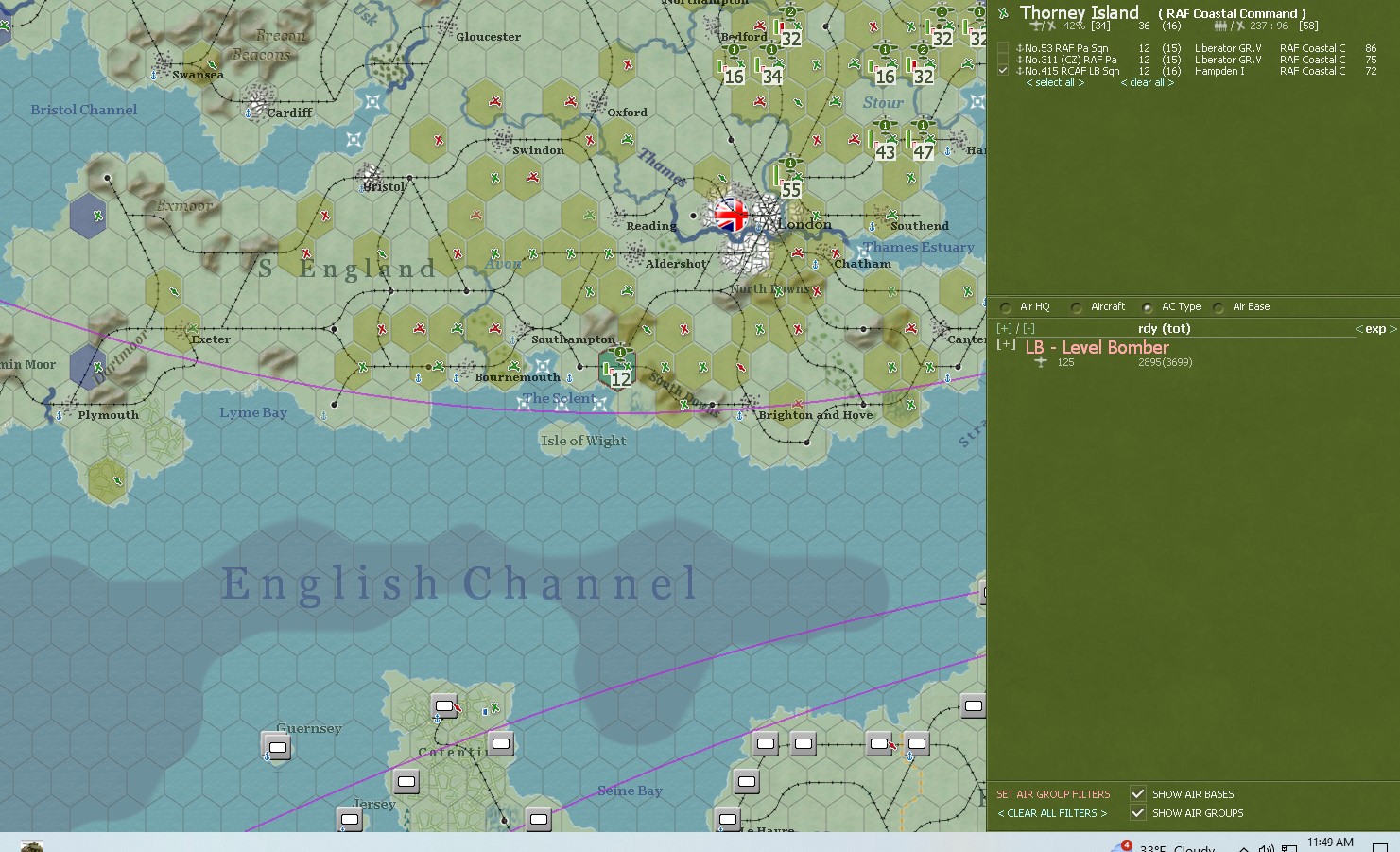
- Screenshot 2026-01-08 115003.jpg (329.18 KiB) Viewed 2814 times
Send air unit on its way to where you wish it to go. Make sure there is at least one air unit that is on this new airbase which is from the new airbase you wish to switch to.
Example: I an going to move Hampton wing from UK to Algiers. I am also going to change HQ for Hampton from RAF Coastal Command to Coast Air Force.
I have selected Algiers because I want to show you that even on a base that has just turned to new HQ this works fine.
Allies moved a PB4Y American Liberator first to Algiers. Base flipped to Coastal Air Force because that is who the American PB4Y is assigned to.
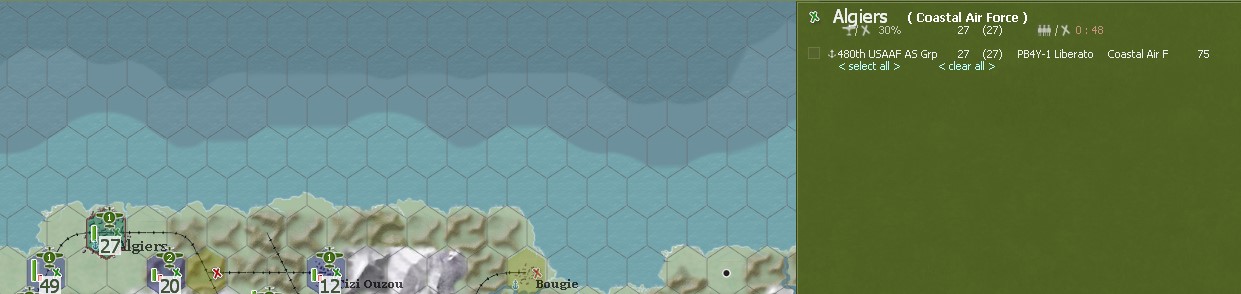
- Screenshot 2026-01-08 120547.jpg (69.56 KiB) Viewed 2814 times
Now I will transfer Hampton to Algiers air base.
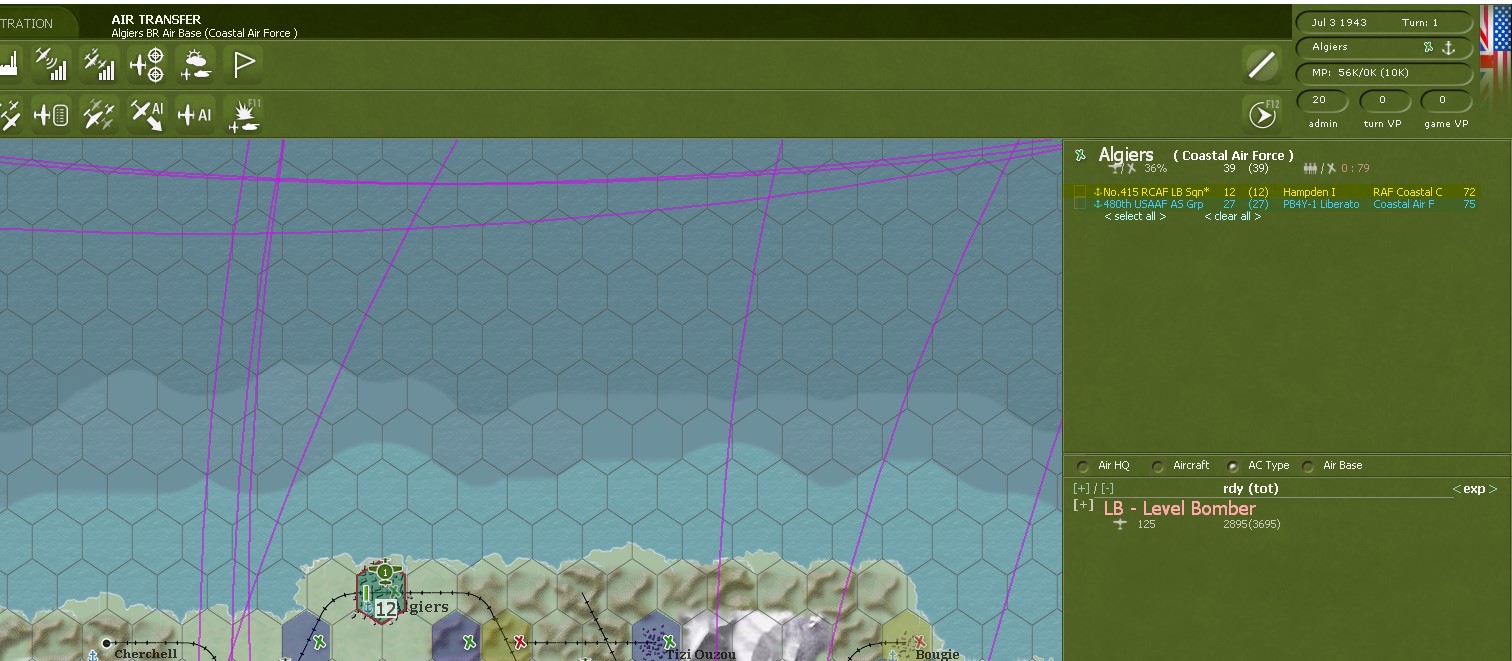
- Screenshot 2026-01-08 120828.jpg (200.34 KiB) Viewed 2814 times
In the upper right hand corner next to Algiers there is the air base symbol. click on it. This gives you the option to change all aircraft to current HQ of air base.
On bottom of new display it will ask you if you want to change all air units to HQ base. Press on it.
Are you sure. It asks you again with anther pop up. Say yes and it will do this action.
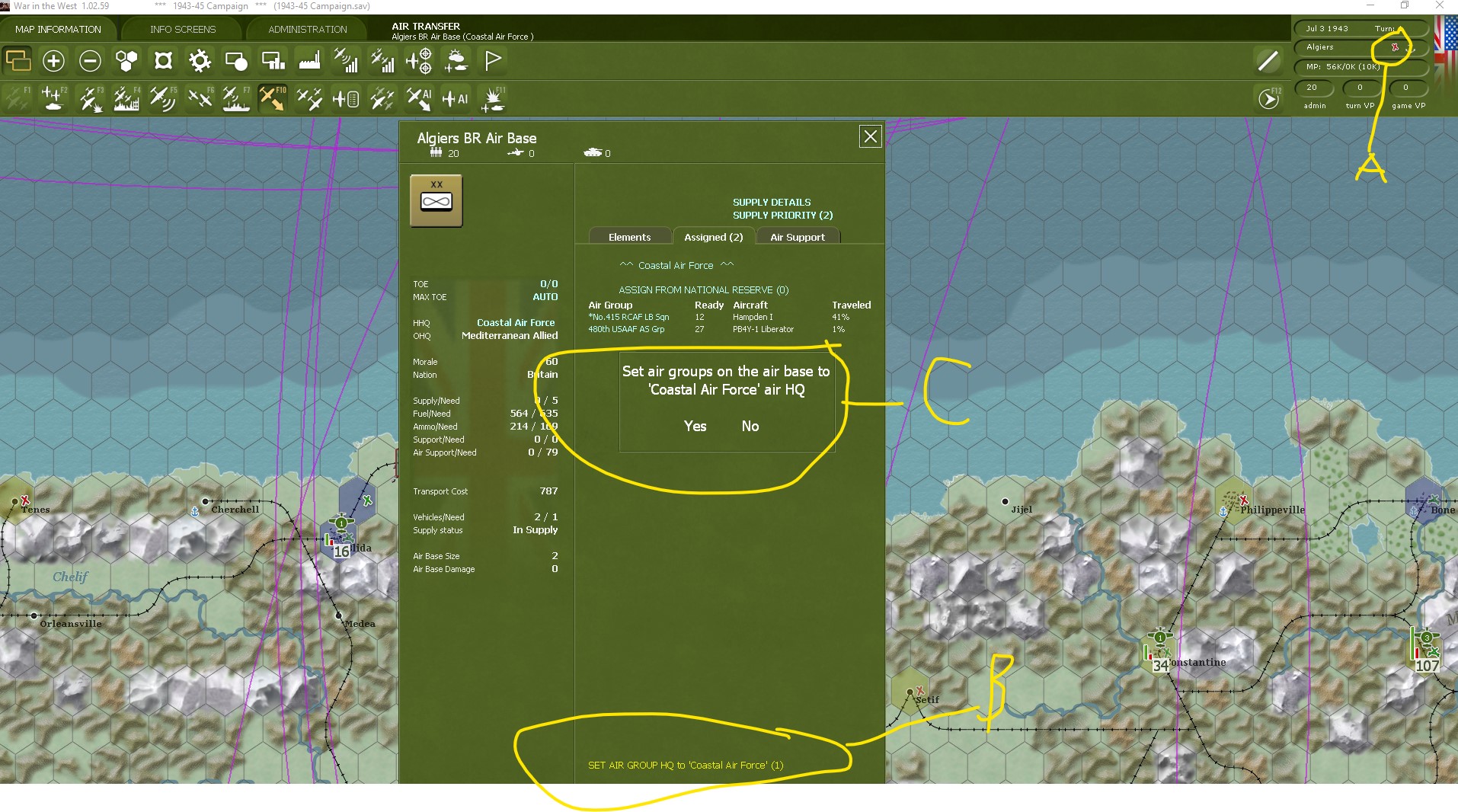
- Screenshot 2026-01-08 121727.jpg (476.5 KiB) Viewed 2814 times
I do not not know what more I can do on this matter to show you. Good luck.
Sincerely, Kent Kroeckel
Re: Change air group HQ
Posted: Thu Jan 08, 2026 8:57 pm
by bairdlander2
RAF Coastal Command AG's cannot change HQ. I followed your instructions but RCC cannot change HQ
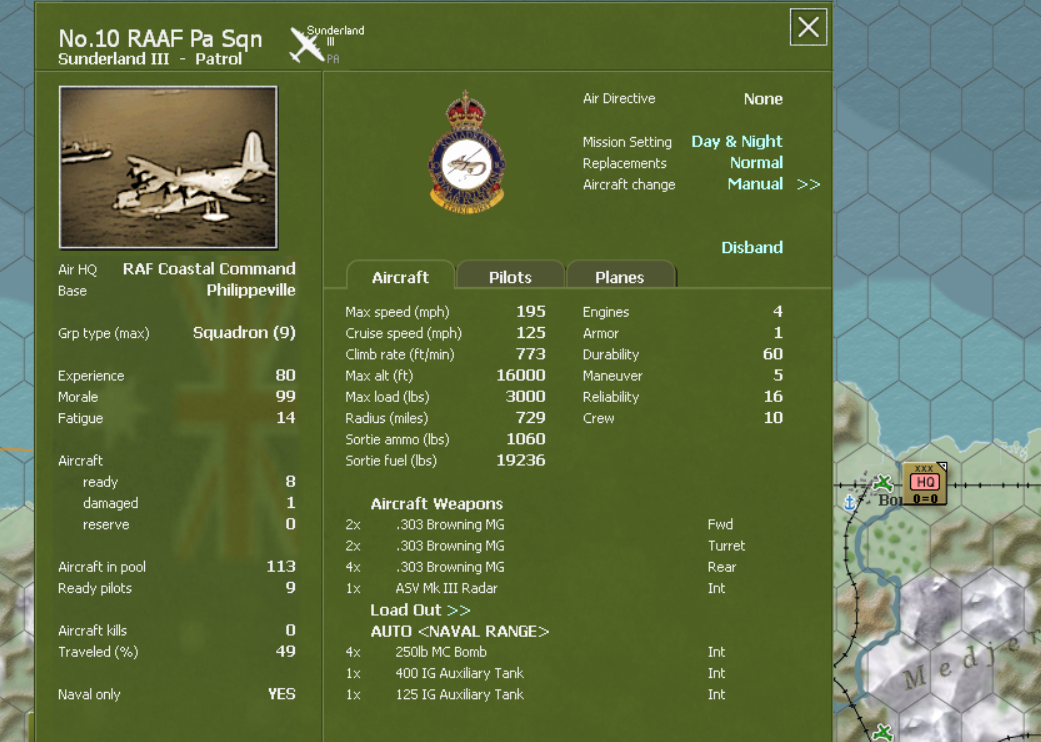
- raf.png (895.42 KiB) Viewed 2809 times
Tutitorial Naval Only Move
Posted: Fri Jan 09, 2026 7:46 pm
by kentkroeckel
Start of 1943-1945 grand campaign.
A: Mediterranean, port of Algiers. There is a town and air base just a couple hexes below and west of main port. It is called Blida and has a RR British unit on it. Left click it so hex is highlighted or in this case, unit. System does not know what is to be done so now you need to let it know.
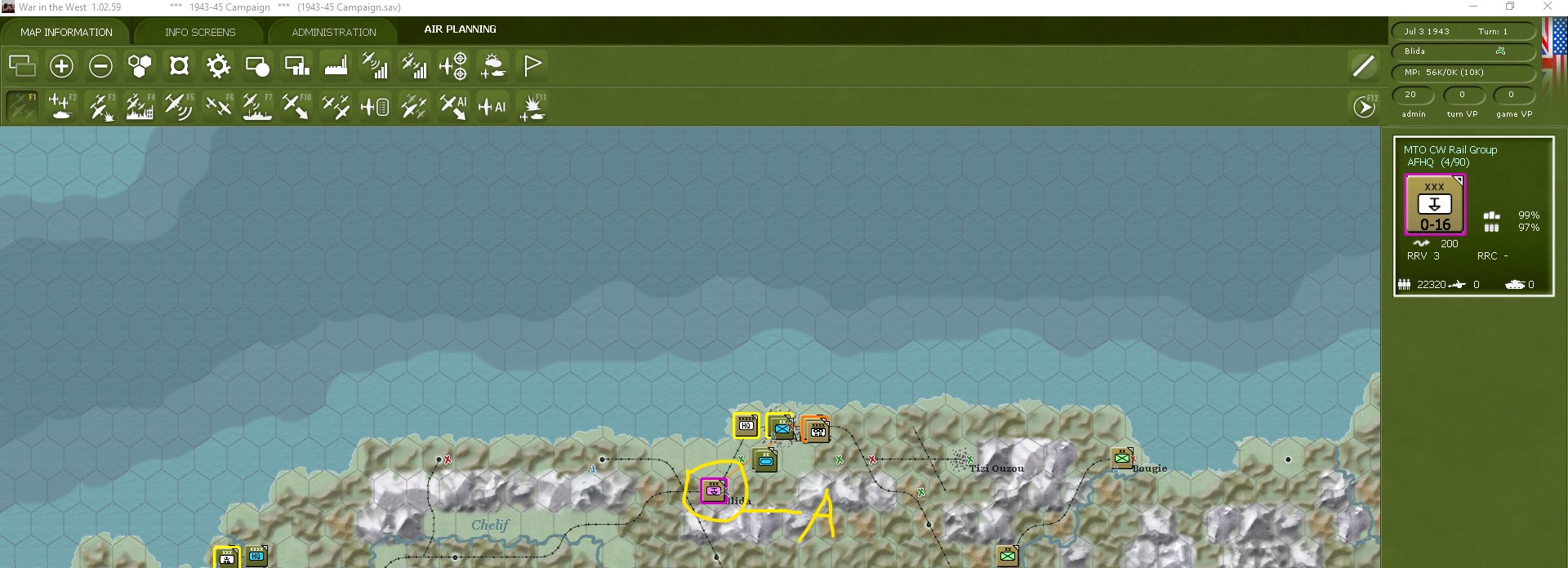
- Screenshot 2026-01-09 122828.jpg (277.37 KiB) Viewed 2770 times
B: Go to f-10 and select it. (Left click) This is air functions and tells the system you wish to conduct air activity.
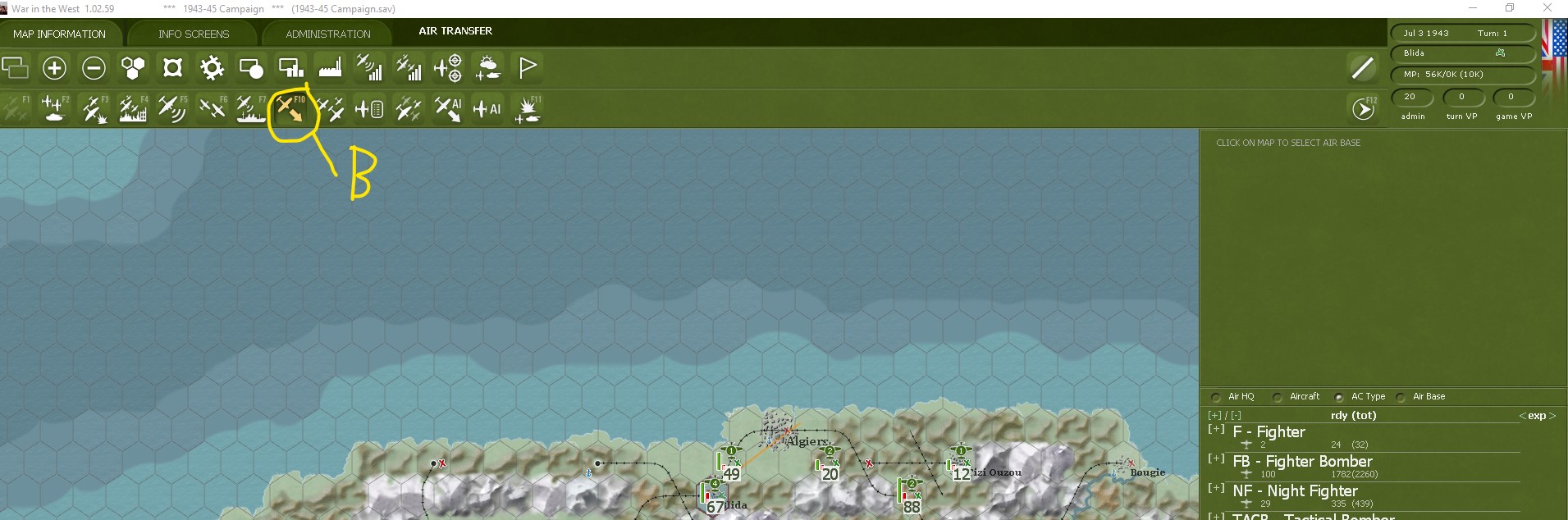
- Screenshot 2026-01-09 123218.jpg (233.5 KiB) Viewed 2770 times
C: Go back to Blida hex and press on it. (Left click) this lets system know that you want to do air functions and which hex you wish to conduct activity in. Now aircraft in hex will be on display. there are four in my example.
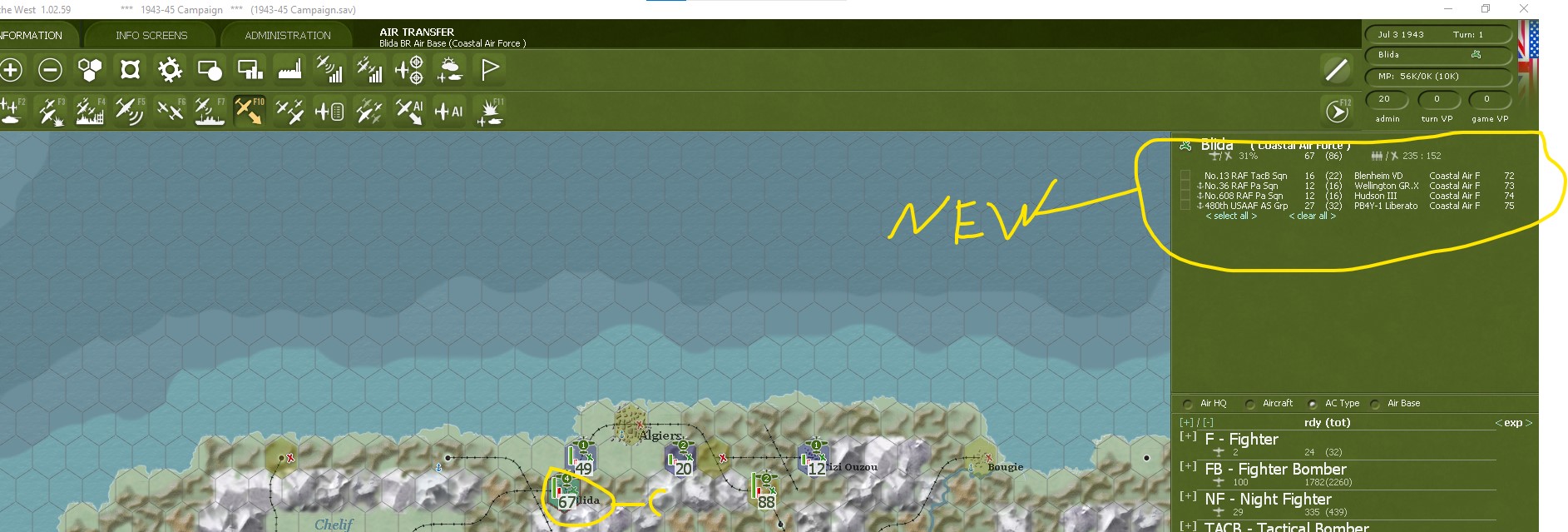
- Screenshot 2026-01-09 123704.jpg (255.27 KiB) Viewed 2770 times
D: select the last air unit, which is (480 American PB4y-1 Liberator). Left click to select.
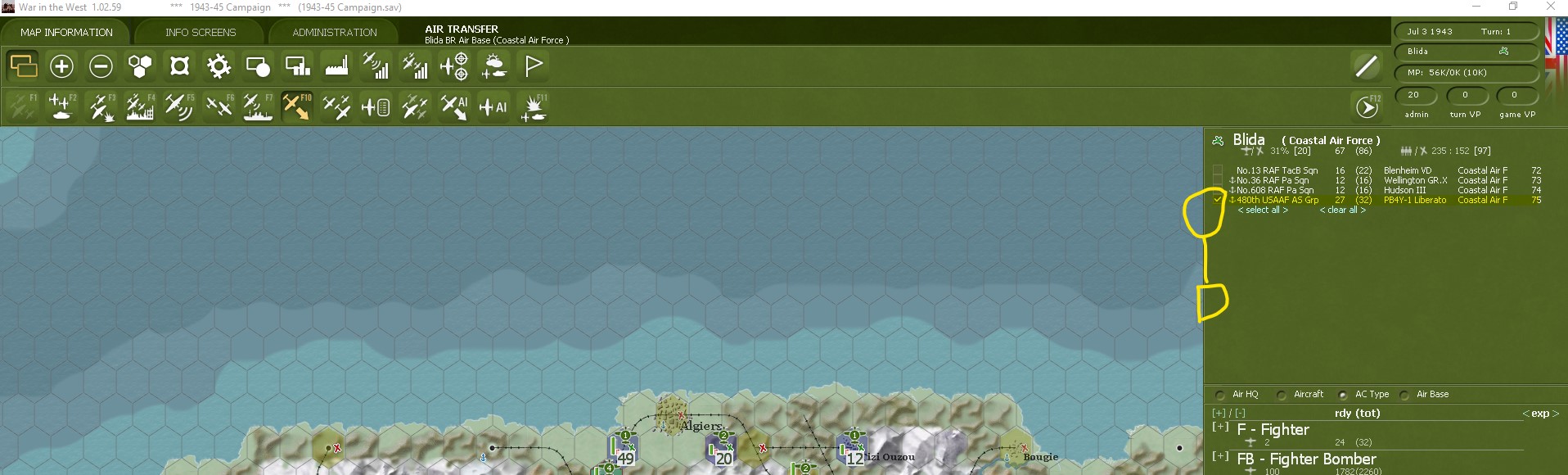
- Screenshot 2026-01-09 124215.jpg (225.15 KiB) Viewed 2770 times
Part two Naval Only
Posted: Fri Jan 09, 2026 8:13 pm
by kentkroeckel
E: Place cursor over Algiers hex and (Right click). This will move 480 American PB4Y-1 Liberator to air base located on main port of Algiers.
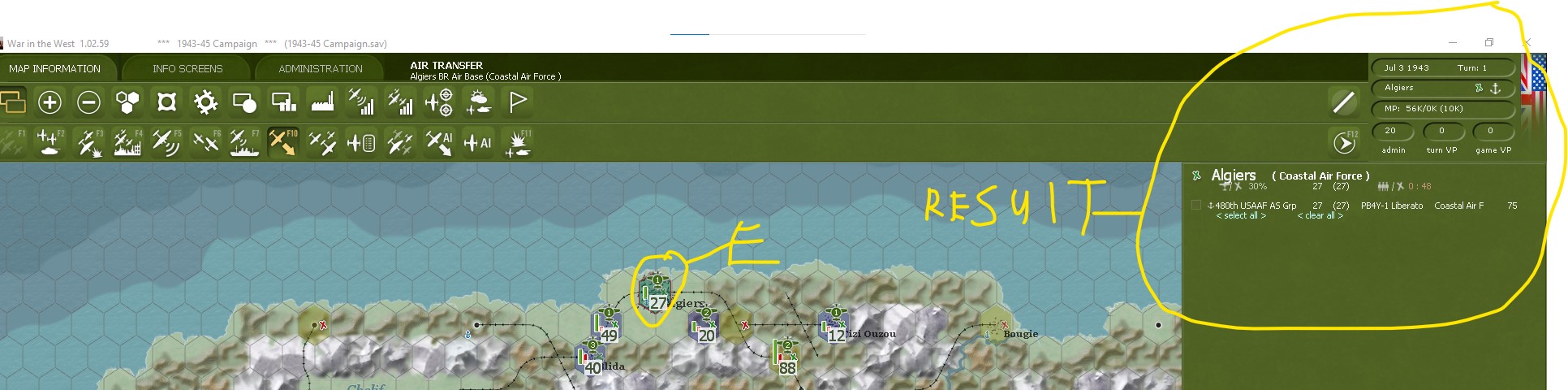
- Screenshot 2026-01-09 125253.jpg (195.66 KiB) Viewed 2766 times
F: For this example I have selected 415 RCAF LB (Naval Only) Hampden I. It is located on airbase Thorney Island; next to Portsmouth.
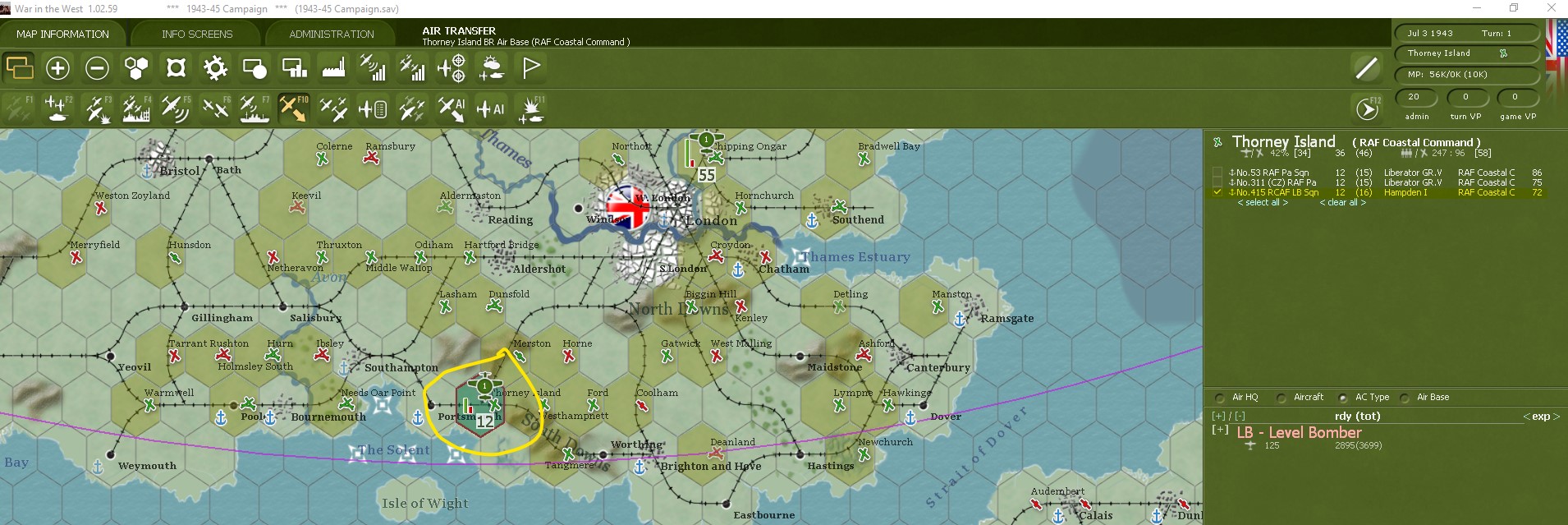
- Screenshot 2026-01-09 125617.jpg (318.97 KiB) Viewed 2766 times
G: I now am going to send it to Algiers; by right clicking.
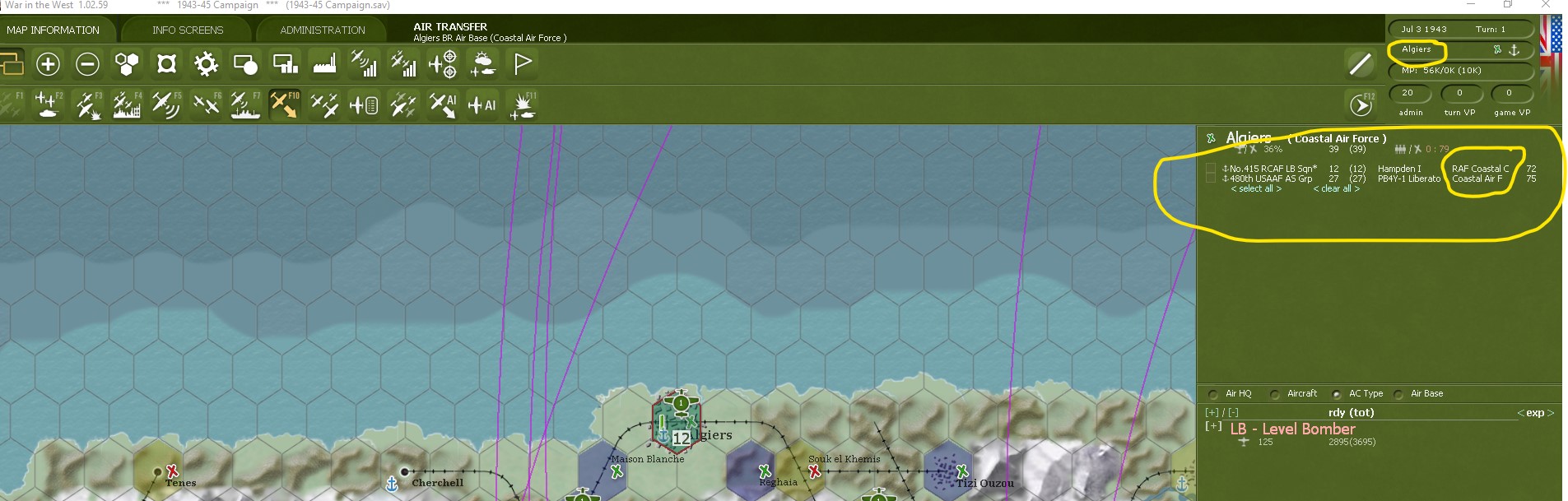
- Screenshot 2026-01-09 130517.jpg (231.81 KiB) Viewed 2766 times
H: Left click on air base to let system know you wish to change something.
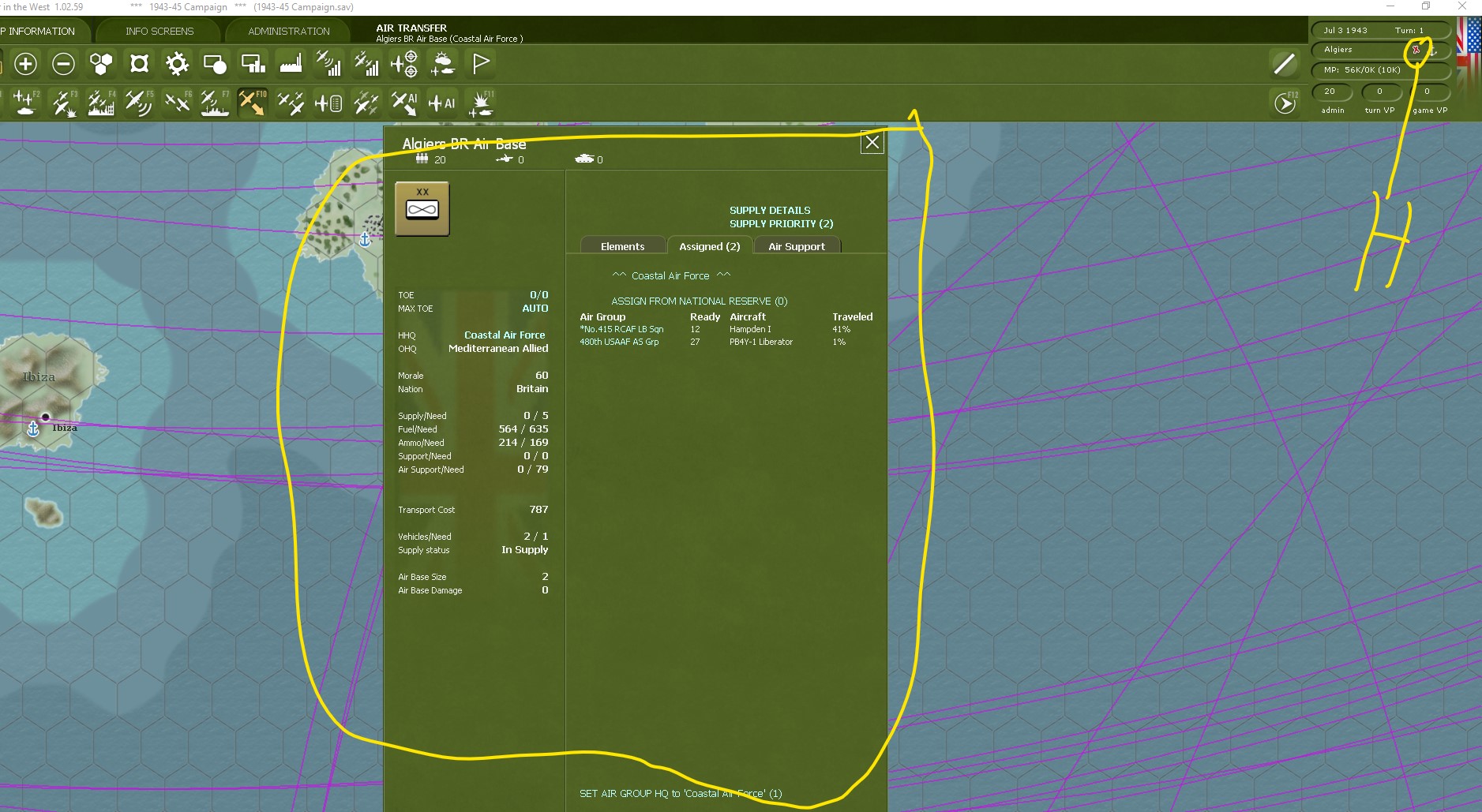
- Screenshot 2026-01-09 130911.jpg (370.12 KiB) Viewed 2766 times
Tutitorial Naval Only Move Part Three
Posted: Fri Jan 09, 2026 8:21 pm
by kentkroeckel
I: In new display left click on lower line that asks you if you wish to change all air groups to Coastal Force.
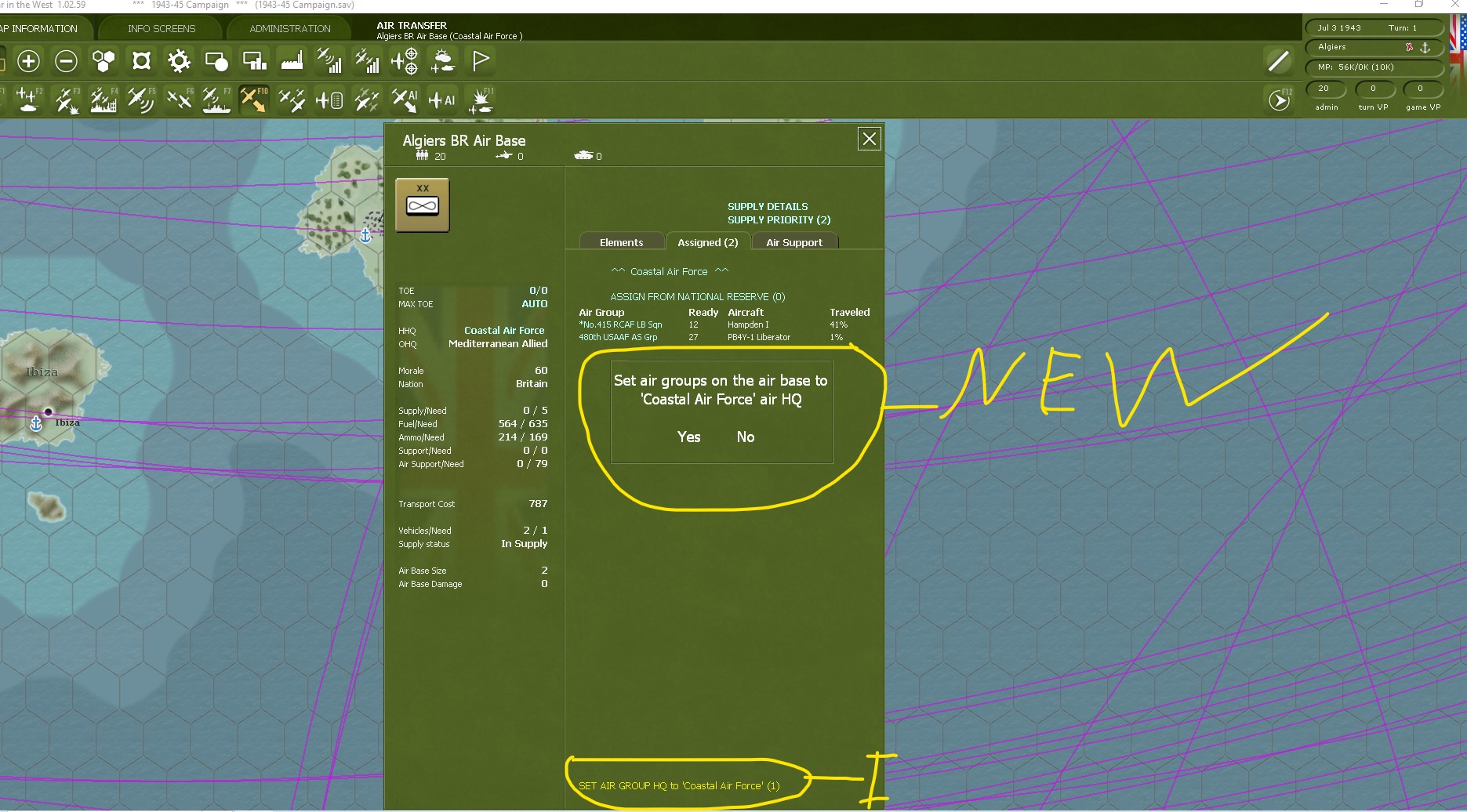
- Screenshot 2026-01-09 131212.jpg (382.89 KiB) Viewed 2765 times
j: It will ask you again to confirm decision. Answer yes.
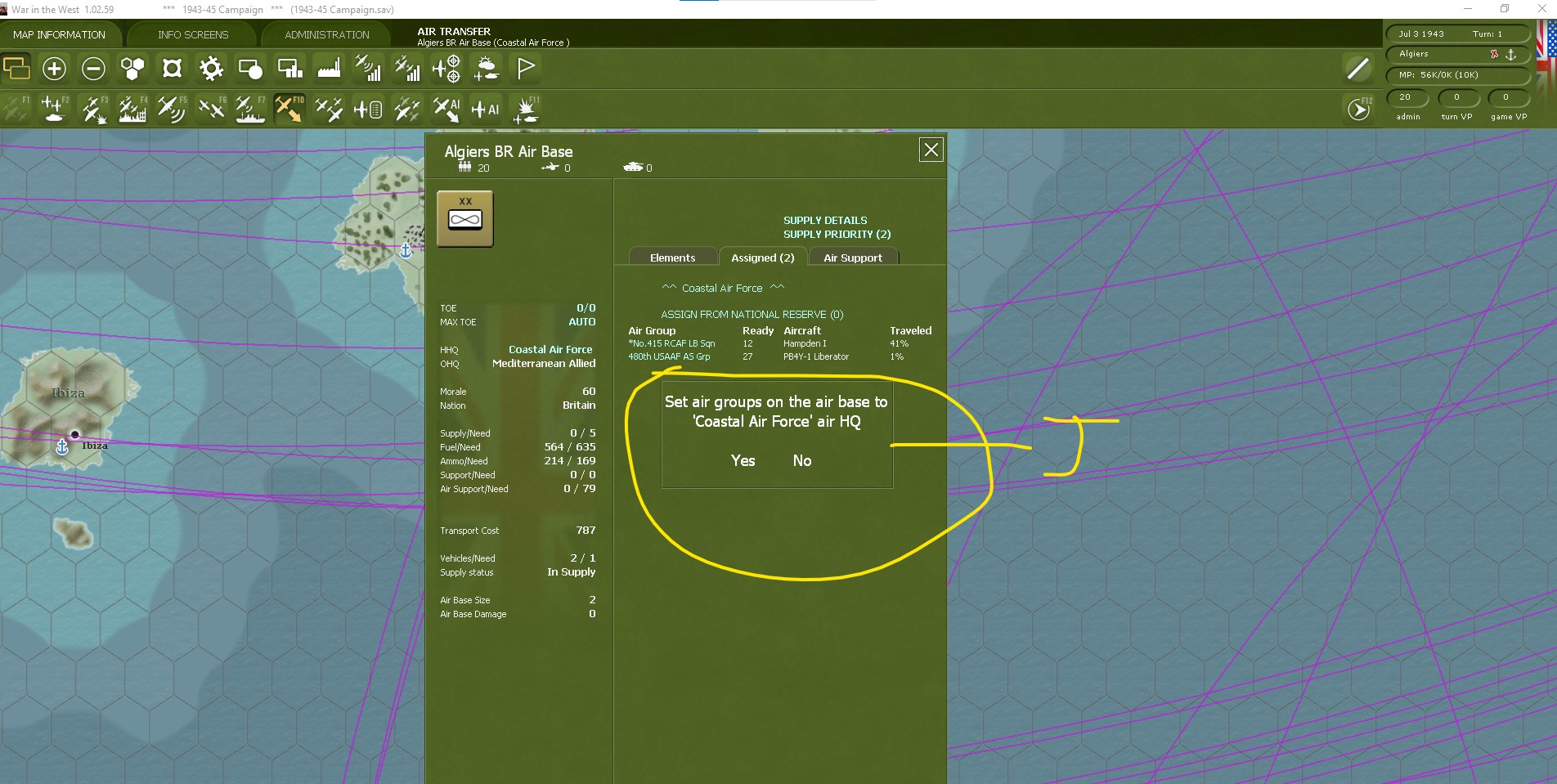
- Screenshot 2026-01-09 131926.jpg (345.33 KiB) Viewed 2765 times
Result desired!

- Screenshot 2026-01-09 132122.jpg (125.74 KiB) Viewed 2765 times
Close up.
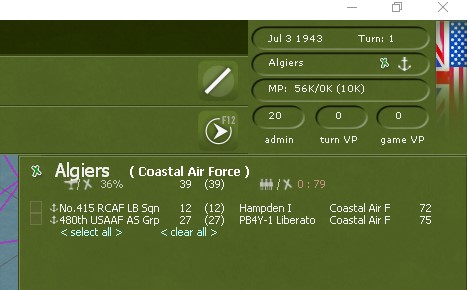
- Screenshot 2026-01-09 132454.jpg (30.54 KiB) Viewed 2761 times
Re: Change air group HQ
Posted: Mon Jan 12, 2026 5:13 am
by bairdlander2
Thanks, that worked. I had forgotten how and I uploaded the manual to Co Pilot AI and it told me patches prevented this as it was considered "gamey" and air units in UK had to stay in UK.

Conlusion
Posted: Mon Jan 12, 2026 5:17 pm
by kentkroeckel
I am so glad to hear that you were successful in changing (Naval Only) HQ aircraft Mr. Bairdlander2. I am embarrassed on how clumsy I wrote the response. It can be challenging in visualizing while verbalization actions to someone. This gives me greater appreciation to those who write these game manuals. Ha. Best of luck. And if you have any other question do not hesitate to contact me Mr. Bairdlander2.
Since you have not played the game in a while I do recommend you check out the "Living Manual". It has the corresponding changes from updates. I know I always seem to find something that I missed.
Sincerely, Kent Kroeckel