Page 1 of 1
new update and GUI
Posted: Thu Mar 12, 2026 2:18 pm
by Phoenix100
So with the update that's in there in the member's area dated today (53.01) I seem to have lost all the GUI resizing options. No messing around with any of the preferences changes the GUI. Used to be that by selecting 0 pop size and windowed plus force low res graphics I could reduce the size of the huge bottom bar and a few other things. No longer. Working as intended?
Re: new update and GUI
Posted: Thu Mar 12, 2026 2:30 pm
by MaximKI
What was your last installed version?
Nothing changed with the exe nor preferences from 1.65.53 to 1.65.53.01 that I'm aware of.
Re: new update and GUI
Posted: Thu Mar 12, 2026 2:44 pm
by Phoenix100
The one before the last beta, I think. Should I just do a clean install? I'll try that. That would be the set up exe followed ONLY by the very latest update, right?
Re: new update and GUI
Posted: Thu Mar 12, 2026 2:51 pm
by MaximKI
Phoenix100 wrote: Thu Mar 12, 2026 2:44 pm
The one before the last beta, I think. Should I just do a clean install? I'll try that. That would be the set up exe followed ONLY by the very latest update, right?
Yes. We didn't notice any preference overwrites in testing both the public betas and the official update installer, so we're not entirely sure why your preferences would be overwriting.
If you can confirm that something weird is going in the installation that would certainly help.
Re: new update and GUI
Posted: Thu Mar 12, 2026 2:59 pm
by Phoenix100
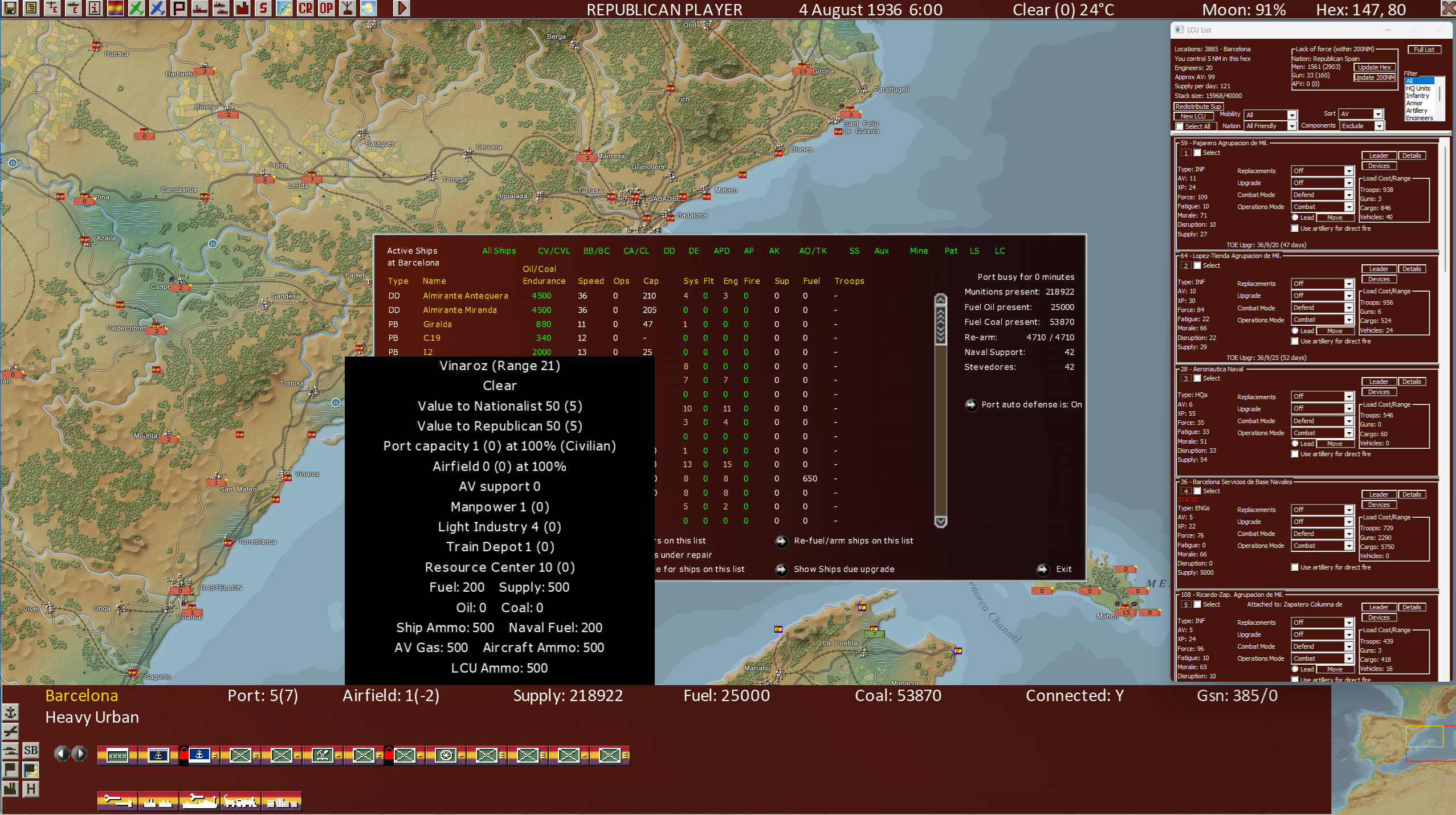
- 1.png (3.3 MiB) Viewed 1183 times
I did a clean install. Uninstalled from windows, wiped the directory and installed from fresh. On a 2560x1440 screen with windows selected, the correct resolution selected, force lo res graphics and then the pop ups at 0, it looks like this. So the bottom bar, in particular, is taking up a lot of space and it used to be I could reduce that with these settings, but no longer.
Re: new update and GUI
Posted: Thu Mar 12, 2026 3:00 pm
by Phoenix100
But maybe it looks ok to you? Like how it should be?
Re: new update and GUI
Posted: Thu Mar 12, 2026 3:04 pm
by Phoenix100
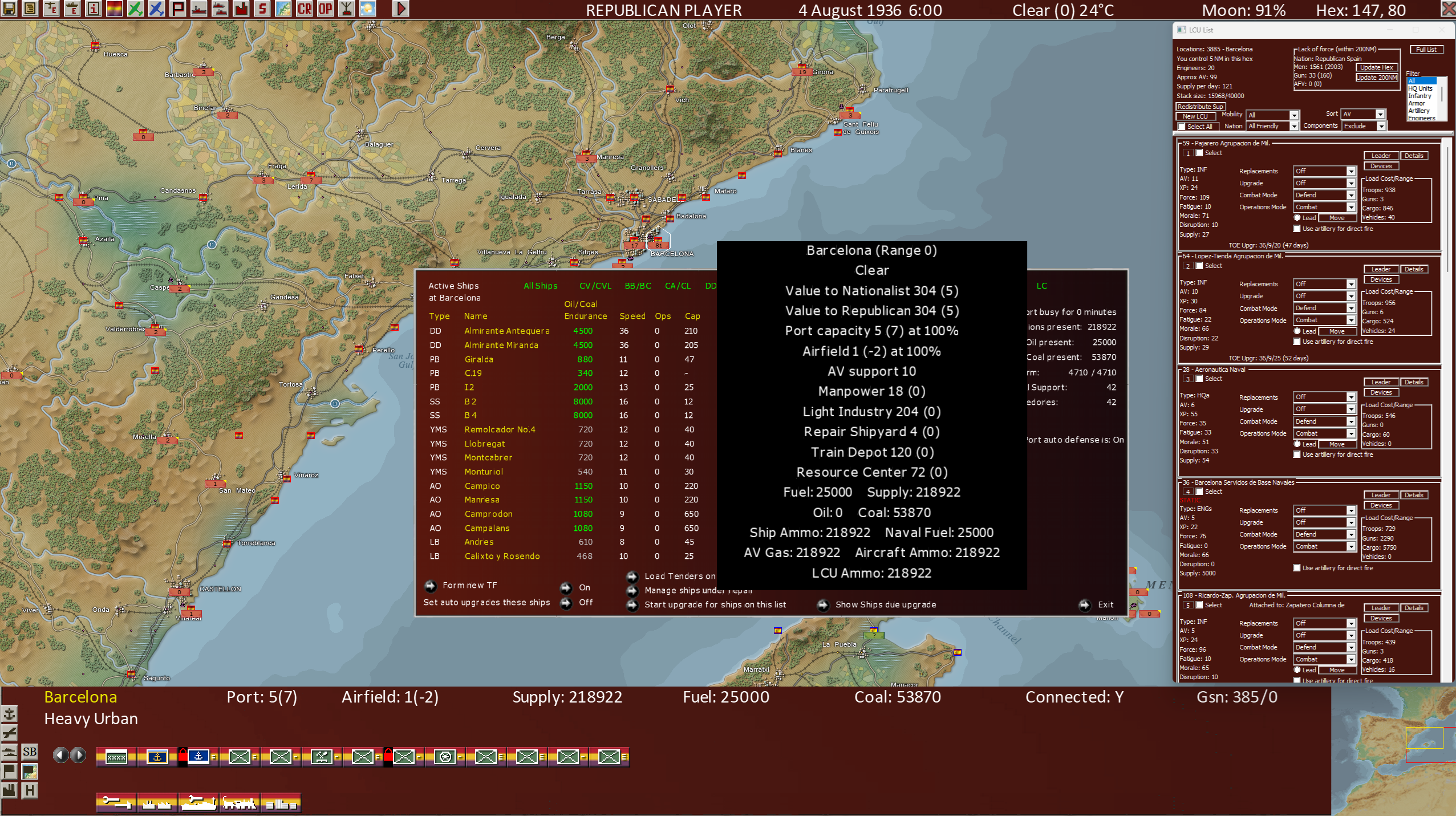
- 2.png (3.38 MiB) Viewed 1178 times
This is without lo res art enforced and pop up size 2. Exactly the same, no?
Re: new update and GUI
Posted: Thu Mar 12, 2026 3:05 pm
by Phoenix100
Obviously, each time I changed the prefs I closed the game then restarted it. Yep. The prefs changes make no diff.
Re: new update and GUI
Posted: Fri Mar 13, 2026 8:06 am
by Phoenix100
bump
Anyone else see this, I wonder? That changing, for example, the pop up size setting in advanced prefs makes no difference at all now? Or forcing lo res graphics?
Re: new update and GUI
Posted: Fri Mar 13, 2026 9:20 am
by Phoenix100
So via the use of the developer interface switch in the ini file I managed to reduce the bottom bar. But in the shot below the pop ups are set to zero. No way to reduce the pop up size? Or even just disable them? Thanks.
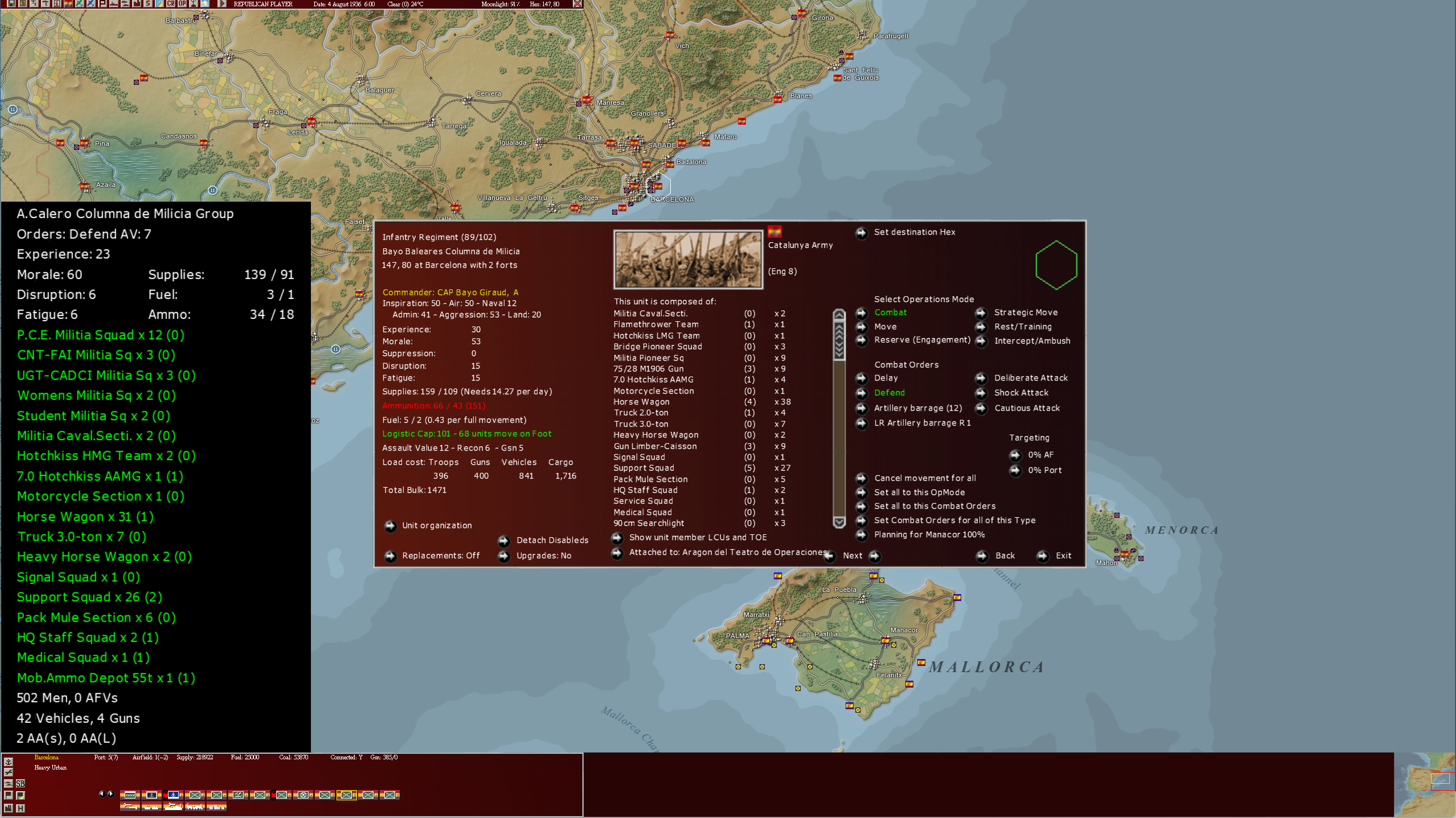
- 1.png (2.27 MiB) Viewed 1106 times
Re: new update and GUI
Posted: Fri Mar 13, 2026 1:28 pm
by jwilkerson
I don't mess with the settings myself, asking those that do to come take a look here, but can you at least drag the "popups" around so you can view what's underneath ? That works for me.
Re: new update and GUI
Posted: Fri Mar 13, 2026 1:55 pm
by Alessandro S.
Phoenix100 wrote: Fri Mar 13, 2026 9:20 am
..... No way to reduce the pop up size?.....
There is a way to make popups smaller, but it has side effects.
In the WIS_Settings INI
SCREEN_Y_FROM_WHEN_TO_START_DYNAMIC_WINDOW_SIZE = 980;
does set to use dynamic font size relative to monitor height if monitor height is this or greater
Set this to 0 will turn off dynamic font size completely and use the smallest possible font.
Side effect is that most other in game windows will also go to smallest possible font.
I did de-couple the ingame window size ( these can now be dragged smaller/larger on lower right corner ) from the dynamic font size INI value, but the feature is still under test and will only be added to future WIS versions.
Re: new update and GUI
Posted: Fri Mar 13, 2026 4:46 pm
by Phoenix100
Thanks Alessandro. With your suggestion on my 2560x1440 screen I get this....
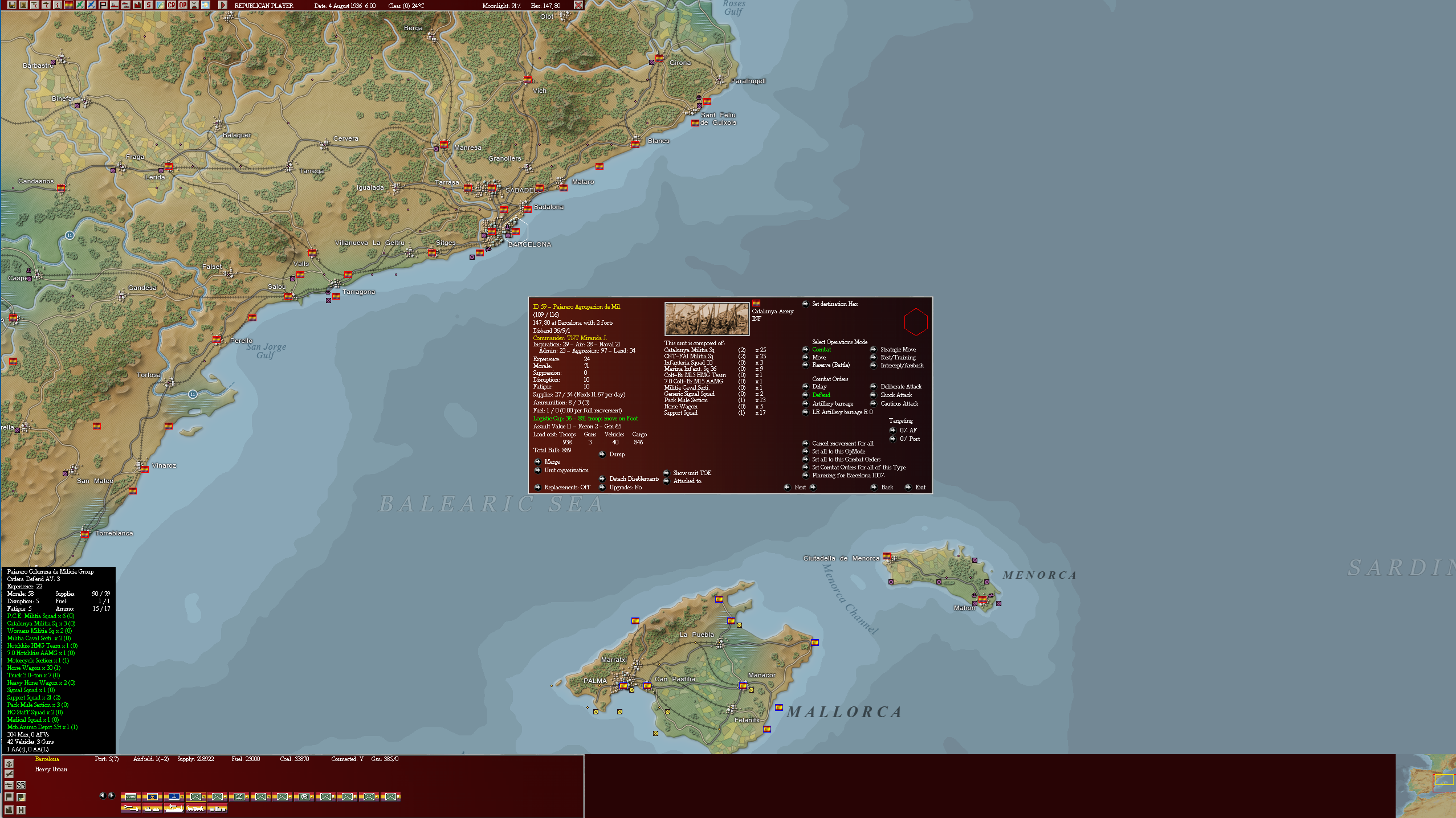
- 1.png (2.37 MiB) Viewed 1049 times
I post so people can see what it looks like.
I feel the font is a little too small to be comfortable. There's no setting to change to increase it just a tiny bit?
Re: new update and GUI
Posted: Fri Mar 13, 2026 8:58 pm
by Alessandro S.
<<There's no setting to change to increase it just a tiny bit?>>
There is, but it's a bit of trial and error.
You already know this INI value, defining if and when dynamic scaling is to be used.
SCREEN_Y_FROM_WHEN_TO_START_DYNAMIC_WINDOW_SIZE = 980;
The value below it
SCREEN_Y_FROM_WHEN_TO_START_DYNAMIC_WINDOW_SIZE_BASELINE = 740 ;
defines the scaling. It is a divisor, so screen height / THIS is the font size ratio. Roughly.
Increase this value to make DYNAMIC fonts smaller. So 1480 will be roughly half the screen size of 740.
Below a certain size the font to be used will revert to the tiny font as the scalable font has some border from which it cannot be read anymore if too small.
You can turn ON the dynamic scaling by re-setting
SCREEN_Y_FROM_WHEN_TO_START_DYNAMIC_WINDOW_SIZE = 980;
and then experiment a bit with the
SCREEN_Y_FROM_WHEN_TO_START_DYNAMIC_WINDOW_SIZE_BASELINE
to get a good font size.
Internally we were told to fixate the font size so a small laptop 4K monitor would be well readable.
But this is not always nice to view if the monitor is larger in physical size and still 4K.
The INI was my way to sneak in a backdoor adjustment for overriding the "told to have" size.
It's not that simple to use, but should do the job.
Re: new update and GUI
Posted: Sun Mar 15, 2026 10:03 am
by Phoenix100
Thanks Alessandro. I'll mess around a bit and try it.
Re: new update and GUI
Posted: Sun Mar 15, 2026 10:12 am
by Phoenix100
After a bit of messing around I find a value of 1000 is great for the pop ups, which appear a good size and with a clear font, but it's no good because the writing/font in the unit details box becomes smudgy and messy. Don't know why that happens. It's like that with changes right up to the default. Only the default values produce clarity in the unit details box, though the pop ups are good at many different values.