There are two ways, both not complicated , but which require a bit of practice.
One is the Magic tool.
Another is editing the GAM file.
First do a save of your game and work on the copy.
1- The easier way: Install the utility Magic, that Rkr made for simple editions of the program. There you can find the unit through it's coordinates and change from DOG or blank to ORG. Isolated wont be affected. I can offer link to that utility, although you need to follow the instructions carefully to install. Then, simple editions like this, are easy.
2- If you are editing by hand, it is as easy as editing the .gam file that contains the data of your game (with Notepad++, recommended), at the point when you want to make the changes, and find the line of code that identifies the unit, usually searching for the name of the unit. The link below explains how to find and edit, and there is also a document which summarizes all the edit we know, that I can send you, made by user rkr.
https://forums.matrixgames.com/viewtopic.php?t=301200
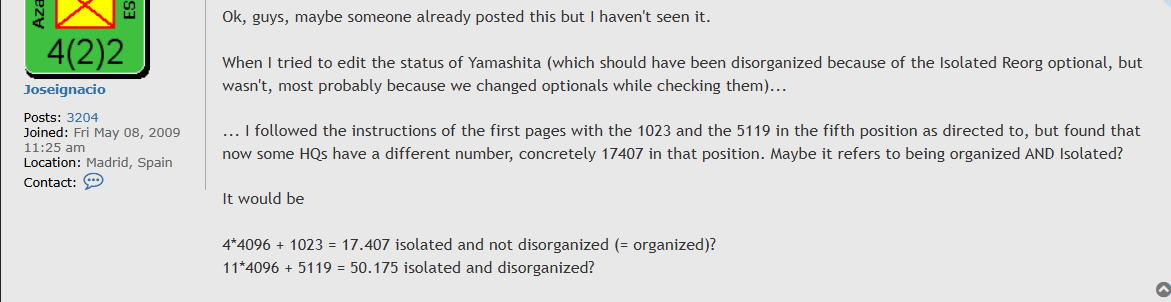
Once found, you only need to change the number that affects its status. We know how to organize or deorganize, but there is no confirmed number to change to, which affects isolation. However, I think I found it, although those who know more have not confirmed it, but their comments are in the line that it should work, and it worked for me.
- Captura de pantalla 2026-10-31 175840.png (42.81 KiB) Viewed 61 times

- Captura de pantalla 2026-10-31 180045.png (55.66 KiB) Viewed 61 times
So you'll have to search for the relevant line for that unit, and change 50175 for 54271, then save following the indications of the thread.