Page 1 of 1
ghosted movement paths
Posted: Wed Nov 04, 2026 12:57 pm
by Phoenix100
So in all my time trying to play this game in widescreen through many versions and on many machines and monitors I have never managed to get rid of the doubled movement paths, where the projected route of a TF is ghosted on the map a few hexes away from the actual route. The only way I can get it to go away is to play in 4:3. Yet there's meant to be full widescreen support, no? I use seebee to set things up and have tried all the options in there. I want to play at my monitors native resolution - 2560x1440 - but not if the ghosted pathing bug appears. I should add that when it does appear there are also, in widescreen, probs with the little ship pictures, usually they are slghtly offset or doubled. These problems must be familiar to those in here and I thought I would ask again (it being years since I last asked) whether anyone has a fix? Many thanks.
Re: ghosted movement paths
Posted: Wed Nov 04, 2026 5:13 pm
by BBfanboy
It might help if you posted your game exe path/ switch settings from your shortcut properties ...
Re: ghosted movement paths
Posted: Wed Nov 04, 2026 5:27 pm
by Phoenix100
Thanks.
"C:\Matrix Games\War in the Pacific Admiral's Edition\War in the Pacific Admiral Edition.exe" -SingleCpuOrders -cpu2 -f -pxf2560 -pyf1440 -deepColor -dd_sw -altFont -skipVideo
I have another without deep colour, makes no difference. In fact, I think I have tried every variable and combination seebee offers. Maybe.
Re: ghosted movement paths
Posted: Wed Nov 04, 2026 5:29 pm
by Phoenix100
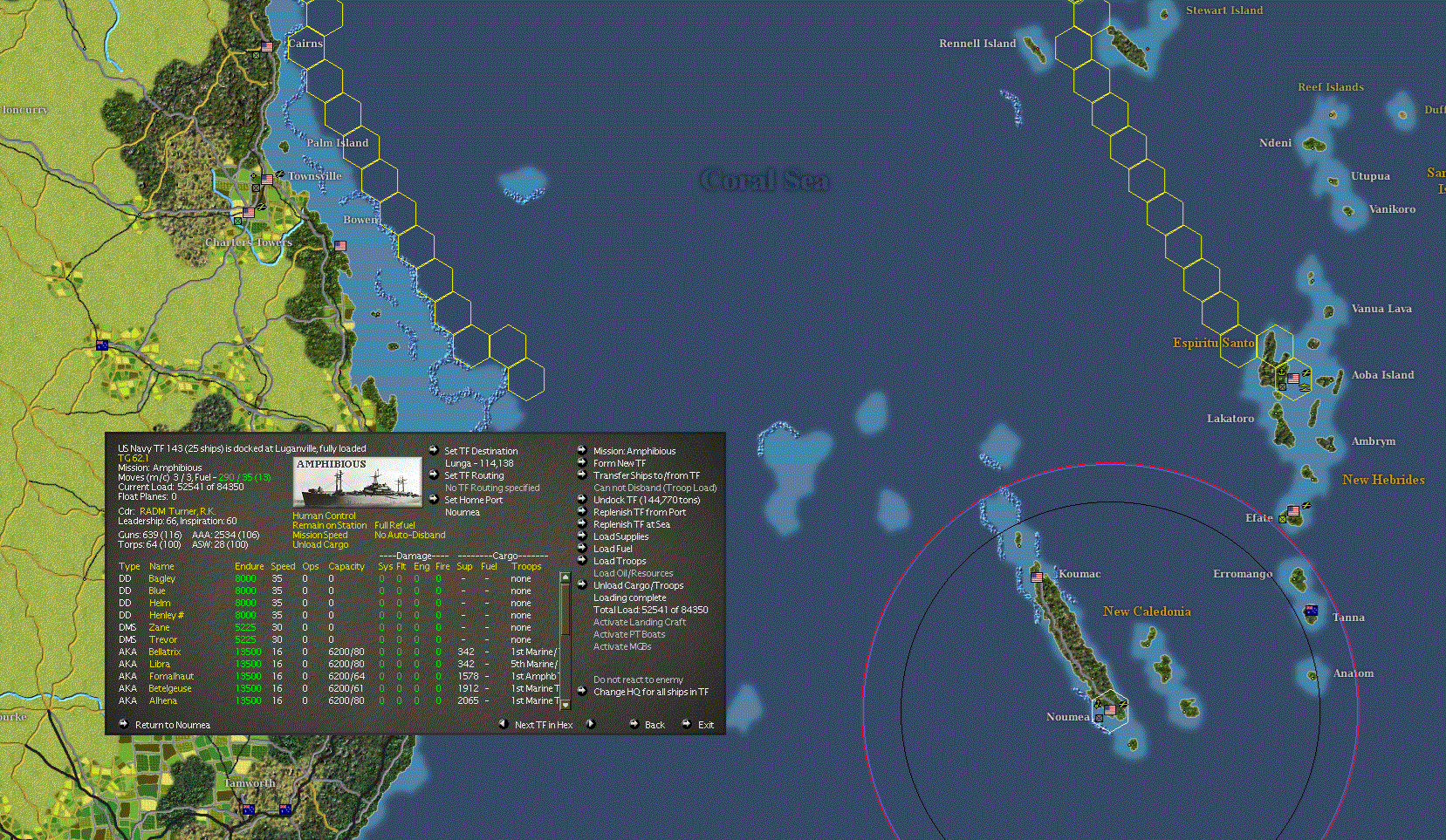
- 1.gif (558.93 KiB) Viewed 88 times
This shows the issue
Re: ghosted movement paths
Posted: Thu Nov 05, 2026 4:53 am
by BBfanboy
Not sure what it takes to accept that high a resolution. I am doing -px 1680 -py 1050 and I had to do it in windowed mode (-w). And some people find that laptops with a video chip rather than a full video card struggle with this game.
Re: ghosted movement paths
Posted: Thu Nov 05, 2026 8:05 am
by Chris21wen
The games old and tech has come on such along way. I've never had a computer with graphics capability anywhere close to that. My current one goes to 1920x1080.
I found that although full screen works it can cause problems, it always has. I've heard of but never seen your problem specifically but have had problems with the map not being drawn correctly after tabbing out etc.
Use of switches helps but playing in a window is the only thing I found that rectifies the problem.
Now this causes a different problem, smaller playing area and most don't like that, me included. So make the window as large as possible. I use the -pxf1900 -pyf1000 as opposed to the -px/-py. This gives a tiny border around the game which fits almost entirely in the playing area above the taskbar.