WitPTracker AE Release 1.11 Available!

This new stand alone release based on the legendary War in the Pacific from 2 by 3 Games adds significant improvements and changes to enhance game play, improve realism, and increase historical accuracy. With dozens of new features, new art, and engine improvements, War in the Pacific: Admiral's Edition brings you the most realistic and immersive WWII Pacific Theater wargame ever!

Moderators: wdolson, MOD_War-in-the-Pacific-Admirals-Edition

User avatar
n01487477
Posts: 4759
Joined: Tue Feb 21, 2006 12:00 am

RE: WitPTracker AE Release 1.0

Post by n01487477 »

ORIGINAL: witpqs

Sorry if this is a redundant question - the land stacking value is of great interest too. It will answer the question "which troops will fit on that island" without trial and error.
I guess you are talking about the "Troop capacity" number on the Base screen, right ? The problem is that (as far as I can ascertain), it is encoded in the map & NOT the savefile - otherwise I'd have included this by now... Actually I should get Andrew to confirm this as I'm not going to wade through the map file to confirm this.

If I'm correct, it is another strange design decision, as is not allowing the enemy to see the troop limits for each Island (especially as they can be seen/inferred from the manual)... and we don't live in the age of Magellan [;)]

What can I/we do ? Well we could add a field to the region Mappings I guess and get some kind soul to enter all the data. But then each new map would need someone to do this... or I could open the map code and get the data on the first initiation. Either way it's a right pain in the ***
User avatar
witpqs
Posts: 26376
Joined: Mon Oct 04, 2004 7:48 pm
Location: Argleton

RE: WitPTracker AE Release 1.0

Post by witpqs »

There are actually two parts to this, one of which you are talking about. I was actually asking about the other one - given a LCU, what is it's (I'll call it) Stacking Value? It is not displayed on the LCU screen. It's been asked for, but it's just a low priority AE change request.

So right now, the only way to see an LCU's Stacking Value is to put it in a base all by itself and look at the "Troop Capacity" on the Base Display.

Devs have given guidance (I don't have a link) on how to calculate the value for a LCU, but you have to look in the editor to see the values that you need for the calculation. That's not really practical in-game. It's that calculation that I'm really interested in, and I'm certain other people would like it too. Right now you put a combination of troops and engineers on a small island and, oops, too many!

As far as the other part - what is the capacity of each base - I just fired up the game in head to head mode and looked at the information I needed. Terrain can be seen from either side by using the '1' key. So I'm making aids like this one:


Image

It's really the LCU calculations that are the missing link.
Attachments
FijiTongaSamoa.jpg
FijiTongaSamoa.jpg (405.97 KiB) Viewed 290 times
User avatar
n01487477
Posts: 4759
Joined: Tue Feb 21, 2006 12:00 am

RE: WitPTracker AE Release 1.0

Post by n01487477 »

ORIGINAL: witpqs

There are actually two parts to this, one of which you are talking about. I was actually asking about the other one - given a LCU, what is it's (I'll call it) Stacking Value? It is not displayed on the LCU screen. It's been asked for, but it's just a low priority AE change request.

So right now, the only way to see an LCU's Stacking Value is to put it in a base all by itself and look at the "Troop Capacity" on the Base Display.

Devs have given guidance (I don't have a link) on how to calculate the value for a LCU, but you have to look in the editor to see the values that you need for the calculation. That's not really practical in-game. It's that calculation that I'm really interested in, and I'm certain other people would like it too. Right now you put a combination of troops and engineers on a small island and, oops, too many!

As far as the other part - what is the capacity of each base - I just fired up the game in head to head mode and looked at the information I needed. Terrain can be seen from either side by using the '1' key. So I'm making aids like this one:

It's really the LCU calculations that are the missing link.

Ahh .. the penny drops ... sure I'll look into it for you, wish you had the link though cause it would be easier for us to add. I also think eventually the other info should be included as it's useful for planning and future alerts and maybe a combined arms invasion planner or Not !
User avatar
witpqs
Posts: 26376
Joined: Mon Oct 04, 2004 7:48 pm
Location: Argleton

RE: WitPTracker AE Release 1.0

Post by witpqs »

Oh, I think the other info should be included too - I just ask for stuff I can't find easily instead of being greedy with my requests! [8D]
User avatar
CapAndGown
Posts: 3078
Joined: Tue Mar 06, 2001 10:00 am
Location: Virginia, USA

RE: WitPTracker AE Release 1.0

Post by CapAndGown »

ORIGINAL: witpqs

There are actually two parts to this, one of which you are talking about. I was actually asking about the other one - given a LCU, what is it's (I'll call it) Stacking Value? It is not displayed on the LCU screen. It's been asked for, but it's just a low priority AE change request.

So right now, the only way to see an LCU's Stacking Value is to put it in a base all by itself and look at the "Troop Capacity" on the Base Display.

Devs have given guidance (I don't have a link) on how to calculate the value for a LCU, but you have to look in the editor to see the values that you need for the calculation. That's not really practical in-game. It's that calculation that I'm really interested in, and I'm certain other people would like it too. Right now you put a combination of troops and engineers on a small island and, oops, too many!

As far as the other part - what is the capacity of each base - I just fired up the game in head to head mode and looked at the information I needed. Terrain can be seen from either side by using the '1' key. So I'm making aids like this one:


Image

It's really the LCU calculations that are the missing link.

Gee, I wonder what game that is a map from. [:D]
User avatar
Icedawg
Posts: 1613
Joined: Fri Jan 27, 2006 8:55 pm
Location: Upstate New York

RE: WitPTracker AE Release 1.5.1 Available

Post by Icedawg »

I'm having some trouble getting Tracker working properly and was wondering if anyone could offer some input.

Initially, I couldn't get the program downloaded successfully and running, so I took my computer in to a repair shop to see if the technicians there could fare any better at it. They got it to install properly and it at least runs, but there seems to be some kind of problem with the program confusing WiTP and AE.

We modified the WiTP tracker properties file according to the instructions from the download's website. We changed the game directory to AE's directory (from WiTP), set game and side to "0" (Japan vs AI), deleted the password, changed the file name to the name of my AE saved game and set the save mode to "0" (look in WiTP tracker folder). We then copied the save game file from the AE save folder to the WiTP tracker folder. We then ran the WiTP tracker program and the program started up fine (aside from some error message indicating that the program was unable to open some art files related to LCU's).

However, I noticed that some things seemed kind of fishy/WiTP-like (rather than AE-like). First of all, I noticed some Nissan engine factories in Tokyo and Shimuzu. This is an engine that shows up in WiTP but not in AE. In addition, the program did not distinguish between the different types of Nakajima engines, Mitsubishi engines, etc. They were all lumped together simply as Nakajima engines and Mitsubishi engines. Again, this is more like WiTP than AE. I then noticed that many TF's from AE are completely missing. I also noticed destinations for some TF's were set to bases that no longer exist in AE (ie Songklia - in AE this is Patani/Singora).

Can anyone tell me what is going on here?

By the way, I tried deleting and redownloading the program. When I did so, I used the same changes to the WiTP Tracker properties file and when I tried starting up, I got a huge string of errror messages and the program wouldn't open properly. I then restored the initial download of the tracker program from the recycle bin and everything ran as it did above. Any ideas here?
User avatar
Icedawg
Posts: 1613
Joined: Fri Jan 27, 2006 8:55 pm
Location: Upstate New York

RE: WitPTracker AE Release 1.5.1 Available

Post by Icedawg »

ORIGINAL: Icedawg

However, I noticed that some things seemed kind of fishy/WiTP-like (rather than AE-like). First of all, I noticed some Nissan engine factories in Tokyo and Shimuzu. This is an engine that shows up in WiTP but not in AE. In addition, the program did not distinguish between the different types of Nakajima engines, Mitsubishi engines, etc. They were all lumped together simply as Nakajima engines and Mitsubishi engines. Again, this is more like WiTP than AE. I then noticed that many TF's from AE are completely missing. I also noticed destinations for some TF's were set to bases that no longer exist in AE (ie Songklia - in AE this is Patani/Singora).

Can anyone tell me what is going on here?

I just checked my idea that the tracker program is looking at WiTP data and found some very convincing evidence in support of my hypothesis. I opened tracker using what should be an AE file, checked the commnader of the sub in TF 78. What did I find? I found that tracker is giving the name and stats of the commander from WiTP, not the one from AE. What could be causing this problem where tracker is given an AE file, yet it insists on looking at WiTP data?
floydg
Posts: 2060
Joined: Sat Jun 26, 2004 10:08 pm
Location: Middletown, NJ

RE: WitPTracker AE Release 1.5.1 Available

Post by floydg »

ORIGINAL: Icedawg
ORIGINAL: Icedawg

However, I noticed that some things seemed kind of fishy/WiTP-like (rather than AE-like). First of all, I noticed some Nissan engine factories in Tokyo and Shimuzu. This is an engine that shows up in WiTP but not in AE. In addition, the program did not distinguish between the different types of Nakajima engines, Mitsubishi engines, etc. They were all lumped together simply as Nakajima engines and Mitsubishi engines. Again, this is more like WiTP than AE. I then noticed that many TF's from AE are completely missing. I also noticed destinations for some TF's were set to bases that no longer exist in AE (ie Songklia - in AE this is Patani/Singora).

Can anyone tell me what is going on here?

I just checked my idea that the tracker program is looking at WiTP data and found some very convincing evidence in support of my hypothesis. I opened tracker using what should be an AE file, checked the commnader of the sub in TF 78. What did I find? I found that tracker is giving the name and stats of the commander from WiTP, not the one from AE. What could be causing this problem where tracker is given an AE file, yet it insists on looking at WiTP data?

"Classic" tracker and AE tracker files are incompatible. Are you sure you're running WitPTracker AE (says so in the main window header)?
Delete the trackerdb.* files.
Copy the pwsdll.dll file from the game folder to the WitPTracker folder.
Try running the WitPTracker.bat again.
floydg
Posts: 2060
Joined: Sat Jun 26, 2004 10:08 pm
Location: Middletown, NJ

RE: WitPTracker AE Release 1.0

Post by floydg »

ORIGINAL: witpqs

There are actually two parts to this, one of which you are talking about. I was actually asking about the other one - given a LCU, what is it's (I'll call it) Stacking Value? It is not displayed on the LCU screen. It's been asked for, but it's just a low priority AE change request.

So right now, the only way to see an LCU's Stacking Value is to put it in a base all by itself and look at the "Troop Capacity" on the Base Display.

Devs have given guidance (I don't have a link) on how to calculate the value for a LCU, but you have to look in the editor to see the values that you need for the calculation. That's not really practical in-game. It's that calculation that I'm really interested in, and I'm certain other people would like it too. Right now you put a combination of troops and engineers on a small island and, oops, too many!

As far as the other part - what is the capacity of each base - I just fired up the game in head to head mode and looked at the information I needed. Terrain can be seen from either side by using the '1' key. So I'm making aids like this one:

It's really the LCU calculations that are the missing link.

Okay, I think I have a handle on all of this stacking stuff.

Floyd
Delete the trackerdb.* files.
Copy the pwsdll.dll file from the game folder to the WitPTracker folder.
Try running the WitPTracker.bat again.
User avatar
witpqs
Posts: 26376
Joined: Mon Oct 04, 2004 7:48 pm
Location: Argleton

RE: WitPTracker AE Release 1.0

Post by witpqs »

Wow! That would be sweet.
floydg
Posts: 2060
Joined: Sat Jun 26, 2004 10:08 pm
Location: Middletown, NJ

RE: Base screen with troop "load"

Post by floydg »

Base screen looks like this. Enemy bases show just the capacity. Suggestions welcome.


Image
Attachments
base_troop.jpg
base_troop.jpg (150.06 KiB) Viewed 290 times
Delete the trackerdb.* files.
Copy the pwsdll.dll file from the game folder to the WitPTracker folder.
Try running the WitPTracker.bat again.
User avatar
n01487477
Posts: 4759
Joined: Tue Feb 21, 2006 12:00 am

RE: Base screen with troop "load"

Post by n01487477 »

Great job Floyd,

any chance of seeing the LCU screen with the troop (stack) No's ?

I'll get some more code to you on the weekend - I hope [;)]

[edit]Also I guess you've thought of it being part of a filter &/ display for the Map screen ?
floydg
Posts: 2060
Joined: Sat Jun 26, 2004 10:08 pm
Location: Middletown, NJ

RE: Base screen with troop "load"

Post by floydg »

ORIGINAL: n01487477

Great job Floyd,

any chance of seeing the LCU screen with the troop (stack) No's ?

That's the plan.
I'll get some more code to you on the weekend - I hope [;)]

Cool.
[edit]Also I guess you've thought of it being part of a filter &/ display for the Map screen ?

Never satisfied, are ya...? [;)]
Delete the trackerdb.* files.
Copy the pwsdll.dll file from the game folder to the WitPTracker folder.
Try running the WitPTracker.bat again.
User avatar
FeurerKrieg
Posts: 3400
Joined: Wed Jun 15, 2005 8:43 pm
Location: Denver, CO

RE: Base screen with troop "load"

Post by FeurerKrieg »


Never satisfied, are ya...? [;)]


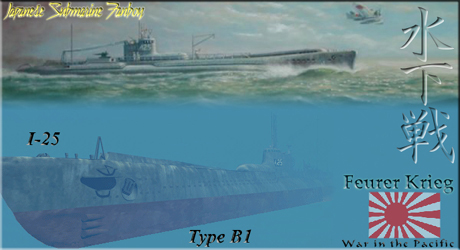
Never. Is this done yet? [;)]
Image
Upper portion used with permission of www.subart.net, copyright John Meeks
User avatar
Icedawg
Posts: 1613
Joined: Fri Jan 27, 2006 8:55 pm
Location: Upstate New York

RE: WitPTracker AE Release 1.5.1 Available

Post by Icedawg »

ORIGINAL: floydg

ORIGINAL: Icedawg
ORIGINAL: Icedawg

However, I noticed that some things seemed kind of fishy/WiTP-like (rather than AE-like). First of all, I noticed some Nissan engine factories in Tokyo and Shimuzu. This is an engine that shows up in WiTP but not in AE. In addition, the program did not distinguish between the different types of Nakajima engines, Mitsubishi engines, etc. They were all lumped together simply as Nakajima engines and Mitsubishi engines. Again, this is more like WiTP than AE. I then noticed that many TF's from AE are completely missing. I also noticed destinations for some TF's were set to bases that no longer exist in AE (ie Songklia - in AE this is Patani/Singora).

Can anyone tell me what is going on here?

I just checked my idea that the tracker program is looking at WiTP data and found some very convincing evidence in support of my hypothesis. I opened tracker using what should be an AE file, checked the commnader of the sub in TF 78. What did I find? I found that tracker is giving the name and stats of the commander from WiTP, not the one from AE. What could be causing this problem where tracker is given an AE file, yet it insists on looking at WiTP data?

"Classic" tracker and AE tracker files are incompatible. Are you sure you're running WitPTracker AE (says so in the main window header)?

Yup, you're right. When the computer tech I hired to install Tracker downloaded the program, he saw a version 1.6 out there and just assumed that it was the most recent version of the program I was asking him to install (logical mistake - 1.6 sounds more up-to-date than 1.5 something). I took it back to him the other day when I suspected it was the wrong version and he installed the correct one. Now everything is working like a charm! Thanks to you guys for developing this program. It is awesome!


User avatar
n01487477
Posts: 4759
Joined: Tue Feb 21, 2006 12:00 am

RE: WitPTracker AE Release 1.5.1 Available

Post by n01487477 »

ORIGINAL: Feurer Krieg
Never satisfied, are ya...? [;)]
Never. Is this done yet? [;)]
Not yet ... some coding over the weekend might bring my side a little closer to another interim release (Floyds call on this), but the big stuff I'm working on will take a bit more time I'm afraid...[:(]

ORIGINAL: Icedawg


Yup, you're right. When the computer tech I hired to install Tracker downloaded the program, he saw a version 1.6 out there and just assumed that it was the most recent version of the program I was asking him to install (logical mistake - 1.6 sounds more up-to-date than 1.5 something). I took it back to him the other day when I suspected it was the wrong version and he installed the correct one. Now everything is working like a charm! Thanks to you guys for developing this program. It is awesome!

No worries, glad you like it ... sorry you had to get a techie to install this thing though.
User avatar
Nomad
Posts: 7273
Joined: Wed Sep 05, 2001 8:00 am
Location: West Yellowstone, Montana

RE: WitPTracker AE Release 1.5.1 Available

Post by Nomad »

ORIGINAL: n01487477
ORIGINAL: Feurer Krieg
Never satisfied, are ya...? [;)]
Never. Is this done yet? [;)]
Not yet ... some coding over the weekend might bring my side a little closer to another interim release (Floyds call on this), but the big stuff I'm working on will take a bit more time I'm afraid...[:(]

ORIGINAL: Icedawg


Yup, you're right. When the computer tech I hired to install Tracker downloaded the program, he saw a version 1.6 out there and just assumed that it was the most recent version of the program I was asking him to install (logical mistake - 1.6 sounds more up-to-date than 1.5 something). I took it back to him the other day when I suspected it was the wrong version and he installed the correct one. Now everything is working like a charm! Thanks to you guys for developing this program. It is awesome!

No worries, glad you like it ... sorry you had to get a techie to install this thing though.

So, the flogging continues until morale improves? [:D]
bspeer
Posts: 81
Joined: Fri Jun 09, 2006 9:40 pm
Contact:

RE: WitPTracker AE Release 1.5.1 Available

Post by bspeer »

Forgive this noob question. I downloaded the Tracker yesterday and it installed just fine (as well as the correct settings) but I have a few questions. I am sure they have been asked before but I can't find the answers.

1. Must WitP be running for it to work?
2. I tried it both ways and I cannot seem to get Tracker to start up. How long should it take for it to start up?

Thanks for your help!
bs

"That’s impossible! The Americans only know how to make razor blades." Hermann Göring
User avatar
n01487477
Posts: 4759
Joined: Tue Feb 21, 2006 12:00 am

RE: WitPTracker AE Release 1.5.1 Available

Post by n01487477 »

ORIGINAL: bspeer

Forgive this noob question. I downloaded the Tracker yesterday and it installed just fine (as well as the correct settings) but I have a few questions. I am sure they have been asked before but I can't find the answers.

1. Must WitP be running for it to work?
2. I tried it both ways and I cannot seem to get Tracker to start up. How long should it take for it to start up?

Thanks for your help!
1. Nope witp doesn't need to be running, it just needs there to be a savefile.
2. The first load takes a little while, what is the message in the dos screen when you run the batch file ?

Not sure that you have it installed properly ...
floydg
Posts: 2060
Joined: Sat Jun 26, 2004 10:08 pm
Location: Middletown, NJ

RE: WitPTracker AE Release 1.5.1 Available

Post by floydg »

ORIGINAL: n01487477

ORIGINAL: bspeer

Forgive this noob question. I downloaded the Tracker yesterday and it installed just fine (as well as the correct settings) but I have a few questions. I am sure they have been asked before but I can't find the answers.

1. Must WitP be running for it to work?
2. I tried it both ways and I cannot seem to get Tracker to start up. How long should it take for it to start up?

Thanks for your help!
1. Nope witp doesn't need to be running, it just needs there to be a savefile.

But it needs to be installed on the same machine to get the art (map, ship sides, etc).
2. The first load takes a little while, what is the message in the dos screen when you run the batch file ?

Not sure that you have it installed properly ...

Yeah, be sure you're running it from the .bat file so you can see errors. If you run by double-clicking the .jar file, you won't see any errors.
Delete the trackerdb.* files.
Copy the pwsdll.dll file from the game folder to the WitPTracker folder.
Try running the WitPTracker.bat again.
Post Reply

Return to “War in the Pacific: Admiral's Edition”