MWIF Game Interface Design

World in Flames is the computer version of Australian Design Group classic board game. World In Flames is a highly detailed game covering the both Europe and Pacific Theaters of Operations during World War II. If you want grand strategy this game is for you.

Moderator: Shannon V. OKeets

Mike Parker
Posts: 578
Joined: Tue Dec 30, 2008 11:43 am
Location: Houston TX

RE: MWIF Game Interface Design

Post by Mike Parker »

ORIGINAL: Shannon V. OKeets
There is some rule about increasing the class of older carrier units at some point(s?) in time. That only applies when NOT playing with the optional carrier air units. In the program this is only a few lines of code:

Isn't that incorrect? Older CV's get an increase in class when you ARE playing with CVP's right? Or did I hit my head on too many hard objects this morning!

User avatar
Orm
Posts: 31382
Joined: Sat May 03, 2008 7:53 pm
Location: Sweden

RE: MWIF Game Interface Design

Post by Orm »

ORIGINAL: Mike Parker

ORIGINAL: Shannon V. OKeets
There is some rule about increasing the class of older carrier units at some point(s?) in time. That only applies when NOT playing with the optional carrier air units. In the program this is only a few lines of code:

Isn't that incorrect? Older CV's get an increase in class when you ARE playing with CVP's right? Or did I hit my head on too many hard objects this morning!

When you play with CVP you get new stronger CVPs each year and that is the way the carriers get stronger then.

Without the CVP it is the CV that gets a increase in strength.
Have a bit more patience with newbies. Of course some of them act dumb -- they're often students, for heaven's sake. - Terry Pratchett

A government is a body of people; usually, notably, ungoverned. - Quote from Firefly
Nikolai II
Posts: 15
Joined: Wed Oct 14, 2009 12:21 pm

RE: MWIF Game Interface Design

Post by Nikolai II »

ORIGINAL: Shannon V. OKeets

Therefore the more 'difficult' Ctrl-left click seems to me to be appropriate.

EDIT: For clarity.

How about shift-click? And/or to be able to click one sea-zone/hex at a time if wanted? (Instead of having to assign a final destination at once)
User avatar
warspite1
Posts: 42129
Joined: Sat Feb 02, 2008 1:06 pm
Location: England

RE: MWIF Game Interface Design

Post by warspite1 »

ORIGINAL: composer99

CV counters don't have their upgrades listed on the back of the counters.
Warspite1

Goodness and apologies [X(] - as I said, it was long time ago that I played the old 5th Edition game - the little coloured boxes are on the back of the carrier aircraft aren`t they? [:(]

But if I read Orm`s post correctly, the principal re the benefits of computer vs cardboard is still valid as the increased CV capacity is taken care of by the program.


Now Maitland, now's your time!

Duke of Wellington to 1st Guards Brigade - Waterloo 18 June 1815
Shannon V. OKeets
Posts: 22165
Joined: Wed May 18, 2005 11:51 pm
Location: Honolulu, Hawaii
Contact:

RE: MWIF Game Interface Design

Post by Shannon V. OKeets »

ORIGINAL: Nikolai II

ORIGINAL: Shannon V. OKeets

Therefore the more 'difficult' Ctrl-left click seems to me to be appropriate.

EDIT: For clarity.

How about shift-click? And/or to be able to click one sea-zone/hex at a time if wanted? (Instead of having to assign a final destination at once)
Ctrl-left click is easier to type - to press the Shift key you have to 'reach' over the Ctrl key. I have given preference to usinge Ctrl and Alt instead of Shift for that reason.
---
Sure, you can Ctrl-click on individual sea areas or hexes for movement rather than just clicking on the destination sea area or hex. Makes-no-never-mind to the program.
Steve

Perfection is an elusive goal.
User avatar
Neilster
Posts: 2992
Joined: Mon Oct 27, 2003 1:52 pm
Location: Devonport, Tasmania, Australia

RE: MWIF Game Interface Design

Post by Neilster »

ORIGINAL: Shannon V. OKeets

ORIGINAL: morgil

How about marking the units with a big phat red stripe right across the chit, just over the name of the unit ?
And then use a white one for japan ?
Unsubtle, but definate..
Just a note that I might appear somewhat brusque in my replies (or lack thereof) to suggestions.[8|] That is not intentional, just one of my personality defects.[:(]

I do read all suggestions seriously and throw them into my mix of thoughts & ideas on the game. Some ideas may have zero apparent impact on what I am doing until months later, when they resurface in a modified form.
Like mine, for example... [:D]

Cheers, Neilster
Cheers, Neilster
Shannon V. OKeets
Posts: 22165
Joined: Wed May 18, 2005 11:51 pm
Location: Honolulu, Hawaii
Contact:

RE: MWIF Game Interface Design

Post by Shannon V. OKeets »

I now have the naval review details and naval review summary forms working together the way I want. The only missing piece is the Task Force (TFs) which will not be part of the initial release - they are a convenience for moving groups of naval units, and nothing more than that.

The major new item shown here is in the lower right side of the NRS form (on the right): Displays/Germany/Italy. The Germany display is being shown.

From the CW point of view (the blue colors indicate that the CW is the major power making decisions), the German threat to the CW convoys is being assessed. The 8 ports listed at the top of the NRS form are all controlled by Germany and are ports where the German player is likely to place naval units. Bremen is the only minor port shown, and that is because it is adjacent to the North Sea. The sea areas were chosen as ones where Germany is likely to have units. By clicking on any of the 16 column in the NRS form, the accompanying NRD form updates. Here it is showing the units in Kiel. The idea is that you can quickly see what units are in each of the German ports and threatened sea areas. The NRS form shows summary stats and the NRD form shows the actual units present in those location.

The CW might want to create a second 'display' for Germany, perhaps containing the sea areas in the central and souh Atlantic, for instance.

Image
Attachments
NRS102520091.jpg
NRS102520091.jpg (231.69 KiB) Viewed 183 times
Steve

Perfection is an elusive goal.
Shannon V. OKeets
Posts: 22165
Joined: Wed May 18, 2005 11:51 pm
Location: Honolulu, Hawaii
Contact:

RE: MWIF Game Interface Design

Post by Shannon V. OKeets »

2nd in a series of 3 posts.

Here is the double sized global map that goes with the NRS and NRD forms shown in the previous post. I have only created NRS displays for Germany and Italy (shown in the next post) but clearly the CW will want more displays so it can monitor the different segments of its convoy pipelines. I figure at least one of the will be labeled Japan.

Most major powers will have only a couple of NRS displays. The exceptions are the CW, USA, and Japan, which might want to use a dozen or more. There is room for 21 NRS displays in the list.

Image
Attachments
NRS102520092.jpg
NRS102520092.jpg (268.15 KiB) Viewed 183 times
Steve

Perfection is an elusive goal.
User avatar
Froonp
Posts: 7998
Joined: Tue Oct 21, 2003 8:23 pm
Location: Marseilles, France
Contact:

RE: MWIF Game Interface Design

Post by Froonp »

ORIGINAL: Shannon V. OKeets
The only missing piece is the Task Force (TFs) which will not be part of the initial release - they are a convenience for moving groups of naval units, and nothing more than that.
Sniff.... The world (in flames) will never be the same without the Task Forces...
Shannon V. OKeets
Posts: 22165
Joined: Wed May 18, 2005 11:51 pm
Location: Honolulu, Hawaii
Contact:

RE: MWIF Game Interface Design

Post by Shannon V. OKeets »

3rd and last in the series.

Here is the Commonwealth's NRS display labelled Italy. It complements the Germany display in which sea areas are listed, with only a couple of duplicates. Notice that the NRS column for La Spezia matches the NRD unit data panel, which summarizes the units being displayed.

Setting up the displays from scratch is somewhat tedious, but once they are in place, they provide instant access to information on the fleet deployments of both your own units and also those of your enemy. Revising them is fairly easy too, if you don't like the decisions on what to display that were made by others.

The only missing information is what air units might fly into the various sea areas. I decided that would be very difficult to figure out and present coherently (what with flying at extended range, and determining which section boxes the air units can reach, etc.). Anyway, I have to leave some tasks for the players to perform.[:D] The difference between average players and expert players often lies in the figuring out stuff like that.[;)]

EDIT: corrected the screen shot.

Image
Attachments
NRS 10 25 2009 3.jpg
NRS 10 25 2009 3.jpg (262.04 KiB) Viewed 183 times
Steve

Perfection is an elusive goal.
Shannon V. OKeets
Posts: 22165
Joined: Wed May 18, 2005 11:51 pm
Location: Honolulu, Hawaii
Contact:

RE: MWIF Game Interface Design

Post by Shannon V. OKeets »

I created another Help form. This one explains the mouse and keyboard commands.

Image
Attachments
KeyboardHelp1.jpg
KeyboardHelp1.jpg (181.52 KiB) Viewed 183 times
Steve

Perfection is an elusive goal.
Shannon V. OKeets
Posts: 22165
Joined: Wed May 18, 2005 11:51 pm
Location: Honolulu, Hawaii
Contact:

RE: MWIF Game Interface Design

Post by Shannon V. OKeets »

Post 2 in a series of 3.

These aren't up to my usual quality standards. They're simply screenshots of the Players Manual. But I think they get the job done.

Image
Attachments
KeyboardHelp2.jpg
KeyboardHelp2.jpg (162.06 KiB) Viewed 183 times
Steve

Perfection is an elusive goal.
Shannon V. OKeets
Posts: 22165
Joined: Wed May 18, 2005 11:51 pm
Location: Honolulu, Hawaii
Contact:

RE: MWIF Game Interface Design

Post by Shannon V. OKeets »

3rd and last in the series.

Maybe someday I will do a better/cleaner job on the presentation. What is important is that the code is now all in place and working. So if I do decide to redo the 'graphic', it will simply be a matter of changing the BMP file on disk; there won't be any need to modify the program.

Image
Attachments
KeyboardHelp3.jpg
KeyboardHelp3.jpg (270.07 KiB) Viewed 183 times
Steve

Perfection is an elusive goal.
Shannon V. OKeets
Posts: 22165
Joined: Wed May 18, 2005 11:51 pm
Location: Honolulu, Hawaii
Contact:

RE: MWIF Game Interface Design

Post by Shannon V. OKeets »

Here is an improved layout and wording for the explanation of the keyboard and mouse commands. I have changed this in the Players Manual and then took screen shots for the help pages that are available during game play.

1 of 3 posts.
===

Image
Attachments
KeyboardH..022009.jpg
KeyboardH..022009.jpg (245.3 KiB) Viewed 184 times
Steve

Perfection is an elusive goal.
Shannon V. OKeets
Posts: 22165
Joined: Wed May 18, 2005 11:51 pm
Location: Honolulu, Hawaii
Contact:

RE: MWIF Game Interface Design

Post by Shannon V. OKeets »

As you can see, it was somewhat difficult to find a place for the 3 buttons that worked for each of these 3 pages.

Image
Attachments
KeyboardH..022009.jpg
KeyboardH..022009.jpg (171.38 KiB) Viewed 183 times
Steve

Perfection is an elusive goal.
Shannon V. OKeets
Posts: 22165
Joined: Wed May 18, 2005 11:51 pm
Location: Honolulu, Hawaii
Contact:

RE: MWIF Game Interface Design

Post by Shannon V. OKeets »

3rd and last in a series of 3.

The only substantive changes were to the first page, where the explanation of Control Left Click for naval units was reworked. I have been fixing bugs related to this so I made sure that the Players Manual description of the action taken by the program matches what the code actually does.

Naval movement is more complex than land or air movement because of the possibility of:
(1) interception by enemy units,
(2) a digression to a naval combat due to #1,
(3) picking up land units from coastal hexes after ending the naval move in a sea area, and
(4) dropping off some of the naval units in the moving stack and then have the remaining naval units in the stack continue moving.

Image
Attachments
KeyboardH..022009.jpg
KeyboardH..022009.jpg (262.75 KiB) Viewed 183 times
Steve

Perfection is an elusive goal.
User avatar
Neilster
Posts: 2992
Joined: Mon Oct 27, 2003 1:52 pm
Location: Devonport, Tasmania, Australia

RE: MWIF Game Interface Design

Post by Neilster »

I've been experimenting...

Edit: I've improved these quite a bit.
Image
Attachments
Europe Med..d Africa.jpg
Europe Med..d Africa.jpg (215.29 KiB) Viewed 183 times
Cheers, Neilster
User avatar
Neilster
Posts: 2992
Joined: Mon Oct 27, 2003 1:52 pm
Location: Devonport, Tasmania, Australia

RE: MWIF Game Interface Design

Post by Neilster »

The Pacific Theatre


Image
Attachments
Pacific Theatre.jpg
Pacific Theatre.jpg (186.6 KiB) Viewed 183 times
Cheers, Neilster
User avatar
Neilster
Posts: 2992
Joined: Mon Oct 27, 2003 1:52 pm
Location: Devonport, Tasmania, Australia

RE: MWIF Game Interface Design

Post by Neilster »

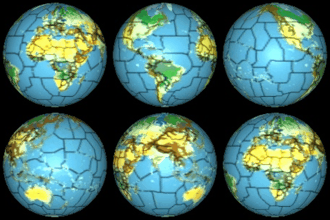
I someone puts up a global map with units on it (if that's possible and perhaps without the sea area labels), maybe from a Global War scenario in about 1942/43, I'll make a spherical map and generate images from it. That should look pretty cool, with the Eastern Front and Japanese empire etc.

Edit: Actually, it would be better if you send me a message and I'll give you my email address. Then you can send me a PNG file or something else non-lossy. This will improve the end result.

Cheers, Neilster
Cheers, Neilster
Shannon V. OKeets
Posts: 22165
Joined: Wed May 18, 2005 11:51 pm
Location: Honolulu, Hawaii
Contact:

RE: MWIF Game Interface Design

Post by Shannon V. OKeets »

ORIGINAL: Neilster

I someone puts up a global map with units on it (if that's possible and perhaps without the sea area labels), maybe from a Global War scenario in about 1942/43, I'll make a spherical map and generate images from it. That should look pretty cool, with the Eastern Front and Japanese empire etc.

Cheers, Neilster
Cute.[:)]

Hopefully one of the beta testers can do that for you soon.
Steve

Perfection is an elusive goal.
Post Reply

Return to “World in Flames”