WitP AE Full Screen Windows 8.1

Post bug reports and ask for help with other issues here.

Moderators: wdolson, MOD_War-in-the-Pacific-Admirals-Edition

User avatar
decaro
Posts: 4004
Joined: Wed Aug 31, 2005 12:05 pm
Location: Stratford, Connecticut
Contact:

RE: AE under Windows 8.1

Post by decaro »

ORIGINAL: witpqs

ORIGINAL: Joe D.

ORIGINAL: macroman247

Just wanted to chime in I had the same problems on Win 8.1. Tried every possible switch combination. The only one that worked was -deepColor -f -px1920 -py1080

Other combinations with the -f switch coming first and the like did not work. Suffice to say it is all EXTREMELY fickle....

So even the order of the switches can affect results?
Not that I know of.

OK, but here's a thought; since most players will eventually upgrade to Win 10, how about Matrix creating a database of the latest Windows versions with the switches that seem to work best for specific computer makes and models?

It might save future AE players a lot of aggravation.
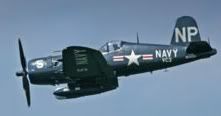
Stratford, Connecticut, U.S.A.[center]Image[/center]
[center]"The Angel of Okinawa"[/center]
Home of the Chance-Vought Corsair, F4U
The best fighter-bomber of World War II
User avatar
witpqs
Posts: 26376
Joined: Mon Oct 04, 2004 7:48 pm
Location: Argleton

RE: AE under Windows 8.1

Post by witpqs »

ORIGINAL: Joe D.

ORIGINAL: witpqs

ORIGINAL: Joe D.


So even the order of the switches can affect results?
Not that I know of.

OK, but here's a thought; since most players will eventually upgrade to Win 10, how about Matrix creating a database of the latest Windows versions with the switches that seem to work best for specific computer makes and models?

It might save future AE players a lot of aggravation.
I don't work for Matrix. [:)]
User avatar
zuluhour
Posts: 5246
Joined: Thu Jan 20, 2011 4:16 pm
Location: Maryland

RE: AE under Windows 8.1

Post by zuluhour »

That's what you think.....
User avatar
RangerJoe
Posts: 19220
Joined: Mon Nov 16, 2015 2:39 pm
Location: Who knows?

RE: AE under Windows 8.1

Post by RangerJoe »

I just got the game and it is a fun, very leisurely game. That is, it takes 4 seconds for the scroll buttons to register. I have tried all kinds of switches and none of them seem to work. The only thing that helps the scroll speed is if something kicks me out of the program and I get back into it. The the scroll speed is very fast but the font is green and larger. also, there is no dark background when I go to the intelligence or any other small screen. Then when you select something there, the previous text still shows making it very unreadable.
Seek peace but keep your gun handy.

I'm not a complete idiot, some parts are missing! :o

“Illegitemus non carborundum est (“Don’t let the bastards grind you down”).”
:twisted: ; Julia Child


Image
Post Reply

Return to “Tech Support”