

Campaign Question
Moderators: Joel Billings, Tankerace, siRkid

RE: Campaign Question
Now if you guys can figure out a way that it won't show up as an altered scenario for PBEM you opponent could be in for a very nasty surprise. Of course it would just be for laughs and 1 or 2 tgame turns. [:-]
Todd
I never thought that doing an AAR would be so time consuming and difficult.
www.matrixgames.com/forums/tm.asp?m=2080768
I never thought that doing an AAR would be so time consuming and difficult.
www.matrixgames.com/forums/tm.asp?m=2080768

RE: Campaign Question
I wasn't able to save the altered scenarios in their original slots, but if you're hosting the game and you altered a scenario and renamed it exactly as the original, who could tell?
Do both players have to use the exact same scenario/set-up when playing PBEM, or does the host control all this?
Do both players have to use the exact same scenario/set-up when playing PBEM, or does the host control all this?
Stratford, Connecticut, U.S.A.[center]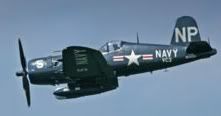 [/center]
[center]"The Angel of Okinawa"[/center]
Home of the Chance-Vought Corsair, F4U
The best fighter-bomber of World War II
[/center][center]"The Angel of Okinawa"[/center]
Home of the Chance-Vought Corsair, F4U
The best fighter-bomber of World War II
-
rogueusmc

- Posts: 4583
- Joined: Sun Feb 08, 2004 6:21 pm
- Location: Texas...what country are YOU from?
- Contact:
RE: Campaign Question
It is supposed to show any scenario changes regardless of the slot.
There are only two kinds of people that understand Marines: Marines and the enemy. Everyone else has a second-hand opinion.
Gen. William Thornson, U.S. Army
Gen. William Thornson, U.S. Army
RE: Campaign Question
ORIGINAL: Ike99No, in the delay box put in 9999. That means the units will never arrive in the game. That's what I did.Ike, I assume you used the Insert, Remove and Find buttons at the bottom of the campaign Editor to eliminate the IJN carriers lost at Midway from #17. I think you can remove any unit or leader -- land, sea or air -- from the game as well.
Ike, where did you learn all this? I can't find any manual or other info for using the Campaign Editor.
Stratford, Connecticut, U.S.A.[center][/center]
[center]"The Angel of Okinawa"[/center]
Home of the Chance-Vought Corsair, F4U
The best fighter-bomber of World War II
[/center][center]"The Angel of Okinawa"[/center]
Home of the Chance-Vought Corsair, F4U
The best fighter-bomber of World War II
RE: Campaign Question
Ike is a crafty one who digs deep.
Todd
I never thought that doing an AAR would be so time consuming and difficult.
www.matrixgames.com/forums/tm.asp?m=2080768
I never thought that doing an AAR would be so time consuming and difficult.
www.matrixgames.com/forums/tm.asp?m=2080768
RE: Campaign Question
Ike is a crafty one who digs deep.
Todd
I never thought that doing an AAR would be so time consuming and difficult.
www.matrixgames.com/forums/tm.asp?m=2080768
I never thought that doing an AAR would be so time consuming and difficult.
www.matrixgames.com/forums/tm.asp?m=2080768
RE: Campaign Question
The new scenarios seems to be playing well, and all game data was transferred to them except for the historical notes and photos that were in the originals.
My altered version of Green Hell is playing well, but when I altered and copied the Hard Road and Turning Tide scenarios, I just realized that the Allies lost their invasion fleets for Lunga! I don't know if this is a spurious problem at my end, or that the 2.0 Campaign Editor is not working well w/UV at 2.5.
If I have time this summer, I think I will re-install UV (again!) at 2.0, alter and save some scenarios, and if that is successful, then patch to 2.5.
I have uninstalled/installed UV more than any game I ever had, but my patience is finally running out in this love/hate relationship.
My altered version of Green Hell is playing well, but when I altered and copied the Hard Road and Turning Tide scenarios, I just realized that the Allies lost their invasion fleets for Lunga! I don't know if this is a spurious problem at my end, or that the 2.0 Campaign Editor is not working well w/UV at 2.5.
If I have time this summer, I think I will re-install UV (again!) at 2.0, alter and save some scenarios, and if that is successful, then patch to 2.5.
I have uninstalled/installed UV more than any game I ever had, but my patience is finally running out in this love/hate relationship.
Stratford, Connecticut, U.S.A.[center][/center]
[center]"The Angel of Okinawa"[/center]
Home of the Chance-Vought Corsair, F4U
The best fighter-bomber of World War II
[/center][center]"The Angel of Okinawa"[/center]
Home of the Chance-Vought Corsair, F4U
The best fighter-bomber of World War II
RE: Campaign Question
ORIGINAL: Ike99
OK, I just deleted all my dumb questions after finally finding where Ike99's attachment is from: it's from the UV Campaign Editor.
From My computer, open the UV Folder, go to the SCEN Folder, then open the UV Campaign Editor, which should be the icon at the bottom of your screen. In the Campaign Editor, select File, Open File and just select the scenario you want to edit, then click the Campaign Data menu on the far right of the header.
Hi Joe,
your right, I am suprised the developers don't even point out where the scenario editor is. [&:]
When I was looking at the game features when deciding to buy I clearly read it has a scenario editor. Like probably most people I want one and I for one maybe wouldn't have bought the game without one. So when I got the game I thought for a moment ¨false advertisement¨ [:@]
But I dug for it and found it where you said, in the SCEN folder. Someone from up high should really put this in the documentation somewhere. One current opponent of mine has had the game a few years and he didn't even know the game had an editor. So someone needs to add that to the games documentation somewhere. Also, like you said there is no editor manual, but it is pretty easy to figure out really.
I just realized an easier way to get to the Campaign Editor: Go to Start, then All Programs, then just select the UV entry and there's the Editor listed along w/the exe and all the pdf files.
Ike, when you first used the Campaign Editor, what version of UV were you at? 2.0, 2.3 or 2.5? My longer (altered) scenarios -- Turing Tide, Hard Road, etc. -- aren't saving some of my fleets, and I'm wondering if it's because the Editor is at 2.0 while I'm patched to 2.5.
Stratford, Connecticut, U.S.A.[center][/center]
[center]"The Angel of Okinawa"[/center]
Home of the Chance-Vought Corsair, F4U
The best fighter-bomber of World War II
[/center][center]"The Angel of Okinawa"[/center]
Home of the Chance-Vought Corsair, F4U
The best fighter-bomber of World War II
RE: Campaign Question
ORIGINAL: Joe D.
OK, I just deleted all my dumb questions after finally finding where Ike99's attachment is from: it's from the UV Campaign Editor.
From My computer, open the UV Folder, go to the SCEN Folder, then open the UV Campaign Editor, which should be the icon at the bottom of your screen. In the Campaign Editor, select File, Open File and just select the scenario you want to edit, then click the Campaign Data menu on the far right of the header.
So, all those numbers under the headings of Combined Fleet, 8th Army (Japan) and SOPAC, SWPAC (US) are literally the numbers assigned to UV bases. In Ike's example, the Combined Fleet's targets are 316 (Tulagi) and 317 (Lunga), while the 8th Army is after Gili and Buna as primary and secondary targets, respectively.
So all I have to do is change the base numbers and the UV AI -- either Japanese or Allied, depending on what I'm playing -- will go after those bases, right? I should then get a message box after exiting the edior saying that my data has changed and asking if I want to save it.
I looked at Turning Tide and found the Japanese were after 224, which is Dobadura; no wonder the AI wasn't contesting Lunga (317) or Tassafaronga (322), although the IJN would routinely bombard Lunga airfield. How did that happen?
Here are a few key bases and their UV assigned numbers: Port M (225), Buna (223), Lae (219), Nadzab (220), Rabaul (202), Gasmata (209), Shortland (284), Buin (286).
If anyone has anything to add to my understanding of UV's Campain Editor, please do so as I could find nothing about it in UV's pdf manual.
Excellent info - thanks.
I know these numbers can be found in the editor, but what are they based on? Location on the map - ie hex grid? Or just an editor number?
This raises a number of great possibilities. One could assign one or two major objectives to the Japanese (or Allies) and then a win or a loss would be decided by who controls it after a set number of turns. One way to create a number of "new" scenarios.
Also, it is very easy to alter weapon stats. For example, I increased the armour values and experience ratings for some of the IJN ships such as the Yamato. Makes for tougher sea battles.
Drinking a cool brew; thinking about playing my next wargame....
RE: Campaign Question
ORIGINAL: Joe D.
ORIGINAL: Ike99
OK, I just deleted all my dumb questions after finally finding where Ike99's attachment is from: it's from the UV Campaign Editor.
From My computer, open the UV Folder, go to the SCEN Folder, then open the UV Campaign Editor, which should be the icon at the bottom of your screen. In the Campaign Editor, select File, Open File and just select the scenario you want to edit, then click the Campaign Data menu on the far right of the header.
Hi Joe,
your right, I am suprised the developers don't even point out where the scenario editor is. [&:]
When I was looking at the game features when deciding to buy I clearly read it has a scenario editor. Like probably most people I want one and I for one maybe wouldn't have bought the game without one. So when I got the game I thought for a moment ¨false advertisement¨ [:@]
But I dug for it and found it where you said, in the SCEN folder. Someone from up high should really put this in the documentation somewhere. One current opponent of mine has had the game a few years and he didn't even know the game had an editor. So someone needs to add that to the games documentation somewhere. Also, like you said there is no editor manual, but it is pretty easy to figure out really.
I just realized an easier way to get to the Campaign Editor: Go to Start, then All Programs, then just select the UV entry and there's the Editor listed along w/the exe and all the pdf files.
Ike, when you first used the Campaign Editor, what version of UV were you at? 2.0, 2.3 or 2.5? My longer (altered) scenarios -- Turing Tide, Hard Road, etc. -- aren't saving some of my fleets, and I'm wondering if it's because the Editor is at 2.0 while I'm patched to 2.5.
After all the patch issues, I stuck with v2.30. It is very stable, works for me, and the editor works just fine.
Drinking a cool brew; thinking about playing my next wargame....
RE: Campaign Question
ORIGINAL: Joe D.
After changing the AI's primary/secondary objectives to better reflect the historical situation in the scenario briefings, I had a hard time trying to save the altered scenario, even after answering yes to the pop-up msg box asking me if I wanted to save my new (changed) data. In fact, I couldn't save any readjusted scenario in it's original slot, so I had to rename it and save it in one of the mutitude of unnamed slots; perhaps that's what they're for.
Anyone else experience this w/the UV Campaign Editor?
The new scenarios seems to be playing well, and all game data was transferred to them except for the historical notes and photos that were in the originals.
I alter scenarios all the time.
Simply rename them in one of the empty slots. For example, when I re-did scenario #19, I simply renamed it "Revised Scenario #19". This way you will always have the originals intact.
The notes and briefings can be transferred as well: Look in the scen folder and find the files with the number of the scenario you have altered. Simply copy them and rename them to fill the slot of your new scenario. You can also edit them so they will include the info for your revised scenario.
Drinking a cool brew; thinking about playing my next wargame....
RE: Campaign Question
Also, for a tough game playing as the Allies against the Japanese AI, select scenario #19, and in the preference menu give the Japanese AI 200% ship commitment, while the Allies get only 70% ship commitment.
Set difficulty to HARD or VERY HARD.
Give the AI any other bonuses you can locate.
With the scen editor make sure all Japanese forces coverge on Gili-Gili, Lunga, and Tulagi. You can even edit these objectives to PLACE Japanese forces already on those objectives with established bases, etc.
Win or loss is then decided by whether the Allies can gain control of those objectives by say, Jan 1, 1943.
Set difficulty to HARD or VERY HARD.
Give the AI any other bonuses you can locate.
With the scen editor make sure all Japanese forces coverge on Gili-Gili, Lunga, and Tulagi. You can even edit these objectives to PLACE Japanese forces already on those objectives with established bases, etc.
Win or loss is then decided by whether the Allies can gain control of those objectives by say, Jan 1, 1943.
Drinking a cool brew; thinking about playing my next wargame....
RE: Campaign Question
Warfare, base numbers are the 3-digit numbers that appear in a "tool tip" just before the (proper) name of the base; they only show when you hover the mouse over the base on the UV map. The set of numbers right after the base name is the grid location of the base.
So you're at v 2.3 and not having any trouble with Campaign Editor.
Important Question: under v 2.3, can you alter the original scenario and save it in the same slot, or do you have to save your changes in another slot? If you have to save your altered scenario in another slot, does it save all your game info, i./e., you don't lose any fleets?
apparently in v 2.5, I can only save scenario changes in another slot, but the longer scenarios aren't saving all my game info. I suspected it was because the Campaign Editor is at v 2.0 and I'm patched to 2.5.
Possible solution: uninstall UV, fresh reinstall, use the Campaign Editor to change some scenarios, then repatch to 2.5.
Again!!!
So you're at v 2.3 and not having any trouble with Campaign Editor.
Important Question: under v 2.3, can you alter the original scenario and save it in the same slot, or do you have to save your changes in another slot? If you have to save your altered scenario in another slot, does it save all your game info, i./e., you don't lose any fleets?
apparently in v 2.5, I can only save scenario changes in another slot, but the longer scenarios aren't saving all my game info. I suspected it was because the Campaign Editor is at v 2.0 and I'm patched to 2.5.
Possible solution: uninstall UV, fresh reinstall, use the Campaign Editor to change some scenarios, then repatch to 2.5.
Again!!!
Stratford, Connecticut, U.S.A.[center][/center]
[center]"The Angel of Okinawa"[/center]
Home of the Chance-Vought Corsair, F4U
The best fighter-bomber of World War II
[/center][center]"The Angel of Okinawa"[/center]
Home of the Chance-Vought Corsair, F4U
The best fighter-bomber of World War II
RE: Campaign Question
ORIGINAL: Joe D.
Warfare, base numbers are the 3-digit numbers that appear in a "tool tip" just before the (proper) name of the base; they only show when you hover the mouse over the base on the UV map. The set of numbers right after the base name is the grid location of the base.
Many thanks Joe D.
I never knew that - who says you can't teach a old dog new tricks?
So you're at v 2.3 and not having any trouble with Campaign Editor.
I've had no problems with the game or editor using v2.3. And I have been playing for years.
Like you, I was uninstalling and reinstalling, and finally I settled on v2.3. It just wasn't worth all the headaches just to fix a couple of minor issues that never bothered me anyway.
Important Question: under v 2.3, can you alter the original scenario and save it in the same slot, or do you have to save your changes in another slot? If you have to save your altered scenario in another slot, does it save all your game info, i./e., you don't lose any fleets?
Under v2.3 you should ALWAYS save your altered scenario with a new name in an empty slot. Never over-write your original scenarios. This way, you always have a fresh, original scenario to play or alter. In fact, I would even suggest copying and saving the entire original SCEN folder onto a CD.
When I save an altered scenario in v2.3 all of my game data appears to be in tact. I haven't run across any problems so far from what I have seen.
apparently in v 2.5, I can only save scenario changes in another slot, but the longer scenarios aren't saving all my game info. I suspected it was because the Campaign Editor is at v 2.0 and I'm patched to 2.5.
Could be some scenario data was changed by patch v2.5.
Possible solution: uninstall UV, fresh reinstall, use the Campaign Editor to change some scenarios, then repatch to 2.5.
Again!!!
One thing I always do given the fact that CDs and DVDs are so cheap, is to do a fresh install of UV (to v2.3) on my "C" drive with all the mods I want, such as new ship pics, sounds, etc.
Then, I zip up that fresh install (it's about 300-400mb) and I save that install onto a CD.
Then if goof up my installed version, I just delete the UV game folder from "C" drive (I don't use the uninstall function - just manually delete the game folder on your computer) and then unzip my saved copy of the game and place it on my "C" drive. This only takes a few minutes and saves me a lot of hassles. I am then ready to play UV again.
Drinking a cool brew; thinking about playing my next wargame....
RE: Campaign Question
Ike, when you first used the Campaign Editor, what version of UV were you at? 2.0, 2.3 or 2.5?
2.3 I think. I did have to patch up to 2.5 so I guess 2.3
¨If you tremble with indignation at every injustice, then you are a comrade of mine.¨ Che Guevara
The more I know people, the more I like my dog.
The more I know people, the more I like my dog.

Read only Scenario Slots
I am sure the first 20 scenario slots are hard coded to be read only (to protect the original data) and that this has been the case since ver 1.0.
There are plenty more slots for your custom scenarios.
There are plenty more slots for your custom scenarios.
Cheers,
Reg.
(One day I will learn to spell - or check before posting....)
Uh oh, Firefox has a spell checker!! What excuse can I use now!!!
Reg.
(One day I will learn to spell - or check before posting....)
Uh oh, Firefox has a spell checker!! What excuse can I use now!!!
RE: Campaign Question
Thanks guys; it looks like v 2.5 isn't (fully) working w/the v 2.0 Campaign Editor, so I will go back to 2.0 this weekend, then repatch to v 2.5 after I'm done "editing". Wish me luck!
v 2.3 wasn't a bad game at all, but some new folks bought UV @ the bogus v 2.4 version(s) and now can't do a thing 'bout it.
Found out the hard way that patching over v 2.3 w/v 2.5 created a problem w/the longer UV scenarios.
v 2.3 wasn't a bad game at all, but some new folks bought UV @ the bogus v 2.4 version(s) and now can't do a thing 'bout it.
Found out the hard way that patching over v 2.3 w/v 2.5 created a problem w/the longer UV scenarios.
Stratford, Connecticut, U.S.A.[center][/center]
[center]"The Angel of Okinawa"[/center]
Home of the Chance-Vought Corsair, F4U
The best fighter-bomber of World War II
[/center][center]"The Angel of Okinawa"[/center]
Home of the Chance-Vought Corsair, F4U
The best fighter-bomber of World War II
RE: Campaign Question
ORIGINAL: Joe D.
Thanks guys; it looks like v 2.5 isn't (fully) working w/the v 2.0 Campaign Editor, so I will go back to 2.0 this weekend, then repatch to v 2.5 after I'm done "editing". Wish me luck!
Well, I uninstalled UV at 2.5, reinstalled it at 2.0, then used the Camapign Editor to change and save some of the primary and secondary Campaign objectives for 7 assorted scenarios, only to discover that the Allied fleets for scenarios #7, 14 (Turning Tide and Hard Road, respectively) are still missing their invasion fleets, i.e., Air Combat, etc. I had saved both scenarios in slots 23 and 26, respectively.
Well, I'm about ready to uninstall UV permanently and put the disk on the shelf. Unless I'm doing something very wrong w/the Campaign Editor, I can't understand why my fleet/fleet icons are still disappearing from UV's longer scenarios, eben in 2.0.
Stratford, Connecticut, U.S.A.[center][/center]
[center]"The Angel of Okinawa"[/center]
Home of the Chance-Vought Corsair, F4U
The best fighter-bomber of World War II
[/center][center]"The Angel of Okinawa"[/center]
Home of the Chance-Vought Corsair, F4U
The best fighter-bomber of World War II
RE: Campaign Question
Well, I'm about ready to uninstall UV permanently and put the disk on the shelf. Unless I'm doing something very wrong w/the Campaign Editor, I can't understand why my fleet/fleet icons are still disappearing from UV's longer scenarios, eben in 2.0.
Hi Joe, as soon as I bought UV I patched up to 2.5
Can't say I have noticed any real bug problems with it yet like ships and planes and things vanishing yet. I haven't seen a problem with 2.5 so far.
¨If you tremble with indignation at every injustice, then you are a comrade of mine.¨ Che Guevara
The more I know people, the more I like my dog.
The more I know people, the more I like my dog.
RE: Campaign Question
One of the Matrix beta testers confirmed that the Allied fleet icons/fleets for the Turning Tide and Hard Road scenarios disappear after these scenarios are saved in another slot. See my Disappearing fleets/icons post in the "bugs reported' section at the top of the UV forum.
Apparently it doesn't matter what version of UV you're using as these two scenarios are the only ones having problems with the Campaign Editor.
Pity!
Apparently it doesn't matter what version of UV you're using as these two scenarios are the only ones having problems with the Campaign Editor.
Pity!
Stratford, Connecticut, U.S.A.[center][/center]
[center]"The Angel of Okinawa"[/center]
Home of the Chance-Vought Corsair, F4U
The best fighter-bomber of World War II
[/center][center]"The Angel of Okinawa"[/center]
Home of the Chance-Vought Corsair, F4U
The best fighter-bomber of World War II