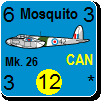
Where are you getting the WiF Counters for your Avatars?

World in Flames is the computer version of Australian Design Group classic board game. World In Flames is a highly detailed game covering the both Europe and Pacific Theaters of Operations during World War II. If you want grand strategy this game is for you.

Moderator: Shannon V. OKeets

User avatar
radic202
Posts: 598
Joined: Thu Jun 07, 2012 3:56 pm
Location: Ontario, Canada

RE: Where are you getting the WiF Counters for your Avatars?

Post by radic202 »

ORIGINAL: warspite1

ORIGINAL: Titanwarrior89

Looking good. Now I must learn this game. Actually Ive already got the basics down(I think). Still working on the finer points. Thanks for the 3rd Armor Corp.[&o][:)]
warspite1

Nice one Titanwarrior89! Welcome to the club.


I love it Missouri_Rebel!

Woot, amazing and thanks!
It is much harder to think about doing something than actually doing it!
User avatar
radic202
Posts: 598
Joined: Thu Jun 07, 2012 3:56 pm
Location: Ontario, Canada

RE: Where are you getting the WiF Counters for your Avatars?

Post by radic202 »

ORIGINAL: Froonp
ORIGINAL: Missouri_Rebel

the right one

Image
Here is another Canadian.

Image


Wow, another beauty, I may interchange between both every once in a while,. Amazing gang, thanks so much.
It is much harder to think about doing something than actually doing it!
User avatar
radic202
Posts: 598
Joined: Thu Jun 07, 2012 3:56 pm
Location: Ontario, Canada

RE: Where are you getting the WiF Counters for your Avatars?

Post by radic202 »

Now the hard part, getting it to display on the Forums?? LOL!

I tried everything, and usually adding an Avatar is a simple thing on many Forums I participate in but this one here has been given be problems since day one. I will try again later.
It is much harder to think about doing something than actually doing it!
User avatar
Froonp
Posts: 7998
Joined: Tue Oct 21, 2003 8:23 pm
Location: Marseilles, France
Contact:

RE: Where are you getting the WiF Counters for your Avatars?

Post by Froonp »

ORIGINAL: radic202


Now the hard part, getting it to display on the Forums?? LOL!
Be careful to keep it as a GIF file format.
User avatar
radic202
Posts: 598
Joined: Thu Jun 07, 2012 3:56 pm
Location: Ontario, Canada

RE: Where are you getting the WiF Counters for your Avatars?

Post by radic202 »

ORIGINAL: Froonp
ORIGINAL: radic202


Now the hard part, getting it to display on the Forums?? LOL!
Be careful to keep it as a GIF file format.


I is a .gif file, but never been able to add Avatars on the Forums here, remember about a year ago going through this entire process but to no avail. This is the only Forum amongst the many I post in that has ever giving problems. Hence why I never used them here before. I have even c0-run Gaming Site Forums for our MMO Guild, so I know the ins and outs of Forum/Board permissions etc......I am pretty sure it is a "me" thing and will keep trying.
It is much harder to think about doing something than actually doing it!
User avatar
Missouri_Rebel
Posts: 3062
Joined: Sun Jun 18, 2006 11:12 pm
Location: Southern Missouri

RE: Where are you getting the WiF Counters for your Avatars?

Post by Missouri_Rebel »

O
ORIGINAL: Froonp
ORIGINAL: Froonp
ORIGINAL: Missouri_Rebel

the right one

Image
Here is another Canadian.

Image
Bizarre you have the Mosquito written so big.


Image

I don't really know why. It is odd though.


**Those who rob Peter to pay Paul can always count on the support of Paul
**A government big enough to give you everything you want is a government big enough to take from you everything you have-Gerald Ford
User avatar
Missouri_Rebel
Posts: 3062
Joined: Sun Jun 18, 2006 11:12 pm
Location: Southern Missouri

RE: Where are you getting the WiF Counters for your Avatars?

Post by Missouri_Rebel »

ORIGINAL: radic202
ORIGINAL: Froonp
ORIGINAL: radic202


Now the hard part, getting it to display on the Forums?? LOL!
Be careful to keep it as a GIF file format.


I is a .gif file, but never been able to add Avatars on the Forums here, remember about a year ago going through this entire process but to no avail. This is the only Forum amongst the many I post in that has ever giving problems. Hence why I never used them here before. I have even c0-run Gaming Site Forums for our MMO Guild, so I know the ins and outs of Forum/Board permissions etc......I am pretty sure it is a "me" thing and will keep trying.

I know it sounds silly asking, but after you browse to the pic you want do you scroll to the bottom of the page and press Apply?
**Those who rob Peter to pay Paul can always count on the support of Paul
**A government big enough to give you everything you want is a government big enough to take from you everything you have-Gerald Ford
User avatar
radic202
Posts: 598
Joined: Thu Jun 07, 2012 3:56 pm
Location: Ontario, Canada

RE: Where are you getting the WiF Counters for your Avatars?

Post by radic202 »


Yep! I do hit apply. It's like the site itself is preventing me form posting an Avatar pic? I tried this over 1 year ago to no avail and now again same problem. At first I thought that I may not have had enough permissions to post a pic but many with less posts than I, do have Avatar pics, so I am at a lost to explain why. I will keep trying for sure.
It is much harder to think about doing something than actually doing it!
User avatar
radic202
Posts: 598
Joined: Thu Jun 07, 2012 3:56 pm
Location: Ontario, Canada

RE: Where are you getting the WiF Counters for your Avatars?

Post by radic202 »


I am trying yet once more...................cross my fingers.

Still nothing and I am tried absolutely everything....................back to the old drawing board I guess...?
It is much harder to think about doing something than actually doing it!
User avatar
radic202
Posts: 598
Joined: Thu Jun 07, 2012 3:56 pm
Location: Ontario, Canada

RE: Where are you getting the WiF Counters for your Avatars?

Post by radic202 »


Alright Now I got it!!!! Don't ask me what I did though as I have no idea........LOL! Thanks Gang!
It is much harder to think about doing something than actually doing it!
User avatar
Missouri_Rebel
Posts: 3062
Joined: Sun Jun 18, 2006 11:12 pm
Location: Southern Missouri

RE: Where are you getting the WiF Counters for your Avatars?

Post by Missouri_Rebel »

But you used the wrong one. Patrice made one also with the correct size text.
**Those who rob Peter to pay Paul can always count on the support of Paul
**A government big enough to give you everything you want is a government big enough to take from you everything you have-Gerald Ford
User avatar
radic202
Posts: 598
Joined: Thu Jun 07, 2012 3:56 pm
Location: Ontario, Canada

RE: Where are you getting the WiF Counters for your Avatars?

Post by radic202 »


Oh NO!! Now to start all over again..................hehe
It is much harder to think about doing something than actually doing it!
User avatar
Missouri_Rebel
Posts: 3062
Joined: Sun Jun 18, 2006 11:12 pm
Location: Southern Missouri

RE: Where are you getting the WiF Counters for your Avatars?

Post by Missouri_Rebel »

It was the apply button. Go ahead and admit it. lol
**Those who rob Peter to pay Paul can always count on the support of Paul
**A government big enough to give you everything you want is a government big enough to take from you everything you have-Gerald Ford
User avatar
Missouri_Rebel
Posts: 3062
Joined: Sun Jun 18, 2006 11:12 pm
Location: Southern Missouri

RE: Where are you getting the WiF Counters for your Avatars?

Post by Missouri_Rebel »

We wont think less of you. Not much anyways.
**Those who rob Peter to pay Paul can always count on the support of Paul
**A government big enough to give you everything you want is a government big enough to take from you everything you have-Gerald Ford
User avatar
Missouri_Rebel
Posts: 3062
Joined: Sun Jun 18, 2006 11:12 pm
Location: Southern Missouri

RE: Where are you getting the WiF Counters for your Avatars?

Post by Missouri_Rebel »

ORIGINAL: Froonp

Bizarre you have the Mosquito written so big.


Going through a bunch of the counters in the Units in Game and quite a few have the big text on the counters. I've never changed any text size so Im not sure what the problem is. Is that where you are getting yours?
**Those who rob Peter to pay Paul can always count on the support of Paul
**A government big enough to give you everything you want is a government big enough to take from you everything you have-Gerald Ford
User avatar
radic202
Posts: 598
Joined: Thu Jun 07, 2012 3:56 pm
Location: Ontario, Canada

RE: Where are you getting the WiF Counters for your Avatars?

Post by radic202 »

ORIGINAL: Missouri_Rebel

It was the apply button. Go ahead and admit it. lol


HAHAHA! Nah, for some reason it would not let me add from my Desktop unless I posted it on Photobucket first, then dragged to it to my desktop from that site, than uploaded it. Plus I needed to say "show no avatar" first then upload the image then apply, then show Avatar plus use it as my profile picture. Just so many steps for such a little thing. All the other sites always let me load it from my photobucket account but not this one. I am able to post images from photobucket on the Forums but not my Avatar for some strange reason. All is good now. Thanks!
It is much harder to think about doing something than actually doing it!
Shannon V. OKeets
Posts: 22165
Joined: Wed May 18, 2005 11:51 pm
Location: Honolulu, Hawaii
Contact:

RE: Where are you getting the WiF Counters for your Avatars?

Post by Shannon V. OKeets »

ORIGINAL: Missouri_Rebel
ORIGINAL: Froonp

Bizarre you have the Mosquito written so big.


Going through a bunch of the counters in the Units in Game and quite a few have the big text on the counters. I've never changed any text size so Im not sure what the problem is. Is that where you are getting yours?
You should take the screen shots at zoom level 8. That makes a difference in how the text is sized and positioned within the counter.
Steve

Perfection is an elusive goal.
User avatar
Missouri_Rebel
Posts: 3062
Joined: Sun Jun 18, 2006 11:12 pm
Location: Southern Missouri

RE: Where are you getting the WiF Counters for your Avatars?

Post by Missouri_Rebel »

ORIGINAL: Shannon V. OKeets

ORIGINAL: Missouri_Rebel
ORIGINAL: Froonp

Bizarre you have the Mosquito written so big.


Going through a bunch of the counters in the Units in Game and quite a few have the big text on the counters. I've never changed any text size so Im not sure what the problem is. Is that where you are getting yours?
You should take the screen shots at zoom level 8. That makes a difference in how the text is sized and positioned within the counter.

That makes sense, but how do you even get the screenshot 8 without placing them on the map? Im grabbing mine from the Units in Game screen. I thought those were displayed at level 8.
**Those who rob Peter to pay Paul can always count on the support of Paul
**A government big enough to give you everything you want is a government big enough to take from you everything you have-Gerald Ford
User avatar
Froonp
Posts: 7998
Joined: Tue Oct 21, 2003 8:23 pm
Location: Marseilles, France
Contact:

RE: Where are you getting the WiF Counters for your Avatars?

Post by Froonp »

ORIGINAL: Missouri_Rebel

ORIGINAL: Shannon V. OKeets

ORIGINAL: Missouri_Rebel


Going through a bunch of the counters in the Units in Game and quite a few have the big text on the counters. I've never changed any text size so Im not sure what the problem is. Is that where you are getting yours?
You should take the screen shots at zoom level 8. That makes a difference in how the text is sized and positioned within the counter.

That makes sense, but how do you even get the screenshot 8 without placing them on the map? Im grabbing mine from the Units in Game screen. I thought those were displayed at level 8.
I take them from there too.
User avatar
Froonp
Posts: 7998
Joined: Tue Oct 21, 2003 8:23 pm
Location: Marseilles, France
Contact:

RE: Where are you getting the WiF Counters for your Avatars?

Post by Froonp »

ORIGINAL: Froonp
ORIGINAL: Missouri_Rebel

ORIGINAL: Shannon V. OKeets


You should take the screen shots at zoom level 8. That makes a difference in how the text is sized and positioned within the counter.

That makes sense, but how do you even get the screenshot 8 without placing them on the map? Im grabbing mine from the Units in Game screen. I thought those were displayed at level 8.
I take them from there too.
I run a Windows 7 64 bits, and you ?
Post Reply

Return to “World in Flames”