

The ability to turn off the sonobuoy icons is very useful to keep the screen from getting too cluttered, especially when operating around dense fields.
However, it seems that the hidden sonobuoys are still selectable, even when their icons are turned off.
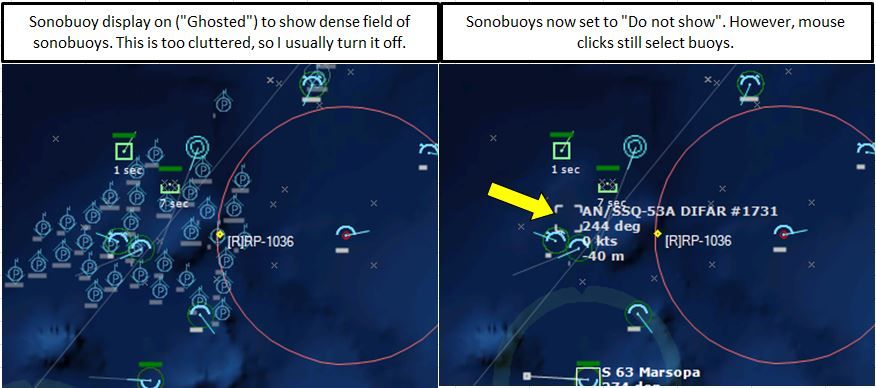
This means that it can be very difficult to click on the unit you want when that unit is transiting a sonobuoy field (particularly when zoomed out), because you almost inevitably get a nearby sonobuoy instead of the unit you were aiming for.
Is it possible to make it so sonobuoys cannot be selected when their icons are hidden?
On a similar note, would it be possible to make a keyboard toggle for sonobuoy visibility? Perhaps the S key could step through the on - ghost - off options?