

Updated Graphics
Moderator: Vic
RE: Updated Graphics
Thanks!
One man alone can be pretty dumb sometimes, but for real bona fide stupidity, there ain't nothin' can beat teamwork -- Edward Abbey
-
lion_of_judah

- Posts: 2369
- Joined: Mon Jan 08, 2007 6:36 pm
- Location: somewhere over the rainbow
RE: Updated Graphics
what if I would like to use the unit graphics but not the terrain graphics, is this doable?
RE: Updated Graphics
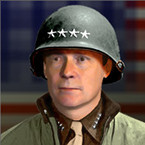
Sure, it is definitely possible. I didn't make a lot of replacements because, well, I ran out of gas doing them. I had wanted to make pictures for the various people types. The trouble was finding pictures that were clearly not copyrighted. Which mostly meant black & white. And colorizing them is tedious.
OK, easy to do. In the editor, go to the SFT window, and select graphics. You'll see the familiar unit pictures.
Click on the blue box with arrow to change the unit picture. Navigate your way to FourSeasons/SFT-Pictures and select the picture you would like. Then click on the overlay blue box, navigate to the same directory and select the transparent picture (Blank-192x144.png). Finally, click on the box next to "BaseColMod=6" and set this to zero. The base pictures are a grey scale that then gets tinted by this selection. The SFT pictures are in 4Seasons-1-5.atzip.
Leave the other pictures alone. I think these are used as unit symbols for BIG grahpics (RuleVar 871 = 0 overules this and uses BIG versions of the unit symbol (i.e. NATO here).
Like I said the goal was to do many more, but I got onto some other things, and it is fairly tedious.

OK, easy to do. In the editor, go to the SFT window, and select graphics. You'll see the familiar unit pictures.
Click on the blue box with arrow to change the unit picture. Navigate your way to FourSeasons/SFT-Pictures and select the picture you would like. Then click on the overlay blue box, navigate to the same directory and select the transparent picture (Blank-192x144.png). Finally, click on the box next to "BaseColMod=6" and set this to zero. The base pictures are a grey scale that then gets tinted by this selection. The SFT pictures are in 4Seasons-1-5.atzip.
Leave the other pictures alone. I think these are used as unit symbols for BIG grahpics (RuleVar 871 = 0 overules this and uses BIG versions of the unit symbol (i.e. NATO here).
Like I said the goal was to do many more, but I got onto some other things, and it is fairly tedious.
- Attachments
-
- SFTpicture.jpg (85.68 KiB) Viewed 1559 times
One man alone can be pretty dumb sometimes, but for real bona fide stupidity, there ain't nothin' can beat teamwork -- Edward Abbey
-
GaryChildress
- Posts: 6933
- Joined: Sun Jul 17, 2005 3:41 pm
- Location: The Divided Nations of Earth
RE: Updated Graphics
How did you get the mode with the blue boxes to change pictures and edit things? I opened the editor and This is the screen I got. There doesn't appear to be a way to edit any of the settings:

- Attachments
-
- Untitled.gif (253.93 KiB) Viewed 1559 times

RE: Updated Graphics
Ahh, you have to open it with the editor in scenario list. Failing that in scenario list remove the masterfile.
Favoritism is alive and well here.
RE: Updated Graphics
Yes, I should have mentioned that. Basically, you can't edit anything if it isn't the scenario file. Be sure not to overwrite when saving. I have done that when I was working on a version, and then discovered that I clobbered an early one because I had mindlessly saved the same file as before.
Also, staff, rifle, etc are kind of a bad example to have used because there are the extra regime specific graphics that you have highlighted in your graphic. Those will override the primary graphics. These can be deleted without impunity (I think), with I think only one exception. On the People screen, there is an SFT graphic used as the general graphic for the People, and sometimes it refers to a regime specific graphic in the list. Basically, there can be one for each people.
Also, staff, rifle, etc are kind of a bad example to have used because there are the extra regime specific graphics that you have highlighted in your graphic. Those will override the primary graphics. These can be deleted without impunity (I think), with I think only one exception. On the People screen, there is an SFT graphic used as the general graphic for the People, and sometimes it refers to a regime specific graphic in the list. Basically, there can be one for each people.
One man alone can be pretty dumb sometimes, but for real bona fide stupidity, there ain't nothin' can beat teamwork -- Edward Abbey
-
GaryChildress
- Posts: 6933
- Joined: Sun Jul 17, 2005 3:41 pm
- Location: The Divided Nations of Earth
RE: Updated Graphics
I don't see a link to DL this mod? Is it ready or still under development?
Thanks.
EDIT: Woops, I found it, never mind. [:o]
Thanks.
EDIT: Woops, I found it, never mind. [:o]
-
GaryChildress
- Posts: 6933
- Joined: Sun Jul 17, 2005 3:41 pm
- Location: The Divided Nations of Earth
RE: Updated Graphics
Hmm. I've downloaded just about everything I could find to DL for this mod and I keep getting error messages saying that files are not found. I checked the ATG directory and it appears that all the files are there which the game says it is missing when it loads. [:(]

- Attachments
-
- error.gif (19.4 KiB) Viewed 1559 times
-
MasterChief

- Posts: 159
- Joined: Mon Feb 09, 2004 12:29 am
- Location: The Hundred Fathom Curve
RE: Updated Graphics
Gary, I'm running into the same issues. I have downloaded the main pack with mod and scenario files, and the graphics pack (took me a few minutes to figure out that I had to rename the file .zip vice atzip to get it to unpack) I still get the error messages you are describing when I am starting up a regiment game. The game locks up completely when I try to load the division mod. Hope I get this figured out because ormand's mod has addressed all my issues with the basic game.
ORIGINAL: Gary Childress
Hmm. I've downloaded just about everything I could find to DL for this mod and I keep getting error messages saying that files are not found. I checked the ATG directory and it appears that all the files are there which the game says it is missing when it loads. [:(]
Chief of the Watch... Over the 1MC, pass the word... "DIVE!" "DIVE!"... sound two blasts of the Diving Alarm ... and pass the word, "DIVE! "DIVE!"
-
GaryChildress
- Posts: 6933
- Joined: Sun Jul 17, 2005 3:41 pm
- Location: The Divided Nations of Earth
RE: Updated Graphics
I don't know how this game works, especially the file structure but shouldn't the one slash be tilted in the other direction? Maybe that's the problem? I tried to go into the editor to see if I could fix it but I can't even get the mod to come up in the editor. [:(]
How do I uninstall a mod? Maybe if I reinstall it it will work?

How do I uninstall a mod? Maybe if I reinstall it it will work?
- Attachments
-
- error.gif (19.74 KiB) Viewed 1559 times
RE: Updated Graphics
Trying to figure out what is going on here. This may be a communications issue on my part.
First, are you using the atzip files downloaded from the Community website, or webizen's compilation? I don't know if he updated the files in the first zip file he created.
Also, I am not sure about MasterChief's comment about changing the extension to atzip. The files on the community website are atzip files.
Communication problem. If you downloaded all six parts from the Community website (five files of graphics and the at2 scenario files). You need to install all six parts. Basically, you need to click on the "Install Zip/File" button for each element of the installation. I didn't make this clear in the post for the first part. (The plains terrain graphics are actually in part 2/5). It is in six parts because of the 10MB file limit and the sixth part is the at2 files, which will likely change more often since they are fixes of the scenario files. The atzip files are really just zip files with the extension changed. So, the install process won't know that there may be more than one part. This process should work, and if it is what you are doing already, then I need to think about what is going wrong.
One way to avoid doing all this work is to use webizen's original download, and then apply the patch (atzip file). This will add new graphics and overwrite the urban graphics. The six parts on the site are the current release so no need to patch them.
After all this, I strongly recommend downloading webizen's zip file for the BIG graphics (link on page 3 of this thread) as they look better than what ATG will generate.
Let me know if this is the issue or not.
First, are you using the atzip files downloaded from the Community website, or webizen's compilation? I don't know if he updated the files in the first zip file he created.
Also, I am not sure about MasterChief's comment about changing the extension to atzip. The files on the community website are atzip files.
Communication problem. If you downloaded all six parts from the Community website (five files of graphics and the at2 scenario files). You need to install all six parts. Basically, you need to click on the "Install Zip/File" button for each element of the installation. I didn't make this clear in the post for the first part. (The plains terrain graphics are actually in part 2/5). It is in six parts because of the 10MB file limit and the sixth part is the at2 files, which will likely change more often since they are fixes of the scenario files. The atzip files are really just zip files with the extension changed. So, the install process won't know that there may be more than one part. This process should work, and if it is what you are doing already, then I need to think about what is going wrong.
One way to avoid doing all this work is to use webizen's original download, and then apply the patch (atzip file). This will add new graphics and overwrite the urban graphics. The six parts on the site are the current release so no need to patch them.
After all this, I strongly recommend downloading webizen's zip file for the BIG graphics (link on page 3 of this thread) as they look better than what ATG will generate.
Let me know if this is the issue or not.
One man alone can be pretty dumb sometimes, but for real bona fide stupidity, there ain't nothin' can beat teamwork -- Edward Abbey
-
MasterChief
- Posts: 159
- Joined: Mon Feb 09, 2004 12:29 am
- Location: The Hundred Fathom Curve
RE: Updated Graphics
[8|] As Homer Simpson would say...DOOH! Ok so I now know that atzip is a file extension that allows the auto load capability of the game to unpack mods. However, after doing a complete reinstall I am still having the same problem. I tried downloading the most current version from AT Gold.org but noticed this mod doesn't seem to be supported anymore. Anyone know if that is true?
Chief of the Watch... Over the 1MC, pass the word... "DIVE!" "DIVE!"... sound two blasts of the Diving Alarm ... and pass the word, "DIVE! "DIVE!"
-
MasterChief
- Posts: 159
- Joined: Mon Feb 09, 2004 12:29 am
- Location: The Hundred Fathom Curve
RE: Updated Graphics
Ok playing catch up on posts and I apologize for that. I am going to just wait patiently this time. Just excited about this mod.
Ormand, its obvious you are still working the mod and thanks for the incredible work [&o]. Could you please direct me to the community website you indicate and let me know what all I have to download.
Thanks!!!!
Chief of the Watch... Over the 1MC, pass the word... "DIVE!" "DIVE!"... sound two blasts of the Diving Alarm ... and pass the word, "DIVE! "DIVE!"
-
GaryChildress
- Posts: 6933
- Joined: Sun Jul 17, 2005 3:41 pm
- Location: The Divided Nations of Earth
RE: Updated Graphics
Ah. Thanks Ormand! That was the problem. I went to the "mods" page on the AT forum and there was only 1 DL there. I went to the "Graphics Mods" page and found the other files. Thanks for the clarification. [:o]
If I may make a recommendation, maybe in the OP in this thread you might post a link to the "Graphic Mods" page at the AT website so that it is easier to see that there is more than one DL for it.
EDIT: Here's the link to the page over at the AT website for anyone else who may have had the same problem I had. http://www.advancedtactics.org/scenario ... taglink=11
If I may make a recommendation, maybe in the OP in this thread you might post a link to the "Graphic Mods" page at the AT website so that it is easier to see that there is more than one DL for it.
EDIT: Here's the link to the page over at the AT website for anyone else who may have had the same problem I had. http://www.advancedtactics.org/scenario ... taglink=11
RE: Updated Graphics
Sorry to have caused some confusion, especially on the installation and where to get it. I edited the first post some to give a better explanation what to do. I should have thought of that, and also put a link to the graphics mods page, which is where you have to start to get all six parts (Same link that Gary put up). As an alternative, you can download the mod in one file from Post 16 but I believe you will have to then do the patch 4Seasons V3 patch (Sorry I just don't know if Webizen updated that atcip file with the V3 release or not - at any rate it doesn't hurt to install the patch, it just overwrites some graphics files and adds new at2 files). The files on the community web site are current and do not need to be patched (I decided that it was best to keep the distribution up to date rather than requiring a patch on top of it).
Again, note Webizen's Post 75 for the BIG graphics. I will try to edit the first page as well if there is a major change so that new comers wouldn't necessarily have to wade through to the bottom.
edited 11/10/14 4:29 PST: corrected the link for Webizen's download to Post 16.
Again, note Webizen's Post 75 for the BIG graphics. I will try to edit the first page as well if there is a major change so that new comers wouldn't necessarily have to wade through to the bottom.
edited 11/10/14 4:29 PST: corrected the link for Webizen's download to Post 16.
One man alone can be pretty dumb sometimes, but for real bona fide stupidity, there ain't nothin' can beat teamwork -- Edward Abbey
-
GaryChildress
- Posts: 6933
- Joined: Sun Jul 17, 2005 3:41 pm
- Location: The Divided Nations of Earth
RE: Updated Graphics
Many thanks Ormand! Great mod! I have a question about the mountain troops, do they actually perform better than regular troops in mountainous terrain?
RE: Updated Graphics
Tac2i (formerly webizen)
RE: Updated Graphics
Gary: I haven't done a statistical analysis, but they are better than Rifle in two ways. One is that in all mountainous terrains, they have a 50% bonus on attack and defense (the ATT and DEF factors in "Landscape Combat Mods" is 1.5) and they have a 10% increase in morale experience for their base (I think this means that the start with 10 exp, and they go 10 units above the natural limit). All other infantry have a ATT and DEF factors equal to 1. For the most part, for the way ATG is designed the main effect terrain has on combat is through increased entrenchment capability (forest, urban, mountains). Low and High Mountains have a maximum entrenchment of 200 and 250 and an automatic entrenchment per turn of 100. Basically, you need to settle in to the terrain and get a gradual defensive bonus.
I couldn't give mountain troops improved movement without a bigger change because movement is determined by a movement type - in this case Foot - and not for units. I would have had to create a mountain foot travel. Which I could do, but this is a bit tedious because as it would have to be set up for all 100+ terrains, much like what I had to do for static and bicycle, and I wasn't sure it was a good idea.
I am open to increasing the ATT and DEF modifiers. Especially the ATT. Maybe this should be 1.75 or 2.00.
Note that other units are "elite" and thus have improved morale and experience, such as airborne, mercenaries, and marines. Also, marines get a bonus attacking beach hexes ATT=1.75. This is the only way I could figure to give them a bonus for amphibious assaults, which is hard wired in as a RuleVar. The downside is that marines can attack a beach hex from land and get the 75% bonus. As it is, beach hexes are placed in a random game via an event run at the start.
I couldn't give mountain troops improved movement without a bigger change because movement is determined by a movement type - in this case Foot - and not for units. I would have had to create a mountain foot travel. Which I could do, but this is a bit tedious because as it would have to be set up for all 100+ terrains, much like what I had to do for static and bicycle, and I wasn't sure it was a good idea.
I am open to increasing the ATT and DEF modifiers. Especially the ATT. Maybe this should be 1.75 or 2.00.
Note that other units are "elite" and thus have improved morale and experience, such as airborne, mercenaries, and marines. Also, marines get a bonus attacking beach hexes ATT=1.75. This is the only way I could figure to give them a bonus for amphibious assaults, which is hard wired in as a RuleVar. The downside is that marines can attack a beach hex from land and get the 75% bonus. As it is, beach hexes are placed in a random game via an event run at the start.
One man alone can be pretty dumb sometimes, but for real bona fide stupidity, there ain't nothin' can beat teamwork -- Edward Abbey
RE: Updated Graphics
I have read thru and possibly missed the answer.
When I use this mod the maps are fine in Regular Zoom.
When I Zoom in our Out i get a lot of Black Hexes (no graphics).
Any idea why?
When I use this mod the maps are fine in Regular Zoom.
When I Zoom in our Out i get a lot of Black Hexes (no graphics).
Any idea why?
Th only reason some people are still alive is because it is illegal to kill them!
RE: Updated Graphics
That is odd. The package only includes the standard graphics and not BIG or SMALL. ATG will normally create the BIG and SMALL graphics if they are not there. If it were not doing this, this would explain why there would be "black-holes". Why it would not do this, I am not sure.
I have also updated this package quite a bit, and it is nearly time to put it out again. It is rather a pain to put on the web site because of the 10 MB limit. On the other hand, I have put the entire package, which includes the BIG and SMALL graphics, on dropbox. The link is https://www.dropbox.com/s/o0lwiofod7cxp ... s.zip?dl=0 I am not sure if I need to explicitly share it or if the link will work. This zip file is a bit clumsily set up as it will not extract all the files where they should go. But, it is clear what to do. There are the three graphics directories that go in the primary graphics directory. And there are a few at2 files, which go in the atgscenario directory. This was meant as a temporary zip file to transfer between my desktop on Surface.
Quite a lot of things were fixed and added.
I have also updated this package quite a bit, and it is nearly time to put it out again. It is rather a pain to put on the web site because of the 10 MB limit. On the other hand, I have put the entire package, which includes the BIG and SMALL graphics, on dropbox. The link is https://www.dropbox.com/s/o0lwiofod7cxp ... s.zip?dl=0 I am not sure if I need to explicitly share it or if the link will work. This zip file is a bit clumsily set up as it will not extract all the files where they should go. But, it is clear what to do. There are the three graphics directories that go in the primary graphics directory. And there are a few at2 files, which go in the atgscenario directory. This was meant as a temporary zip file to transfer between my desktop on Surface.
Quite a lot of things were fixed and added.
One man alone can be pretty dumb sometimes, but for real bona fide stupidity, there ain't nothin' can beat teamwork -- Edward Abbey