

I bought the game when it was released. I still can't figure out 90 percent of it. And I've never understood supply in a single Matrix game.
I read the manual, And the smaller game manual, and I watch the videos. The videos drive me crazy because if the
person doesn't speak so fast that you'd think he had an outboard motor up his ass, then he clicks all over so fast that the tutorial video is meaningless.
Can anyone answer this basic example: Say I have a port in France and the main combat front is 100 miles east of there.
And a miracle happens and there is an undamaged rail line between the two locations.
Do I want the port depot priority set at 1 or 4?
Do I want the priority of the depot that is closest to the front set at 1 or 4?
Do I want any depots in-between and if I do what priority would they be set at?
Why wouldn't you just set all depot priorities to 4 and that way the maximum amount of supplies would always be flowing through?
SUPPLY- Thread number 2000 on this topic
Moderators: Joel Billings, RedLancer
-
MemoryLeak
- Posts: 512
- Joined: Mon Dec 04, 2000 10:00 am
- Location: Woodland, CA USA
SUPPLY- Thread number 2000 on this topic
If you want to make GOD laugh, tell him your future plans
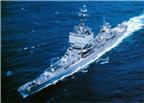
USS Long Beach CGN-9
RM2 1969-1973
USS Long Beach CGN-9
RM2 1969-1973
-
cfulbright
- Posts: 2782
- Joined: Tue May 06, 2003 11:12 pm
RE: SUPPLY- Thread number 2000 on this topic
I'll be interested to hear what others say, but I think if you have a small front, only two depots, and one of them is a port, you set the port to priority = 3, so it gets lots of supplies, and you set the depot near the front to 4, so it has higher priority than the port and draws supplies from it.
Cary
Cary

RE: SUPPLY- Thread number 2000 on this topic
you want the port level higher than the sending port in the UK so depending needs to be #1 or #2. You need intermediate depots (see below), depots send up the priority scale so your front line depot must be > your port.
Intermediate depots do 3 useful things:
a) moving freight by rail takes up your rail capacity - in France till you have Paris etc this is very limited. So if you don't have intermediate depots your freight may be stuck at the port as its lacks the trains to move it to the front (you have created an either/or situation). If you have intermediate depots then the freight at least gets that far
b) the actual capacity of a depot to receive, send out and store supply is dependent on the size of the railyard. On capture this is going to be damaged, especially if you bombed it when the Germans held it. So it won't work very well till it repairs
c) so in this case your intermediate depot may have far more capacity and may well be the main depot your units are working off
Pressing the '8' key gives you a quick visual guide as to what is happening
Depot priority simply creates both the movement path and where supply goes if its restricted. Put everything on #4 and you are telling the AI system to do whatever it fancies - don't blame me if French trains then start travelling from Cherbourg to Bayonne with your supplies [;)]
Intermediate depots do 3 useful things:
a) moving freight by rail takes up your rail capacity - in France till you have Paris etc this is very limited. So if you don't have intermediate depots your freight may be stuck at the port as its lacks the trains to move it to the front (you have created an either/or situation). If you have intermediate depots then the freight at least gets that far
b) the actual capacity of a depot to receive, send out and store supply is dependent on the size of the railyard. On capture this is going to be damaged, especially if you bombed it when the Germans held it. So it won't work very well till it repairs
c) so in this case your intermediate depot may have far more capacity and may well be the main depot your units are working off
Pressing the '8' key gives you a quick visual guide as to what is happening
Depot priority simply creates both the movement path and where supply goes if its restricted. Put everything on #4 and you are telling the AI system to do whatever it fancies - don't blame me if French trains then start travelling from Cherbourg to Bayonne with your supplies [;)]
RE: SUPPLY- Thread number 2000 on this topic
So more on intermediate depots.
Behind your front line you are going to have your HQs and your airforce?
They too need supply and there is a real bonus if they are very close to a depot. So you may need a branch work of secondary depots looking after your rear area units.
As to why?
Well its all about trucks in the end. As the Allied player to some extent your rail net only exists to generate the depot layout. You actually don't have many trains, even when Paris is fully repaired, so your supply is mostly moving by truck.
If these trucks have to travel too far (& here we are back to intermediate depots), your units start to shed trucks to look for supply. This hits (hard) both their CV and MP values.
Behind your front line you are going to have your HQs and your airforce?
They too need supply and there is a real bonus if they are very close to a depot. So you may need a branch work of secondary depots looking after your rear area units.
As to why?
Well its all about trucks in the end. As the Allied player to some extent your rail net only exists to generate the depot layout. You actually don't have many trains, even when Paris is fully repaired, so your supply is mostly moving by truck.
If these trucks have to travel too far (& here we are back to intermediate depots), your units start to shed trucks to look for supply. This hits (hard) both their CV and MP values.
RE: SUPPLY- Thread number 2000 on this topic
Which takes us to unit supply values (set via the HQs).
These operate a bit differently to depot values.
The routine gives all units the first tranch of supply (equivalent to being set at level #1) - if it can.
It then gives those at #2 a further tranch.
And so on.
So why not set everyone at #4? In part even as the Allies you don't have enough supply so again its akin to opting out of any control over the system. More importantly, a HQ at level #4 will try its very best to find the supplies it needs to satisfy the demand you've created. So it may well start doing wierd things like sending its trucks to Brittany to get supply - and that uses a lot of your trucks (and this is actually pretty realistic too).
So if you have too many HQs at level 4 you might satisfy their supply demands but their trucks will be scattered across France. Not moving your artillery or combat formations. So you end up with well supplied immobile units.
Now how to balance HQ priority vs the local supply stock is more feng shui than anything else, you get a feel for it.
These operate a bit differently to depot values.
The routine gives all units the first tranch of supply (equivalent to being set at level #1) - if it can.
It then gives those at #2 a further tranch.
And so on.
So why not set everyone at #4? In part even as the Allies you don't have enough supply so again its akin to opting out of any control over the system. More importantly, a HQ at level #4 will try its very best to find the supplies it needs to satisfy the demand you've created. So it may well start doing wierd things like sending its trucks to Brittany to get supply - and that uses a lot of your trucks (and this is actually pretty realistic too).
So if you have too many HQs at level 4 you might satisfy their supply demands but their trucks will be scattered across France. Not moving your artillery or combat formations. So you end up with well supplied immobile units.
Now how to balance HQ priority vs the local supply stock is more feng shui than anything else, you get a feel for it.
-
MemoryLeak
- Posts: 512
- Joined: Mon Dec 04, 2000 10:00 am
- Location: Woodland, CA USA
RE: SUPPLY- Thread number 2000 on this topic
I appreciate your detailed response but I didn't comprehend any of it. Is there any way to play this game with some sort of automatic supply? Supply just doesn't make any sense to me.
I've never seen anything this complicated in my whole life. I just don't know what pleasure you can
get out of something this frustrating. Just forget it unless there is an automatic setting that I can't find.
I want a war game not a supply game.
Thank you in advance.
I've never seen anything this complicated in my whole life. I just don't know what pleasure you can
get out of something this frustrating. Just forget it unless there is an automatic setting that I can't find.
I want a war game not a supply game.
Thank you in advance.
If you want to make GOD laugh, tell him your future plans
USS Long Beach CGN-9
RM2 1969-1973
USS Long Beach CGN-9
RM2 1969-1973
-
DrHiramTemple
- Posts: 56
- Joined: Sat Jan 11, 2020 12:41 pm
RE: SUPPLY- Thread number 2000 on this topic
Unfortunately, there’s no automatic option; War in the West is very much a game of logistics. For me, that happens to be one of its selling points. It seems to do an excellent job of portraying the real-world constraints of the militaries in WWII. For example, once you break out of your initial beachhead, it's very easy to sweep across the majority of France, only to stall out as you develop a massive supply crunch on the approach to the German border. This perfectly mirrors the allied offensive. This sort of logistical constraint never seems to show up in similar wargames (which is a bit of a shame, since i think it can really help to prevent/ reduce snowballing). If you're not big on logistics, that's certainly fine, but WitW may be a bit of an uphill slog for you. That being said, I think that it can be boiled down to a few rules that can reasonably simplify the whole process:
-always be repairing rails towards the front.
-build as many depots as you can close to the front. set these to 4.
-also build depots in cities with large railyards (eg Paris). Assuming they're not immediately behind the front, set them to 3.
-major ports on the continent should also be set to 3.
-as the front moves along, smaller rear-area depots should be reduced to 2. Shipping ports (eg ports in England) should be kept at 2.
-1 is for out of the way places, and 0 is for locations that you're certain won't be seeing any troops or aircraft ever again.
Anyone can feel free to correct me (I’m very much a novice), but I’ve found these rules reasonably effective, at least while playing against the ai.
-always be repairing rails towards the front.
-build as many depots as you can close to the front. set these to 4.
-also build depots in cities with large railyards (eg Paris). Assuming they're not immediately behind the front, set them to 3.
-major ports on the continent should also be set to 3.
-as the front moves along, smaller rear-area depots should be reduced to 2. Shipping ports (eg ports in England) should be kept at 2.
-1 is for out of the way places, and 0 is for locations that you're certain won't be seeing any troops or aircraft ever again.
Anyone can feel free to correct me (I’m very much a novice), but I’ve found these rules reasonably effective, at least while playing against the ai.
-
MemoryLeak
- Posts: 512
- Joined: Mon Dec 04, 2000 10:00 am
- Location: Woodland, CA USA
RE: SUPPLY- Thread number 2000 on this topic
thanks for your time. I just finished watching three more hours of tutorial videos. I started Operation Husky again. Nothing stuck. Couldn't remember anything .
I had invasion ships going all over the ocean. Left click right click, Jesus, nothing is consistent. The game wins. I give up. I uninstalled it.
It doesn't really matter anymore. Too old to care.
I had invasion ships going all over the ocean. Left click right click, Jesus, nothing is consistent. The game wins. I give up. I uninstalled it.
It doesn't really matter anymore. Too old to care.
If you want to make GOD laugh, tell him your future plans
USS Long Beach CGN-9
RM2 1969-1973
USS Long Beach CGN-9
RM2 1969-1973
-
cfulbright
- Posts: 2782
- Joined: Tue May 06, 2003 11:12 pm
RE: SUPPLY- Thread number 2000 on this topic
MemoryLeak,
Sorry to hear that. Everyone's taste is different.
I do like the photo of CGN-9 Long Beach. That was one of my first ship models (Revell as a I recall) about 55 years ago.
Cary
Sorry to hear that. Everyone's taste is different.
I do like the photo of CGN-9 Long Beach. That was one of my first ship models (Revell as a I recall) about 55 years ago.
Cary
-
GloriousRuse
- Posts: 923
- Joined: Sat Oct 26, 2013 12:51 am
RE: SUPPLY- Thread number 2000 on this topic
Well, should you ever re-install it, there are ways to play it without having Loki like knowledge.
If you think a depot is important and on the front lines, set it to 4.
If it’s less important but it should still get stuff, set it to 3.
If you just kind of need a depot there, set it 2.
Build depots near the front.
If an HQ absolutely must get the most supplies (like patton driving across Europe), set it to 4.
If it’s reasonably average on the offense, set it to 3.
If it just needs to get enough to get by, set it to 2.
Build rails. Every turn. 1 connected rail line means you don’t starve, two means you’re good to go.
I just wrapped up my third human v human grand campaign. So far I haven’t needed to explore the system in more detail than that. You can of course, and you’ll be rewarded for your knowledge and expertise, but not in an exponential manner. I actually think that’s one of the strengths of the game - there are tons of details you can fiddle with, but they don’t have outsized impacts (except the EF box)
If you think a depot is important and on the front lines, set it to 4.
If it’s less important but it should still get stuff, set it to 3.
If you just kind of need a depot there, set it 2.
Build depots near the front.
If an HQ absolutely must get the most supplies (like patton driving across Europe), set it to 4.
If it’s reasonably average on the offense, set it to 3.
If it just needs to get enough to get by, set it to 2.
Build rails. Every turn. 1 connected rail line means you don’t starve, two means you’re good to go.
I just wrapped up my third human v human grand campaign. So far I haven’t needed to explore the system in more detail than that. You can of course, and you’ll be rewarded for your knowledge and expertise, but not in an exponential manner. I actually think that’s one of the strengths of the game - there are tons of details you can fiddle with, but they don’t have outsized impacts (except the EF box)
-
MemoryLeak
- Posts: 512
- Joined: Mon Dec 04, 2000 10:00 am
- Location: Woodland, CA USA
RE: SUPPLY- Thread number 2000 on this topic
I am trying it again. This game makes me want to scream. I am doing the Husky scenario again after watching the first
tutorial again. Some guy from matrix is doing it. He lands his troops and then moves all of the HQ's from the mainland to ships at sea to
locations near the landing sites. Next turn he moves all of the ships carrying HQ's to a port, unloads them and moves them inland. OK.
So I try to do the same thing. And each time I try to put a ship into one of the ports and unload the HQ it says,
You do not have enough strategic movement points. Give me strength. Same messages on the third turn. I am so pissed by this
time I can't see straight. How did the guy in the video do it? This is an official matrix video.
And if there is a problem, how about it automatically displaying an info screen that says, "Larry, if you want to unload this ship
you have xxx amount of SMP and you need xxx amount to do it. And you will find this info in advance at xxx location."
I am totally in the dark about how to corelate this info. I don't know how to figure out port capacity vs what actions I can take. Or
if I do this , then this is the remaining amount of capacity or points or whatever the hell they want to call it.
And how about the unit info screen saying that this takes xxx number of smp's to unload it.
And also I have several Engineer units on the map in Sicily. I don't have a clue how they got there but they won't move.
I know they are for repairs but How do I wake them up?
tutorial again. Some guy from matrix is doing it. He lands his troops and then moves all of the HQ's from the mainland to ships at sea to
locations near the landing sites. Next turn he moves all of the ships carrying HQ's to a port, unloads them and moves them inland. OK.
So I try to do the same thing. And each time I try to put a ship into one of the ports and unload the HQ it says,
You do not have enough strategic movement points. Give me strength. Same messages on the third turn. I am so pissed by this
time I can't see straight. How did the guy in the video do it? This is an official matrix video.
And if there is a problem, how about it automatically displaying an info screen that says, "Larry, if you want to unload this ship
you have xxx amount of SMP and you need xxx amount to do it. And you will find this info in advance at xxx location."
I am totally in the dark about how to corelate this info. I don't know how to figure out port capacity vs what actions I can take. Or
if I do this , then this is the remaining amount of capacity or points or whatever the hell they want to call it.
And how about the unit info screen saying that this takes xxx number of smp's to unload it.
And also I have several Engineer units on the map in Sicily. I don't have a clue how they got there but they won't move.
I know they are for repairs but How do I wake them up?
If you want to make GOD laugh, tell him your future plans
USS Long Beach CGN-9
RM2 1969-1973
USS Long Beach CGN-9
RM2 1969-1973
-
cfulbright
- Posts: 2782
- Joined: Tue May 06, 2003 11:12 pm
RE: SUPPLY- Thread number 2000 on this topic
Are you moving the embarked units to a port (that has damage), or to one of the landing sites that is not in a port? The latter should be able to disembark your units, whereas the former won't until they're fully repaired.
The GS engineer units don't "wake up" or move. They're static units that repair the rail or port/airfield in a hex.
Cary
The GS engineer units don't "wake up" or move. They're static units that repair the rail or port/airfield in a hex.
Cary
-
MemoryLeak
- Posts: 512
- Joined: Mon Dec 04, 2000 10:00 am
- Location: Woodland, CA USA
RE: SUPPLY- Thread number 2000 on this topic
And Cfulbright -- It was a good looking ship .I was a Radionman on the ship for four years. 1969- 1973.
I hated to see it dismantled up in Seattle for scrap.
I hated to see it dismantled up in Seattle for scrap.
If you want to make GOD laugh, tell him your future plans
USS Long Beach CGN-9
RM2 1969-1973
USS Long Beach CGN-9
RM2 1969-1973
-
MemoryLeak
- Posts: 512
- Joined: Mon Dec 04, 2000 10:00 am
- Location: Woodland, CA USA
RE: SUPPLY- Thread number 2000 on this topic
Cary, our posts are passing each other in cyber space.
I believe I am moving the HQ's into a port. I noticed that the damage level was 100. So the key is to move them to a landing site?
I believe I am moving the HQ's into a port. I noticed that the damage level was 100. So the key is to move them to a landing site?
If you want to make GOD laugh, tell him your future plans
USS Long Beach CGN-9
RM2 1969-1973
USS Long Beach CGN-9
RM2 1969-1973
-
cfulbright
- Posts: 2782
- Joined: Tue May 06, 2003 11:12 pm
RE: SUPPLY- Thread number 2000 on this topic
Yes, move them to a landing site until the port is repaired. Also, if the HQ has lots of attached support units, it "weighs" a lot more and needs a bigger port. The secret (which may be "gamey") is: 1) embark an army HQ; 2) transfer the support units from the corps HQ's to the army HQ before you embark the corps HQ's; 3) move the empty corps HQ's to a landing zone and disembark them; 4) naval move the embarked army HQ with the attached support units next to the landed corps HQ's; and 5) transfer the support units from the army to the corps.
One thing I never understood about when the scrapped the CGN's and also all those SSN's and SSBN's: why didn't they take the perfectly safe nuclear reactors, sell them to utilities, and plug them into the electrical grid? They must have scrapped over 100 nuclear reactors over the years.
Cary
One thing I never understood about when the scrapped the CGN's and also all those SSN's and SSBN's: why didn't they take the perfectly safe nuclear reactors, sell them to utilities, and plug them into the electrical grid? They must have scrapped over 100 nuclear reactors over the years.
Cary
-
GloriousRuse
- Posts: 923
- Joined: Sat Oct 26, 2013 12:51 am
RE: SUPPLY- Thread number 2000 on this topic
You can see the port capacity when naval movement is highlighted; it's the number inside the anchor. The number goes down as stuff goes in and out. As a rule of thumb, you want a 30+ to move armor, 15+ to move infantry. HQs are variable depending on how much support you've got stacked in them. If you juts took a proper port, expect it to need some time to repair before it's good for mass movement (you can expedite level 1 ports by putting a TF next to them).
If you see the little wavy arrow on the unit screen, it'll start at 200 - that's the SMP. Plan on needing 130 to unload over a beach, which is where most of your stuff is going for the first few weeks after an invasion. Moving a unit/HQ to a beach is going to be a two turn event in the med. The best way around that for the second wave is to move them behind the assault echelons, and keep them a bit offshore. The landing will go in at the end of your turn, and at the start of your next turn you'll have the second wave close enough to unload on the spot.
If you see the little wavy arrow on the unit screen, it'll start at 200 - that's the SMP. Plan on needing 130 to unload over a beach, which is where most of your stuff is going for the first few weeks after an invasion. Moving a unit/HQ to a beach is going to be a two turn event in the med. The best way around that for the second wave is to move them behind the assault echelons, and keep them a bit offshore. The landing will go in at the end of your turn, and at the start of your next turn you'll have the second wave close enough to unload on the spot.
-
MemoryLeak
- Posts: 512
- Joined: Mon Dec 04, 2000 10:00 am
- Location: Woodland, CA USA
RE: SUPPLY- Thread number 2000 on this topic
Hi Cary,,
I will try your suggestion with the HQ's. It will be monkey see monkey do because I don't understand why that will work,
but I will try it.
First off, I am not trying to get a free ride off of anyones knowledge.
I have read(several times) and printed the handbook. And I thank you.
I am slogging my way through the game manual but my head may explode before I finish.
I like your explanation about supply. I copied and pasted it into my notebook. I'll do
the same with your HQ juggling act.
DO engineer units just materalize when needed and are controlled by the AI?
ANd you said two things that I need to know more about:
1. I know EF is Eastern Front. In your experience what is best, on or off?
2. Build Railroads. How do I get engineers to do that if they can't be controled? I know
or think I know , that they are SU's. But all of this is so complicated that I don't
know how to use them. And there must be a penalty built in for using them. Like I am trying
to repair the ports but there is only so much to go around. Is there a display that says, "you
have used x amount of engineer power and that leaves you x amount remaining?" Or is the
penalty in anouther area, like supplies?
It does seem like a waste just scrapping very expensive nuclear reactors, but maybe the design is classified. But
they are only kidding themselves if they think it's a secure.
Larry
I will try your suggestion with the HQ's. It will be monkey see monkey do because I don't understand why that will work,
but I will try it.
First off, I am not trying to get a free ride off of anyones knowledge.
I have read(several times) and printed the handbook. And I thank you.
I am slogging my way through the game manual but my head may explode before I finish.
I like your explanation about supply. I copied and pasted it into my notebook. I'll do
the same with your HQ juggling act.
DO engineer units just materalize when needed and are controlled by the AI?
ANd you said two things that I need to know more about:
1. I know EF is Eastern Front. In your experience what is best, on or off?
2. Build Railroads. How do I get engineers to do that if they can't be controled? I know
or think I know , that they are SU's. But all of this is so complicated that I don't
know how to use them. And there must be a penalty built in for using them. Like I am trying
to repair the ports but there is only so much to go around. Is there a display that says, "you
have used x amount of engineer power and that leaves you x amount remaining?" Or is the
penalty in anouther area, like supplies?
It does seem like a waste just scrapping very expensive nuclear reactors, but maybe the design is classified. But
they are only kidding themselves if they think it's a secure.
Larry
If you want to make GOD laugh, tell him your future plans
USS Long Beach CGN-9
RM2 1969-1973
USS Long Beach CGN-9
RM2 1969-1973
-
cfulbright
- Posts: 2782
- Joined: Tue May 06, 2003 11:12 pm
RE: SUPPLY- Thread number 2000 on this topic
Putting a TF into a level 1 or 2 port completely repairs it by the next turn.
Contrary to what the tutorials advise, I don't recommend putting second-wave units off-shore, as they take casualties. My practice is to embark the second wave units and move them to nearby ports or friendly hexes such as Victoria, Valletta, and Pantelleria, then move them to the landing hexes on the second turn and you should be able to disembark them that turn.
Cary
Contrary to what the tutorials advise, I don't recommend putting second-wave units off-shore, as they take casualties. My practice is to embark the second wave units and move them to nearby ports or friendly hexes such as Victoria, Valletta, and Pantelleria, then move them to the landing hexes on the second turn and you should be able to disembark them that turn.
Cary
-
cfulbright
- Posts: 2782
- Joined: Tue May 06, 2003 11:12 pm
RE: SUPPLY- Thread number 2000 on this topic
Larry,
It's definitely NOT a free-ride to learn from people here who learned these things through trial and error.
There are three types of "engineer" units in the game:
1. combat engineer support units that never appear on-map
2. GS engineer units (actually considered "Construction" units in the Commander's Report) that can be either support units or on-map, but can't be moved if on-map
3. RR repair units that are on-map units, have GS units attached, and are what you use to repair rail hexes
You can manually assign a GS unit to a city or town and it will increase repair rates for railyard and port and also support airfield expansion. Assigning a GS unit that way takes one admin point. If GS units are attached to an HQ and not being used in a city or town, the AI may assign them to a hex on-map at its random discretion, and that unit will repair the rail in the hex and also do railyard and port repairs and airfield expansions. It doesn't cost an admin point when the AI does this, and you always can "return to HQ" the GS unit and then manually assign it to a city or hex the same turn. The reason you want to do the latter is that when you capture the Foggia area in Italy, you want to build or expand airfields on those hexes around it, which requires manually assigning the GS units to the hexes.
I play with East Front control on, but I can't honestly tell you the difference. Someone recommended it for solitaire games.
Cary
It's definitely NOT a free-ride to learn from people here who learned these things through trial and error.
There are three types of "engineer" units in the game:
1. combat engineer support units that never appear on-map
2. GS engineer units (actually considered "Construction" units in the Commander's Report) that can be either support units or on-map, but can't be moved if on-map
3. RR repair units that are on-map units, have GS units attached, and are what you use to repair rail hexes
You can manually assign a GS unit to a city or town and it will increase repair rates for railyard and port and also support airfield expansion. Assigning a GS unit that way takes one admin point. If GS units are attached to an HQ and not being used in a city or town, the AI may assign them to a hex on-map at its random discretion, and that unit will repair the rail in the hex and also do railyard and port repairs and airfield expansions. It doesn't cost an admin point when the AI does this, and you always can "return to HQ" the GS unit and then manually assign it to a city or hex the same turn. The reason you want to do the latter is that when you capture the Foggia area in Italy, you want to build or expand airfields on those hexes around it, which requires manually assigning the GS units to the hexes.
I play with East Front control on, but I can't honestly tell you the difference. Someone recommended it for solitaire games.
Cary
-
MemoryLeak
- Posts: 512
- Joined: Mon Dec 04, 2000 10:00 am
- Location: Woodland, CA USA
RE: SUPPLY- Thread number 2000 on this topic
okay, Some of it is becoming clearer to me. I can't tell you how much I miss being able to ask people
questions instead of googling it. For me I can grasp things a lot easier by talking to someone. Versus just
getting it out of a manual.
One last question for now if you have time.
I'm having a brain fade. What does GS stand for?
And I want to thank you and GloriusRuse and Loki for taking the time to answer my questions.
questions instead of googling it. For me I can grasp things a lot easier by talking to someone. Versus just
getting it out of a manual.
One last question for now if you have time.
I'm having a brain fade. What does GS stand for?
And I want to thank you and GloriusRuse and Loki for taking the time to answer my questions.
If you want to make GOD laugh, tell him your future plans
USS Long Beach CGN-9
RM2 1969-1973
USS Long Beach CGN-9
RM2 1969-1973