

Location of Download
Moderator: MOD_Command
RE: Location of Download
I suggest going throught P Gatcomb's tutorials first. Go with the basic one's about movement, maps, WRA, reading database etc. that he did with baloogan. It's much easier to follow as it's visual and you can follow along. It will save you a lot of the headache and frustrations. This link is for the playlist. I suggest follow the first 3 videos, then go down and go through the videos on doctrine and WRA. This should give you some foundation to understand more advanced stuff.
-
MemoryLeak
- Posts: 512
- Joined: Mon Dec 04, 2000 10:00 am
- Location: Woodland, CA USA
RE: Location of Download
alphali, thanks and I already started the videos a few days ago. This will be my third attempt at getting into this game. I bought it when it first came out years ago. At that time there was absolutely no help available at all when it came to understanding the rules. SO I shelved it. I tried again in 2019 and I couldn't even get the f'ing formation editor to work. So I shelved it again. I figure this outcome will be the same., you know what they say about repeating insane behavior and expecting a different out come.
the biggest drawback to P Gatcomb videos is he talks so damn fast and he assumes you already understand each menu he brings up and starts manipulating. Basically, he is just playing the game and talking all the way through it. It would be a lot more effect as a teaching aid to thoroughly explain the function of each menu and the sub selections of each menu and why you are doing what you are doing.
If you want an example of a complete waste of time is watch his naval/air operations video. He goes so fast you'd think he had an outboard motor up his ass. It is a click-fest and he doesn't explain anything. I hope I can locate a better set of videos someplace.
the biggest drawback to P Gatcomb videos is he talks so damn fast and he assumes you already understand each menu he brings up and starts manipulating. Basically, he is just playing the game and talking all the way through it. It would be a lot more effect as a teaching aid to thoroughly explain the function of each menu and the sub selections of each menu and why you are doing what you are doing.
If you want an example of a complete waste of time is watch his naval/air operations video. He goes so fast you'd think he had an outboard motor up his ass. It is a click-fest and he doesn't explain anything. I hope I can locate a better set of videos someplace.
If you want to make GOD laugh, tell him your future plans
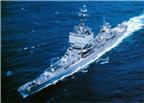
USS Long Beach CGN-9
RM2 1969-1973
USS Long Beach CGN-9
RM2 1969-1973
RE: Location of Download
This is why I suggested you start with the first 3 videos of the playlist and then go down and find and watch the two videos on Doctrine and WRA (I can link them if you can't find them). In those videos he explains every tab and option and when to use them (and what could go wrong if you don't use them correctly). Don't go on watching random videos from his tutorials. Start with those basics videos then go to more advanced stuff.
-
MemoryLeak
- Posts: 512
- Joined: Mon Dec 04, 2000 10:00 am
- Location: Woodland, CA USA
RE: Location of Download
i have watched them. I'm watching number 8 right now.
It is just like spectating while he plays a scenario. He will display an extremely complicated menu like weapons release authority and make his choices without explaining anything about them.
And air ops menu, there are only about a million combinations of choices but no in-depth explanation of what each function does. or how it will screw you up if you choose it or don't choose it.
And he goes to drop down menus and I have to pause and run it back a dozen times just to try and see what menu e pulled down and which selection he made.
I don't want to watch him play a game, I want detailed slow step by step instructions and explanations, otherwise all he is doing is playing a game , not teaching.
It is just like spectating while he plays a scenario. He will display an extremely complicated menu like weapons release authority and make his choices without explaining anything about them.
And air ops menu, there are only about a million combinations of choices but no in-depth explanation of what each function does. or how it will screw you up if you choose it or don't choose it.
And he goes to drop down menus and I have to pause and run it back a dozen times just to try and see what menu e pulled down and which selection he made.
I don't want to watch him play a game, I want detailed slow step by step instructions and explanations, otherwise all he is doing is playing a game , not teaching.
If you want to make GOD laugh, tell him your future plans
USS Long Beach CGN-9
RM2 1969-1973
USS Long Beach CGN-9
RM2 1969-1973

RE: Location of Download
Working your way through ALL the provided tutorials will really help. They usually stop and have a pop up window to explain what is happening and/or what you should do next. I've found the timing of those isn't always perfect but usually close enough that you don't get lost. And those messages are in the log too so that even if you close and resume, if you then forget what you were told to do, you can find it again in the message log (go ahead, ask me why I know this  ).
).
I did read the part where you were having some trouble with the tutorials. Sounds like you got that sorted? The air ops and strike tutorials will get you going with a lot of the concepts and menus, including the Mission Editor, with a fairly small number of units to control.
Dave
).I did read the part where you were having some trouble with the tutorials. Sounds like you got that sorted? The air ops and strike tutorials will get you going with a lot of the concepts and menus, including the Mission Editor, with a fairly small number of units to control.
Dave
----------------
Dave A.
"When the Boogeyman goes to sleep he checks his closet for paratroopers"
Dave A.
"When the Boogeyman goes to sleep he checks his closet for paratroopers"
RE: Location of Download
I don't understand the confusion, this video on doctrine settings he goes into every option and sub-option and describes what it does and how to use it. And this video on WRA settings where again he goes into detail on every option and how to use them. Those are not gameplay videos but detailed explanations of every tab and option.
Just keep in mind this is a very complicated game and you have to be patient with it. You won't understand everything from the start.
Just keep in mind this is a very complicated game and you have to be patient with it. You won't understand everything from the start.
-
MemoryLeak
- Posts: 512
- Joined: Mon Dec 04, 2000 10:00 am
- Location: Woodland, CA USA
RE: Location of Download
Ultradave, I am currently working my way through the tutorials provided within the game. I'm trying to give it every chance to succeed this time. I haven't even played a scenario yet. ANd the one thing I remember from 2019 is that no matte what I did, I couldn't get the formation editor(menu?) to function for a group of ships. I haven't tried this time yet.
alphali, the only thing I can think of is we are watching different videos. I just finished number nine which is ASW. I will try you links and see that you are talking about. THe ones I am watching goes in to a lot of tactical info but no practical info like how to maneuver thru a menu with dozens of options.
**************************okay I just listed to the link you had to WRA. He does provide a lot of information but he goes way too fast for me. I mean really fast. I'll have to replay it a dozen times to get anything out of it. What is his f'ing hurry? It is very discouraging before I even get started. He is not an effective instructor. He is just showing off his knowledge.
There isn't three people on the face of this planet who can understand how to use WRA and the other stuff related to it.
Why isn't there a setting that overrides all of the other WRA settings called " you are the f'ing trained pilot, use the number of missiles or bombs that gets the job done?" instead of all that other horseshit?
alphali, the only thing I can think of is we are watching different videos. I just finished number nine which is ASW. I will try you links and see that you are talking about. THe ones I am watching goes in to a lot of tactical info but no practical info like how to maneuver thru a menu with dozens of options.
**************************okay I just listed to the link you had to WRA. He does provide a lot of information but he goes way too fast for me. I mean really fast. I'll have to replay it a dozen times to get anything out of it. What is his f'ing hurry? It is very discouraging before I even get started. He is not an effective instructor. He is just showing off his knowledge.
There isn't three people on the face of this planet who can understand how to use WRA and the other stuff related to it.
Why isn't there a setting that overrides all of the other WRA settings called " you are the f'ing trained pilot, use the number of missiles or bombs that gets the job done?" instead of all that other horseshit?
If you want to make GOD laugh, tell him your future plans
USS Long Beach CGN-9
RM2 1969-1973
USS Long Beach CGN-9
RM2 1969-1973
-
KnightHawk75
- Posts: 1850
- Joined: Thu Nov 15, 2018 7:24 pm
RE: Location of Download
there isn't three people on the face of this planet who can understand how to use WRA and the other stuff related to it.
There are plenty, it just takes awhile to "click" for some weeks, others months or years. The recent enhancements that showing the red|yellow differences for inheritance is a helpful recent addition in this regard so you can more easily see when something doesn't match a parent or child - which often you want them different, but it's a helpful indicator when you into one of those "god damn it why is it not doing what I thought I told it to do" situations and you're looking for a cause.

My tip, is not to bite off too much in any one session, and do as you're doing watch video tutorial (even if you have to 1/2 speed them), then play around yourself with topics covered in tutorials or videos, and slowly learn the database. It's a game you learn over months not days. [:)]
Well there sort of is with use missile defense value, but it a more complicated topic than that as there are assumptions with that number with certain type of munition used against it."Why isn't there a setting that overrides all of the other WRA settings called " you are the f'ing trained pilot, use the number of missiles or bombs that gets the job done?" instead of all that other horseshit? "
But say you're trying to idk hit a Bunker (Large C3M) that is 1200dmg pt + heavy or special armor.
It has a somewhat accurate generic missile defense value of like 6. But 6 of what? 6 mavericks or sdb's aren't going to going to make a big dent (probably 30%) even if they all hit directly. You gotta best guess based on munitions involved, armor, how many will get through to target,and at times the number of aimpoints (that little number next to the target square). This can take some planning, and database lookups about the target being hit, which idk frankly is what 1/2 this game is about. So you'll find that something like 6 ~200dmg pt munitions (jassm) may not do the job if like in this case there is special armor, yet 6 ~200pt penetrating munitions that have direct hits will(jassm-pen), or 3 525+dmg (agm-86d) pt precision penetrating munitions will kill it. So not only does warhead size matter, but type matters.
Swap that example with a modern radar and sam site, say it's got dmg pt of like 0 but 12 mount aim points to hit, you fire off 16 munitions at it, say 3 get through, RNG throws you a bone and 1 actually knocks out the FCR component. Do you need to waste more munitions at it? Well you might if it's CEC or it has some other way to launch or maybe it's search radar is still a problem for you, but if not, then you're done, mission kill but the ai can't really know that - not from wra selection perspective anyway.
When in doubt there is always manual\micro control shift-f1 to fire exactly how many you want, of what you want, targeted at who you want, and I use it...often. [:)]
RE: Location of Download
You seem to be quite impatient, if you expect to master the game and understand every aspect of it in a couple of days you will be disappointed.
I suggest you watch the doctrine video that I also linked before, now after watching the video on WRA and doctrine you should attempt the tutorials. Don't watch and rewatch the videos they will be too abstract. Play the tutorials see what you do and don't understand then you can rewatch the videos but now you will have a better understanding of what to focus on. Rinse and repeat. That's how I learned it anyways.
As KnightHawk said and as explained in the WRA video, this is the default parameter "Target's missile defense value". It works sometimes and sometimes it doesn't. This is a sandbox simulator, too many variables and situations, so its impossible for the AI to behave "properly" in every situation. With time you will get the feeling of it, of when to use it and when to override it.
And yet the video is 40min long, this is a complex topic and you will not understand it in one go. He can't go too slow or the video will take 5 hours to finish.He does provide a lot of information but he goes way too fast for me
I suggest you watch the doctrine video that I also linked before, now after watching the video on WRA and doctrine you should attempt the tutorials. Don't watch and rewatch the videos they will be too abstract. Play the tutorials see what you do and don't understand then you can rewatch the videos but now you will have a better understanding of what to focus on. Rinse and repeat. That's how I learned it anyways.
Why isn't there a setting that overrides all of the other WRA settings called " you are the f'ing trained pilot, use the number of missiles or bombs that gets the job done?" instead of all that other horseshit?
As KnightHawk said and as explained in the WRA video, this is the default parameter "Target's missile defense value". It works sometimes and sometimes it doesn't. This is a sandbox simulator, too many variables and situations, so its impossible for the AI to behave "properly" in every situation. With time you will get the feeling of it, of when to use it and when to override it.
-
MemoryLeak
- Posts: 512
- Joined: Mon Dec 04, 2000 10:00 am
- Location: Woodland, CA USA
RE: Location of Download
I think this is hopeless for me but I will try one more time. I fired up the scenario Bridges at Toko_ri. I just wanted to mess around and with that time period the weapons should be easier to manage. (I will continue with the tutorial videos later).
But I can't even create a new mission.
I want to set up a patrol area for the DD Higbee that is just n/o the cag. and keep it in the same relative bearing to the CAG.
I chose "define area"
I chose new mission
Named it North Picket
But it always comes up as a new air mission. Never for a ship no matter what type I pick.
How di I get the missoin editor to allow me to do something with a ship and not a plane all the time?
As you can see, if Ican't do this then I am probably doomed.
But I can't even create a new mission.
I want to set up a patrol area for the DD Higbee that is just n/o the cag. and keep it in the same relative bearing to the CAG.
I chose "define area"
I chose new mission
Named it North Picket
But it always comes up as a new air mission. Never for a ship no matter what type I pick.
How di I get the missoin editor to allow me to do something with a ship and not a plane all the time?
As you can see, if Ican't do this then I am probably doomed.
If you want to make GOD laugh, tell him your future plans
USS Long Beach CGN-9
RM2 1969-1973
USS Long Beach CGN-9
RM2 1969-1973
RE: Location of Download
When you create a new mission, choose patrol, then you can choose what kind of patrol. You have ASuW (anti-surface warfare), AAW (anti-air warfare), ASW (anti-sub warfare)..etc. In your case, I would choose sea control.
In the settings for all patrol types you have A/C settings and non-AC settings as seen in the image below. So go non-ac settings and change as you want. It takes time but you will get things eventually if you keep at it.

In the settings for all patrol types you have A/C settings and non-AC settings as seen in the image below. So go non-ac settings and change as you want. It takes time but you will get things eventually if you keep at it.
- Attachments
-
- 20210514_195741.jpg (107.74 KiB) Viewed 518 times
RE: Location of Download
Additionally, if you dont want it to be a patrol (as in the ship patrolling the area) and just want it to always be in front of the group. You can go to formation editor (while in group mode), click on DDR Higbee, click set station (relative bearing) and choose the location in front of the group

- Attachments
-
- 20210514_200911.jpg (147.91 KiB) Viewed 518 times
-
MemoryLeak
- Posts: 512
- Joined: Mon Dec 04, 2000 10:00 am
- Location: Woodland, CA USA
RE: Location of Download
no matter what I do I cannot get the option of non A/C Settings.
I picked AAW because that is what I want that ship to do. But I cannot assign it or even get Non A/C settings to show up.
I picked AAW because that is what I want that ship to do. But I cannot assign it or even get Non A/C settings to show up.
If you want to make GOD laugh, tell him your future plans
USS Long Beach CGN-9
RM2 1969-1973
USS Long Beach CGN-9
RM2 1969-1973
-
maverick3320
- Posts: 303
- Joined: Sun Feb 14, 2021 4:12 pm
RE: Location of Download
ORIGINAL: MemoryLeak
no matter what I do I cannot get the option of non A/C Settings.
I picked AAW because that is what I want that ship to do. But I cannot assign it or even get Non A/C settings to show up.
I don't believe you can assign a ship to "air to air warfare".
-
MemoryLeak
- Posts: 512
- Joined: Mon Dec 04, 2000 10:00 am
- Location: Woodland, CA USA
RE: Location of Download
thanks for you help but it is too much for me.
If you want to make GOD laugh, tell him your future plans
USS Long Beach CGN-9
RM2 1969-1973
USS Long Beach CGN-9
RM2 1969-1973