DW2 Beta Update - 1.0.3.1 (How to Access and Change List)

The Galaxy Lives On! Distant Worlds, the critically acclaimed 4X space strategy game is back with a brand new 64-bit engine, 3D graphics and a polished interface to begin an epic new Distant Worlds series with Distant Worlds 2. Distant Worlds 2 is a vast, pausable real-time 4X space strategy game. Experience the full depth and detail of turn-based strategy, but with the simplicity and ease of real-time, and on the scale of a massively-multiplayer online game.

Moderator: MOD_DW2

User avatar
rxnnxs
Posts: 638
Joined: Sat Jun 01, 2013 10:25 am
Location: what goes on
Contact:

Re: DW2 Beta Update - 1.0.3.0 (How to Access and Change List)

Post by rxnnxs »

[1.0.3.0]
The List Size Setting is still not saved when changed to the smaller options.
controlcenterlistsizing.jpg
controlcenterlistsizing.jpg (3.94 KiB) Viewed 1588 times
P.S.:
This is focused on critical crash issues and we think we've made significant progress on them.
Sorry, it runs awesome. I wrote too quick.
I hope you get some feedback from those that have real problems.
User avatar
rxnnxs
Posts: 638
Joined: Sat Jun 01, 2013 10:25 am
Location: what goes on
Contact:

Re: DW2 Beta Update - 1.0.3.0 (How to Access and Change List)

Post by rxnnxs »

TL;DR:
Video showing the BUG in FULLSCREEN
Ok, so there is a problem when zooming in and zooming again out.
If you have a huge universe and do it like I show you on a big galaxy, with the side view activated.

I saw those drawings like the dotted lines surrounding owned systems at places where they do not belong to.
I could not reproduce this, therefore only four small animated gif about the side view with those info windows.
If you do this on a big scale, even the little detail info windows pop up from anywhere. this could blast some gpus for sure..

so, please try the following:
on normal view, zoom in into some systems. you see those systems with a preview that you own.
zoom out of the part of the galaxy.
detailed info windows pop up from places surrounding your camera view. Maybe this happens so slow because there are so many systems.
Is this intended? Shall all be shown or just some around the view, or only those where we point at?
Sure there has some finetuning to be done,
but anyway and if this is intended (but only slow because the galaxy is in this case so huge) then:

do it now on a low angle.
zoom in until the view angle on top of the camera seems to tilt even more.
then there will be at first pop up many detail windows from many if not all systems.
zoom even a little closer: now, on the very top of the screen, all detail windows appear again, or at an other level above the galaxy plane.
it looks kind of a fata morgana.


all what I am talking about will be self explaining if you watch the 4 animated small gifs below.
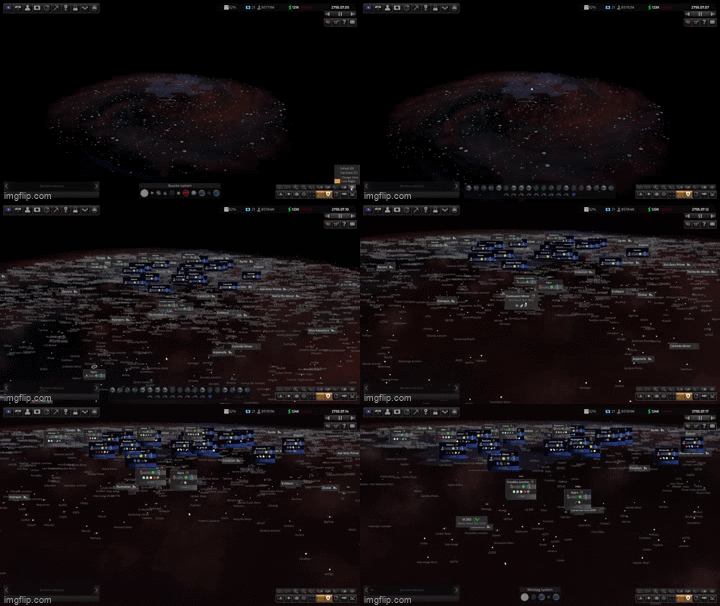
fata morgana1.gif
fata morgana1.gif (3.24 MiB) Viewed 1525 times
.
.
.
.
.
.
.
.
.
.
.
.
.
.
.
.
.
.
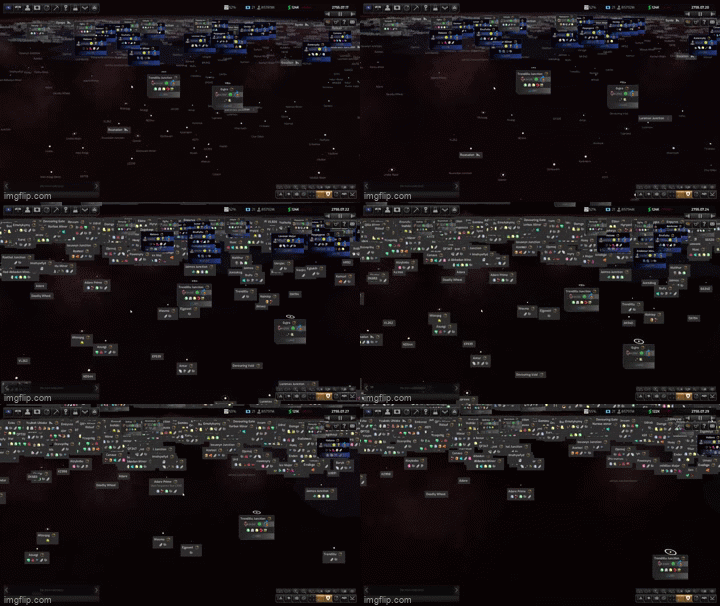
fata morgana1b.gif
fata morgana1b.gif (3.01 MiB) Viewed 1525 times
.
.
.
.
.
.
.
.
.
.
.
.
.
.
.
.
.
.
.
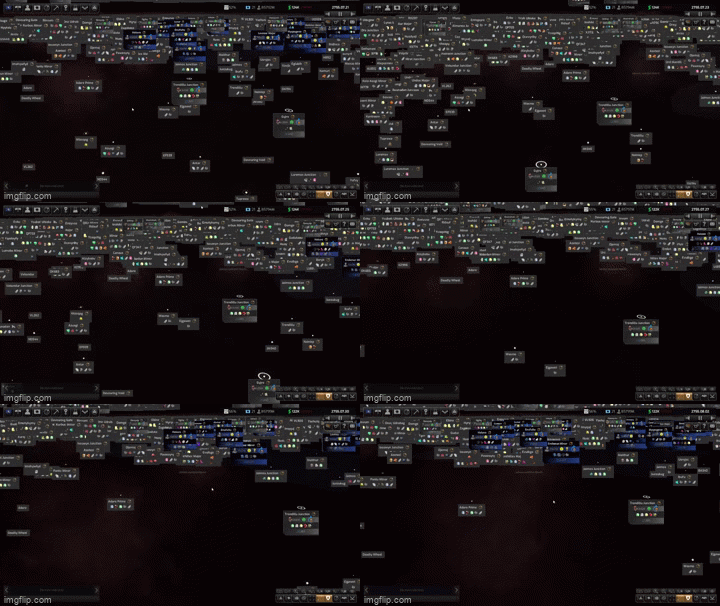
fata morgana2.gif
fata morgana2.gif (2.98 MiB) Viewed 1525 times
.
.
.
.
.
.
.
.
.
.
.
.
.
.
.
.
.
.
.
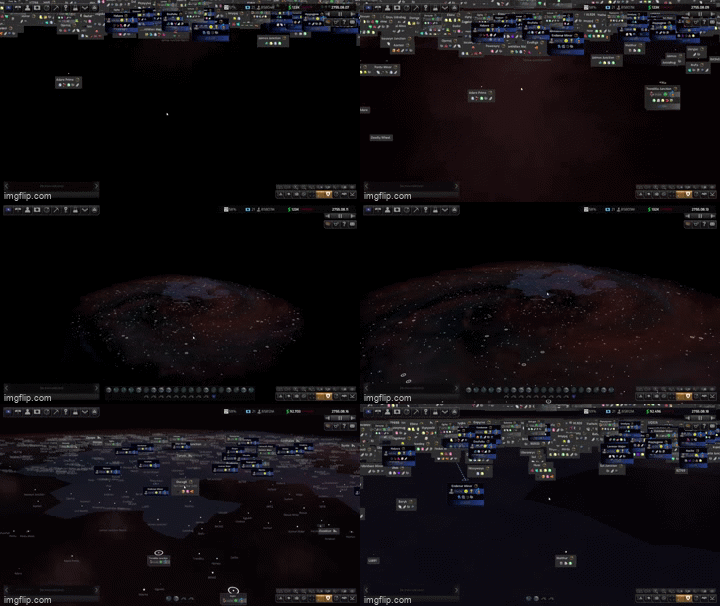
fata morgana 3.gif
fata morgana 3.gif (3.01 MiB) Viewed 1525 times

Sorry, I can give you a video, but do not know how here..
EDIT: Now I know how to upload a video. It is here
Video showing the BUG in FULLSCREEN

P.S.: I made the dots between so you can view the gifs one at a time.
And you can rightclick and open the gif in a new window.
I am sorry for the poor quality, I can make a nice and small mkv video that shows all with 30mb.. but how to upload?
Last edited by rxnnxs on Tue Apr 05, 2022 5:55 am, edited 2 times in total.
User avatar
rxnnxs
Posts: 638
Joined: Sat Jun 01, 2013 10:25 am
Location: what goes on
Contact:

Re: DW2 Beta Update - 1.0.3.0 (How to Access and Change List)

Post by rxnnxs »

TL;DR:
Video showing the BUG in FULLSCREEN
OK, here, again, other universe (way smaller)
I have the same problem and i explain it a little different:
Ther are three screenshots.
The first is the overview of the galaxy. You have to have the view on LOW ANGLE.
Do you see the red flash (circled)? Remember that for picture 2.
1.jpg
1.jpg (205.58 KiB) Viewed 1494 times
In picture 2 I zoom into the north of the galaxy without rotating.
The red flash appears at the top of the screen.
2.jpg
2.jpg (121.11 KiB) Viewed 1494 times
In picture 3 I zoom in more. You can now see that there are other icons which are also from the other side of the galaxy...
how comes??
3.jpg
3.jpg (143.18 KiB) Viewed 1494 times
And also interesting: I made those screenshots, but in game, there is more to see from the top screen. somehow the screenshot shows LESS than the original game shows.

------------------------
EDIT:
Again, a new try to visualize that Problem.
1B1.jpg
1B1.jpg (394.44 KiB) Viewed 1336 times
As a side Note: It would really help in more than one way to show the scale where the camera zoom is right now. For the visually impaired as well as for knowing just the scale and for knowing for you, when viewing a screenshot what we are talking about.
Second side note: I am astonished that nobody is reporting so far in this thread any problems.
Third side note: For germans who wonder how they can display what GPU is used, use the "SHIFT+Ö" key! it is not working with "Shift+^"

And here is the actual Video:
Video showing the BUG in FULLSCREEN
Last edited by rxnnxs on Tue Apr 05, 2022 5:46 am, edited 2 times in total.
User avatar
Erik Rutins
Posts: 39754
Joined: Tue Mar 28, 2000 4:00 pm
Location: Vermont, USA
Contact:

Re: DW2 Beta Update - 1.0.3.1 (How to Access and Change List)

Post by Erik Rutins »

Updated the original post to reflect the 1.0.3.1 beta just made available today.

Also, as a reminder we would greatly appreciate if any issues were reported here:

https://www.matrixgames.com/forums/view ... 6&t=380457
Erik Rutins
CEO, Matrix Games LLC


Image

For official support, please use our Help Desk: http://www.matrixgames.com/helpdesk/

Freedom is not Free.
sanch
Posts: 424
Joined: Sat Oct 30, 2004 7:55 am

Re: DW2 Beta Update - 1.0.3.0 (How to Access and Change List)

Post by sanch »

solops wrote: Fri Apr 01, 2022 3:39 pm "To facilitate frequent beta iterations as needed, this beta is only available for now on Steam and GOG. All Matrix customers also have a free Steam key available (through your My Page) which can be activated if desired to install DW2 via Steam and test this Beta there."

This is pretty shabby treatment of your loyal Matrix customers. I buy direct from Matrix for two reasons: (1) To get more money into Matrix's pocket and less into Steam's and (2) because I detest Steam and the dependency it embodies. I will NEVER buy or play via Steam if I can go direct to the publisher. For Matrix to cut me out of the betas without going through Steam is a betrayal that has me literally shaking with anger.
+1

I have 30+ years programming experience as a consultant; my specialty being going in and cleaning up other people's messes. IMHO this was released 3-6 months before it was ready. When I first ran it I spotted 10-20 obvious problems before it crashed. It was essentially an alpha build, not even beta.

I do not use steam other, for the same reasons. Their terms and conditions are brutal; I will not accept them.

So I deleted the program. Maybe in 6 months or so, I'll try it again.
Jorgas
Posts: 47
Joined: Wed Jan 30, 2013 6:56 pm

Re: DW2 Beta Update - 1.0.3.0 (How to Access and Change List)

Post by Jorgas »

sanch wrote: Mon Apr 04, 2022 4:28 pm
solops wrote: Fri Apr 01, 2022 3:39 pm "To facilitate frequent beta iterations as needed, this beta is only available for now on Steam and GOG. All Matrix customers also have a free Steam key available (through your My Page) which can be activated if desired to install DW2 via Steam and test this Beta there."

This is pretty shabby treatment of your loyal Matrix customers. I buy direct from Matrix for two reasons: (1) To get more money into Matrix's pocket and less into Steam's and (2) because I detest Steam and the dependency it embodies. I will NEVER buy or play via Steam if I can go direct to the publisher. For Matrix to cut me out of the betas without going through Steam is a betrayal that has me literally shaking with anger.
+1

I have 30+ years programming experience as a consultant; my specialty being going in and cleaning up other people's messes. IMHO this was released 3-6 months before it was ready. When I first ran it I spotted 10-20 obvious problems before it crashed. It was essentially an alpha build, not even beta.

I do not use steam other, for the same reasons. Their terms and conditions are brutal; I will not accept them.

So I deleted the program. Maybe in 6 months or so, I'll try it again.
As someone that's spent the last 10+ years being paid to test companies/developers products I could not agree more, this is a alpha build.
actrade
Posts: 429
Joined: Fri Nov 03, 2006 7:20 pm

Re: DW2 Beta Update - 1.0.3.1 (How to Access and Change List)

Post by actrade »

As someone who's spent the last 45+ years playing video/strategy games, I'm immensely enjoying this game.
hyno111
Posts: 5
Joined: Sun May 25, 2014 12:19 am

Re: DW2 Beta Update - 1.0.3.1 (How to Access and Change List)

Post by hyno111 »

1.0.3.1 seems to be incompatible with my saves. The State economy screen is broken and one colony have it's name changed to "Ancient slave colony" and gets an artifact without icon. Forgot to save before rollback and can't reproduce the Ancient Slave Colony one though.
20220405020037_1.jpg
20220405020037_1.jpg (513.83 KiB) Viewed 1189 times
20220405020835_1.jpg
20220405020835_1.jpg (556.69 KiB) Viewed 1189 times
Attachments
save1.7z
(8.45 MiB) Downloaded 26 times
User avatar
Erik Rutins
Posts: 39754
Joined: Tue Mar 28, 2000 4:00 pm
Location: Vermont, USA
Contact:

Re: DW2 Beta Update - 1.0.3.1 (How to Access and Change List)

Post by Erik Rutins »

hyno111 wrote: Mon Apr 04, 2022 6:22 pm 1.0.3.1 seems to be incompatible with my saves. The State economy screen is broken and one colony have it's name changed to "Ancient slave colony" and gets an artifact without icon. Forgot to save before rollback and can't reproduce the Ancient Slave Colony one though.
This save appears to be from March 15th, is that correct and you haven't tried it on any other versions between then and now?
Erik Rutins
CEO, Matrix Games LLC


Image

For official support, please use our Help Desk: http://www.matrixgames.com/helpdesk/

Freedom is not Free.
User avatar
rxnnxs
Posts: 638
Joined: Sat Jun 01, 2013 10:25 am
Location: what goes on
Contact:

Re: DW2 Beta Update - 1.0.3.1 (How to Access and Change List)

Post by rxnnxs »

rxnnxs wrote: Thu Mar 31, 2022 8:10 pm
Erik Rutins wrote: Thu Mar 31, 2022 5:12 pm
Carewolf wrote: Thu Mar 31, 2022 5:10 pm Colony City Night Lights?
Is that a spoiler thing, or when are colonies supposed to render cities, let alone day/night cycles.
They've (the night lights) been doing that all along (night lights on populated worlds which adjust in pattern and density with the population size), you just need to look on the dark side of the planet. However, we found a serious bug with that system that could cause some of the crashes, hence this fix.
I will try to look into this one, because I wrote earlier (here) about this circles/crosshair (night lights) at the dark sides of the planets that were always shining through at a certain distance. Even if not populated. Every planet, every moon, all of them.
...
It is there again.. The night lights shine through. Not all, but through some unpopulated planets/moons.
Could you some day look into this?
I mean, they were not there in 1.0.2.8 and 1.0.2.9.
Please just put it in your to do list for the day after the last crash is taken care of.

Over and out...

Ok, I saw you asked in the thread (
here
) for a savegame. I posted it there, thank you for looking into it.
User avatar
Erik Rutins
Posts: 39754
Joined: Tue Mar 28, 2000 4:00 pm
Location: Vermont, USA
Contact:

Re: DW2 Beta Update - 1.0.3.1 (How to Access and Change List)

Post by Erik Rutins »

1.0.3.1 is now available as an official update, as a result this thread is being unpinned and locked.
Erik Rutins
CEO, Matrix Games LLC


Image

For official support, please use our Help Desk: http://www.matrixgames.com/helpdesk/

Freedom is not Free.
Locked

Return to “Distant Worlds 2”
