[TOOL / RELEASE] CMO Tactical Voice Advisor (Real-Time Neural Radio & CIC Watch Officers)

Post new mods and scenarios here.

Moderator: MOD_Command

Post Reply
User avatar
Correcaminos
Posts: 241
Joined: Sun Jun 01, 2025 7:25 am

[TOOL / RELEASE] CMO Tactical Voice Advisor (Real-Time Neural Radio & CIC Watch Officers)

Post by Correcaminos »

Image

Hi everyone :D :

I’ve always felt that one of the things missing in Command: Modern Operations is the immersion of hearing your Combat Information Center (CIC) and tactical watch team communicating over military radio in real time.

Today, I’m releasing CMO Tactical Voice Advisor ( Community Edition) — a 100% free, open-source, non-invasive tactical voice tool powered by local neural AI voices (Piper ONNX).

What does it do?
The advisor runs alongside CMO and gives you a dedicated team of watch officers who narrate combat events as they unfold:

* Urgent Tactical Alarms: Immediate warnings for incoming anti-ship missiles ("Vampire! Vampire!") and torpedos in the water with bearings.
* Combat BDA & Splashes: Instant radio reports when missiles hit, targets are destroyed, or ships are confirmed sunk.
* Contact Classification: Positive identification of hostile bandits, surface combatants, and subsurface threats (smartly filtering out civilian dhows, fishing trawlers, and airliners).
* Flight Operations: Advisories when sections launch, when maintenance turnaround completes ("Ready on deck"), and when aircraft hit Bingo fuel and return to base.
* Submarine Telemetry: Periscope observations and acoustic BDA updates from your subs.
* Military Radio FX: Built-in VHF/UHF tactical radio filtering and authentic intercom DSP.
* Safety, Security & Zero Bloat (Read Before Running)

🎛️ CUSTOMIZE WHAT YOU HEAR (DIRECTLY FROM CMO OPTIONS)
======================================================================
You have 100% control over which tactical calls you hear without touching a single line of code:

• Full Immersion: In CMO, go to Game Options -> Message Log tab and check all categories to experience the full operational atmosphere of a live war room.

• Quiet / Combat-Only Radio: If you prefer to hear only critical combat calls (Missiles, Torpedoes, Kills, Splashes, BDA), simply uncheck routine event categories in CMO's Message Log.

The advisor only narrates what you choose to log!
======================================================================

This tool was built with strict safety principles:

Zero Game Modification (100% Read-Only): Does NOT inject DLLs, does NOT hook process memory, and does NOT alter game files. It simply reads the text log that CMO already writes to disk when you enable the native Message Log.
Zero Compiled Binaries: No opaque .exe files. Everything is plain-text Python (.py) and transparent 3-line .bat launchers that you can inspect in Notepad.
100% Offline & Private: Once the official public voice models are downloaded from Hugging Face on the first run, the tool runs completely offline. Zero telemetry, zero external connections.


======================================================================
QUICK & SIMPLE INSTALLATION GUIDE (3 STEPS)
======================================================================

1. Requirements:
- Python 3.12 (Recommended):
Direct Download: https://www.python.org/ftp/python/3.12. ... -amd64.exe
- Note: Use Python 3.10, 3.11, or 3.12 (Python 3.13 is not yet supported by the neural voice engine).
- Important: When installing Python, check the box: ☑ "Add python.exe to PATH

2. Unzip & Dependencies:
- Extract the zip folder directly inside your Command Modern Operations folder.
- Double-click: INSTALL_DEPENDENCIES.bat (only needed once, installs the AI voice engine).

3. Run:
- In CMO: Options -> Message Log -> Check [X] "Write message log to file".
- Double-click: START_VOICE_ENGLISH.bat
- A black radio terminal window will open in the background (this is normal, it has no heavy graphical UI). Minimize it, unpause your game, and enjoy the voices!

The tool will automatically locate your CMO installation across your Steam or Matrix Games drives, preload the neural models into RAM, and start narrating.

Image

▶ (Click here to Watch on YouTube)

(Spanish version Example)
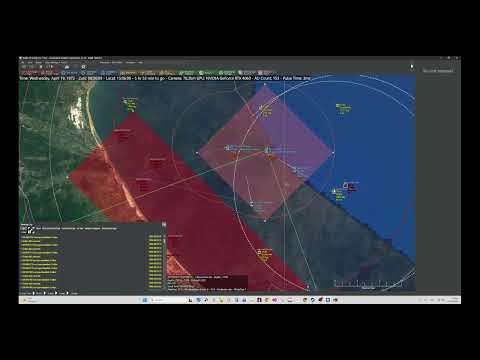

Image

▶ Watch New Gameplay Demo on YouTube (Click to Play)


(English version Example)


Download & Source Code

CMO Tactical Voice Advisor – Update v1.2.13 (27-10-2026)

Download v1.2.13 (GitHub)

• Full GitHub Repository & Documentation:

https://github.com/Correcaminos737/CMO-Tactical-Voice

Feedback, suggestions, and battle reports are very welcome in this thread! I hope this adds as much immersion and tactical adrenaline to your operations as it has to mine.

Good hunting, Commanders!

Correcaminos
Last edited by Correcaminos on Tue Oct 27, 2026 6:20 pm, edited 20 times in total.
Image

"Si vis pacem, para bellum."
User avatar
Correcaminos
Posts: 241
Joined: Sun Jun 01, 2025 7:25 am

Re: [TOOL / RELEASE] CMO Tactical Voice Advisor v1.2 (Real-Time Neural Radio & CIC Watch Officers)

Post by Correcaminos »

CHANGELOG 1.2.1

- Bearings & Distances in Nautical Miles implemented
New contacts now report their estimated bearing and distance in nautical miles (e.g., "Bogey 12 contact, bearing 245, at 30 miles").

- Military Anti-Saturation Batching:
When 3+ air tracks appear simultaneously (e.g. enemy strike packages on radar sweep), the advisor automatically consolidates them into a single concise radio call to keep the channels clear

- Inbound Weapon Threat Warnings:
Immediate tactical audio alert when hostile missiles or torpedoes initiate intercept trajectories against friendly ships or aircraft ("Combat alert! Silkworm attacking Sterett!").
- RWR Radar Lock Warnings:
Electronic warfare advisory on hostile fire-control radar illumination and lock-ons against friendly assets.

-Friendly Losses vs. Enemy Splashes:
Friendly aircraft down or ships sunk now trigger an urgent loss alert ("Attention command: Friendly loss confirmed!"), clearly distinguishing them from enemy splash/kill confirmations.

-Ballistic Endgame Telemetry:
Consolidated telemetry reports when missiles deplete kinetic energy outside their envelope, run blind due to radar loss, or suffer in-flight malfunctions.

-Damage Control Alerts:
Audio warnings on critical ship subsystems (rudders jammed, fires on board, flooding).

-Universal Side Support:
Play with any faction in any scenario (US, USSR, Iran, Ethiopia, Sweden, etc.). The advisor dynamically tracks your active operational side in real time with zero cross-side leaks.

-Built-in Quick Test Suite:
You can now test all tactical voice channels without opening CMO by launching:
python cmo_tactical_voice.py --test --lang en (or --lang es)


Bug Fixes:

- Fixed Contact Classification Truncation:
Fixed regex parsing that was cutting model names down to their initial letter (Y instead of Yak-38, P instead of Patrol Craft). Full designations are now spoken cleanly.

- Civilian Traffic Filtering Restored:
With full model names resolved, commercial tankers, cargo ships, and non-combatants are 100% muted to keep comms focused on actual threats.

- Enemy Telemetry Isolation:
Prevented opposing faction radar classifications from leaking into friendly audio.
Image

"Si vis pacem, para bellum."
Galahad78
Posts: 372
Joined: Mon Sep 28, 2009 10:10 am

Re: [TOOL / RELEASE] CMO Tactical Voice Advisor (Real-Time Neural Radio & CIC Watch Officers)

Post by Galahad78 »

Absolutely amazing, man! I'm testing it, reverting with some notes.
User avatar
Correcaminos
Posts: 241
Joined: Sun Jun 01, 2025 7:25 am

Re: [TOOL / RELEASE] CMO Tactical Voice Advisor (Real-Time Neural Radio & CIC Watch Officers)

Post by Correcaminos »

Galahad78 wrote: Sun Oct 25, 2026 6:54 pm Absolutely amazing, man! I'm testing it, reverting with some notes.
Thanks for your notes Gallahad

CMO Tactical Voice Advisor – Update v1.2.11

Download v1.2.11 (GitHub)

Quick Fixes & Changes:
• Fog of War Fixed: Enemy detections and radar contacts no longer leak into friendly comms (thanks Gallahad for the catch!).
• Friendly Fire Alarm Fixed: Firing your own AIM-120/AMRAAM now reports calm intercept telemetry instead of shouting at you to deploy countermeasures against yourself.
• Bomber Recognition: H-6M Badger and bombers are now properly voiced as aircraft (✈️), not naval ships.
• Naval Gunfire & Subsystem Filter: Damaged turrets, radios, and torpedo tubes are no longer announced as destroyed ships, and rapid 127mm cannon fire is throttled to prevent radio spam.
• Civilian Airliners Muted: Neutral passenger planes (Boeing, ATR, Cessna) are fully silenced during combat.
Image

"Si vis pacem, para bellum."
DONNIE67
Posts: 111
Joined: Sat May 24, 2014 10:42 pm

Re: [TOOL / RELEASE] CMO Tactical Voice Advisor (Real-Time Neural Radio & CIC Watch Officers)

Post by DONNIE67 »

Is Python required to be installed prior to this installation??
User avatar
Correcaminos
Posts: 241
Joined: Sun Jun 01, 2025 7:25 am

Re: [TOOL / RELEASE] CMO Tactical Voice Advisor (Real-Time Neural Radio & CIC Watch Officers)

Post by Correcaminos »

Yes, Python 3 is required (Python 3.10, 3.11, or 3.12 recommended).

You can download it directly from the official website:
🔗 https://www.python.org/downloads/

Crucial Step during installation:
On the very first screen of the Python installer, make sure to check the box:
☑ "Add python.exe to PATH" (at the bottom) before clicking Install Now.

Quick Setup:

Install Python (with PATH enabled).
Double-click INSTALAR_DEPENDENCIAS.bat (it will install the local AI neural voice engine Piper-TTS, radio audio filters, and math libraries in 30 seconds).
Double-click START_VOICE_ENGLISH.bat and enjoy! Everything else is 100% automated and runs offline.
Image

"Si vis pacem, para bellum."
DONNIE67
Posts: 111
Joined: Sat May 24, 2014 10:42 pm

Re: [TOOL / RELEASE] CMO Tactical Voice Advisor (Real-Time Neural Radio & CIC Watch Officers)

Post by DONNIE67 »

the path prompt did not appear. The interface is not working.
User avatar
Correcaminos
Posts: 241
Joined: Sun Jun 01, 2025 7:25 am

Re: [TOOL / RELEASE] CMO Tactical Voice Advisor (Real-Time Neural Radio & CIC Watch Officers)

Post by Correcaminos »

I’ll look into it later, thanks. A user got it working by placing the mod folder inside the CMO folder. It is very important to run `Instalar_Dependencias.bat` (only the first time) and then run the `.bat` file for the desired language.
Image

"Si vis pacem, para bellum."
User avatar
Correcaminos
Posts: 241
Joined: Sun Jun 01, 2025 7:25 am

Re: [TOOL / RELEASE] CMO Tactical Voice Advisor (Real-Time Neural Radio & CIC Watch Officers)

Post by Correcaminos »

DONNIE67 wrote: Sun Oct 25, 2026 11:38 pm the path prompt did not appear. The interface is not working.
To clear up the confusion:

"The Path Prompt": There is no folder prompt. "Add Python to PATH" is simply a single checkbox on the very first screen of the Python installer from python.org (at the bottom). If Python is already installed, you don't need to do anything else with PATH.

To get it running right now:

Step A: Double-click INSTALAR_DEPENDENCIAS.bat (first time only, takes 20 seconds).
Step B: Double-click START_VOICE_ENGLISH.bat. The black radio console will appear and connect to CMO automatically.
(Optional): If your CMO is installed on a non-standard drive, simply unzip the mod folder directly inside your Command - Modern Operations main folder.

Once running, just minimize the black window, unpause your scenario, and your tactical watch crew will start talking!
Image

"Si vis pacem, para bellum."
DONNIE67
Posts: 111
Joined: Sat May 24, 2014 10:42 pm

Re: [TOOL / RELEASE] CMO Tactical Voice Advisor (Real-Time Neural Radio & CIC Watch Officers)

Post by DONNIE67 »

i unzipped the installer into the CMO folder.

I am getting a message python not found even though I installed Python
User avatar
Correcaminos
Posts: 241
Joined: Sun Jun 01, 2025 7:25 am

Re: [TOOL / RELEASE] CMO Tactical Voice Advisor (Real-Time Neural Radio & CIC Watch Officers)

Post by Correcaminos »

DONNIE67 wrote: Mon Oct 26, 2026 10:55 pm i unzipped the installer into the CMO folder.

I am getting a message python not found even though I installed Python
Python is indeed installed on your PC, but Windows doesn't know where to find it because the installer didn't add it to your Windows system PATH environment.

How to fix it:

1. Requirements:
- Python 3.12 (Recommended):
Direct Download: https://www.python.org/ftp/python/3.12. ... -amd64.exe
- Note: Use Python 3.10, 3.11, or 3.12 (Python 3.13 is not yet supported by the neural voice engine).
- Important: When installing Python, check the box: ☑ "Add python.exe to PATH
2.Select "Modify" (or Repair).
3.Make sure to check the box: ☑ "Add python.exe to PATH" at the bottom before clicking next.
4.Once finished, double-click INSTALL_DEPENDENCIES.bat and it will find Python immediately.

(Note: I've also just pushed an update to the release .bat launchers so they automatically search your Windows user AppData directory for Python even if PATH wasn't set!)
Image

"Si vis pacem, para bellum."
User avatar
Correcaminos
Posts: 241
Joined: Sun Jun 01, 2025 7:25 am

Re: [TOOL / RELEASE] CMO Tactical Voice Advisor (Real-Time Neural Radio & CIC Watch Officers)

Post by Correcaminos »

v1.2.13** with a major voice quality and immersion update:

- ** Full DB3000 Military Phonetics (27,000+ entries):** Aircraft, radars, and missiles are now pronounced naturally (proper military brevity for `BOGEY`, `HARM`, `AMRAAM`, `AWACS`, and clean tactical roles like *multirole fighter*, *frigate*, *destroyer*).
- ** Clean Radar & Site Identification:** Technical database codes (e.g., `Skiros AN/TPS-43F Site`) are now cleanly spoken as *"Radar de Skiros"*.
- ** Audio Engine Hardened:** Fixed in-memory sound buffer pipeline for instant, crystal-clear voice playback on all channels.
- ** 100% Plug & Play (Zero Setup):** The precompiled phonetic database is already included inside the ZIP—no setup or DB extraction required!


:arrow: **Direct Download**: [CMO-Tactical-Voice-v1.2.13.zip](https://github.com/Correcaminos737/CMO- ... 1.2.13.zip)
Image

"Si vis pacem, para bellum."
Knightpawn
Posts: 773
Joined: Mon Dec 02, 2024 12:28 pm

Re: [TOOL / RELEASE] CMO Tactical Voice Advisor (Real-Time Neural Radio & CIC Watch Officers)

Post by Knightpawn »

3. Run:
- In CMO: Options -> Message Log -> Check [X] "Write message log to file".
I dont see the last choice (to check write message log to file) in Options > Message log

this is what i see


Screenshot 2026-10-27 235948.png
Screenshot 2026-10-27 235948.png (105.06 KiB) Viewed 409 times
User avatar
Correcaminos
Posts: 241
Joined: Sun Jun 01, 2025 7:25 am

Re: [TOOL / RELEASE] CMO Tactical Voice Advisor (Real-Time Neural Radio & CIC Watch Officers)

Post by Correcaminos »

Sorry for the confusion! The instruction in the guide was worded poorly. There is actually NO checkbox named 'Write message log to file' in CMO.

In Command: Modern Operations, logging to file is 100% automatic. All you need to do is make sure the boxes under the 'Show on Message Log' column are checked for the event types you want to hear (Air Operations, Contacts, Weapon Damage, etc., exactly like in my screenshot).

As soon as those are checked, CMO creates the log file in Command/Logs/ by itself, and the Voice Advisor will pick it up and start talking
Image

"Si vis pacem, para bellum."
DONNIE67
Posts: 111
Joined: Sat May 24, 2014 10:42 pm

Re: [TOOL / RELEASE] CMO Tactical Voice Advisor (Real-Time Neural Radio & CIC Watch Officers)

Post by DONNIE67 »

I installed Python 3.12 as per the link but there still is no checkbox for path. i see only the attached
Attachments
Screenshot 2026-10-27 213451.png
Screenshot 2026-10-27 213451.png (100.43 KiB) Viewed 328 times
User avatar
Correcaminos
Posts: 241
Joined: Sun Jun 01, 2025 7:25 am

Re: [TOOL / RELEASE] CMO Tactical Voice Advisor (Real-Time Neural Radio & CIC Watch Officers)

Post by Correcaminos »

Hi @DONNIE67!

I looked at your screenshot — you are on the right track!

Since you have already installed Python previously, the "Optional Features" screen now appears

The PATH checkbox is simply located on the very next screen:

In that window you have open, click the Next button (bottom right).
On the next screen (Advanced Options), you will see the checkbox: ☑ "Add Python to environment variables" (this is what sets the PATH in this screen). Check that box.
Click Install (or Modify).
Once it finishes, double-click INSTALL_DEPENDENCIES.bat and you will be good to go!

(Bonus: I've also just refreshed the v1.2.13 ZIP with direct auto-detection for Python 3.12 default paths, so if you download the latest ZIP it will detect your Python 3.12 install automatically even without PATH!)
Image

"Si vis pacem, para bellum."
DONNIE67
Posts: 111
Joined: Sat May 24, 2014 10:42 pm

Re: [TOOL / RELEASE] CMO Tactical Voice Advisor (Real-Time Neural Radio & CIC Watch Officers)

Post by DONNIE67 »

That worked! Thank you so much for help with this.
User avatar
Correcaminos
Posts: 241
Joined: Sun Jun 01, 2025 7:25 am

Re: [TOOL / RELEASE] CMO Tactical Voice Advisor (Real-Time Neural Radio & CIC Watch Officers)

Post by Correcaminos »

DONNIE67 wrote: Thu Oct 29, 2026 12:03 am That worked! Thank you so much for help with this.
Make sure you have the latest updated version, v1.2.14. Simply delete your current folder and extract the zip file for the new version. We are still refining the voice module, but those of us who have tested it are thrilled with the difference it makes to the game—it significantly enhances both immersion and situational awareness.
Image

"Si vis pacem, para bellum."
Post Reply

Return to “Mods and Scenarios”