Funny Screen Resolutions

Post bug reports and ask for game support here.
Post Reply
User avatar
jomni
Posts: 2827
Joined: Mon Nov 19, 2007 12:31 am
Contact:

Funny Screen Resolutions

Post by jomni »

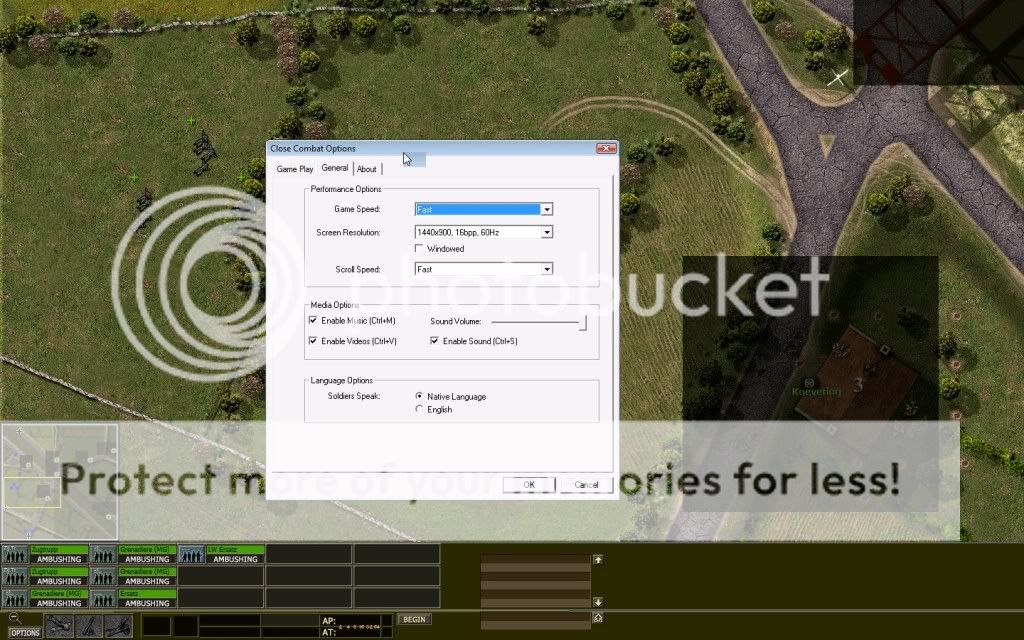
I set my game at 1400x900. This is how it should look like:
Image

But whenever I play the Gemert map... resolution is distorted (not wide-screen). The resolution of the screenshot is 1024x819
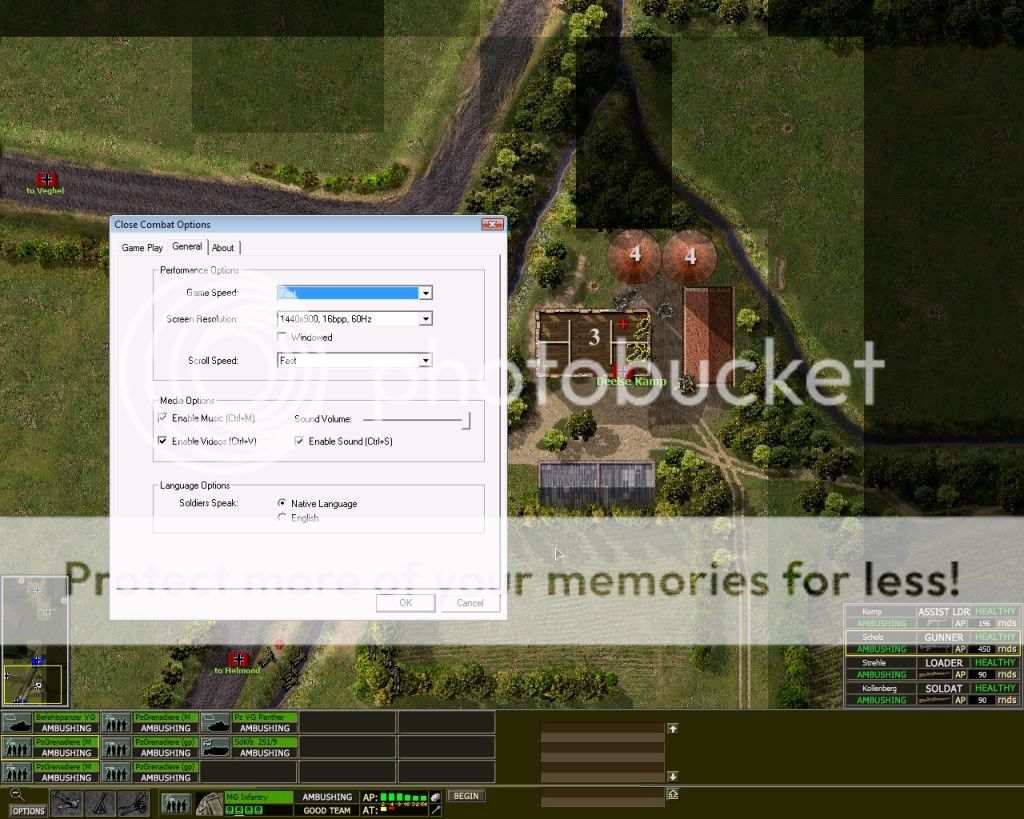
Image
User avatar
RD Oddball
Posts: 4836
Joined: Sat Feb 10, 2007 6:38 pm

RE: Funny Screen Resolutions

Post by RD Oddball »

This just started happening for you Jomni? I'll point it out to Steve to see if he has any input on things to try to help zero in on the issue.
User avatar
Andrew Williams
Posts: 3862
Joined: Mon Jan 08, 2001 10:00 am
Location: Australia
Contact:

RE: Funny Screen Resolutions

Post by Andrew Williams »

Is it because Gemert is a very thin map?
ImageImage
User avatar
SkyStrike
Posts: 29
Joined: Wed Jun 09, 2010 12:18 am
Contact:

RE: Funny Screen Resolutions

Post by SkyStrike »

I got a weird resolution when I selected 1920x1080 which is the default of my 16x9 monitor, but got stretched units..

1600x900 works fine.
User avatar
Andrew Williams
Posts: 3862
Joined: Mon Jan 08, 2001 10:00 am
Location: Australia
Contact:

RE: Funny Screen Resolutions

Post by Andrew Williams »

you need to fix your graphics card settings
ImageImage
User avatar
jomni
Posts: 2827
Joined: Mon Nov 19, 2007 12:31 am
Contact:

RE: Funny Screen Resolutions

Post by jomni »

ORIGINAL: Andrew Williams

you need to fix your graphics card settings

Is it me or SkyStrike?
Anyway my problem is only one one map so far. Other maps are fine.
User avatar
RD Oddball
Posts: 4836
Joined: Sat Feb 10, 2007 6:38 pm

RE: Funny Screen Resolutions

Post by RD Oddball »

ORIGINAL: Andrew Williams

Is it because Gemert is a very thin map?

I think Andrew may have hit on the cause here. I'll mention it to the lead developer to see what he thinks. Hoping he has time to drop in here to weigh in and possibly make some suggestions.
User avatar
squadleader_id
Posts: 302
Joined: Sun Oct 29, 2006 11:31 am
Contact:

RE: Funny Screen Resolutions

Post by squadleader_id »

Try this...enable GPU Scaling and tick "Keep Aspect Ratio" on your graphics card settings.
Also...if the map is smaller than your game resolution setting..they will be displayed with black borders (usually on the left and right) not stretched to full screen.
BTW, what's the verdict on adding /returning the option to stretch the menu screens to full screen (like in CC4-CC5) in the next build/patch? [;)]
User avatar
RD Oddball
Posts: 4836
Joined: Sat Feb 10, 2007 6:38 pm

RE: Funny Screen Resolutions

Post by RD Oddball »

From Steve:
I don't think there's anything in the game that would cause the tactical map
to stretch. If you're running the game full screen and the map is narrower
than your screen resolution then it automatically bumps you down to a
smaller resolution so the map is at least as wide as the screen.

jomni does that characterize what you're seeing?
User avatar
squadleader_id
Posts: 302
Joined: Sun Oct 29, 2006 11:31 am
Contact:

RE: Funny Screen Resolutions

Post by squadleader_id »

ORIGINAL: RD_Oddball

From Steve:
I don't think there's anything in the game that would cause the tactical map
to stretch. If you're running the game full screen and the map is narrower
than your screen resolution then it automatically bumps you down to a
smaller resolution so the map is at least as wide as the screen.

jomni does that characterize what you're seeing?

From my experience...if you set the game screen res to something high like 1680x1050 or 1920x1080...when you play a small map that's narrower than the screen res...the tactical map will be displayed with black borders on the sides. So it doesn't bump down to a resolution that fits your screen.
Of course if you don't set your graphics card driver to "mantain aspect ratio" you might end up with a stretched tactical map.
User avatar
RD Oddball
Posts: 4836
Joined: Sat Feb 10, 2007 6:38 pm

RE: Funny Screen Resolutions

Post by RD Oddball »

ORIGINAL: squadleader_id


From my experience...if you set the game screen res to something high like 1680x1050 or 1920x1080...when you play a small map that's narrower than the screen res...the tactical map will be displayed with black borders on the sides. So it doesn't bump down to a resolution that fits your screen.
Of course if you don't set your graphics card driver to "mantain aspect ratio" you might end up with a stretched tactical map.

Exactly. That's what my PC does as well. Black borders and everything looks as it should. I see your point though i.e. the stretching thing. Give what Squadleader is suggesting a try jomni. Look for a setting in your graphics card preferences that forces it to maintain aspect ratio. of what's being displayed. Some (most?) cards even allow settings for specific applications and returns to your normal settings when you exit the program. Used to do that with my ATI Radeon.
User avatar
jomni
Posts: 2827
Joined: Mon Nov 19, 2007 12:31 am
Contact:

RE: Funny Screen Resolutions

Post by jomni »

I do not see the black spaces.  The map and all the GUI is stretched to fit.
I do not like a fix from the card options as I will be fiddling with them for every game.
I want an option in the game to strictly don't stretch.
Post Reply

Return to “Tech Support”